React Server vs Client Components: Understanding the Differences
Hey there, fellow coder! Have you ever felt like you’re just getting comfortable with React, and then a new concept pops up that makes your head spin? Maybe you’ve been hearing whispers about “Server Components” and wondered, “Wait, I thought React was all about the browser?” You are definitely not alone. It can feel like a curveball.
Today, we’re going to demystify the difference between React Server Components vs Client Components. We’ll explore why they exist, when to use each, and how they team up to build amazing, performant web applications. Let’s make this click for you!
The Headache of “Traditional” React (aka Client-Side Rendering)
Remember when you first learned React? Everything runs in the browser. Your entire application, all the JavaScript, gets sent to the user’s device. The browser then downloads it all. After that, it executes the code. This is called client-side rendering.
Here’s the thing: while this approach is fantastic for building highly interactive experiences, it comes with a few downsides. Imagine getting a massive instruction manual for a simple toy. The browser has to download all those instructions. Then it has to read them all. Only then can it show you the toy.
This can lead to a few frustrations:
- Slow Initial Load: If your app is big, the browser waits a long time. It can feel sluggish at first.
- Large JavaScript Bundles: You’re sending a lot of code. Even parts your user might not immediately need.
- SEO Challenges: Search engines might see an empty page first. They have to wait for JavaScript to run.
You’ve probably run into these issues. Maybe you’ve seen a blank screen for a few seconds. Or perhaps you’ve worried about your page speed scores. Sound familiar? These are common challenges in client-side rendered apps. It makes you wish some of the work could be done earlier.
React Server Components vs Client Components: A Fork in the Road
This is where the lightbulb moment happens! What if some of that initial work didn’t have to happen in the browser? What if some components could render on the server, *before* anything even reaches the user’s device? This is the core idea behind React Server Components.
Think of it like building a house. Traditional React (Client Components) is like sending all the raw materials to the client and having them build the whole house on their plot of land. React Server Components, however, are like getting a pre-fabricated structure. The foundation, the walls, and the roof are already built at the factory (the server). Only the finishing touches and decorations are done on site.
Server Components are about doing the heavy lifting before your user even sees a pixel.
This fundamental difference changes a lot. Your application becomes faster. It sends less JavaScript to the browser. This means a snappier experience for your users. It’s a powerful shift in how we think about React applications.
Diving Deeper: When to Pick a Server Component (The Default)
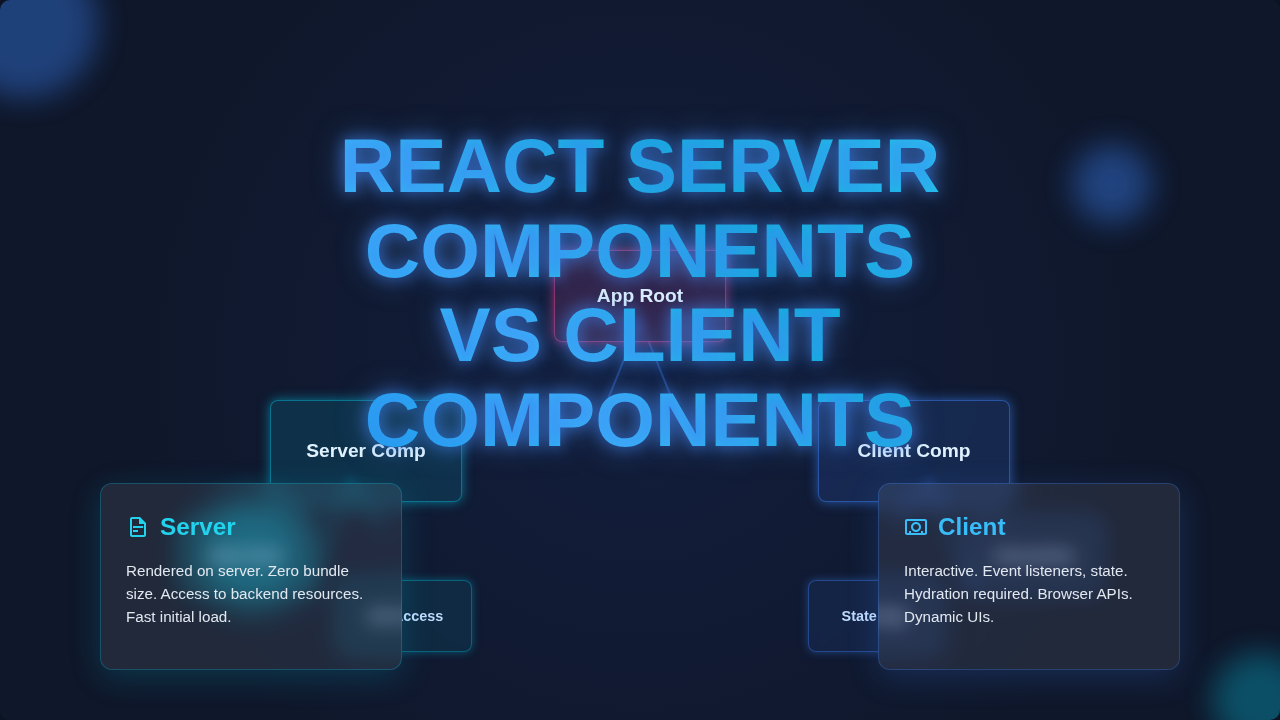
Server Components run entirely on the server. They don’t send their JavaScript to the browser. This means they are incredibly efficient. By default, all components in modern React frameworks (like Next.js App Router) are Server Components.
So, when should you embrace this server-side superpower?
-
Data Fetching: This is a big one! Server Components can directly interact with your database. Or they can securely fetch data from an API. This happens on the server, so no sensitive API keys are exposed to the client. Imagine fetching all your blog post data right from the server. It happens before the page loads!
-
Accessing Server Resources: Need to read a file from the file system? Access environment variables? Server Components can do that securely. The browser never sees these operations.
-
Rendering Static Content: A blog post, a product description, a user profile page. These usually don’t need interactivity on the initial load. Server Components render this content quickly. They deliver plain HTML and CSS to the browser.
-
Reducing Client-Side JavaScript: If a component doesn’t need to be interactive, its JavaScript never leaves the server. This drastically shrinks your bundle size. Your users download less!
Remember, Server Components cannot use browser-specific APIs. They also can’t use React Hooks like `useState` or `useEffect`. Why? Because they run on the server! There’s no browser or interactive lifecycle there. They’re all about getting data and rendering content efficiently.
Unlocking Interactivity: When to Pick a Client Component (The `use client` Switch)
So, if Server Components are the default, how do you get that beloved React interactivity back? That’s where Client Components come in. You explicitly mark a component as a Client Component using the special ` ‘use client’ ` directive at the very top of your file.
When you see ` ‘use client’ `, it’s like telling React, “Hey, this part needs to run in the browser!” These components will have their JavaScript sent to the client. They will hydrate and become interactive. This is your go-to for anything that needs to respond to user actions.
Think about these scenarios:
-
Event Listeners: Anytime you need to handle a click, a hover, or a form submission. For example, a button that updates a counter. Or the input fields in a React User Registration Form with JSX.
-
State Management: If a component needs to manage its own internal state. Like a toggle switch. Or a shopping cart quantity selector. You’ll need `useState` for these.
-
Browser-Specific APIs: Accessing `window`, `localStorage`, or other browser features. These are only available client-side.
-
Animations and Advanced UI: Any complex animations or interactive charts. Things that react dynamically to user input or browser events. Check out advanced UI patterns for inspiration.
If it needs to ‘react’ to a user click or manage its own internal state, it’s probably a Client Component.
Client Components are what you’re already familiar with. They are still crucial for creating rich user experiences. The trick is to use them only where true interactivity is needed. Don’t send JavaScript to the browser if you don’t have to!
Bringing It All Together: A Symphony of Components
The real magic happens when Server Components and Client Components work together. They form a beautiful symphony. A Server Component can render a Client Component as one of its children. The Server Component can even pass data to the Client Component as props.
Imagine building a product page. The main `ProductPage` component could be a Server Component. It fetches all the product details from your database. This includes the name, description, and price. Then, it renders a `AddToCartButton` component. This button would be a Client Component. It needs `useState` to manage its loading state. It also needs an event handler for the click.
The Server Component passes the product ID and price to the `AddToCartButton` as props. The Client Component receives these. It then uses them when the user clicks “Add to Cart.” This approach is incredibly powerful. The static parts load instantly. The interactive parts become active exactly when needed.
This hybrid approach gives you the best of both worlds:
- Faster Initial Load Times: Less JavaScript for the browser to download and parse.
- Improved Performance: Heavy computations happen on the server.
- Better SEO: Search engines see fully rendered HTML immediately.
- Enhanced Security: Sensitive data operations stay server-side.
You can even build something like a React Quiz App with JSX where the questions are fetched and rendered by a Server Component, and the user’s answer input and validation are handled by Client Components.
Your Next Steps: Embracing the Future of React
Learning React Server Components vs Client Components might feel like a big leap. But it’s a super valuable skill for modern web development. The goal is to make your applications faster, more efficient, and more secure. You’ve totally got this.
Here’s what you can do next:
-
Start Small: Don’t try to rewrite your entire app at once. Pick a new feature or a specific page. See if you can identify parts that are mostly static or need data fetching.
-
Think About Data: Ask yourself: “Where does this data come from?” If it’s from a database or an API, a Server Component might be perfect. Maybe you can refactor parts of a React Quiz App Tutorial: Functional Components & Hooks to use Server Components for question loading!
-
Identify Interactivity: If a part of your component needs `useState`, `useEffect`, or direct browser access, it’s a strong candidate for ` ‘use client’ `.
The React ecosystem is always evolving. Understanding these concepts will empower you to build incredibly performant and user-friendly applications. Keep experimenting, keep learning, and keep building awesome stuff!