CORS Errors Explained: A Visual Guide to Fixing Them
Ever hit that wall? You are building something awesome. Perhaps you’re fetching data from an API. Suddenly, your browser throws an error: Cross-Origin Request Blocked. Or maybe it’s Access to fetch has been blocked by CORS policy. Sound familiar?
It can feel like a riddle. This invisible wall stops your code cold. You might spend hours debugging. But don’t worry! You are in the right place. We’re going to get CORS errors explained, step-by-step. We will figure out why your browser acts like a bouncer. And most importantly, how you can fix it.
The CORS Conundrum: You See the Error, But What Is It?
Imagine you’re building a sleek new website. Let’s call it my-awesome-app.com. Your app needs to grab some data. This data lives on a different server. Maybe it’s a weather API at weather-data.com. Or perhaps it’s your own backend API at api.my-app-backend.com.
You write the perfect code. You tell your browser to go fetch that data. Your browser tries to reach out. Then, BAM! The dreaded CORS error appears. Your request fails. The data doesn’t load. Your app looks broken. You feel like throwing your keyboard. You are not alone in this frustration. Many developers face this.
Here’s the thing: this error isn’t trying to hurt you. It’s actually a security feature. It’s your browser protecting its users. This concept can be tricky. But once you understand it, these errors become much less scary. We will break down why this happens. Then we can explore how to work with your browser, not against it.
CORS Errors Explained: Your Browser’s Security Guard
Let’s simplify things a bit. Think of your web browser as a very strict security guard. This guard protects different ‘houses’ on the internet. Each ‘house’ has a unique address. This address is called an origin. An origin is a combination of three things: the protocol (like http:// or https://), the domain name (like procoder09.com), and the port number (like :80 or :443).
So, https://my-awesome-app.com:443 is one origin. And https://api.my-app-backend.com:443 is a completely different origin. Even http://my-awesome-app.com (different protocol) is a different origin!
The security guard (your browser) has a golden rule. It’s called the Same-Origin Policy (SOP). This policy says that code from one origin can only access resources from that *exact same origin*. It’s like a rule for neighbors. You can take things from your own house. You cannot just walk into your neighbor’s house and grab their stuff without an invitation.
Why this rule? It prevents malicious websites. Imagine a bad website. It could try to steal your banking data. Or it could log into your social media. This would happen if it could freely request data from any other site you were logged into. The SOP stops this kind of bad behavior. It’s a crucial part of web security. You can learn more about how browsers handle the Same-Origin Policy on MDN Web Docs.
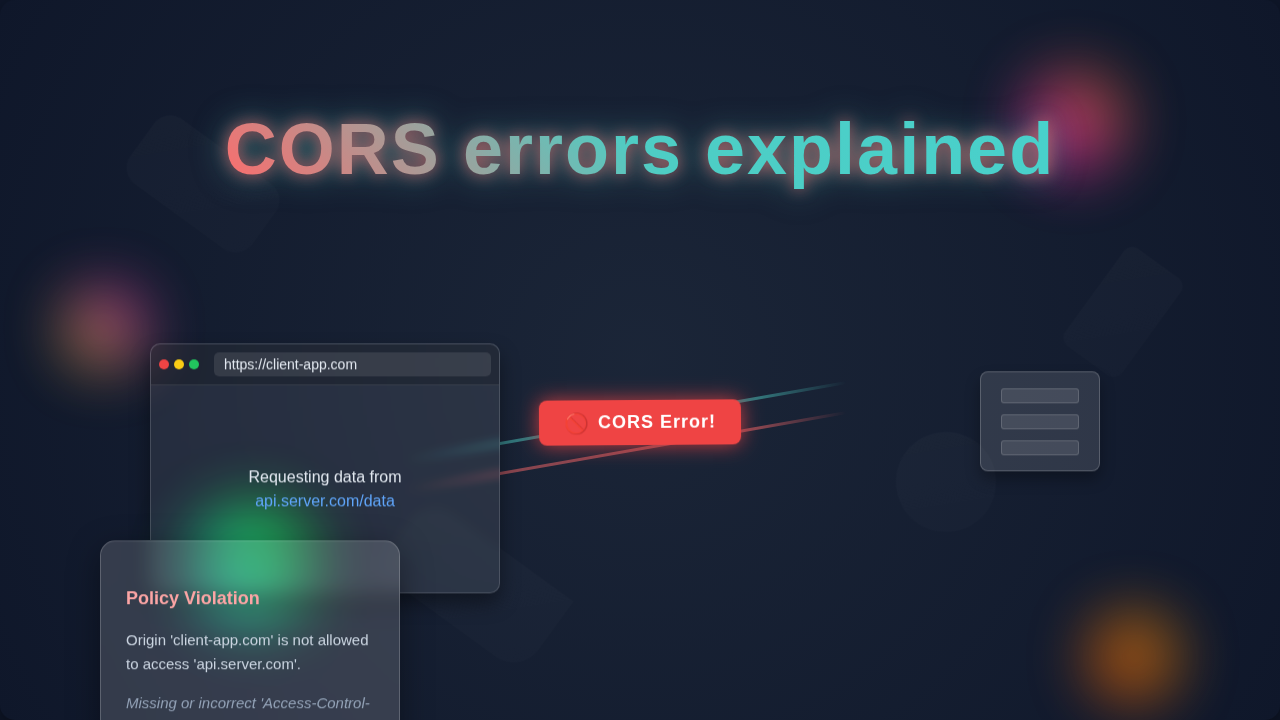
When your my-awesome-app.com tries to fetch data from api.my-app-backend.com, it’s a cross-origin request. The security guard (your browser) sees this. It pauses. It checks if there’s a special invitation. If there isn’t one, the guard blocks the request. That’s your CORS error!
Think of origins like distinct neighborhoods. Your browser’s Same-Origin Policy is the zoning law that prevents residents from one neighborhood (your front-end app) from just walking into another neighborhood’s houses (a different API) without explicit permission.
Unmasking the Culprit: What Triggers a CORS Error?
So, a CORS error means your browser blocked a request. But what kind of request? When does this permission slip come into play? Generally, any request from a web page to a resource that has a different origin will trigger this check. This includes fetching data, loading fonts, or even some types of images.
The browser usually sends a special ‘preflight’ request first. This is for more complex requests. It asks the server: “Hey, are you okay with me sending the real request later?” The server responds with specific headers. These headers tell the browser if the request is allowed. If those headers are missing or incorrect, the browser blocks the main request. You will then see that familiar CORS error message. Even simpler requests, like a basic GET, still need the correct response headers.
When you’re dealing with different servers and making these requests, understanding the HTTP methods is key. If you’ve been working with tools to send requests, you might already know this. For instance, knowing how to make various types of HTTP requests is foundational, much like mastering the ins and outs of Python Requests Explained: Mastering HTTP in Python would teach you for Python.
Cracking the CORS Code: The Server-Side Solution
The good news? The solution usually involves providing that ‘special invitation.’ This invitation comes from the server. The server that hosts the resource you want to access needs to explicitly tell your browser: “Yes, it’s okay for my-awesome-app.com to access my stuff.” This is done using special HTTP response headers.
The most important header is Access-Control-Allow-Origin. The server sends this header back with its response. It tells your browser which origins are permitted. For example, if api.my-app-backend.com wants to allow my-awesome-app.com, its response would include:
Access-Control-Allow-Origin: https://my-awesome-app.com
This tells your browser: “Okay, security guard! This specific origin is allowed in.”
What if you want to allow *any* origin? Sometimes, for public APIs, you might see this:
Access-Control-Allow-Origin: *
This means “all origins are welcome.” Use this carefully, though! It can be a security risk for sensitive data. You should always aim to specify exact origins when possible.
How do you add this header? It depends on your server’s technology. For a Node.js server, you might use a middleware package. In Python, frameworks like Flask or Django have ways to configure CORS. PHP servers can add headers directly in the script. The idea is always the same: configure the server to send the right response headers. You can find more detailed examples on how to implement CORS on various server setups on CSS-Tricks.
The server giving you a CORS error isn’t denying you access; it just hasn’t explicitly granted it yet. Your job is to configure that server to send the right ‘Access-Control-Allow-Origin’ header.
Remember, the server providing the data is the one that needs configuration. Not your front-end code. Your client-side application, whether it’s built with vanilla JavaScript or a framework, simply sends the request. The server’s response dictates whether that request is allowed by your browser. This principle applies no matter your front-end tech stack. You’ll apply similar logic if you’re building interactive components, such as when you might work on a React Todo Local Storage App Tutorial – JSX & Hooks.
Temporary Workarounds and When to Use Them (Carefully!)
Sometimes, you don’t control the server. Or you are just prototyping. In these cases, you might look for workarounds. These are often not long-term solutions. They can even pose security risks. But they can help you get moving quickly.
One common temporary fix is using a proxy server. Your front-end app sends its request to your own backend server. This server then makes the actual request to the third-party API. Since the backend server isn’t a browser, it doesn’t enforce CORS. It gets the data. Then, it sends the data back to your front-end. This effectively bypasses the browser’s CORS check. This is a legitimate architectural pattern. However, setting up a proxy takes extra work.
Another option, strictly for development, is a browser extension. Some extensions temporarily disable CORS. This lets you test your front-end without server configuration. But NEVER use these for real projects or public browsing! They open up huge security holes. They are for isolated local development only.
You might also see something called JSONP. This is an older technique. It cleverly uses <script> tags. It loads data as a script. It’s not truly CORS. It has security limitations. Plus, it only works for GET requests. CORS is the modern and secure standard. Always prioritize proper CORS configuration when possible.
CORS Errors Explained: Empowering Your Web Projects
You’ve made it! Now you understand CORS errors. They are not random acts of developer frustration. They are your browser’s security features. They protect you and your users. The fix almost always involves configuring the server that’s providing the data. You tell it to send the right Access-Control-Allow-Origin header. This grants your specific front-end origin permission.
You now have the knowledge. You can debug these errors with confidence. You can implement the correct server-side solutions. This makes your web applications more robust. It makes them more secure. This understanding is crucial for any aspiring web developer. Keep building, keep learning, and keep asking questions. You’ve got this!
From handling data requests to building user interfaces, every piece of knowledge helps you become a better developer. Maybe next, you’ll be diving into building dynamic interfaces or even crafting responsive elements, like creating a Tailwind CSS Slider: Build an Image Carousel with HTML & JS.