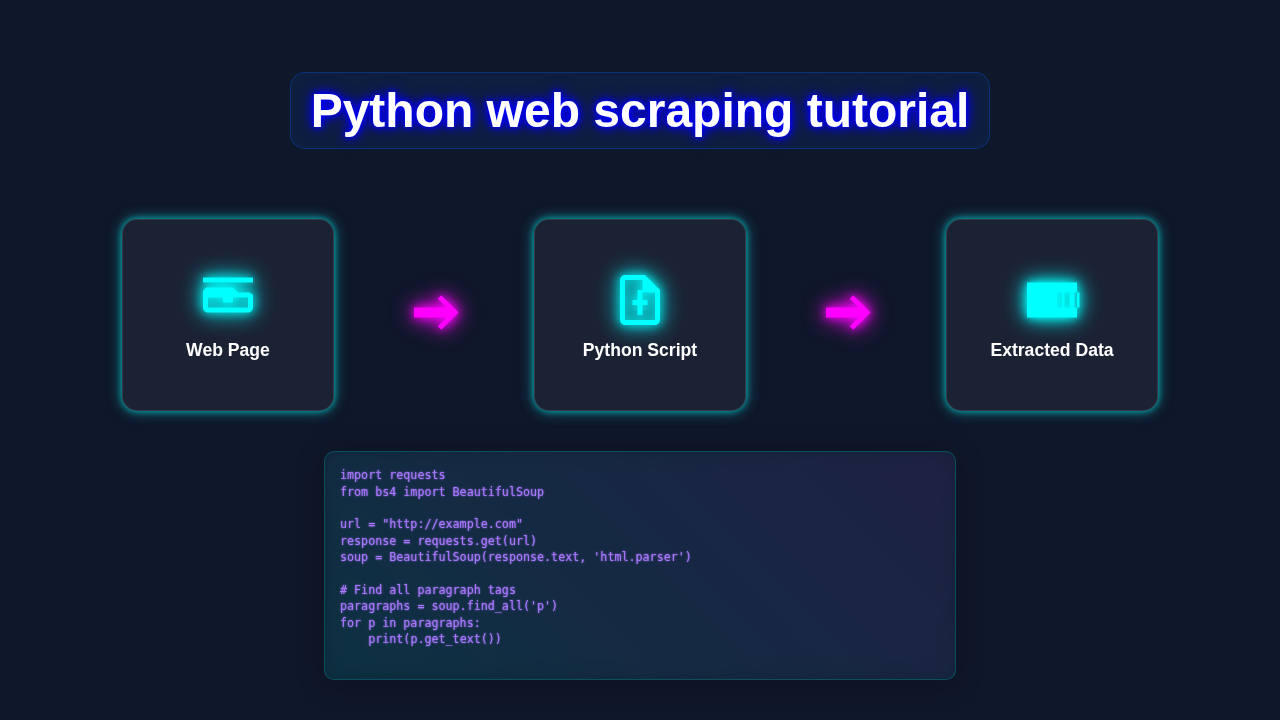
Hey there, fellow coders! Have you ever wanted to unlock the power of Python Web Scraping but felt a bit lost? Well, you are absolutely in the right spot today! We are going to build something super cool together. We’ll create a Python script. This script can visit a webpage. Then, it will grab specific pieces of information. Think of it as your own digital assistant. It will collect data for you, all automatically!
This is an amazing skill for data collection. Moreover, it is incredibly fun to build. Let’s start this exciting journey right now!
What We Are Building
We are going to build a simple yet incredibly powerful web scraper. This Python script will visit a local HTML file. Then, it will cleverly identify specific elements within that page. Our main goal is to extract some interesting data. For instance, we will pull out product names and their prices. Imagine getting all your favorite product details with just one simple click. This project will show you exactly how to achieve that. It uses Python’s fantastic libraries: Requests and Beautiful Soup. You will love seeing your script bring data to life!
HTML Structure: Our Target Page
First, let’s understand the web page we’ll be scraping. All web pages are fundamentally built with HTML. HTML provides the underlying structure for content. Our example page will have a very simple layout. It features a main title at the top. Below that, you’ll find a list of product cards. Each card contains a product name and its price. We will learn to pinpoint these exact pieces of information using Python. Understanding this structure is your first step to successful scraping. Here is the basic HTML we will be working with:
CSS Styling: Making Our Target Page Pretty
Even though our Python script won’t ‘see’ the colors, it’s good to understand styling. CSS makes web pages look visually appealing. It adds colors, specifies fonts, and manages spacing. Our example page uses some simple CSS. This styling helps organize the product cards neatly. It also makes them visually appealing for a human viewer. Don’t worry, the Python script simply ignores the visual styles. However, understanding CSS selectors can often help us locate elements! Therefore, knowing how elements are styled can give you clues. Here’s the basic CSS:
JavaScript: (Not Applicable for Basic Scraping)
For this specific Python Web Scraping tutorial, JavaScript isn’t a direct factor. JavaScript typically adds interactivity to web pages. For example, it might handle dynamic content loading or animations. Our simple target page does not use JavaScript for its main content. Therefore, our Python script doesn’t need to interact with it at all. More advanced scraping sometimes requires handling JavaScript-rendered content. But for now, we will keep it straightforward. Our primary goal is to master basic data extraction first.
web_scraper.py
# To run this script, you need to install the required libraries:
# pip install requests beautifulsoup4

import requests
from bs4 import BeautifulSoup

def simple_web_scraper(url):
    """
    Performs a simple web scraping operation on a given URL.
    It fetches the page, parses it, and extracts the page title and all links.
    """
    print(f"Attempting to scrape: {url}")
    try:
        # 1. Send a GET request to the URL
        # Set a timeout for the request to prevent indefinite waiting.
        response = requests.get(url, timeout=10)
        # Raise an HTTPError for bad responses (4xx or 5xx status codes).
        response.raise_for_status()

        # 2. Parse the HTML content using BeautifulSoup
        # 'html.parser' is a built-in Python parser.
        soup = BeautifulSoup(response.text, 'html.parser')

        # 3. Extract data
        # Extract the page title from the <title> tag.
        page_title = soup.title.string if soup.title else "No Title Found"
        print(f"\n--- Page Title ---")
        print(page_title)

        # Extract all links (<a> tags) and their href attributes.
        print(f"\n--- All Links ({url}) ---")
        links = soup.find_all('a')
        if links:
            # Limit to the first 10 links for brevity in the output.
            for i, link in enumerate(links[:10]):
                href = link.get('href')
                text = link.get_text(strip=True)
                if href:
                    print(f"  {i+1}. Text: '{text}', Href: '{href}'")
            if len(links) > 10:
                print(f"  ... and {len(links) - 10} more links.")
        else:
            print("  No links found on this page.")

        # Example: Extract all paragraph texts (<p> tags).
        print(f"\n--- First 3 Paragraphs ---")
        paragraphs = soup.find_all('p')
        if paragraphs:
            # Limit to the first 3 paragraphs for brevity.
            for i, p in enumerate(paragraphs[:3]):
                print(f"  {i+1}. {p.get_text(strip=True)}")
            if len(paragraphs) > 3:
                print(f"  ... and {len(paragraphs) - 3} more paragraphs.")
        else:
            print("  No paragraphs found on this page.")

    except requests.exceptions.HTTPError as e:
        # Handle HTTP errors (e.g., 404 Not Found, 500 Server Error).
        print(f"HTTP Error: {e}")
        print(f"Status Code: {e.response.status_code}")
    except requests.exceptions.ConnectionError as e:
        # Handle network-related errors (e.g., DNS failure, refused connection).
        print(f"Connection Error: {e}")
        print("Please check your internet connection or the URL.")
    except requests.exceptions.Timeout as e:
        # Handle request timeouts.
        print(f"Timeout Error: {e}")
        print("The request took too long to respond.")
    except requests.exceptions.RequestException as e:
        # Catch any other requests-related exceptions.
        print(f"An unexpected Request Error occurred: {e}")
    except Exception as e:
        # Catch any other general exceptions.
        print(f"An unexpected error occurred: {e}")

if __name__ == "__main__":
    # URL to scrape - choose a simple, public website for demonstration.
    # IMPORTANT: Always be respectful when scraping. Avoid overloading servers.
    # For real projects, check a website's robots.txt file and terms of service.
    target_url = "http://books.toscrape.com/" # A common practice site for scraping tutorials.

    simple_web_scraper(target_url)

    print("\n--- Tutorial Complete ---")
    print("This script demonstrates basic web scraping. For more advanced scenarios,")
    print("consider handling pagination, forms, JavaScript-rendered content (with tools like Selenium),")
    print("and data storage (e.g., CSV, JSON, databases).")
How It All Works Together
Let’s dive into the core of our project now. We will break down the Python code step by step. This will help you understand each part very clearly. You will learn exactly how to fetch, parse, and then extract data. We use two main Python libraries for this process. These are Requests and Beautiful Soup. Together, they make web scraping so much easier and more enjoyable!
Setting Up Your Environment
Before we write any Python code, we need to set up our computer. First, make sure Python is installed on your system. If you don’t have it, visit python.org for the official download. Next, we need two incredibly powerful Python libraries. Open your terminal or command prompt. Then, simply run these straightforward commands:
pip install requests beautifulsoup4pip is Python’s standard package installer. This command automatically fetches both libraries for you. The requests library helps us make web requests. Beautiful Soup then helps us parse the received HTML content. You are now perfectly ready for the real coding fun!
Fetching the Web Page
The first actual step in any Python Web Scraping project is getting the web page’s content. The requests library makes this incredibly simple. It allows your Python script to act just like a web browser. It sends an HTTP request to a specific URL. Then, it receives the HTML content of that page in return. For this tutorial, we are using a local HTML file. Here’s how we fetch its content:
import requests
import os # To handle local file paths

# --- For a local HTML file (like in our tutorial) ---
# Let's assume our HTML is saved as 'index.html' in the same directory as our script
script_dir = os.path.dirname(__file__)
file_path = os.path.join(script_dir, 'index.html')

try:
    with open(file_path, 'r', encoding='utf-8') as f:
        html_content = f.read()
    print(f"Successfully read HTML from {file_path}")
except FileNotFoundError:
    print(f"Error: '{file_path}' not found. Make sure index.html is in the same directory.")
    html_content = "" # Set to empty string to avoid errors later

# --- If you were scraping a live website (for your future projects) ---
# url = 'http://example.com' # Replace with your target website's URL
# try:
#     response = requests.get(url)
#     response.raise_for_status() # Raise an HTTPError for bad responses (4xx or 5xx)
#     html_content = response.text
#     print(f"Successfully fetched content from {url}")
# except requests.exceptions.RequestException as e:
#     print(f"Error fetching URL: {e}")
#     html_content = "" # Set to empty string
For this specific tutorial, we are opening a local file. However, in most real-world scenarios, you would use requests.get(url). This method gets the content from a live website. The response.text attribute gives us the page’s entire HTML as a string. Want to learn even more about the Requests library? Check out our detailed guides: Python Requests Library: Master Web API Calls and Python Requests Library Explained: Essential Guide. They cover all the important details!
Parsing with Beautiful Soup
Once we have the HTML content, it’s just one very long string of text. It is incredibly hard to find specific data within it. This is exactly where Beautiful Soup truly shines! It parses the raw HTML string. Then, it magically transforms it into a navigable, tree-like structure. This structure makes it incredibly easy to navigate and search. Think of it like organizing a messy bookshelf into perfect categories. Beautiful Soup turns that HTML chaos into beautiful order. We create a ‘Soup’ object from our fetched HTML content.
from bs4 import BeautifulSoup

# Assuming html_content contains the HTML from the previous step
if html_content: # Only parse if content was successfully loaded
    soup = BeautifulSoup(html_content, 'html.parser')
    print("HTML content successfully parsed with Beautiful Soup.")
else:
    print("No HTML content to parse.")
    soup = None # Set soup to None to handle gracefully
The 'html.parser' argument tells Beautiful Soup how to interpret the HTML. It’s a very common and highly effective parser for most web pages. Now, if html_content was successfully loaded, our soup object is ready. We can finally start searching for the data we need!
Pro Tip: Always specify a parser like
'html.parser'when creating your BeautifulSoup object. This simple step helps avoid potential warnings. Furthermore, it ensures consistent parsing behavior across different environments. Keep your code clean and predictable!
Finding the Data
Now comes the truly exciting part: finding the specific information! Beautiful Soup provides several powerful methods. We can use these methods to efficiently search the HTML tree. The most common and useful ones are find() and find_all(). These methods let you search by HTML tag name, by CSS class, or even by element IDs. It is truly like having a super-powered search engine specifically for your HTML. Let’s start by finding the page title. Then, we will find all our product cards.
if soup: # Only proceed if soup object exists
    # Find the main title of the page
    page_title_tag = soup.find('h1')
    page_title = page_title_tag.get_text(strip=True) if page_title_tag else 'No Title Found'
    print(f'Page Title Detected: {page_title}')

    # Find all div elements that have the class 'product-card'
    product_cards = soup.find_all('div', class_='product-card')
    print(f'Found {len(product_cards)} product cards.')
else:
    product_cards = [] # Ensure product_cards is an empty list if no soup
We used soup.find('h1') to get the very first <h1> tag it encountered. Then, .get_text(strip=True) extracts its clean text. Next, find_all('div', class_='product-card') searches for all <div> tags. These specific tags must also possess the CSS class product-card. This gives us a convenient list of all our product items. Pretty neat, isn’t it?
Extracting Text and Attributes
Once we have our list of product cards, we need to extract the individual details from each. We will loop through each found product_card. Inside each card, we will carefully look for the product name and its corresponding price. These are typically located within specific HTML tags. For example, an <h3> tag might hold the name, and a <span> might contain the price. Beautiful Soup makes this detailed extraction incredibly simple. Here’s exactly how we pull out the actual valuable data:
products_data = []

for card in product_cards:
    name_tag = card.find('h3', class_='product-name')
    price_tag = card.find('span', class_='product-price')
    link_tag = card.find('a', class_='product-link') # Assuming there's a link for each product

    product_name = name_tag.get_text(strip=True) if name_tag else 'N/A'
    product_price = price_tag.get_text(strip=True) if price_tag else 'N/A'
    # To get an attribute like href, we access it like a dictionary key
    product_link = link_tag['href'] if link_tag and 'href' in link_tag.attrs else 'No Link'

    products_data.append({
        'name': product_name,
        'price': product_price,
        'link': product_link
    })

print("--- Extracted Products Data ---")
for product in products_data:
    print(f'Product: {product["name"]}, Price: {product["price"]}, Link: {product["link"]}')
The strip=True argument is very useful. It removes any unnecessary extra whitespace. This action makes our output much cleaner. We also included a check like if name_tag else 'N/A'. This gracefully handles cases where a specific tag might be missing. Good error handling is always a key practice in robust coding. This extraction structure is truly powerful. You can easily adapt it to match any web page’s unique HTML structure. CSS selectors are incredibly useful for this. They help you target specific elements with impressive precision. Learning them well will definitely boost your scraping game!
Putting It All Together (Full Python Script)
And now, for the grand finale! Here is the complete Python script. It thoughtfully combines all the steps we have discussed. You can save this entire code block as a .py file. For example, name it scraper.py. Then, run it from your terminal using python scraper.py. Watch it fetch and parse all the data! You have just successfully built your very own web scraper. Take a moment to genuinely appreciate what you’ve accomplished here. This is a fundamental and highly valuable skill. It is crucial for data science and web automation tasks. You are now officially a data extraction wizard! Congratulations!
import requests
from bs4 import BeautifulSoup
import os

def scrape_local_html(filename='index.html'):
    # Construct the path to the HTML file relative to the script
    script_dir = os.path.dirname(__file__)
    file_path = os.path.join(script_dir, filename)

    try:
        with open(file_path, 'r', encoding='utf-8') as f:
            html_content = f.read()
        print(f"[INFO] Successfully read HTML from {file_path}")
    except FileNotFoundError:
        print(f"[ERROR] The file '{filename}' was not found at '{file_path}'. Please ensure it exists.")
        return [] # Return an empty list if file not found

    soup = BeautifulSoup(html_content, 'html.parser')

    page_title_tag = soup.find('h1')
    page_title = page_title_tag.get_text(strip=True) if page_title_tag else 'No Page Title Found'
    print(f'--- Starting Scraping for: {page_title} ---')

    product_cards = soup.find_all('div', class_='product-card')

    products_data = []
    if not product_cards:
        print("[WARN] No product cards found. Double-check your HTML structure and CSS selectors.")
        return [] # No cards, no data

    for card in product_cards:
        name_tag = card.find('h3', class_='product-name')
        price_tag = card.find('span', class_='product-price')
        link_tag = card.find('a', class_='product-link')

        product_name = name_tag.get_text(strip=True) if name_tag else 'N/A'
        product_price = price_tag.get_text(strip=True) if price_tag else 'N/A'
        product_link = link_tag['href'] if link_tag and 'href' in link_tag.attrs else 'No Link'

        products_data.append({
            'name': product_name,
            'price': product_price,
            'link': product_link
        })

    return products_data

if __name__ == "__main__":
    print("\n*** Running the Web Scraper ***")
    scraped_products = scrape_local_html()
    if scraped_products:
        print("\n*** Scraped Data Summary ***")
        for i, product in enumerate(scraped_products):
            print(f"Product {i+1}: Name: {product['name']}, Price: {product['price']}, Link: {product['link']}")
    else:
        print("No data was successfully scraped. Please check for errors above.")
    print("\n*** Web Scraper Finished ***")
Remember: Always be mindful of website’s terms of service. Also, check for
robots.txtfiles when you are scraping live sites. Respect their rules and avoid overloading their servers. Ethical scraping is good scraping!
Tips to Customise It
You have successfully built a very solid foundation. Now, let’s brainstorm how you can take this further! There are so many exciting possibilities ahead. You can easily adapt your new Python Web Scraping skills. Here are some fantastic ideas to expand and personalize your project:
- Scrape a Different Site: Try applying these exact techniques to another simple website. Perhaps a local news site or your favorite blog. Practice identifying distinct patterns in their HTML structure.
- Save Data to a File: Instead of just printing the output, save your extracted data. You could use formats like CSV, JSON, or even a simple text file. This makes your valuable data portable and reusable.
- Handle Pagination: Many websites spread their content across multiple pages. Learn how to intelligently loop through these pages. You can often modify the URL to visit each one sequentially.
- Extract Images: Go a step further and scrape the URLs of images. Then, use the
requestslibrary again to download them directly. This can be great for building image galleries or datasets.
For more inspiration on how to design visually appealing outputs for your scraped data, check out our insights on Python Web Scraping Blog Thumbnail Design. Visual presentation matters, even for raw data!
Conclusion
Wow, you truly did it! You just built your very first functional Python web scraper. You learned how to expertly fetch HTML content. You mastered parsing that content with Beautiful Soup. And you successfully extracted meaningful data. This is indeed a huge step in your coding journey. You now possess a powerful new tool in your developer toolkit. Use these newly acquired skills wisely and ethically. Keep experimenting, and keep building amazing things. The web is truly full of data, just waiting for you. Go out there and explore it responsibly! We are so incredibly proud of your progress. Please share your awesome creations with the procoder09.com community!
web_scraper.py
# To run this script, you need to install the required libraries:
# pip install requests beautifulsoup4

import requests
from bs4 import BeautifulSoup

def simple_web_scraper(url):
    """
    Performs a simple web scraping operation on a given URL.
    It fetches the page, parses it, and extracts the page title and all links.
    """
    print(f"Attempting to scrape: {url}")
    try:
        # 1. Send a GET request to the URL
        # Set a timeout for the request to prevent indefinite waiting.
        response = requests.get(url, timeout=10)
        # Raise an HTTPError for bad responses (4xx or 5xx status codes).
        response.raise_for_status()

        # 2. Parse the HTML content using BeautifulSoup
        # 'html.parser' is a built-in Python parser.
        soup = BeautifulSoup(response.text, 'html.parser')

        # 3. Extract data
        # Extract the page title from the <title> tag.
        page_title = soup.title.string if soup.title else "No Title Found"
        print(f"\n--- Page Title ---")
        print(page_title)

        # Extract all links (<a> tags) and their href attributes.
        print(f"\n--- All Links ({url}) ---")
        links = soup.find_all('a')
        if links:
            # Limit to the first 10 links for brevity in the output.
            for i, link in enumerate(links[:10]):
                href = link.get('href')
                text = link.get_text(strip=True)
                if href:
                    print(f"  {i+1}. Text: '{text}', Href: '{href}'")
            if len(links) > 10:
                print(f"  ... and {len(links) - 10} more links.")
        else:
            print("  No links found on this page.")

        # Example: Extract all paragraph texts (<p> tags).
        print(f"\n--- First 3 Paragraphs ---")
        paragraphs = soup.find_all('p')
        if paragraphs:
            # Limit to the first 3 paragraphs for brevity.
            for i, p in enumerate(paragraphs[:3]):
                print(f"  {i+1}. {p.get_text(strip=True)}")
            if len(paragraphs) > 3:
                print(f"  ... and {len(paragraphs) - 3} more paragraphs.")
        else:
            print("  No paragraphs found on this page.")

    except requests.exceptions.HTTPError as e:
        # Handle HTTP errors (e.g., 404 Not Found, 500 Server Error).
        print(f"HTTP Error: {e}")
        print(f"Status Code: {e.response.status_code}")
    except requests.exceptions.ConnectionError as e:
        # Handle network-related errors (e.g., DNS failure, refused connection).
        print(f"Connection Error: {e}")
        print("Please check your internet connection or the URL.")
    except requests.exceptions.Timeout as e:
        # Handle request timeouts.
        print(f"Timeout Error: {e}")
        print("The request took too long to respond.")
    except requests.exceptions.RequestException as e:
        # Catch any other requests-related exceptions.
        print(f"An unexpected Request Error occurred: {e}")
    except Exception as e:
        # Catch any other general exceptions.
        print(f"An unexpected error occurred: {e}")

if __name__ == "__main__":
    # URL to scrape - choose a simple, public website for demonstration.
    # IMPORTANT: Always be respectful when scraping. Avoid overloading servers.
    # For real projects, check a website's robots.txt file and terms of service.
    target_url = "http://books.toscrape.com/" # A common practice site for scraping tutorials.

    simple_web_scraper(target_url)

    print("\n--- Tutorial Complete ---")
    print("This script demonstrates basic web scraping. For more advanced scenarios,")
    print("consider handling pagination, forms, JavaScript-rendered content (with tools like Selenium),")
    print("and data storage (e.g., CSV, JSON, databases).")