Unpacking Python Web Scraping: How it Works and Why Developers Use It
Hey there, future coding rockstar! You have probably been hearing about "web scraping" and maybe even "Python web scraping" floating around. Perhaps it sounds a bit like something from a spy movie, right? Like you need a trench coat and a super-secret lair to even begin. Well, you are not alone if that thought has crossed your mind!
But here is the thing: Python web scraping is not some mystical dark art. It is a powerful, practical skill. And it is incredibly useful for developers like you. Let us peel back the layers. We are going to bust some common myths today. Then you will see the real magic of how it works. You will understand why so many developers use it every single day.
Myth #1: Web Scraping is Always Illegal (And Super Hard!)
Okay, real talk. When you first hear about grabbing data from websites, your brain might jump to "illegal!" or "hacking!" You might think you are about to step into some shady internet zone. But hold on a second. That is a massive misconception you need to ditch right now.
Here is the truth: Web scraping itself is not inherently illegal. Think of it like walking into a public library. You are allowed to read the books, right? You can even take notes from them. Web scraping is similar. You are just "reading" publicly available information on a website. You are gathering it in an automated way.
The key here is ethics and terms of service. Every website has rules. You should always respect those rules. You need to look for a robots.txt file. This file tells automated programs like yours which parts of the site they can access. It is like a polite "keep out" sign for certain rooms. Violating a website’s terms can lead to problems, sure. But ethical scraping, respecting those rules, is a completely different story. And "super hard"? Python makes it surprisingly approachable. You will see!
Demystifying Python Web Scraping: It’s Not Magic
Another big myth you might be holding onto is that Python web scraping requires you to be a wizard. Or a super-duper security expert. You might think you need to trick websites into giving up their data. Nope! That is not how it works at all. You are not breaking into a secure vault.
Instead, you are simply asking a website for information. You do this just like your web browser does. When you type in a URL and hit Enter, your browser sends a request. This is a message asking the website for its content. The website then sends back a response. That response usually contains HTML. HTML is the structured language that web pages are built with. It is like the blueprint for what you see on your screen. You are just learning to read that blueprint more effectively.
With Python, you use libraries that do this requesting for you. Ever heard of the Python Requests library? It is fantastic for this. It lets your Python script act like a mini-browser. It sends out those requests. Then it gets the HTML back. This process is very transparent. It is not about hacking anything at all. It is about understanding how the web already works. Then you automate that process.
Myth #3: All Websites Hate Scrapers with a Fiery Passion
You might imagine websites as angry dragons guarding their treasure. Ready to breathe fire on any scraper that dares to approach. While some sites are more sensitive than others, this is another overblown myth. Many websites actually encourage data sharing. They provide things called APIs. An API, or Application Programming Interface, is a set of rules. It allows different software to talk to each other. It is their way of saying, "Here, take our data nicely!"
But not all data is available via an API. Sometimes, you need specific information. And that information might only live on a public web page. This is where ethical Python web scraping shines. Developers use it to fill those gaps. They collect data that is publicly displayed. They do it when no API exists for that specific need.
Pro Tip: Always check if a website offers an API first. It is usually the cleanest and most polite way to get data. If not, proceed with caution and respect for their resources.
Responsible scrapers are mindful of the website’s server load. You do not want to bombard a server with thousands of requests per second. That is like a flash mob showing up at a small store. It overwhelms them! You can add delays to your script. This slows down your requests. It is called "rate limiting." This way, you are being a good internet citizen. You are not draining their resources.
The Real Deal: How Python Web Scraping Actually Works
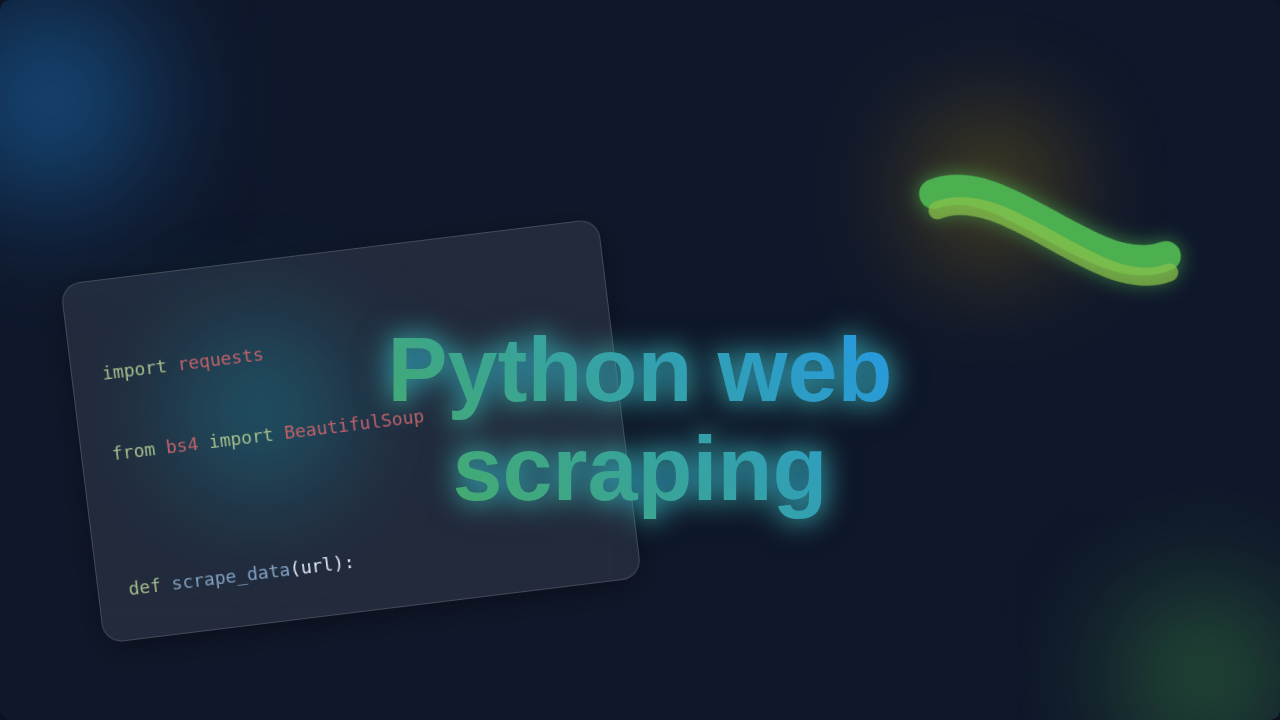
So, we have busted some myths. Now, let us get to the core of it. How does Python web scraping actually happen? It is a two-step dance, really. First, you fetch the web page. Second, you parse the data from it. "Parsing" means extracting the specific bits you want.
Imagine you want to collect all the headlines from a news website. Your Python script first uses a library (like Requests) to visit that news site. It sends an HTTP GET request. This is the same request your browser sends. The website responds by sending back its HTML content. It is a long string of text. This text describes the page’s structure and content. Your script receives this raw HTML.
Then comes the parsing part. Think of that HTML as a giant recipe book. You are looking for all the "headline" sections. These sections are marked by specific HTML tags. For example, a headline might be inside an <h2> tag or a <div> with a specific class like <div class="article-headline">. Your Python script uses another library, like Beautiful Soup, to navigate this HTML "recipe book." It helps you find exactly what you are looking for. It is like an expert librarian finding every book with "headline" in the title. You tell it: "Find all <h2> tags." Or "Find every <div> with the class ‘article-headline’." And it hands them right over to you.
Remember: Web scraping is simply asking for a page and then systematically sifting through its public content. It is a process of request and extraction.
You can then take those headlines and save them. Maybe you put them into a spreadsheet. Or perhaps you store them in a database. You could even use them for a new project. Understanding HTML structure is super helpful here. It makes pinpointing your data much easier. Knowing how elements are nested helps you navigate them like a pro.
Why Developers *Truly* Use Python Web Scraping
So, with all that knowledge, why do developers bother with Python web scraping? The reasons are diverse and powerful. You can unlock a world of data that might otherwise be inaccessible. Think about it!
One major use is market research. Imagine you want to track product prices across different online stores. You could manually check each site every day. But that would take forever, right? A Python script can do it for you automatically. It fetches the price, saves it, and then you have a historical record. This helps businesses make smarter decisions. You are providing valuable insights from public data.
Another common application is content aggregation. Maybe you want to build a custom news feed. You want it to pull articles from ten different tech blogs. Instead of visiting each blog separately, your scraper collects the latest headlines and links. It presents them all in one place. This creates a personalized experience for users. Or maybe you need to monitor job postings. You want to see new roles that fit your criteria from various job boards. A scraper can find those for you. It notifies you when they appear.
You could even use scraped data to populate your own applications. For example, imagine you are building a simple Flask To-Do App. You could scrape a public list of interesting facts. Then you add a "Daily Fact" feature to your app. The possibilities are genuinely endless. It is about automating data collection. It turns unstructured web content into structured, usable information for you.
Your Web Scraping Journey Starts Now!
See? Python web scraping is not some dark, forbidden art. It is a practical skill. It lets you interact with the web in a powerful new way. You are essentially teaching your computer to "read" web pages. Then it extracts valuable information for you.
It opens up so many doors. You can gather data for personal projects. You can perform market analysis. You can even build data-driven applications. Do not let those initial misconceptions hold you back. You have got this! Start small. Pick a simple website to scrape. Understand its HTML structure. Before you know it, you will be confidently navigating the web like a data-collecting pro. Happy scraping, future legend!