Unpacking HTTP: Your Essential Guide to the Python Requests Library
Hey there, fellow web adventurer! Ever felt like the internet is a vast ocean of information, and you’re just trying to send a simple message across? You want to grab some data or send some instructions, but it feels like you need a secret decoder ring. Don’t worry, you are not alone! Many beginners hit this wall. Today, you will learn how to break through it with the amazing Python Requests Library Explained.
Okay, real talk — when I first tried to understand how websites actually communicate, I was completely lost. It felt like everyone else knew this secret handshake. You hear terms like HTTP, APIs, and web scraping, and it can be intimidating. But here’s the thing: at its core, it’s just asking and answering. The Python Requests Library makes this process incredibly simple for you. It lets your Python programs talk to websites, just like your web browser does.
Understanding HTTP: The Web’s Secret Language
Think of HTTP, or Hypertext Transfer Protocol, as the language of the internet. When you type a website address into your browser, you are essentially sending an HTTP request. The website’s server then sends back an HTTP response. This response is what your browser displays for you.
You make different kinds of requests. A GET request asks for data, like loading a web page. A POST request sends data, maybe when you submit a form. There are other types too, like PUT and DELETE, each with a specific purpose. Understanding these basic actions is key to mastering web interaction. It’s how you communicate your intentions to the server.
The Python Requests Library acts as your personal translator, simplifying the complex world of HTTP requests and responses into plain Python.
-
Python Requests Library Explained: Sending Your First Request
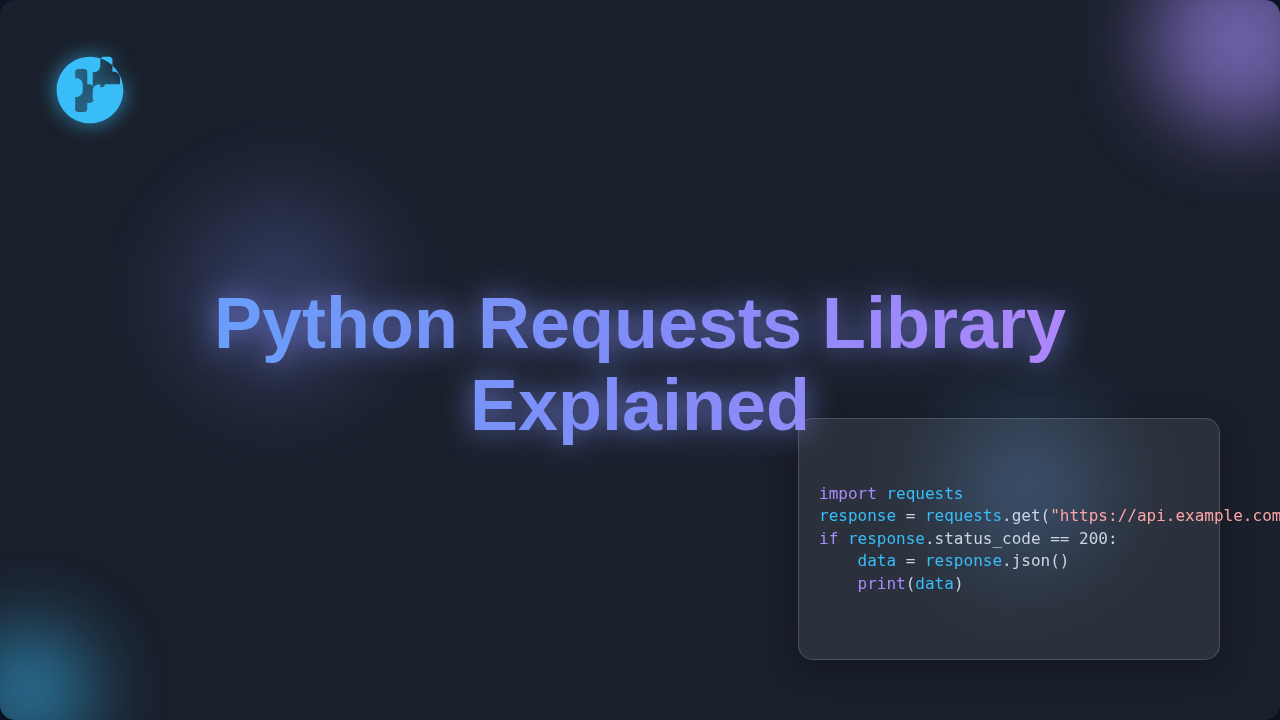
Your journey begins with sending a basic request. You just want to say ‘hello’ to a website and see what it sends back. The Requests library makes this super straightforward. You specify the type of request, usually GET, and the URL you want to visit.
For example, imagine you want to check the weather on a public weather API. You would point your Python program to that API’s URL and tell it to perform a GET request. The library then handles all the complex networking stuff for you. You don’t need to worry about sockets or connections. It sends your request, waits for a reply, and then gives you the response in an easy-to-use format. It’s like calling a friend and simply asking, “What’s up?” and they tell you.
This is your entry point to fetching data from almost anywhere on the web. Maybe you are getting started with web scraping and need to retrieve page content. This is your first step!
-
Mastering Parameters: Making Smart Requests
Often, you need to send specific information along with your request. This is where parameters come in. Parameters are extra bits of data you attach to your request. They tell the server exactly what you are looking for.
Think about searching for a specific book on an online store. You don’t just request the entire store! You request the ‘search’ page and provide parameters like ‘query=Python’ and ‘category=programming’. The Requests library lets you package these parameters neatly. It appends them correctly to your URL for GET requests or puts them in the body for POST requests. This means you can finely tune your requests. You get exactly the data you need, instead of sifting through everything.
-
Handling Responses: What Did The Server Say?
Once you send a request, the server talks back. This response contains a lot of useful information. You get a status code, like 200 for ‘OK’ or 404 for ‘Not Found’. You also get headers, which are metadata about the response. And most importantly, you get the actual content, like HTML, JSON, or images.
The Python Requests Library gives you easy access to all these parts. You can check the status code to ensure your request was successful. You can read the content as text, or if it’s JSON, you can parse it directly into a Python dictionary. Imagine you requested a list of popular articles from a blog. The server sends back a JSON string, and Requests converts it for you. Suddenly, you have structured data ready for your program. Understanding HTTP status codes helps you debug your requests efficiently. You know immediately if something went wrong.
-
Authentication & Headers: Securing Your Requests
Sometimes, websites need to know who you are. This is authentication. You might need to provide a username and password, or an API key. Requests handles various authentication methods gracefully. You can pass your credentials, and the library manages the behind-the-scenes handshakes.
Headers are like notes attached to your request or response. They provide extra context. For instance, you might tell the server what type of content you prefer (e.g., ‘Accept: application/json’). Or you might include an ‘Authorization’ header with a token. The Requests library makes adding custom headers incredibly simple. You just provide a dictionary of key-value pairs. This level of control is powerful, letting you interact with more complex APIs. You can even mimic specific browser behaviors when you know what headers to send.
-
Handling Errors & Timeouts: Being a Good Web Citizen
Not every request goes perfectly. Networks can be slow, servers can be busy, or your internet might just cut out. It’s crucial for your programs to anticipate these issues. The Requests library provides ways to deal with errors gracefully. You can set a timeout, for instance. If the server doesn’t respond within a certain time, your program will stop waiting. This prevents your script from hanging indefinitely.
You can also catch exceptions that the library might raise. This lets you write robust code that doesn’t crash at the first sign of trouble. Instead, your program can log the error, retry the request, or simply inform you. It’s like having a plan B when your first attempt to reach someone fails. You decide to call back later or send an email instead. For further reading on different request methods, check out MDN’s guide on HTTP request methods.
-
Sessions: Keeping Conversations Alive
Imagine you’re logging into an online banking site. You don’t want to re-enter your password on every single page, right? This is where sessions come in. An HTTP session keeps track of your interaction with a server across multiple requests. It manages cookies and other stateful data.
The Requests library has a
Sessionobject that handles this for you automatically. You create a session, and then all requests made using that session will share cookies and connection pooling. This is super efficient! You save resources and make your interactions much smoother. It’s like keeping a continuous conversation with someone, instead of starting a brand new one every time you open your mouth. You’ll find this incredibly useful when you need to maintain login states or perform a series of related actions, perhaps exploring more advanced features as described in our essential guide to web requests.
Bonus Tip: The Python Requests Library Explained for Debugging
Debugging your web interactions can feel like detective work. What exactly did the server send back? What headers did my request include? The Requests library gives you easy ways to inspect everything. You can print the full URL that was generated, examine all the response headers, and see the raw content. This transparency is invaluable. You can quickly pinpoint why a request might be failing or why you are not getting the data you expect. It turns tricky problems into solvable puzzles.
Don’t be afraid to poke around and inspect every detail of your requests and responses. It’s the fastest way to learn and debug!
There is also an incredible community around this library. You can always find help and examples online. Keep experimenting, and you will unlock even more of its power. This knowledge will set you up for success in many web development tasks.
Wrapping Up: Your Web Journey Begins
You’ve now taken a significant step in understanding how the internet works at a fundamental level. The Python Requests Library Explained is truly a game-changer for web developers. It simplifies complex HTTP interactions into clear, readable Python. You can now fetch data, send information, handle authentication, and manage sessions with confidence. You are no longer just browsing the web; you are actively engaging with it. You can build powerful tools, automate tasks, and integrate with countless web services. Keep practicing these concepts, and soon you’ll be a web interaction wizard. Ready to dive deeper? Check out our beginner guide to Python Requests for more insights. Go build something amazing!