Python Requests Library: Master Web Interaction with Ease
Hey there, future web wizard! Have you ever clicked a link, logged into a site, or sent a message online? Of course, you have! Behind all these everyday actions, your browser is constantly talking to web servers. It’s a non-stop digital conversation. But what if you wanted your Python programs to join in? What if your code needed to fetch data, post information, or even log into a service?
That’s exactly where the amazing Python Requests Library swoops in! It’s like your program’s personal assistant for the internet. Today, we’re going to pull back the curtain. You’ll see how this library actually works, not just what it does. Don’t worry — it’s much simpler than you think.
What is the Python Requests Library? Your Web Concierge
Imagine you’re at a fancy hotel. You want to order room service, but you don’t speak the language. The Python Requests Library is your perfect concierge. It handles all the complex communication for you. You just tell it what you want. Then, it translates your wishes into the correct “language” the web server understands.
Specifically, this library helps your Python scripts send HTTP requests. HTTP stands for Hypertext Transfer Protocol. It’s the foundation of all data communication on the web. In essence, it’s the rulebook for how computers talk to each other online. The Requests library simplifies these interactions tremendously. So, you can focus on building awesome things.
Why the Python Requests Library Matters to You
So, why should you care about this specific library? Here’s the thing: the modern web runs on APIs. An API, or Application Programming Interface, is a set of rules. It allows different software applications to talk to each other. Think of it as a waiter in a restaurant. You tell the waiter your order. The waiter takes it to the kitchen. Then, the kitchen prepares your food. Finally, the waiter brings it back to you. You don’t need to know how the kitchen works.
Using the Python Requests Library, you can interact with countless web services. You might fetch weather data. Perhaps you’ll update a social media post. Maybe you’ll even automate tasks on a website. Without it, you’d struggle with low-level network programming. That’s a much more complex and time-consuming path. So, this library saves you a ton of effort. It empowers your Python programs to be active participants on the internet. You’ll definitely feel like a true “procoder”.
Pro-Tip: The Python Requests Library is often the first step in building web scrapers or interacting with APIs. It’s your gateway to making your code truly connected!
How the Python Requests Library Actually Works: Under the Hood
Let’s peek behind the curtain. When you “make a request” using the Requests library, several things happen. You’re essentially asking a web server for something. Or maybe you are sending it some information. The library handles all the technical plumbing. This includes opening connections and formatting messages. It also takes care of reading responses. It truly streamlines everything.
Your Digital Dispatcher: Making the Call (GET Requests)
Most commonly, you want to retrieve data. This is like asking for a document from a filing cabinet. You use what’s called a GET request. When you tell Requests to perform a GET, it builds a specific message. This message asks the server for the content at a given URL. The library then sends this message across the internet. It waits for the server’s reply. Think of it as sending a messenger. The messenger asks a librarian for a book. Then, they bring the book right back to you.
For a deeper dive into how this all connects, you might want to check out our Deep Dive into Requests blog post. It has even more details!
Sending Your Package: The POST Request
What if you want to send information? Maybe you’re submitting a form. Perhaps you’re uploading a file. For this, you use a POST request. With a POST, you don’t just ask for data. Instead, you include data within your request. The Requests library packages up your data. It then sends it along with the request to the server. Imagine putting a letter in an envelope. You add stamps and an address. Then, you drop it in the mailbox. The library handles all these “stamps and addresses” for you. So, your data reaches its destination. Other methods, like PUT and DELETE, also exist. They help you update or remove resources respectively. You can learn more about these different HTTP Request Methods on MDN Web Docs.
Special Instructions: Headers and Authentication
Every request your browser makes includes “headers.” Headers are like sticky notes attached to your request. They provide extra context for the server. For example, a header might say, “I prefer English” or “I am using this type of browser.” The Requests library lets you easily add your own headers. You can specify what data type you’re sending. You might also include authentication tokens. These tokens prove who you are. The server then knows you’re allowed to access certain resources. This makes your interactions secure.
Furthermore, sometimes you need to log in. The Requests library offers simple ways to handle authentication. You might use basic username/password combos. Or you might use more advanced schemes like OAuth. It manages the nitty-gritty details. Therefore, you don’t have to. Pretty neat, right?
Getting the Reply: Responses and Status Codes
After your request goes out, the server sends back a “response.” This response contains the data you asked for. It also includes other important details. The most crucial part is often the “status code.” This code is a three-digit number. It tells you immediately if your request was successful. A 200 means “OK,” everything worked perfectly. A 404 means “Not Found.” A 500 means “Internal Server Error.” You’ve probably seen these before in your browser.
The Python Requests Library simplifies reading these responses. It provides easy ways to access the status code. You can also get the content of the response. This content is often in text, HTML, or JSON format. It’s designed to be intuitive. So, you can quickly understand the server’s reply. All these different HTTP Status Codes are well documented on MDN Web Docs.
Remember: A 2xx status code usually means success. Anything else means something went wrong, and you need to investigate!
Common Confusions Cleared with the Python Requests Library
Even with its simplicity, beginners sometimes hit a few snags. Don’t worry; you’re not alone! Let’s clear up some common points of confusion.
First, many people confuse `requests` with `urllib`. The `urllib` module is Python’s built-in way to handle URLs. However, it’s quite low-level. It requires more code to do simple things. The Requests library, by contrast, is a third-party package. It builds on top of `urllib`. But it provides a much more user-friendly interface. It’s easier to read. It’s easier to write. Most modern Python web projects use Requests because of this ease.
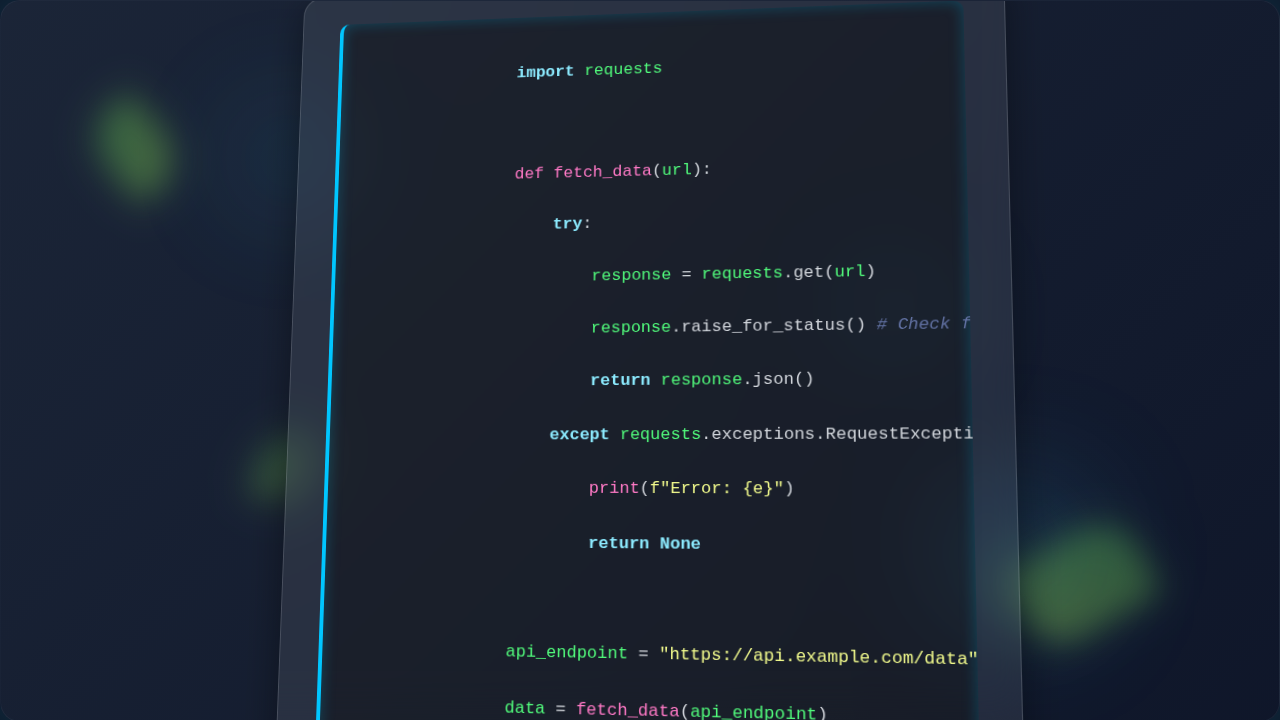
Secondly, understanding response content can be tricky. You might get data back in different forms. For instance, sometimes it’s plain text. Other times, it’s JSON. The library offers specific ways to access this. You can get .text for plain strings. You can use .json() to parse JSON directly into Python dictionaries. This makes working with APIs incredibly smooth. Always check the content type to know what to expect. This helps you process the data correctly.
Lastly, handling errors is crucial. Your requests won’t always succeed. Servers can be down. You might send incorrect data. The Requests library lets you check the status code directly. It also provides methods to raise an error automatically. This occurs if the status code indicates a problem. This helps you build robust programs. They can recover gracefully when things go wrong.
Key Takeaways for Mastering Web Interaction
You’ve covered a lot today! So, let’s quickly recap the main points. The Python Requests Library is your powerful tool. It simplifies web interaction for your Python programs. You use it to make HTTP requests. These requests talk to web servers. You can fetch data using GET. You can send data using POST. Headers add extra context. Status codes tell you how the server replied. This library is user-friendly. It handles complex network tasks for you. It truly lets you focus on building your application logic.
For more basic explanations on this topic, consider reading our post on the Requests Library Explained. It’s a great refresher!
Your Next Steps with the Python Requests Library
You now have a solid understanding of how the Requests library works. This is a huge step! You’re well on your way to making your Python scripts interact with the vast world of the web. This skill is indispensable for modern web development. You can now build programs that fetch financial data. You might automate social media posts. Or you could even integrate with online services. The possibilities are truly endless.
Feeling inspired? Why not try using Requests in a small project? Perhaps you could fetch data from a public API. Maybe you’ll integrate it into a web application. For example, you could enhance a Flask To-Do App with external data. Just remember, practice is key. Keep experimenting. Keep building. You’ve got this, procoder! Your journey to mastering web interaction with Python has just begun. Go forth and connect!