CORS Errors Explained: Understanding Cross-Origin Woes
Ever hit that infuriating ‘blocked by CORS policy’ wall in your browser’s console? You’re cruising along, building something awesome. Then, BAM! A cryptic error message pops up. It feels like your browser is actively fighting against you. Don’t worry, you are absolutely not alone in that frustration. Today, we’re getting CORS errors explained so they’ll never feel like an alien language again. We’ll demystify what Cross-Origin Resource Sharing truly means.
You’ve probably seen that red text. It often says something about a request being blocked. This happens when you try to grab data from a different server. Your browser stops it cold. But why? What’s the deal with this ‘origin’ thing anyway? Let’s dive in and clear things up for you.
What Even IS This “Cross-Origin” Thing?
Imagine your website as a house. Every house has an address. In the web world, this address is called an ‘origin’. An origin is made up of three parts. First, there’s the scheme, like http:// or https://. This is like the type of road your house is on. Next, you have the hostname. This is the domain name, such as procoder09.com or api.example.com. Think of it as the street name. Finally, there’s the port number. This is often invisible for standard web addresses, like port 80 or 443. Consider it your specific apartment number in that building.
Your browser is very strict about these addresses. If any of these three parts differ, even slightly, it’s considered a different ‘origin’. So, https://www.mysite.com and http://www.mysite.com are different. Also, https://www.mysite.com and https://api.mysite.com are different. Even https://www.mysite.com:8080 and https://www.mysite.com are different. Makes sense so far? This strictness is the root of many issues you encounter.
Why Does CORS Exist? Security, That’s Why!
Here’s the thing. Your browser acts like a really strict bouncer at a fancy club. This bouncer has one main rule: The Same-Origin Policy (SOP). The SOP says that code from one origin can only interact with resources from the exact same origin. It’s a fundamental security feature. Without it, a malicious website could load a banking site in an invisible frame. Then, it could steal your data. That would be a huge problem, right?
Therefore, the SOP prevents one website from silently accessing data from another. Your browser enforces this for your safety. It stops random scripts from peeking into your sensitive information. But sometimes, you actually want to access resources from another origin. Maybe your frontend is on one domain. Perhaps your backend API lives on another. This is where CORS comes in to help you out.
Pro Tip: The Same-Origin Policy is your browser’s default bodyguard. It’s always active, protecting you from malicious cross-site attacks. CORS is the specific exception permit.
The “Lightbulb Moment”: How CORS Errors Explained Lead to Solutions
So, CORS stands for Cross-Origin Resource Sharing. It’s essentially a set of rules. These rules let servers tell your browser, “Hey, it’s okay for websites from this specific other origin to access my stuff.” Think of it like that bouncer again. The bouncer usually blocks everyone from outside the club. However, the club owner (the server) can give the bouncer a special guest list. This list says, “These particular people from these other clubs are allowed in.”
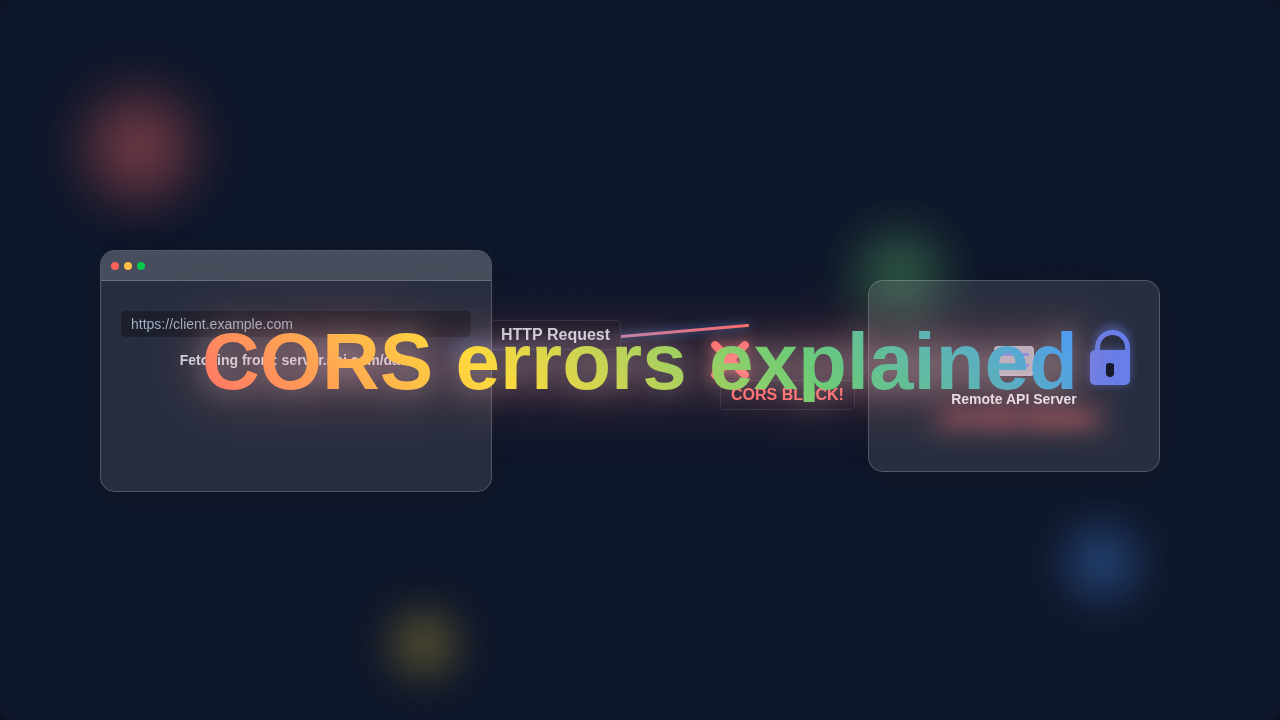
When you try to make a cross-origin request, your browser first checks with the server. It asks, “Is your-website.com allowed to talk to api.other-site.com?” The server responds with special headers. These headers are like the club owner’s approval note. If the server says yes, your browser lets the request through. If the server says no, or doesn’t reply correctly, you get a CORS error. That’s when your request gets blocked. It’s not a bug in your code, but a security feature doing its job. Understanding this interaction helps you debug much faster. You’ll stop blaming your client-side code directly. This perspective shift is key. Remember how we sometimes need special tools for complex tasks, like when building a Python Chatbot with Automation? CORS is like that special configuration for web communication.
Common CORS Errors Explained (And How to Debug Them)
You’ll often see messages like “No ‘Access-Control-Allow-Origin’ header is present”. This is the most common CORS error you’ll encounter. It means the server you’re trying to reach didn’t send back the required CORS header. That header tells your browser which origins are allowed. The server simply forgot its ‘guest list’ or didn’t include your website on it. Another common issue involves ‘preflight requests’. Before your actual request (like a POST or PUT), your browser might send an OPTIONS request. This is a “preflight” check. It’s like asking the bouncer, “Can I even think about coming in later?” If this preflight request fails, your main request won’t even be attempted. Your browser is just being extra careful.
Debugging these errors requires looking at both sides. You need to check your client-side code. Are you sending the correct headers? More importantly, you need to examine the server’s response. Use your browser’s developer tools. Look at the network tab. You can inspect the request and response headers. See if that crucial Access-Control-Allow-Origin header is there. Make sure it contains your client’s origin. Sometimes, it’s a simple typo. Other times, the server isn’t configured for CORS at all. For deeper technical dives into these headers, you might want to consult MDN Web Docs on CORS. They offer extensive documentation.
Remember This: CORS errors are almost always a server-side configuration issue. Your client-side code is usually just reporting the rejection, not causing it directly.
Taking Control: What You Can Do Next
So, what can you actually do when you hit a CORS wall? First, if you control the backend server, you need to configure it. You must tell the server which origins are allowed to access its resources. This usually involves adding specific HTTP response headers. The main one is Access-Control-Allow-Origin. You can set it to * for development. However, for production, you should specify your exact frontend domain. This is a security best practice. Also, you might need to handle those preflight OPTIONS requests. Your server needs to respond to them correctly. Understanding these server configurations is vital. It’s a bit like deciding between Tailwind CSS vs Plain CSS – you need to pick the right tool and configuration for your project.
If you don’t control the backend, you have fewer options. You can ask the API provider to enable CORS for your domain. Sometimes, you might use a proxy server. A proxy acts as an intermediary. Your frontend talks to the proxy. Then, the proxy talks to the external API. Since the proxy is on the same origin as your frontend, the browser is happy. The proxy then forwards the API’s response back to you. This workaround bypasses the browser’s CORS restriction. It’s a common solution for third-party APIs. Think about how you manage data flow in a complex application, perhaps with the React Context API – sometimes an intermediary helps organize things.
Always test your changes thoroughly. Use your browser’s network tab. Confirm the correct CORS headers are present. You can also use online tools to check if an API sends proper CORS headers. Remember, patience is key here. CORS can be tricky, but it’s completely solvable.
Wrapping It Up: You Got This!
You’ve navigated the often confusing world of CORS errors. You now understand what Cross-Origin Resource Sharing truly means. It’s not a personal attack from your browser. It’s a crucial security mechanism. Furthermore, it has a clear, understandable solution. You learned that an ‘origin’ is your website’s address. You also discovered the Same-Origin Policy. This policy is your browser’s security guard. And finally, you saw how CORS acts as the VIP pass for cross-origin communication. You know common errors and how to approach debugging. You also have a clear path for fixing them.
Don’t let these errors intimidate you anymore. They are just another part of web development. Now, you have the knowledge to tackle them head-on. Go forth and build amazing things! You’re well on your way to becoming a CORS-savvy pro coder. Keep learning, keep building!