React useEffect Hook: Master Your Component Lifecycles
Hello! If the phrase “side effects in React” sounds like something from a mad scientist’s lab, you are absolutely not alone. When I first started with React, this whole React useEffect hook thing felt like a mystery wrapped in an enigma. Developers often talk about component lifecycles, but what does that even mean for *your* code?
Don’t worry, you’re in the right place. This guide is built just for you, the self-taught beginner who wants to truly understand. We’ll break down the React useEffect hook into simple, easy-to-digest ideas. You’ll soon master how it helps your components do amazing things.
If You Are Brand New to React’s useEffect Hook…
You might be wondering what all the fuss is about. Here’s the thing: React components are fantastic at showing information. They display your data on the screen. But what happens when your component needs to *do* something outside of just showing data?
Think about tasks like fetching information from a server. Or maybe you need to update the title of your browser tab. What about setting up a timer or listening for clicks outside your component? These actions are what we call “side effects.” They are things that happen alongside your component’s main job of rendering.
Before hooks, handling these side effects could get a bit messy. The React useEffect hook gives you a clean, simple way to manage them. It’s like having a dedicated assistant for your component, ready to perform tasks at just the right moment.
What You Need to Know First: The Component Lifecycle
Every React component goes through a journey. This journey has different stages, much like a plant growing from a seed to a full bloom. We call these stages the “component lifecycle.” You don’t need to memorize every tiny detail right now. Just understand the big picture.
First, your component gets born onto the screen. This is like it “mounting.” Then, it might change and update over time. This happens when your data changes or someone interacts with it. Finally, your component leaves the screen. This is like it “unmounting.”
The React useEffect hook lets you tap into these stages. You can tell your component: “Hey, once you’re on the screen, do this task.” Or: “If this specific piece of data changes, run this code again.” It gives you precise control over when your side effects happen.
Understanding the Core Ideas of React useEffect Hook
Idea 1: Running Code After Every Render
Imagine you have a loyal little helper. This helper waits patiently until your component finishes displaying everything on the screen. Once your component is all set, the helper springs into action. That’s essentially what `useEffect` does.
By default, if you just use useEffect with a function inside it, that function will run after every single time your component renders. This is powerful but can be tricky if not managed carefully. You probably don’t want to fetch data from a server *every* time something changes on your page, right?
For example, if you build a simple counter, and you wanted to log its value to the browser console every time it updates, `useEffect` could do that. It would always show the latest count.
Idea 2: The Dependency Array – Controlling When Effects Run
Here’s where `useEffect` becomes truly magical. You can tell your little helper to be more selective. This is done using something called the “dependency array.” It’s the second argument you pass to `useEffect`.
The dependency array is just a list of values. You put variables or pieces of data into this list. The `useEffect` hook will *only* re-run its function if any of those values in the list change between renders. It’s like saying, “Helper, only do your job if the red button or the blue button state changes.”
If you pass an empty array [] as the dependency, your `useEffect` function will only run once. This happens right after the component first mounts. It’s perfect for things like fetching initial data. This makes sure you don’t keep asking for the same information repeatedly.
Pro Tip: An empty dependency array (
[]) means “run this effect once after the initial render, and never again until the component unmounts.” Use it for setup tasks!
Idea 3: Cleanup Functions – Tidying Up
Sometimes, your side effect sets up something that needs to be taken down later. Think of it like renting a party tent. You set it up for the party, but you also need to take it down when the party is over. This prevents clutter and saves resources.
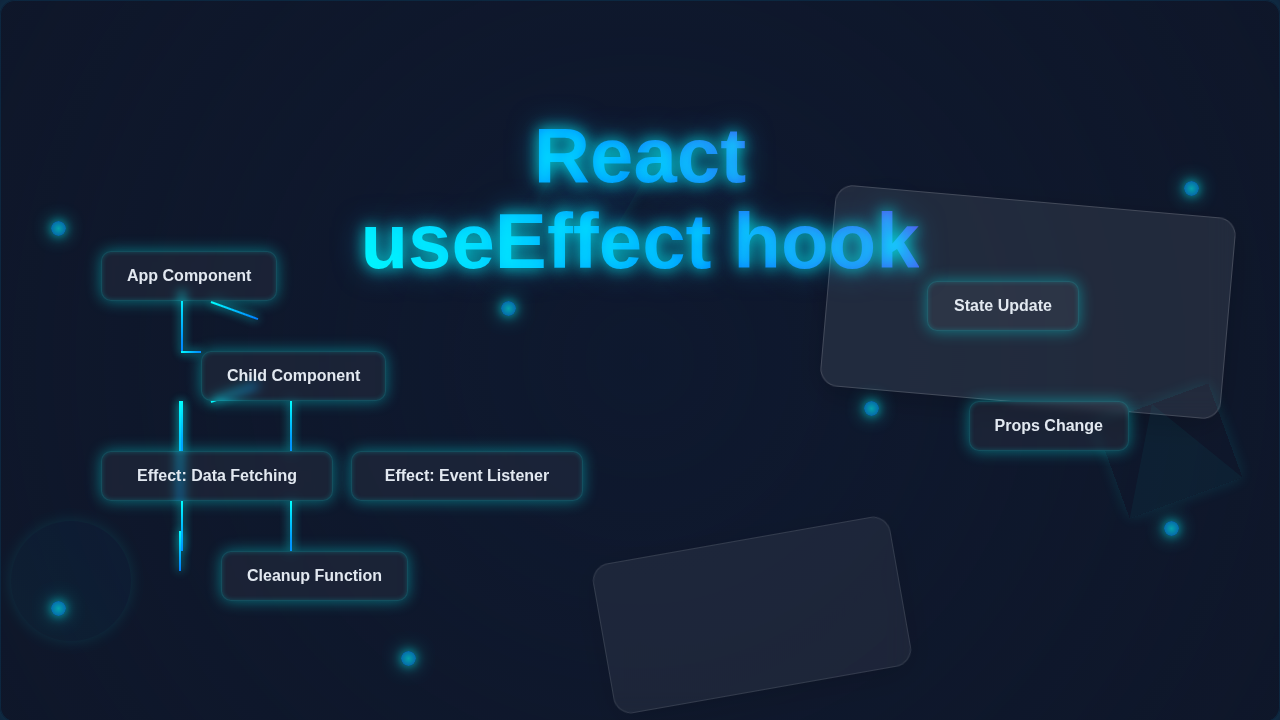
The React useEffect hook lets you return a function from inside your main effect function. This returned function is your “cleanup function.” React will run this cleanup function when your component is about to unmount, or right before the effect re-runs due to changed dependencies. It’s super important for preventing memory leaks or strange bugs.
For example, if you set up a subscription to an external service, your cleanup function would unsubscribe. If you added an event listener to the whole browser window, you’d remove it in cleanup. Want to see more on handling complex forms? Check out this post on React useActionState Form Submissions & Server Actions for advanced patterns.
Idea 4: Avoiding Infinite Loops with React useEffect Hook
This is a common pitfall for beginners, and it happens to everyone! An infinite loop occurs when your effect changes a state variable, and that state variable is a dependency for the effect. This makes the effect run again, which changes the state, which makes it run again… you get the idea.
Imagine a light switch that, when flipped on, tells itself to flip off, which then tells itself to flip on. It never stops! To avoid this, carefully choose what goes into your dependency array. Only include values that, when changed, *should* trigger your effect again.
If you find your browser freezing or your console showing messages repeatedly, an infinite loop is probably the culprit. Review your dependencies! Sometimes, you might need a different hook for performance, like explored in React useCallback Performance Boost: A Deep Dive.
Remember: Always ask yourself, “When should this effect *actually* run again?” Your dependency array is the answer.
What to Learn Next with React useEffect Hook
You’ve got the foundational understanding now. The next step is to practice! Try building small components that use `useEffect` for different tasks. Experiment with fetching data. Try updating the document title. Get comfortable with the dependency array.
You can explore more complex scenarios. Think about how to handle different loading states when fetching data. Consider error handling too. Learning how to build dynamic components is a key skill. If you are interested in creating interactive elements, understanding how to manage file uploads with React can be a great next step, like building a React File Uploader: Build a Modern Component with Hooks.
Resources for Mastering the React useEffect Hook
The best way to solidify your knowledge is through official documentation and trusted sources. Here are some places to dive deeper:
- React.dev documentation on useEffect: The official source is always a fantastic place for comprehensive understanding.
- MDN Web Docs on addEventListener: Since cleanup often involves removing event listeners, understanding how they work is super helpful.
You have taken a massive step today. Understanding the React useEffect hook is truly a cornerstone of modern React development. It unlocks so many possibilities for building dynamic and interactive applications. You’ve grappled with a concept many find intimidating, and you’ve come out stronger.
Keep experimenting, keep asking questions, and keep building! Your journey as a React developer is just beginning, and you’re doing great. I’m excited to see what you create!