Hey there, fellow self-taught coder! Have you ever written some CSS, stared at your browser, and wondered, “Why in the world isn’t this working?” You’re not alone. We’ve all been there. It’s a common developer rite of passage. Often, the silent culprit behind these styling mysteries is a concept called Understanding CSS Specificity.
It sounds a bit intimidating, right? Like some arcane wizardry only ancient web masters understand. But here’s the thing: it’s not. It’s actually a straightforward system. Once you grasp it, your CSS will finally start behaving. Imagine your styles doing exactly what you tell them to do! Sounds amazing, doesn’t it?
Cracking the Code: What is CSS Specificity Anyway?
So, what exactly is CSS specificity? Think of it like a tie-breaker. You write CSS rules to style your web pages. Sometimes, multiple rules try to style the very same element. This happens more often than you might think.
Specificity is how the browser decides which of those competing rules to apply. It’s a ranking system. Each CSS selector you write gets a “score.” The rule with the highest score wins. It’s that simple at its core. It’s how your browser knows which instruction to follow when you give it conflicting orders. Makes sense so far?
Why Understanding CSS Specificity Matters to Your Projects
You might be thinking, “Okay, so what? Why should I care about this scoring system?” Well, picture this: you’re trying to change the color of a button. You write a rule, but nothing happens. You try another rule, still no luck. You keep adding more CSS, getting more frustrated. Ever been there?
This frustration often stems from specificity issues. Without understanding it, you’re essentially guessing why your styles don’t apply. You might override an important rule by accident. Or you might write overly complex CSS trying to force a change. This leads to messy, hard-to-maintain stylesheets.
Mastering specificity helps you write clean, predictable CSS. It gives you control. You’ll know exactly why a style is applied, or why it isn’t. This saves you tons of debugging time. It also makes collaborating on projects much smoother. You won’t accidentally break someone else’s styles. It’s truly a game-changer for your workflow. It even helps when you’re creating responsive layouts where styles need to adapt!
The Specificity Scorecard: How It Really Works
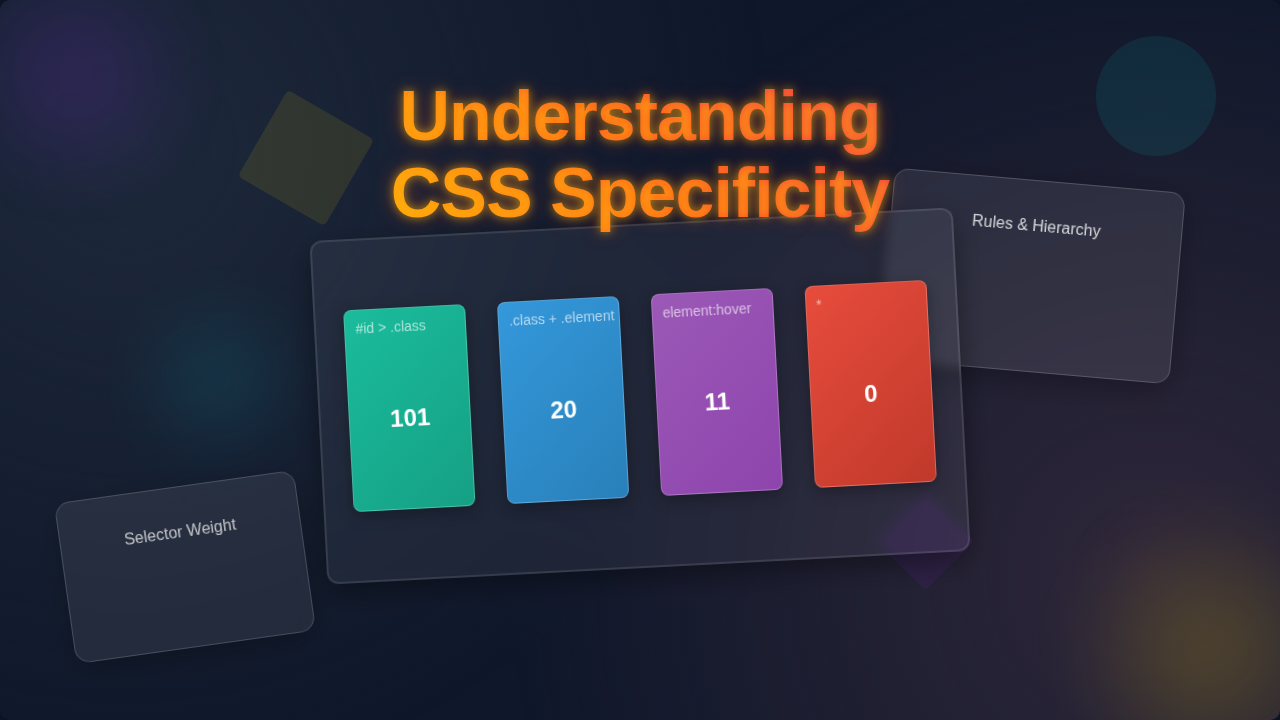
Alright, let’s dive into the scoring system. Don’t worry, no complicated math is involved. The browser calculates specificity based on the types of selectors you use. Here’s a simplified breakdown, from lowest score to highest:
- Element Selectors and Pseudo-elements (Low Score): These are things like
pfor paragraphs,afor links, or::beforefor pseudo-elements. They are very general. If you style all paragraphs red, that’s a low specificity rule. - Class Selectors and Pseudo-classes (Medium Score): When you use a class, like
.button, or a pseudo-class, like:hover, you’re being a bit more specific. These selectors target a group of elements. They beat element selectors. - ID Selectors (High Score): An ID, like
#header, is meant to be unique to a single element on your page. Because of this uniqueness, ID selectors have a very high specificity score. They’ll almost always override classes or elements. - Inline Styles (Very High Score): When you put CSS directly inside an element’s HTML tag (e.g.,
<p style="color: blue;">), that’s an inline style. These have extremely high specificity. They nearly always win. !important(The Overlord): This is the ultimate tie-breaker. When you add!importantto a CSS declaration, it overrides almost everything else. It doesn’t add to the specificity score itself. Instead, it just screams, “Hey, listen to me FIRST!” Use it with extreme caution. It can make your CSS very hard to manage later on. It’s like using a sledgehammer when you need a gentle tap.
So, if you have a general rule for all paragraphs, but then a class rule for a specific paragraph, the class rule wins. If that paragraph also has an ID rule, the ID rule wins. Get the picture?
Pro Tip: Think of specificity like a family dinner. An element selector is a general announcement to everyone. A class selector is for the kids’ table. An ID selector is a private whispered instruction to just one person. Inline styles are notes taped directly to someone’s forehead!
What if two rules have the exact same specificity score? Then the browser looks at the order. The rule declared later in your stylesheet (or later in the cascade) will win. It’s like the last person to speak in a debate. This is called the CSS Cascade. Understanding this layering effect is crucial. It’s not just about the numbers.
Common Traps and How to Dodge Them While Understanding CSS Specificity
Now that you know the basics, let’s talk about some common pitfalls. These are the moments that trip up even experienced developers. But you, my friend, are about to be prepared!
Over-Reliance on IDs and !important
It’s tempting to use IDs for everything because they’re so powerful. But too many IDs can make your CSS inflexible. You’ll find yourself needing to write even more specific rules to override them. Similarly, !important feels like a quick fix. However, it creates a tangled mess. It’s hard to predict what styles will apply. Try to structure your CSS to avoid needing them often. For example, using CSS variables can help manage values without needing high specificity.
Complex Selector Chains
Sometimes you see selectors like div#container > ul.menu li a:hover. While powerful, these chains stack up specificity points quickly. They become very specific. This makes them hard to override later without writing an even longer, more specific chain. Keep your selectors as lean as possible while still targeting what you need. A good rule of thumb: don’t select an element if you don’t have to. You can find more detail on different selector types on CSS-Tricks.
The Universal Selector Myth
The universal selector (*) has zero specificity. It doesn’t contribute any points. So, * p has the same specificity as p. Don’t think adding an asterisk somehow makes your rule more powerful. It’s just a general wildcard.
Inline Styles as a Crutch
We already mentioned inline styles have very high specificity. They are great for quick tests. But relying on them in production code is generally a bad idea. They mix presentation with structure. This defeats the purpose of CSS. Plus, they are incredibly difficult to manage. Imagine changing a color across 50 pages if you used inline styles!
Remember: The goal isn’t to always write the most specific rule. It’s to write just specific enough rules. This keeps your CSS maintainable and flexible. Aim for balance!
Your Roadmap to Specificity Mastery
So, how do you put this knowledge into practice? Here are a few key takeaways:
- Start Simple: Begin with element or class selectors. Only increase specificity when absolutely necessary.
- Embrace Classes: Classes are your best friends. They offer a good balance of power and flexibility. They allow you to reuse styles. This is especially useful for creating things like custom form elements.
- Use IDs Sparingly: Reserve IDs for unique page structure elements, like a main navigation or a footer. Don’t use them for general styling.
!importantis a Last Resort: Seriously, try everything else first. If you find yourself using!importantregularly, re-evaluate your CSS structure.- Read Your Browser’s DevTools: The Elements panel in your browser’s developer tools is amazing. It shows you exactly which CSS rules are applied. It even tells you why others are overridden. This is your secret weapon for debugging specificity!
Learning specificity is like learning a new language for your browser. Once you speak its language, you can communicate your styling desires clearly. No more shouting into the void!
You’ve got this. Take it one step at a time. Practice makes perfect. Soon, you’ll be writing predictable, powerful CSS without a second thought. And those mysterious styling bugs? They’ll be a thing of the past. Happy coding!