Let’s build a React Quiz App
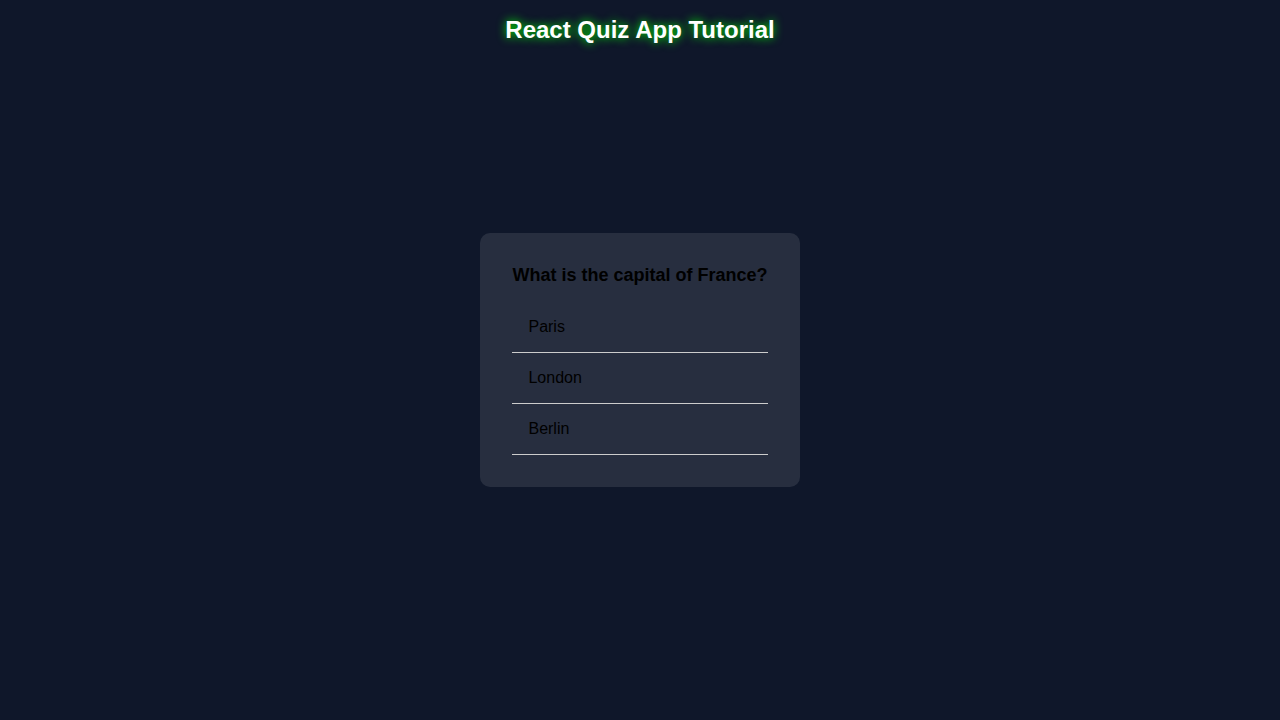
We are building a React Quiz App. It is cool!
What We Are Building
This app will test your knowledge. You will learn React.
HTML Structure
We use HTML. It is simple.
index.html
<!DOCTYPE html><html lang='en'><head><meta charset='UTF-8'><meta name='viewport' content='width=device-width, initial-scale=1.0'><title>React Quiz App Tutorial</title><link rel='stylesheet' href='styles.css'></head><body><div class='container'><div class='quiz-app'><div class='question' id='question'></div><ul class='answers' id='answers'></ul></div></div><script src='script.js'></script></body></html>CSS Styling
CSS makes it look good. We add styles.
styles.css
body { font-family: Arial, sans-serif; background-color: #0f172a; overflow: hidden; margin: 0; padding: 0; } .container { display: flex; justify-content: center; align-items: center; height: 100vh; } .quiz-app { max-width: 500px; background-color: rgba(255, 255, 255, 0.1); border-radius: 10px; padding: 2rem; box-sizing: border-box; } .question { font-size: 18px; font-weight: bold; margin-bottom: 1rem; } .answers { list-style: none; padding: 0; margin: 0; } .answer { padding: 1rem; border-bottom: 1px solid #ccc; cursor: pointer; } .answer:hover { background-color: #444; } .answer.selected { background-color: #666; }JavaScript
JS makes it work. We add logic.
script.js
import React from 'react';import ReactDOM from 'react-dom';const questions = [{ question: 'What is the capital of France?', answers: ['Paris', 'London', 'Berlin'], correct: 0 }, { question: 'What is the largest planet in our solar system?', answers: ['Earth', 'Saturn', 'Jupiter'], correct: 2 }];let currentQuestion = 0;const questionElement = document.getElementById('question');const answersElement = document.getElementById('answers');questionElement.textContent = questions[currentQuestion].question;answersElement.innerHTML = '';questions[currentQuestion].answers.forEach((answer, index) => { const answerElement = document.createElement('li'); answerElement.textContent = answer; answerElement.className = 'answer'; answerElement.addEventListener('click', () => { if (index === questions[currentQuestion].correct) { answerElement.className = 'answer selected'; } else { answerElement.className = 'answer'; } }); answersElement.appendChild(answerElement); });How It All Works Together
Step 1: Create React App
Create app. Use npm.
Step 2: Add Questions
Add questions. Use array.
Step 3: Display Questions
Display questions. Use JSX.
Tips to Customise It
Add images. Use CSS.
Make it harder. Add timer.
Pro tip: Keep it simple.
Conclusion
Celebrate! You built a React Quiz App. Share it!
Learn more about React Quiz App Tutorial: Functional Components & Hooks or React Performance Mistakes: Optimize Your Apps. Check MDN for more info.
Keep learning. You got this!