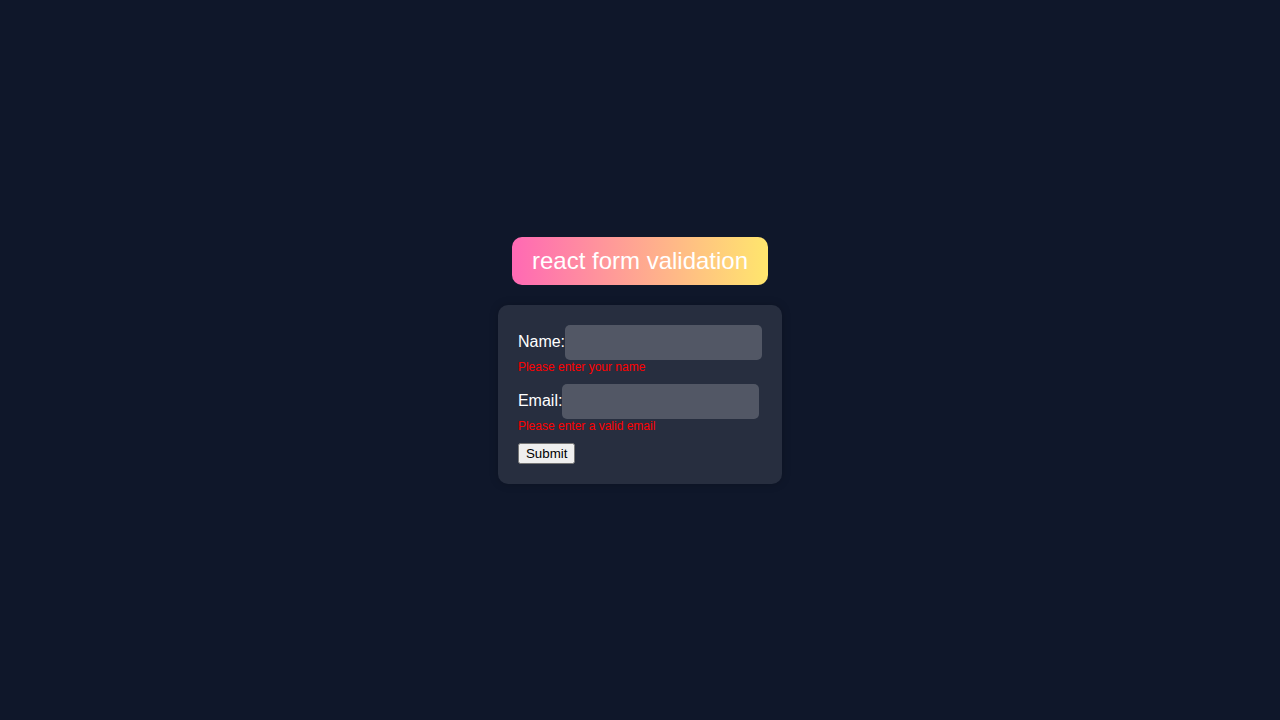
Hey! If you have wanted to build a React Form Validation but had no idea where to start, you are in the right place.
What We Are Building
We are building a simple React form with validation using React Hooks.
React Form Validation
React Form Validation is cool because it helps us validate user input.
HTML Structure
We start with a simple HTML structure. Then we add JSX.
index.html
<!DOCTYPE html><html><head><title>react form validation</title><link rel='stylesheet' href='styles.css' /></head><body><main><div class='banner'>react form validation</div><div class='form-container'><form id='form'><div class='form-field'><label class='label' for='name'>Name:</label><input class='input-field' type='text' id='name' /><div class='error-message' id='name-error'></div></div><div class='form-field'><label class='label' for='email'>Email:</label><input class='input-field' type='email' id='email' /><div class='error-message' id='email-error'></div></div><button type='submit'>Submit</button></form></div></main><script src='script.js' ></script></body></html>CSS Styling
CSS makes our form look nice. We use CSS to style our form.
styles.css
body {background-color: #0f172a;font-family: Arial, sans-serif;margin: 0;overflow: hidden;}main {display: flex;flex-direction: column;align-items: center;justify-content: center;height: 100vh}.banner {color: #fff;background: linear-gradient(90deg, #ff69b4, #ffe66d);padding: 10px 20px;border-radius: 10px;margin-bottom: 20px;font-size: 24px}.form-container {background-color: rgba(255, 255, 255, 0.1);padding: 20px;border-radius: 10px;box-shadow: 0 0 10px rgba(0, 0, 0, 0.2)}.form-field {margin-bottom: 10px}.label {color: #fff}.input-field {background-color: rgba(255, 255, 255, 0.2);border: none;padding: 10px;border-radius: 5px}.error-message {color: #ff0000;font-size: 12px}JavaScript
JavaScript makes our form work. We use React Hooks for validation.
script.js
import React from 'react';import ReactDOM from 'react-dom';const Form = () => {const [name, setName] = React.useState('');const [email, setEmail] = React.useState('');const [nameError, setNameError] = React.useState('');const [emailError, setEmailError] = React.useState('');const handleSubmit = (e) => {e.preventDefault();if (!name) {setNameError('Please enter your name');} else {setNameError('');}if (!email || !/^[^s@]+@[^s@]+.[^s@]+$/.test(email)) {setEmailError('Please enter a valid email');} else {setEmailError('');}};return (<div className='form-container'><form onSubmit={handleSubmit}><div className='form-field'><label className='label' htmlFor='name'>Name:</label><input className='input-field' type='text' id='name' value={name} onChange={(e) => setName(e.target.value)} /><div className='error-message'>{nameError}</div></div><div className='form-field'><label className='label' htmlFor='email'>Email:</label><input className='input-field' type='email' id='email' value={email} onChange={(e) => setEmail(e.target.value)} /><div className='error-message'>{emailError}</div></div><button type='submit'>Submit</button></form></div>);};const root = ReactDOM.createRoot(document.getElementById('root'));root.render(<Form />);How It All Works Together
Step 1: Create a New React App
Let’s create a new React app. This is the first step.
Step 2: Add React Hooks
Now we add React Hooks for validation. This is the cool part.
Don’t worry about this part. It’s easy.
Step 3: Validate User Input
We validate user input using React Hooks. Here’s what’s happening: we check if the input is valid.
React Form Validation with JSX
We use JSX to render our form. We also use React Hooks for validation.
Tips to Customise It
We can customise our form by adding more fields. We can also change the styles.
Check out the MDN Web Docs for more info.
Also, check out CSS-Tricks for CSS tips.
Conclusion
Congrats! You just built a simple React form with validation. Now you can build more complex forms.
Check out our other tutorials, like the React Todo List App and Zustand To-Do List in React: State Management Tutorial.
Also, learn about React Performance to improve your app’s speed.
You did it! Now go build something amazing.