Let’s Build a React Todo List App
If you have wanted to build a React Todo list but had no idea where to start, you are in the right place. Here’s the cool part: we are going to use React Hooks.
React Hooks make it easy. Let me explain what’s happening here: React Hooks are functions that let you use state and other React features in functional components.
What We Are Building
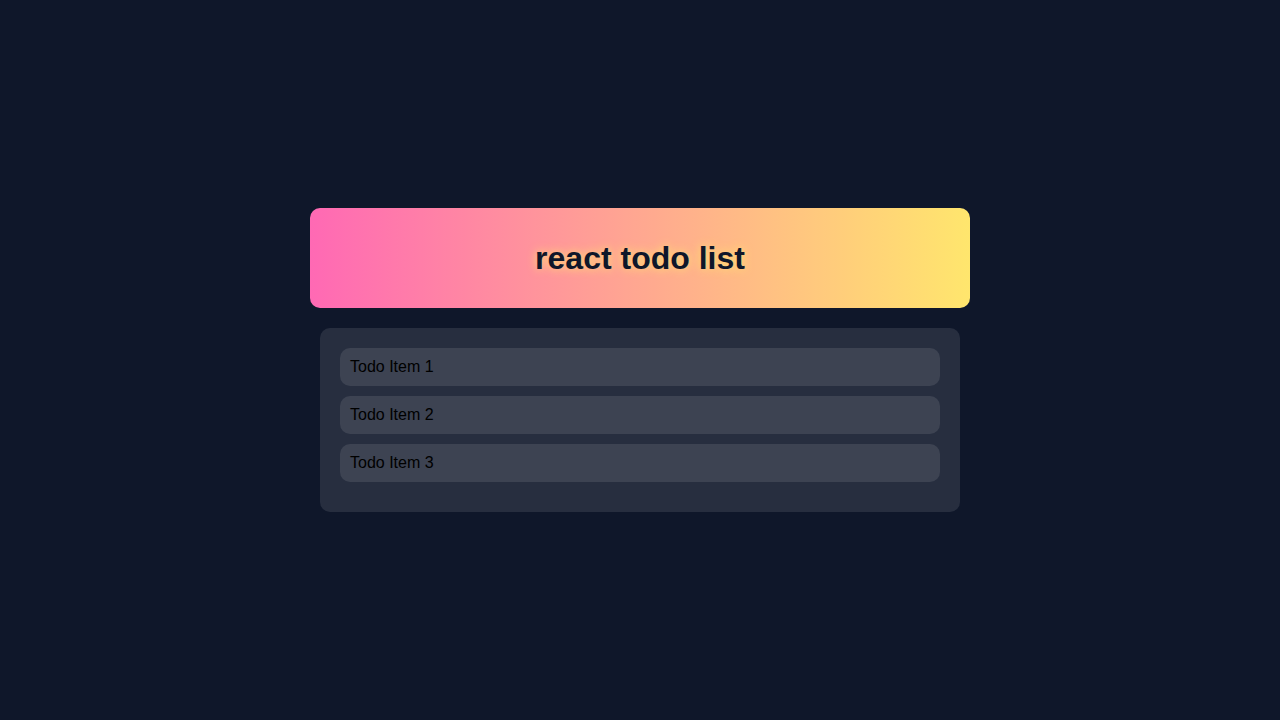
We are building a React Todo list app. Don’t worry about this part: it’s simple. You can add, delete and edit items in the list.
React Todo List App with HTML Structure
Here’s what we are doing: creating a basic HTML structure. Let me explain what’s happening here: HTML is the backbone of our app.
We need a few elements to make it work.
index.html
<!DOCTYPE html><html lang='en'><head><meta charset='UTF-8'><meta name='viewport' content='width=device-width, initial-scale=1.0'><title>react todo list</title><link rel='stylesheet' href='styles.css'></head><body><div id='root'></div><script src='index.js'></script></body></html>React Todo List App with CSS Styling
Now we are styling: making it look cool. CSS is used to style our app.
Don’t worry about this part: it’s easy.
styles.css
body { font-family: Arial, sans-serif; } .todo-list { background: #f0f0f0; padding: 20px; border: 1px solid #ccc; border-radius: 10px; max-width: 100%; box-sizing: border-box; } .todo-item { background: #fff; padding: 10px; border-bottom: 1px solid #ccc; } .todo-item:last-child { border-bottom: none; } button { background: #4CAF50; color: #fff; border: none; padding: 10px 20px; font-size: 16px; cursor: pointer; } button:hover { background: #3e8e41; }JavaScript for Our React Todo List App
Here’s the cool part: making it work with JavaScript.
Let me explain what’s happening here: JavaScript is used to add functionality to our app.
index.js
import React from 'react';import ReactDOM from 'react-dom';import './styles.css';const TodoItem = ({ todo, index, completeTodo, removeTodo }) => {return (<div className='todo-item' style={{ textDecoration: todo.isCompleted ? 'line-through' : '' }}><span>{todo.text}</span><div><button onClick={() => completeTodo(index)}>Complete</button><button onClick={() => removeTodo(index)}>Remove</button></div></div>);};const TodoApp = () => {const [todos, setTodos] = React.useState([{ text: 'Todo Item 1', isCompleted: false }, { text: 'Todo Item 2', isCompleted: false }, { text: 'Todo Item 3', isCompleted: false }]);const addTodo = (text) => {const newTodos = [...todos, { text, isCompleted: false }];setTodos(newTodos);};const completeTodo = (index) => {const newTodos = [...todos];newTodos[index].isCompleted = true;setTodos(newTodos);};const removeTodo = (index) => {const newTodos = [...todos];newTodos.splice(index, 1);setTodos(newTodos);};return (<div className='todo-list'><h1>Todo List</h1><form><input type='text' placeholder='Add new todo' /><button type='button' onClick={() => addTodo('New Todo')}>Add</button></form><div>{todos.map((todo, index) => <TodoItem key={index} index={index} todo={todo} completeTodo={completeTodo} removeTodo={removeTodo} />)}</div></div>);};ReactDOM.render(<TodoApp />, document.getElementById('root'));How It All Works Together
Step 1: Setting Up the App
Let’s start: setting up the app. We need to create a new React app.
Then we can start building.
Step 2: Creating the Todo List Component
Now we are creating: the Todo list component.
This is where we use React Hooks.
Step 3: Adding Functionality to the App
Here’s the cool part: adding functionality.
We can add, delete and edit items in the list.
Remember, practice makes perfect. Don’t be afraid to try new things.
Tips to Customise It
Now you can customise: make it your own.
Here are a few ideas: add a due date, priority level, or assign a task to someone.
You can also use a library like JavaScript to add more functionality.
Let’s take a look at CSS-Tricks for more styling ideas.
Conclusion
Congratulations: you did it! You built a React Todo list app.
Now you can share it with your friends.
Don’t forget to check out Zustand To-Do List in React: State Management Tutorial for more info on state management.
Also, take a look at React Performance to optimize your app.
And if you’re unsure about React State vs Props, we’ve got you covered.
You’re doing great! Keep building and learning.