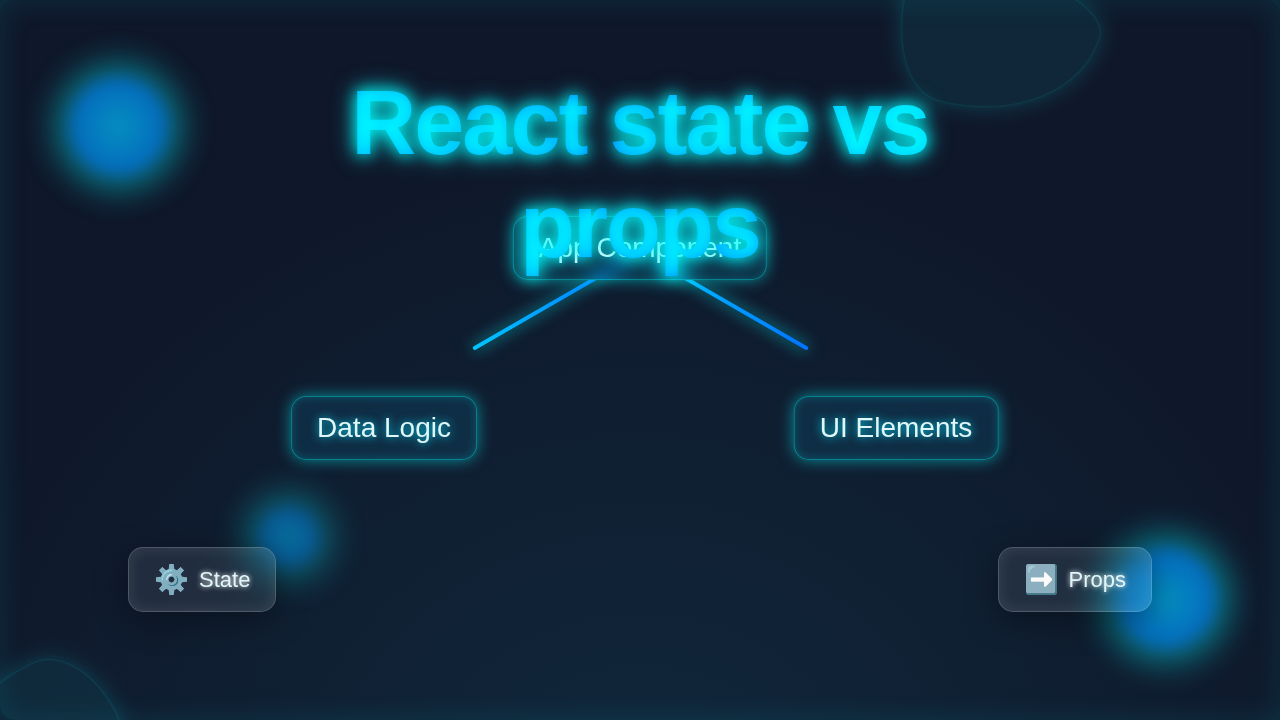
React State vs Props: Visual Component Tree Breakdown
Hey there, future React wizard! Ever felt like you’re juggling a handful of terms that sound similar but do wildly different things? You’re definitely not alone. When you first dive into React, two terms pop up constantly: React state vs props. They are fundamental building blocks, yet they can be super confusing at first glance.
Think of it like this: your React components are busy workers. They need information to do their job. Sometimes, this information comes from outside them, like a set of instructions. Other times, they manage their own internal workflow or data. That’s the simplest way to see the difference between props and state.
What are Props in React? (The Component’s Instructions)
Let’s start with props. “Props” is short for “properties.” You can think of props as the arguments you pass into a function. Or, even better, imagine you’re a chef in a busy restaurant kitchen. A waiter hands you an order ticket.
That order ticket is like a component’s props. It tells you exactly what to cook: “One Veggie Burger, no onions.”
- External Information: These instructions come from outside your kitchen.
- Read-Only: You, the chef, don’t write on the ticket to change the customer’s order. You just read it.
- One-Way Street: Information flows from the parent component (the waiter) down to the child component (you, the chef).
Props are how parent components communicate with their children. They allow you to make components reusable. You can have a `Button` component, and then pass it different `props` like `text=”Click Me”` or `color=”red”` to change its appearance without rewriting the button logic.
Pro Tip: Always remember that props are immutable. You should never, ever try to change props inside the component that receives them. Treat them like a sacred scroll of instructions!
So, if you need to display some data that comes from a parent component, or customize a child component’s look, you use props. Simple, right?
What is State in React? (The Component’s Internal Notes)
Now, let’s talk about state. While the order ticket (props) tells you what to cook, state is like the chef’s own internal notebook or mental checklist. It’s the dynamic data that a component manages itself.
For example, as the chef:
- Grill Temperature: You might keep track of the grill’s temperature. It can change over time.
- Burger Status: You know if the veggie burger is “cooking,” “flipping,” or “ready.”
- Current Ingredients: What ingredients are currently on your cutting board.
This internal information is unique to your component. It lives inside that component. And here’s the cool part: when this internal state changes, React automatically re-renders your component. This updates what you see on the screen!
You manage state using special functions called React Hooks, like `useState`. These hooks let your functional components have their own internal memory.
Need to create a simple counter? That’s state. Building a to-do list where items can be checked off? The “checked” status of each item is state. Creating an interactive form? The current input value is state. Make sense?
React State vs Props: Core Differences You Must Know
Okay, let’s put them side-by-side to really solidify your understanding. This is where a lot of “Aha!” moments happen.
Origin and Ownership
- Props: They originate from a parent component and are “owned” by that parent. The parent passes them down.
- State: It originates from within the component itself and is “owned” by that component. It’s internal data.
Mutability (Can It Change?)
- Props: Immutable! You cannot change props inside the child component that received them. They are read-only. If the parent wants to change a prop, it passes a new prop value.
- State: Mutable! You can and should change state within its owning component. That’s its whole purpose.
Data Flow
- Props: Unidirectional. Data flows from parent to child. Think of it as a river always flowing downstream.
- State: Primarily internal. It affects the component that owns it, and can be passed down as props to its children.
Let’s revisit our restaurant. The waiter (parent) gives you an order ticket (props). You (the chef, child) cook the burger. While cooking, you manage the grill temperature (state). You don’t change the order ticket. If the customer changes their mind, the waiter brings a new ticket. You would update your internal cooking process (state) based on that new ticket.
Key Insight: Props are external instructions your component receives. State is internal data your component manages.
Understanding this core distinction is a massive step forward in your React journey. It makes building complex UIs much clearer.
When to Use Each: Practical Scenarios
Knowing the difference is one thing; knowing when to reach for state or props is another. You’ll instinctively know with practice, but here are some guiding principles.
Use Props When:
- A component needs data from its parent.
- You want to pass functions down from a parent to a child (e.g., a click handler).
- You’re rendering a list of items, and each item needs unique data (like an `id` or `name`).
- You want to make a component reusable with different configurations.
- Building something like a React Task Manager where each task item gets its details (text, completion status) from a parent list.
Use State When:
- A component needs to manage data that changes over time (e.g., user input, a counter).
- The data is specific to that component and doesn’t need to be shared with siblings or parents directly.
- You’re dealing with UI interactions like showing/hiding elements, managing form inputs, or tracking selected items.
- You are fetching data from an external API, like with the JavaScript Fetch API, and need to store the fetched results to display them.
Remember, a common pattern is for a parent component to hold state, and then pass parts of that state down to its children as props. The children then display or use that data, without needing to manage it themselves.
Common Confusions Cleared Up
Even with the definitions down, some things can still feel a bit murky. Let’s tackle a couple of frequent head-scratchers.
Confusion 1: Can a child component change its own props?
Answer: Absolutely not! As we discussed, props are read-only. If a child needs to inform its parent that something should change, it usually does so by calling a function passed down as a prop from the parent. The parent then updates its own state, which might cause it to pass new props down to the child.
Think of it as the chef asking the waiter to tell the customer if they’d like a side salad. The chef doesn’t change the customer’s order directly. The waiter (parent) handles that communication.
Confusion 2: When does state become props?
Answer: This is a great question! When a parent component holds some data in its own state, it can then pass that piece of data down to a child component. To the child, that data arrives as a prop. So, what is state for the parent, becomes a prop for the child.
For instance, if your `App` component has a `count` in its state, it might pass that `count` to a `CounterDisplay` component. For `App`, `count` is state. For `CounterDisplay`, `count` is a prop.
This is a super powerful concept for building component trees!
Key Takeaways: React State vs Props at a Glance
Let’s boil it all down to the essentials:
- Props: External instructions, read-only, parent-to-child data flow, make components reusable.
- State: Internal data, mutable, owned by the component, triggers re-renders when changed.
You need both. They work together. Props are like the blueprints for a house, and state is like the current weather inside the house. Both are crucial for the house to function correctly!
For more deeper dives into React’s core concepts, check out the official React documentation on component structure.
Your Next Steps to React Mastery!
You’ve just navigated one of the most fundamental distinctions in React development. Give yourself a pat on the back! Understanding React state vs props is a huge milestone. It unlocks your ability to build dynamic, interactive web applications.
Don’t worry if it doesn’t all click perfectly right away. The best way to learn is by doing. Start building small components. Experiment with passing props. Play around with `useState` to see how your UI changes.
Keep coding, keep exploring, and remember: every pro coder started exactly where you are now. You’ve got this!