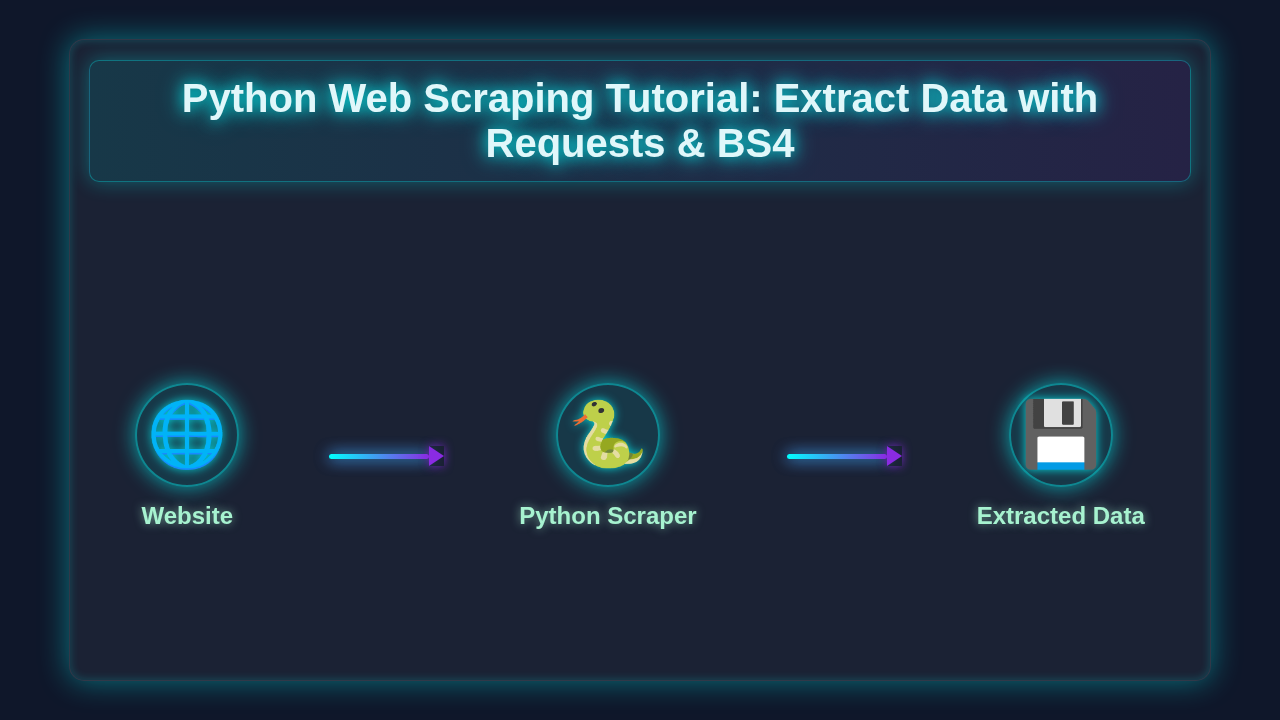
Python Web Scraping Tutorial: Extract Data with Requests & BS4
Hey there, pro-coder! If you’ve ever wanted to build something cool with data but had no idea where to start, you are in the right place. Today, we’re diving into Python Web Scraping. It’s a super powerful skill. You will learn how to extract useful information from any website. We’ll use two amazing Python libraries to make it happen. Get ready to unlock a world of data!
What We Are Building: Your First Python Web Scraper
Imagine being able to collect product prices from an e-commerce site. Or perhaps you want to grab article headlines from a news blog. That’s exactly what our simple web scraper will do! We are building a small Python script. This script will visit a webpage, read its content, and then intelligently pull out specific pieces of information. It’s like having a digital assistant. Your assistant quickly gathers data for you. This project is incredibly useful. It opens doors to data analysis, market research, and so much more. You’ll love seeing your script in action!
How It All Works Together: Diving into Python Web Scraping
Building a web scraper with Python involves a few key steps. We will go through each one carefully. You will understand every piece of the puzzle. Our main tools are the requests library and BeautifulSoup. The requests library handles making HTTP requests. BeautifulSoup helps us parse and navigate HTML. Let’s get started!
Setting Up Your Environment
First things first, let’s get your workspace ready. You’ll need Python installed, of course. We highly recommend using a virtual environment. A virtual environment keeps your project dependencies isolated. This prevents conflicts between different projects. Open your terminal or command prompt. Navigate to your project folder. Then, run these commands:
python -m venv venv
source venv/bin/activate  # On Windows, use `venv\Scripts\activate`
pip install requests beautifulsoup4
The first command creates your virtual environment. The second activates it. Finally, we install our required libraries. requests lets your Python code talk to websites. BeautifulSoup (beautifulsoup4) helps you dig through the HTML. It’s that simple to get going!
Getting the Web Page (Requests)
Our scraper needs to access the content of a website. The requests library is perfect for this. It lets you send HTTP requests easily. Think of it like typing a URL into your browser. But instead, your Python script does it. Here’s a basic example of how it works:
import requests

url = "https://quotes.toscrape.com/"
response = requests.get(url)

print(f"Status Code: {response.status_code}")
print(response.text[:500]) # Print first 500 characters of HTML
We define the url we want to scrape. Then, requests.get(url) sends a GET request. The website responds with its HTML content. The response object holds all this information. The status_code tells us if the request was successful. A 200 means everything worked! You can read more about HTTP status codes on MDN Web Docs. Check out our detailed guides on the Python Requests Library Explained: Quick & Easy Guide and Python Requests Library Explained: Code & API Guide for more insights.
Pro Tip: Always check the
response.status_code! If it’s not 200, something went wrong. Your script might be blocked, or the page might not exist. Handling these cases makes your scraper more robust.
Parsing the HTML (BeautifulSoup)
Once you have the HTML content, it’s just a long string of text. This is where BeautifulSoup comes in. It transforms that messy string into a navigable tree structure. You can then easily find specific elements. Imagine looking for a paragraph or a link. BeautifulSoup helps you pinpoint them. Let’s parse our HTML:
from bs4 import BeautifulSoup

# Assuming 'response' is from the previous step
soup = BeautifulSoup(response.text, 'html.parser')
Here, we create a BeautifulSoup object. We pass it the HTML text and a parser. 'html.parser' is a built-in Python parser. Now, soup is like a map of the entire web page. You can search this map for specific tags, classes, or IDs. It’s incredibly powerful for navigating complex HTML structures. This is the core of effective Python web scraping!
Extracting the Data
With our soup object, we can start finding elements. BeautifulSoup provides methods like find() and find_all(). find() returns the first matching element. find_all() returns a list of all matches. Let’s find some quotes and authors from our example site:
# Find all quote divs
quotes = soup.find_all('div', class_='quote')

for quote in quotes:
    text = quote.find('span', class_='text').text
    author = quote.find('small', class_='author').text
    tags_element = quote.find('div', class_='tags')
    tags = [tag.text for tag in tags_element.find_all('a', class_='tag')] if tags_element else []

    print(f"Quote: {text}")
    print(f"Author: {author}")
    print(f"Tags: {', '.join(tags)}")
    print("\n---\n")
We used find_all('div', class_='quote') to get all the quote blocks. Then, we looped through each quote. Inside each quote, we used find() again. This helps us get the specific text and author elements. We extract their .text content. For tags, we handle cases where the tags_element might not exist. This ensures our script doesn’t crash. You are now truly extracting data! This is the magic of Python web scraping.
Putting It All Together: The Complete Scraper
Let’s combine all these steps into one complete Python script. You can save this as scraper.py. Then run it from your terminal. It will fetch quotes from our target website. This script demonstrates the full workflow. From requesting the page to parsing it and extracting data. You’ll see how powerful just a few lines of Python can be. This simple web scraper will be a great start for your projects.
import requests
from bs4 import BeautifulSoup

def scrape_quotes(url):
    try:
        response = requests.get(url)
        response.raise_for_status() # Raise an exception for HTTP errors (4xx or 5xx)
    except requests.exceptions.RequestException as e:
        print(f"Error fetching URL {url}: {e}")
        return []

    soup = BeautifulSoup(response.text, 'html.parser')
    quotes_data = []

    quotes = soup.find_all('div', class_='quote')

    for quote in quotes:
        text = quote.find('span', class_='text').text.strip()
        author = quote.find('small', class_='author').text.strip()
        tags_element = quote.find('div', class_='tags')
        tags = [tag.text.strip() for tag in tags_element.find_all('a', class_='tag')] if tags_element else []

        quotes_data.append({
            'text': text,
            'author': author,
            'tags': tags
        })
    return quotes_data

if __name__ == "__main__":
    target_url = "https://quotes.toscrape.com/"
    scraped_quotes = scrape_quotes(target_url)

    if scraped_quotes:
        print(f"Scraped {len(scraped_quotes)} quotes from {target_url}\n")
        for i, quote in enumerate(scraped_quotes):
            print(f"Quote {i+1}:")
            print(f"  Text: {quote['text']}")
            print(f"  Author: {quote['author']}")
            print(f"  Tags: {', '.join(quote['tags'])}")
            print("\n")
    else:
        print("No quotes scraped. Check the URL or target website's structure.")
This script is a full, working Python web scraping tool. It’s ready for you to experiment with. You can change the target_url. Just remember to adapt the find() and find_all() calls. These need to match the new website’s HTML structure. That’s the key to successful scraping.
Practice makes perfect! Don’t just copy-paste. Try changing the selectors (like ‘div’, ‘class_’). Experiment with different websites. This is how you truly master web scraping.
Handling Errors and Being Polite
Web scraping isn’t always smooth sailing. Websites can change their structure. Your script might encounter network issues. It’s important to include error handling. Notice the try...except block in our full script. This catches potential network errors. The response.raise_for_status() command is also very useful. It automatically raises an HTTPError for bad responses (like 404 or 500).
Also, always be a polite scraper. Do not bombard a website with too many requests too quickly. This can overload their servers. It can also get your IP address blocked. Consider adding delays between requests. Use time.sleep(1) for a 1-second pause. Always respect the website’s robots.txt file. This file tells scrapers which parts of a site they can or cannot access. Happy scraping, responsibly!
Tips to Customise Your Python Web Scraper
You’ve built a solid foundation. Now, let’s think about how you can extend your new skill. Here are a few ideas to take your Python Web Scraping further:
- Scrape Multiple Pages: Many websites paginate their content. You can modify your script to loop through page numbers in the URL. Then, collect data from all of them!
- Save to a File: Instead of just printing to the console, save your scraped data. Export it to a CSV file or a JSON file. This makes your data much more usable for analysis.
- Add More Error Handling: Implement more specific error checks. For instance, what if an element you expect isn’t found? Use
if element:checks. - Build a Web App for Display: You could integrate your scraper with a web framework like Flask. Then, display your scraped data on a beautiful webpage! This can create dynamic dashboards. Take a look at our Blog Thumbnail: Flask Python Web Framework – UI/UX Design for ideas.
Conclusion
Wow, you did it! You’ve just built your very own simple web scraper using Python, Requests, and BeautifulSoup. You now know how to fetch web pages, parse their HTML, and extract exactly the data you need. This skill is incredibly valuable in today’s data-driven world. It opens up so many possibilities. Keep practicing and experimenting with different websites. Share your creations with us! We can’t wait to see what amazing data projects you build next. Happy coding!
web_scraper.py
# web_scraper.py

import requests
from bs4 import BeautifulSoup
import time
import csv

# --- Configuration ---
# The URL of the website we want to scrape.
# books.toscrape.com is a sandbox site specifically designed for web scraping practice.
TARGET_URL = "http://books.toscrape.com/"

# A User-Agent header helps mimic a real browser request and can prevent some websites
# from blocking your scraper. Be polite and try to identify your script.
HEADERS = {
    "User-Agent": "Mozilla/5.0 (Windows NT 10.0; Win64; x64) AppleWebKit/537.36 (KHTML, like Gecko) Chrome/91.0.4472.124 Safari/537.36 ScraperBot/1.0"
}

# --- Functions ---

def fetch_page_content(url, headers):
    """
    Fetches the HTML content of a given URL.
    Handles potential network errors and HTTP status codes.
    """
    try:
        response = requests.get(url, headers=headers, timeout=10)
        response.raise_for_status()  # Raises an HTTPError for bad responses (4xx or 5xx)
        print(f"Successfully fetched: {url}")
        return response.text
    except requests.exceptions.HTTPError as e:
        print(f"HTTP error occurred: {e} - Status Code: {e.response.status_code}")
        if e.response.status_code == 404:
            print("Page not found. Check the URL.")
        elif e.response.status_code == 403:
            print("Access denied. The server might be blocking your request. Try rotating User-Agents or using proxies.")
        return None
    except requests.exceptions.ConnectionError as e:
        print(f"Connection error occurred: {e} - Could not connect to the server.")
        return None
    except requests.exceptions.Timeout as e:
        print(f"Timeout error occurred: {e} - The request took too long.")
        return None
    except requests.exceptions.RequestException as e:
        print(f"An unexpected request error occurred: {e}")
        return None

def parse_book_data(html_content):
    """
    Parses the HTML content to extract book titles, prices, and availability.
    """
    if not html_content:
        return []

    soup = BeautifulSoup(html_content, "html.parser")
    books = []

    # Find all book articles on the page. Each book is typically within an 'article' tag
    # with a class 'product_pod'.
    book_elements = soup.find_all("article", class_="product_pod")

    for book_element in book_elements:
        title_tag = book_element.h3.a
        title = title_tag["title"].strip() if title_tag else "N/A"

        price_tag = book_element.find("p", class_="price_color")
        price = price_tag.get_text(strip=True) if price_tag else "N/A"

        availability_tag = book_element.find("p", class_="instock availability")
        availability = availability_tag.get_text(strip=True) if availability_tag else "N/A"

        books.append({
            "title": title,
            "price": price,
            "availability": availability
        })
    return books

def get_next_page_url(soup):
    """
    Finds the URL for the next page of results.
    Returns None if no 'next' button is found.
    """
    next_button = soup.find("li", class_="next")
    if next_button and next_button.a:
        # Construct the full URL for the next page.
        # urljoin handles relative URLs correctly.
        return requests.compat.urljoin(TARGET_URL, next_button.a["href"])
    return None

def main():
    """
    Main function to orchestrate the scraping process.
    Scrapes multiple pages and saves data to a CSV file.
    """
    all_books_data = []
    current_url = TARGET_URL
    page_num = 1

    print("Starting web scraping process...")

    while current_url:
        print(f"\nScraping page {page_num}: {current_url}")
        html_content = fetch_page_content(current_url, HEADERS)

        if html_content:
            books_on_page = parse_book_data(html_content)
            all_books_data.extend(books_on_page)
            print(f"Found {len(books_on_page)} books on page {page_num}.")

            soup = BeautifulSoup(html_content, "html.parser")
            current_url = get_next_page_url(soup)
            page_num += 1

            # Be a good citizen: Wait a bit before making the next request.
            # This prevents overwhelming the server and reduces the chance of being blocked.
            if current_url: # Only sleep if there's a next page to avoid unnecessary delay at the end
                print("Waiting 1 second before fetching next page...")
                time.sleep(1)
        else:
            print(f"Failed to fetch content from {current_url}. Stopping pagination.")
            break

    print(f"\nScraping complete! Total books collected: {len(all_books_data)}")

    # --- Save data to CSV ---
    if all_books_data:
        output_filename = "scraped_books.csv"
        try:
            with open(output_filename, "w", newline="", encoding="utf-8") as csvfile:
                fieldnames = ["title", "price", "availability"]
                writer = csv.DictWriter(csvfile, fieldnames=fieldnames)

                writer.writeheader() # Write the header row
                for book in all_books_data:
                    writer.writerow(book)
            print(f"Data successfully saved to {output_filename}")
        except IOError as e:
            print(f"Error saving data to CSV: {e}")
    else:
        print("No data collected to save.")

if __name__ == "__main__":
    # Ensure requests and beautifulsoup4 are installed:
    # pip install requests beautifulsoup4
    main()