CORS Errors Explained: Visual Guide to Cross-Origin Issues
Hey there, fellow developer! Ever felt that deep sigh of frustration? You know the one. You’re building something cool. Your frontend looks amazing. You make an API call. It works perfectly in Postman. Then, BAM! Your browser throws a fit. It shows a cryptic message. Something about Cross-Origin Resource Sharing. You’ve just met the infamous CORS error. If you’ve ever wondered why your browser acts like a strict librarian, blocking your requests, you’re in the right place. We’re going to get these CORS errors explained, step-by-step.
Trust me, I’ve been there. Staring at the console. Feeling utterly stumped. But don’t worry. This isn’t some unsolvable mystery. It’s actually a vital part of web security. Once you grasp its core idea, those frustrating errors will start to make a lot more sense. You’ll be ready to tackle them head-on!
What Even Is a CORS Error, Anyway? (CORS Errors Explained)
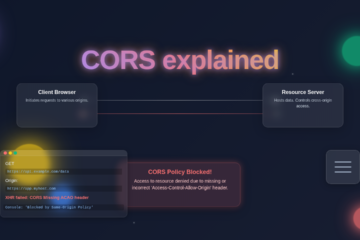
Let’s break it down. CORS stands for Cross-Origin Resource Sharing. That’s a mouthful, right? Think of your web browser as a highly secure building. Inside are all your web pages. When one web page wants to fetch data, like an image or an API response, it sends out a messenger. Normally, this messenger can only fetch things from the *same* building. This is called the ‘Same-Origin Policy.’
The ‘origin’ is a combination. It’s the protocol (like `http` or `https`). It’s the host (like `procoder09.com` or `api.example.com`). And it’s the port (like `80` or `3000`). If any of these three things differ between your frontend and the resource you’re trying to access, they have different origins. Make sense so far?
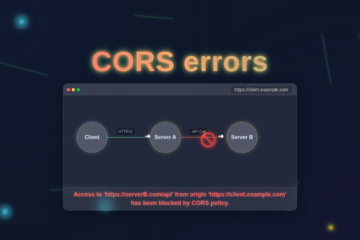
Now, sometimes you *need* to get something from a different building. Perhaps your frontend (living at `my-app.com`) needs data from your backend API (at `api.my-app.com`). These are different origins! This is where CORS comes in. It’s the mechanism that allows secure cross-origin requests. Without it, your browser’s security guard would simply block *all* requests to different origins. That would be very limiting for modern web apps!
So, a CORS error isn’t the browser trying to be mean. It’s the browser upholding its strict security rules. It wants explicit permission before fetching resources from another origin. It’s like a bouncer at an exclusive club. Your request is trying to get in. But it needs the club owner’s explicit permission slip first.
The Browser’s Security Gatekeeper: How CORS Errors are Explained
Here’s the thing: when your browser sees a request going to a different origin, it doesn’t just send it off. It sends a special ‘preflight’ request first. This preflight request uses the HTTP OPTIONS method. It’s basically asking the server: “Hey, my friend over at `my-app.com` wants to grab some data from you. Are they allowed?”
The server then looks at this preflight request. If it trusts `my-app.com`, it sends back a special set of HTTP headers. The most important one is Access-Control-Allow-Origin. This header tells the browser, “Yes, `my-app.com` is welcome here!” If the server *doesn’t* send back the correct headers, or if it doesn’t list your frontend’s origin, the browser immediately blocks the request. It won’t even send the *actual* data request. You get a CORS error right there in your console.
This protection is crucial. Imagine if any website you visited could secretly grab data from your bank’s website. Or your social media. Yikes! CORS prevents this. It ensures that only servers that explicitly grant permission can share resources with different origins.
Your Lightbulb Moment: Solving Common CORS Issues
So, where’s the fix? The key insight is this: CORS is a server-side problem. Your frontend code is usually fine. The server you are trying to reach needs to be configured correctly. It needs to send those crucial permission headers in its response. Once you understand this, the frustration lessens. You know where to look!
What headers does your server need? The main one is `Access-Control-Allow-Origin`. Here are a few ways a server might set it:
Access-Control-Allow-Origin: *This is like saying, “Anyone can come in!” It’s great for development. But it’s generally not secure for production.Access-Control-Allow-Origin: https://my-app.comThis is better. It’s specific. It tells the browser, “Only requests from `https://my-app.com` are allowed.”- The server might also need to send
Access-Control-Allow-Methods. This lists allowed HTTP methods (like GET, POST, PUT, DELETE). - And
Access-Control-Allow-Headersfor any special headers your client sends.
Pro Tip: When you hit a CORS error, remember it’s typically the *backend API server’s* job to allow your frontend’s origin. Your frontend code is usually just asking for permission.
Often, setting these headers is just a few lines of code. It might be in your backend framework’s configuration. Or perhaps a middleware function. Once the server is updated, those errors should vanish! Your browser will finally get the green light. It will happily fetch your data.
Thinking Like a CORS Expert: What to Do Next
You’ve seen what CORS is. You know where the fix generally lies. Now, how do you debug it like a pro? Your browser’s developer tools are your best friend. Open them up (usually F12 or right-click -> Inspect). Go to the “Console” tab. You’ll see the exact CORS error message there. It often points to the offending URL. Then, switch to the “Network” tab.
Look for your failed API request. You might see the preflight (OPTIONS) request. Or you’ll see the main request marked as failed. Click on it. Check the “Headers” section. Look at the response headers from the server. Do you see Access-Control-Allow-Origin? Is your frontend’s origin listed there? This is your diagnostic roadmap.
If you’re delving into how your React application handles state, especially when fetching data from APIs that might eventually hit CORS issues, you might find our React Context API Guide: Master State Management helpful. Understanding how data flows helps you pinpoint where the API call originates. Similarly, if you’re exploring how to get data from other websites with tools like our Python Web Scraping Tutorial: Data Extraction with BeautifulSoup, you’re interacting with external resources, which often brings you face-to-face with these cross-origin concepts in a different context.
Want to dive deeper into the nitty-gritty of CORS? The MDN Web Docs on CORS offer a fantastic technical deep dive. It explains all the headers and scenarios in detail. It’s an invaluable resource for every web developer.
The CORS Journey: From Frustration to Fix (CORS errors explained)
Remember, CORS errors are a feature, not a bug. They’re part of the robust security model of the web. They protect you, your users, and the data exchanged across the internet. Once you’ve encountered them a few times, you’ll start to recognize the patterns. You’ll know exactly what to tell your backend developer. Or what to change in your own server configurations.
Key Takeaway: CORS isn’t trying to stop you. It’s asking for a clear, explicit permission slip. Provide that, and your browser will let the request through.
If you’re building beautiful frontends, maybe even something like our Glassmorphism Card: Build with Tailwind CSS and HTML, you’ll eventually want to populate it with dynamic data. That’s when understanding these server-client interactions becomes critical. For more on how to set up those permissions, CSS-Tricks has some great snippets on enabling CORS for various server setups.
You’re not just fixing an error. You’re deepening your understanding of how the web works securely. That’s a powerful skill for any self-taught developer. You’re moving from a beginner struggling with mysterious blocks to a pro who understands the underlying mechanics. You’ve got this, and you’re getting better with every challenge!