Understanding DI JavaScript (Dependency Injection) is a game-changer for writing maintainable, testable, and scalable code. This powerful design pattern fundamentally shifts how components receive their dependencies, moving away from hardcoded relationships to a more flexible, inverted control flow. If you’ve ever struggled with deeply nested object creation or challenging unit tests, prepare to have your development world transformed.
What We Are Building: Mastering DI JavaScript
Today, we’re not just learning theory; we’re building a practical example to truly grasp Dependency Injection. Our goal is to create a simple, modular application that demonstrates how to inject dependencies, making our code more robust and easier to manage. Imagine a basic logging system where you can easily swap out different loggers (console, file, remote server) without modifying the core logic that uses them. That’s the power we’re after!
Dependency Injection is trending because it’s at the core of many modern frameworks like Angular, NestJS, and even plays a significant role in how React Component Design promotes reusability and testability. It’s incredibly useful in scenarios where you have services interacting with external resources (databases, APIs), or complex business logic that needs isolated testing. By mastering DI, you unlock a higher level of architectural design in your web projects.
HTML Structure
Our HTML will be minimal, providing just enough structure for our JavaScript application to interact with. We’ll set up a container and some basic elements to display output from our injected services.
index.html
<!DOCTYPE html>
<html lang="en">
<head>
    <meta charset="UTF-8">
    <meta name="viewport" content="width=device-width, initial-scale=1.0">
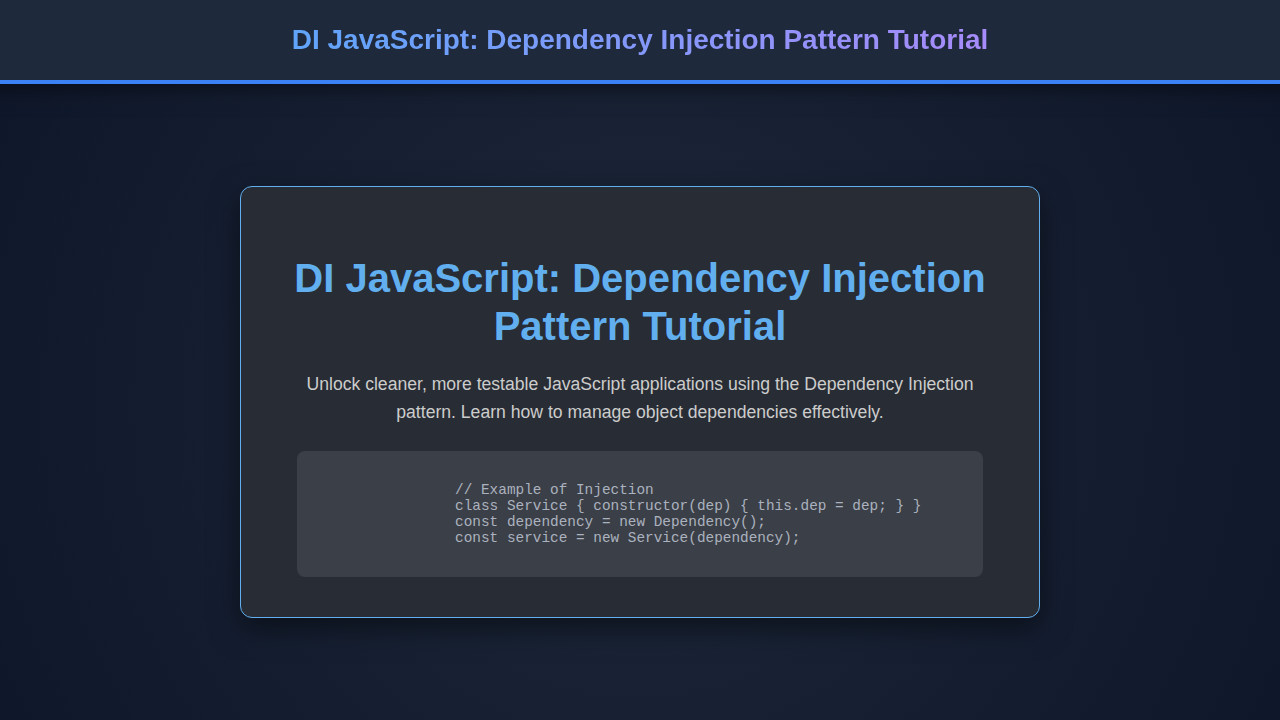
    <title>DI JavaScript: Dependency Injection Pattern Tutorial</title>
    <link rel="stylesheet" href="styles.css">
</head>
<body>
    <main>
        <h1>DI JavaScript: Dependency Injection Pattern Tutorial</h1>
        <p>
            Dependency Injection (DI) is a powerful design pattern that helps manage dependencies
            between objects. Instead of an object creating its own dependencies, they are provided
            (injected) from an external source. This leads to more modular, testable, and maintainable code.
        </p>

        <h2>What is Dependency Injection?</h2>
        <p>
            Imagine a <code>UserService</code> that needs to log messages. Without DI, the <code>UserService</code> might
            create its own <code>Logger</code> instance. With DI, the <code>Logger</code> is created elsewhere and then
            <em>injected</em> into the <code>UserService</code>, often through its constructor.
        </p>

        <h2>Why Use Dependency Injection?</h2>
        <ul>
            <li><strong>Loose Coupling:</strong> Components are less dependent on specific implementations.</li>
            <li><strong>Easier Testing:</strong> You can easily swap real dependencies with mock objects for unit testing.</li>
            <li><strong>Improved Reusability:</strong> Components can be reused in different contexts with different dependencies.</li>
            <li><strong>Better Maintainability:</strong> Changes to a dependency don't require changing the consuming class.</li>
        </ul>

        <h2>Example: Constructor Injection</h2>
        <p>
            The most common form of DI in JavaScript classes is constructor injection, where dependencies
            are passed as arguments to the class constructor.
        </p>

        <h3><code>script.js</code> - Dependencies and Service</h3>
        <pre><code class="language-js">
// script.js code will appear here after loading.
// See script.js for full implementation.
        </code></pre>

        <p>This setup allows us to easily provide different loggers (e.g., a console logger, a file logger, or a mock logger for tests) without changing the <code>UserService</code> logic.</p>

        <h2>Output from JavaScript Execution:</h2>
        <div id="output" class="code-output">
            Loading JavaScript output...
        </div>

    </main>
    <script src="script.js"></script>
</body>
</html>
script.js
// --- 1. Define Dependencies ---

// A simple Logger class that logs messages with a timestamp
class Logger {
    log(message) {
        const timestamp = new Date().toISOString();
        return `[${timestamp}] INFO: ${message}`;
    }
}

// --- 2. Define Services that require Dependencies ---

// A UserService class that requires a Logger to perform its operations
class UserService {
    // Constructor Injection: The Logger instance is passed during creation
    constructor(logger) {
        // Basic validation to ensure a valid logger is provided
        if (!logger || typeof logger.log !== 'function') {
            throw new Error('Logger instance required with a log method.');
        }
        this.logger = logger;
    }

    getUser(id) {
        const message = `Attempting to fetch user with ID: ${id}`;
        const logOutput = this.logger.log(message);
        console.log(logOutput); // Log to browser console
        return `Service processed: User ${id} data (Log: ${logOutput.substring(0, 50)}...)`;
    }

    createUser(name) {
        const message = `Attempting to create user: ${name}`;
        const logOutput = this.logger.log(message);
        console.log(logOutput); // Log to browser console
        return `Service processed: User ${name} created (Log: ${logOutput.substring(0, 50)}...)`;
    }
}

// --- 3. Application Entry Point: Injecting and Using Services ---

document.addEventListener('DOMContentLoaded', () => {
    const outputDiv = document.getElementById('output');

    try {
        // 1. Create instances of our dependencies
        const myLogger = new Logger();

        // 2. Inject the dependency when creating the UserService instance
        const userService = new UserService(myLogger);

        // 3. Use the service without worrying about how it gets its logger
        const user1Data = userService.getUser(101);
        const newUserResult = userService.createUser("Alice Smith");

        // Display output on the HTML page
        if (outputDiv) {
            outputDiv.innerHTML = `
                <h3>Application Output:</h3>
                <p><strong>Fetch User:</strong> ${user1Data}</p>
                <p><strong>Create User:</strong> ${newUserResult}</p>
                <p><em>(Check browser console for full raw log messages.)</em></p>
            `;
        }

        // --- Example of injecting a different logger (e.g., a mock for testing) ---
        class MockLogger {
            log(message) {
                return `[MOCK_LOGGER] Mocked log: ${message}`;
            }
        }
        const mockLogger = new MockLogger();
        const testUserService = new UserService(mockLogger);
        const testUserResult = testUserService.getUser(999);
        console.log("--- Using Mock Logger ---");
        console.log(testUserResult);

    } catch (error) {
        if (outputDiv) {
            outputDiv.innerHTML = `<p style="color: #e06c75;">Error: ${error.message}</p>`;
        }
        console.error("Application Error:", error);
    }
});
CSS Styling
For styling, we’ll keep it clean and simple. The CSS will ensure our little application looks presentable and functional, focusing on readability and basic layout.
styles.css
/* Basic Reset & Box Sizing */
*, *::before, *::after {
    box-sizing: border-box;
}

/* Body and Main Layout */
body {
    font-family: Arial, Helvetica, sans-serif;
    line-height: 1.6;
    color: #e0e0e0;
    background-color: #1c1c27; /* Dark background */
    margin: 0;
    padding: 0;
    overflow-x: hidden;
}

main {
    max-width: 960px;
    margin: 40px auto;
    padding: 20px;
    background-color: #282c34; /* Slightly lighter dark for content area */
    border-radius: 8px;
    box-shadow: 0 4px 15px rgba(0, 0, 0, 0.3);
    overflow: hidden; /* Ensures no content overflows its container */
}

/* Headings */
h1 {
    color: #61afef;
    font-size: 2.5em;
    margin-bottom: 25px;
    border-bottom: 2px solid #61afef;
    padding-bottom: 10px;
}

h2 {
    color: #98c379;
    font-size: 1.8em;
    margin-top: 30px;
    margin-bottom: 15px;
}

h3 {
    color: #e5c07b;
    font-size: 1.4em;
    margin-top: 25px;
    margin-bottom: 10px;
}

/* Paragraphs and Lists */
p {
    margin-bottom: 15px;
}

ul {
    list-style-type: disc;
    margin-left: 20px;
    margin-bottom: 20px;
}

li {
    margin-bottom: 8px;
}

/* Code Blocks */
pre {
    background-color: #2d2d2d; /* Dark code background */
    color: #cccccc;
    padding: 18px;
    border-radius: 8px;
    overflow-x: auto;
    font-family: 'Consolas', 'Monaco', monospace;
    font-size: 0.95em;
    line-height: 1.4;
    margin-bottom: 25px;
    max-width: 100%; /* Ensure code blocks are responsive */
    box-sizing: border-box;
}

code {
    font-family: 'Consolas', 'Monaco', monospace;
    background-color: #3b3f47;
    color: #e06c75; /* Inline code highlight color */
    padding: 2px 5px;
    border-radius: 4px;
    font-size: 0.9em;
}

/* Output Area */
.code-output {
    background-color: #1a1a2e;
    border: 1px dashed #56b6c2;
    padding: 15px;
    border-radius: 8px;
    margin-top: 20px;
    color: #56b6c2;
    font-family: 'Consolas', 'Monaco', monospace;
}

.code-output p {
    margin-bottom: 5px;
}
Step-by-Step Breakdown: Implementing DI JavaScript
The Problem Without DI: Tight Coupling
Think about a simple application. If your UserService directly creates an instance of a DatabaseService inside its constructor, you’ve got tight coupling. This means the UserService is hardwired to a specific DatabaseService implementation. What if you want to switch from a SQL database to a NoSQL one? Or, more commonly, what if you need to mock the database for unit testing? Suddenly, your tests become complicated, or you end up modifying core logic unnecessarily. This scenario often leads to brittle codebases that are hard to maintain and extend.
“Dependency Injection isn’t just about making your code testable; it’s about designing systems that are inherently more flexible and adaptable to change.”
Introducing the Dependency: Our Logger Example
Let’s use a logging service as our running example. We’ll start by defining a basic Logger class. This class will be a dependency that other services might need. We want to be able to easily swap out how messages are logged without changing the consumer of the logger.
class ConsoleLogger {
    log(message) {
        console.log(`[Console]: ${message}`);
    }
}

class FileLogger {
    log(message) {
        // In a real app, this would write to a file
        console.log(`[File]: Writing "${message}" to file...`);
    }
}
See how we have two different loggers? The goal is to let our application decide which one to use, rather than hardcoding it into the dependent class.
Our First Simple Injector
To manage and provide these dependencies, we need an ‘injector’ or ‘container’. This will be a central place where we register our services and retrieve them when needed. It’s a fundamental piece of the DI pattern, often implemented as a simple factory function or a class.
class Container {
    constructor() {
        this.dependencies = new Map();
    }

    register(name, dependency) {
        this.dependencies.set(name, dependency);
    }

    resolve(name) {
        if (!this.dependencies.has(name)) {
            throw new Error(`Dependency '${name}' not found.`);
        }
        const dependency = this.dependencies.get(name);
        // If it's a class, instantiate it. Otherwise, return as is.
        return typeof dependency === 'function' && dependency.prototype.constructor === dependency
               ? new dependency()
               : dependency;
    }
}

const container = new Container();
container.register('logger', ConsoleLogger);
// container.register('logger', FileLogger); // We can easily swap this!
This Container allows us to register classes or instances, and then resolve them by name. It decouples the creation of objects from their usage. Furthermore, for a deeper understanding of handling unexpected situations, you might want to review some JavaScript Error Handling Strategies.
Implementing Constructor Injection
Constructor injection is the most common form of Dependency Injection. Here, the dependencies are provided as arguments to the constructor of the class. This makes the dependencies explicit and mandatory for the class to function correctly.
class ReportingService {
    constructor(logger) {
        this.logger = logger;
    }

    generateReport() {
        this.logger.log('Generating daily report...');
        // Report generation logic here
        this.logger.log('Report generated successfully.');
    }
}

// How we'd use it with our container:
const loggerInstance = container.resolve('logger');
const reportingService = new ReportingService(loggerInstance);
reportingService.generateReport();
Notice how ReportingService doesn’t care *which* logger it gets, only that it gets *a* logger that has a log method. This is the core principle of DI: dependencies are pushed in, not pulled out.
Property (Setter) Injection
While constructor injection is preferred, property (or setter) injection is another method. Here, dependencies are set via public properties or setter methods after the object is created. This can be useful for optional dependencies or when you need to change dependencies during runtime, although it can lead to less explicit dependencies.
class NotificationService {
    setLogger(logger) {
        this.logger = logger;
    }

    sendAlert(message) {
        if (this.logger) {
            this.logger.log(`Alert sent: ${message}`);
        } else {
            console.warn('No logger configured for NotificationService.');
        }
    }
}

const notificationService = new NotificationService();
// Later, inject the logger:
notificationService.setLogger(container.resolve('logger'));
notificationService.sendAlert('System outage detected!');
This method offers flexibility but requires careful handling to ensure dependencies are actually present before use. For instance, you might check if this.logger exists before calling its methods.
Putting It All Together: A Practical DI JavaScript Example
Now, let’s integrate our container and services into a small web application scenario. We’ll demonstrate how to switch loggers by simply changing a registration in our container, proving the flexibility of our setup.
// Assume Container, ConsoleLogger, FileLogger, ReportingService, NotificationService are defined as above.

const appContainer = new Container();

// Register our services
appContainer.register('consoleLogger', ConsoleLogger);
appContainer.register('fileLogger', FileLogger);
// The 'logger' alias can point to either one, making it easy to swap!
appContainer.register('logger', ConsoleLogger); // Default to console logger

// Resolve and use our services
const reportService = new ReportingService(appContainer.resolve('logger'));
const notifyService = new NotificationService();
notifyService.setLogger(appContainer.resolve('logger'));

// Get DOM elements
const outputDiv = document.getElementById('output');
const reportBtn = document.getElementById('reportBtn');
const alertBtn = document.getElementById('alertBtn');
const swapLoggerBtn = document.getElementById('swapLoggerBtn');
let isConsoleLoggerActive = true;

function displayOutput(message) {
    const p = document.createElement('p');
    p.textContent = message;
    outputDiv.appendChild(p);
    outputDiv.scrollTop = outputDiv.scrollHeight; // Scroll to bottom
}

// Override console.log to capture output for display
const originalConsoleLog = console.log;
console.log = (...args) => {
    originalConsoleLog(...args);
    displayOutput(args.join(' '));
};

reportBtn.addEventListener('click', () => {
    reportService.generateReport();
});

alertBtn.addEventListener('click', () => {
    notifyService.sendAlert('User logged out abnormally!');
});

swapLoggerBtn.addEventListener('click', () => {
    isConsoleLoggerActive = !isConsoleLoggerActive;
    if (isConsoleLoggerActive) {
        appContainer.register('logger', ConsoleLogger);
        displayOutput('--- Switched to ConsoleLogger ---');
    } else {
        appContainer.register('logger', FileLogger);
        displayOutput('--- Switched to FileLogger ---');
    }
    // Re-resolve services to pick up the new logger, or re-instantiate if needed for more complex cases
    reportService.logger = appContainer.resolve('logger');
    notifyService.setLogger(appContainer.resolve('logger'));
});

displayOutput('Application initialized with ConsoleLogger.');
This extensive example showcases how you can dynamically change behavior without touching the core service logic. This concept is incredibly powerful, enabling patterns similar to what you might find in Virtual DOM: JS Implementation Guide (Web Component) for rendering flexibility.
Making It Responsive
Even for a simple demo, responsiveness is key. Our layout primarily uses flexbox, which inherently adapts well to different screen sizes. For a truly mobile-first approach, we’d start with styles for small screens and then use media queries to progressively enhance the layout for larger viewports. A common practice involves setting a maximum width for the main container on large screens to keep content readable, while allowing it to expand to full width on smaller devices. You can read more about media queries on CSS-Tricks’ guide to Flexbox for deeper insights.
Final Output
After running our code, you’ll see a simple interface with buttons. Clicking ‘Generate Report’ or ‘Send Alert’ will trigger messages logged using the currently active logger. Crucially, the ‘Swap Logger’ button will seamlessly switch between the ConsoleLogger and FileLogger, demonstrating Dependency Injection in action. The output area dynamically updates, clearly showing which logger is in use without any changes to the ReportingService or NotificationService themselves.
“The true elegance of Dependency Injection lies in its ability to abstract away ‘how’ a dependency is obtained, allowing components to focus solely on ‘what’ they need to do.”
Conclusion
Dependency Injection using JavaScript is more than just a buzzword; it’s a fundamental pattern for building robust, maintainable, and highly testable applications. By externalizing dependency creation and management, we achieve greater modularity and flexibility. We’ve explored how to set up a basic container, implement constructor and setter injection, and witnessed the power of swapping dependencies on the fly.
This pattern is widely adopted in large-scale applications and modern frameworks precisely because it fosters loosely coupled architecture. Start integrating DI into your projects today, and you’ll immediately feel the difference in code clarity and ease of testing. Happy coding!