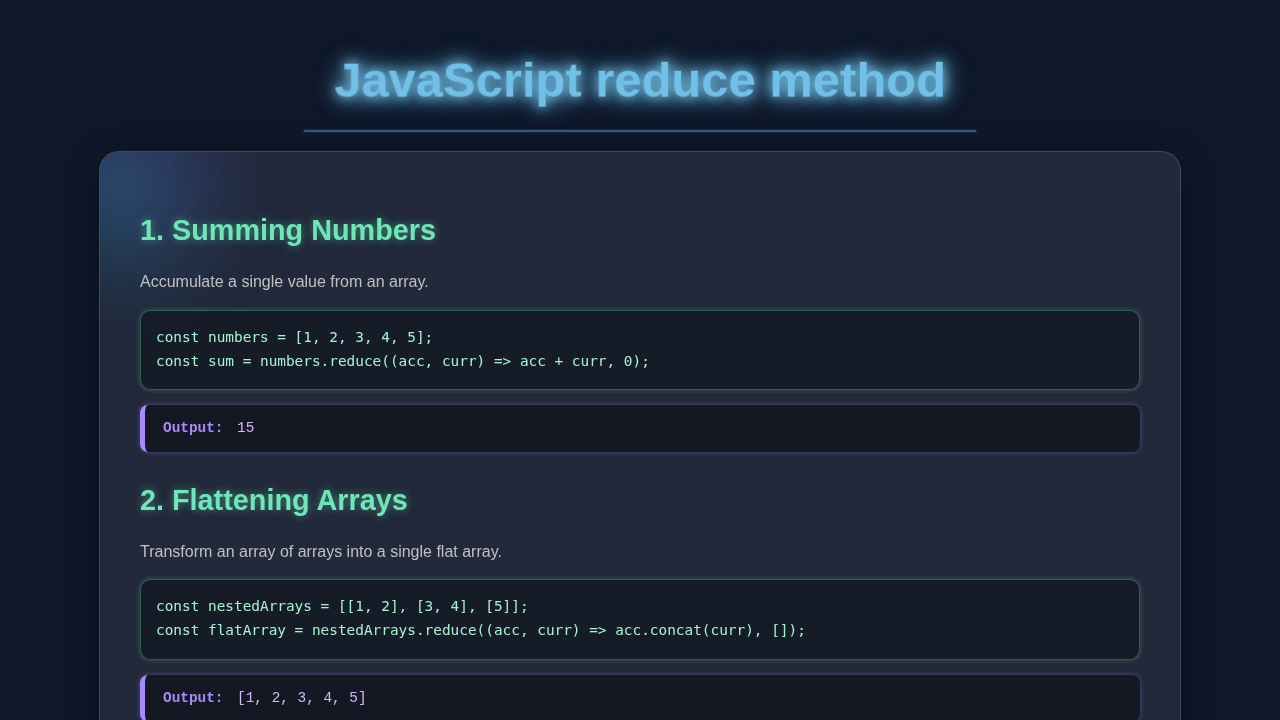
Hey there, fellow coder! If you’ve ever wanted to add up prices in a shopping cart but felt a bit lost, you’re in the right place. Today, we’re going to master the powerful JavaScript Reduce Method. We will build a neat shopping cart totalizer from scratch. This is a super practical skill you will use all the time!
What We Are Building: Your Own Shopping Cart Totalizer
Imagine seeing your total price update instantly as you add items. That’s what we’re building! Our project will display a list of products with their prices. Then, it will calculate and show the grand total. This interactive shopping cart will be simple yet incredibly useful. It is a fantastic way to grasp data aggregation in JavaScript.
HTML Structure: Setting Up Our Cart’s Foundation
First, we need some basic HTML to hold our product list and the total. We’ll set up a main container. Inside it, we’ll have a spot for each product and a designated area for our grand total. Keep it clean and semantic!
index.html
<!DOCTYPE html>
<html lang="en">
<head>
    <meta charset="UTF-8">
    <meta name="viewport" content="width=device-width, initial-scale=1.0">
    <title>JavaScript Reduce Method Tutorial</title>
    <link rel="stylesheet" href="styles.css">
</head>
<body>
    <div class="container">
        <h1>Understanding the `reduce()` Method in JavaScript</h1>
        <p>The `reduce()` method executes a reducer function (that you provide) on each element of the array, resulting in a single output value. It's incredibly versatile for tasks like summing numbers, flattening arrays, or grouping objects.</p>

        <section class="example-section">
            <h2>1. Summing All Numbers in an Array</h2>
            <p><strong>Scenario:</strong> Calculate the total sum of an array of numbers.</p>
            <pre><code id="code-sum"></code></pre>
            <div class="output-box">
                <strong>Result:</strong> <span id="output-sum"></span>
            </div>
        </section>

        <section class="example-section">
            <h2>2. Flattening an Array of Arrays</h2>
            <p><strong>Scenario:</strong> Convert an array of nested arrays into a single, flat array.</p>
            <pre><code id="code-flatten"></code></pre>
            <div class="output-box">
                <strong>Result:</strong> <span id="output-flatten"></span>
            </div>
        </section>

        <section class="example-section">
            <h2>3. Counting Occurrences of Items</h2>
            <p><strong>Scenario:</strong> Create an object that counts how many times each item appears in an array.</p>
            <pre><code id="code-count"></code></pre>
            <div class="output-box">
                <strong>Result:</strong> <span id="output-count"></span>
            </div>
        </section>

        <section class="example-section">
            <h2>4. Grouping Objects by a Property</h2>
            <p><strong>Scenario:</strong> Transform an array of objects into a single object where properties are keys and values are arrays of objects grouped by that key.</p>
            <pre><code id="code-group"></code></pre>
            <div class="output-box">
                <strong>Result:</strong> <span id="output-group"></span>
            </div>
        </section>

        <section class="example-section">
            <h2>5. Chaining Reduce with other Array Methods</h2>
            <p><strong>Scenario:</strong> Find the sum of even numbers after doubling them.</p>
            <pre><code id="code-chain"></code></pre>
            <div class="output-box">
                <strong>Result:</strong> <span id="output-chain"></span>
            </div>
        </section>
    </div>

    <script src="script.js"></script>
</body>
</html>
CSS Styling: Making Our Cart Look Good
Next, let’s add some simple CSS to make our shopping cart look presentable. We’ll give it a clean, modern layout. We will also make sure the product items are easy to read and distinguish. A little styling goes a long way to make your project truly shine! For some great general styling tips, you can always check out CSS-Tricks for layout ideas.
styles.css
/* Basic Reset & Body Styling */
body {
    margin: 0;
    font-family: Arial, Helvetica, sans-serif; /* Safe font stack */
    background-color: #1a1a2e; /* Dark background */
    color: #e0e0e0; /* Light text color */
    line-height: 1.6;
    display: flex;
    justify-content: center;
    align-items: flex-start; /* Align content to the top */
    min-height: 100vh;
    padding: 20px;
    box-sizing: border-box; /* Ensures padding doesn't add to total width */
    overflow-x: hidden; /* Prevent horizontal scroll */
}

.container {
    max-width: 900px;
    width: 100%; /* Ensure it takes full width up to max-width */
    background-color: rgba(255, 255, 255, 0.05); /* Slightly transparent background */
    border-radius: 12px;
    padding: 30px;
    box-shadow: 0 8px 32px 0 rgba(0, 0, 0, 0.2); /* Soft shadow */
    border: 1px solid rgba(255, 255, 255, 0.1);
    backdrop-filter: blur(10px); /* Glassmorphism blur */
    -webkit-backdrop-filter: blur(10px); /* Safari support */
    margin-top: 20px; /* Space from the top */
    margin-bottom: 20px;
    position: relative;
    z-index: 1; /* Ensure it's above any background elements if added */
}

/* Glowing text for titles */
h1, h2 {
    color: #00bcd4; /* A vibrant blue-cyan */
    text-shadow: 0 0 5px #00bcd4, 0 0 10px #00bcd4, 0 0 15px rgba(0, 188, 212, 0.5); /* Neon glow effect */
    margin-bottom: 15px;
}

h1 {
    font-size: 2.5em;
    text-align: center;
}

h2 {
    font-size: 1.8em;
    border-bottom: 1px dashed rgba(255, 255, 255, 0.2);
    padding-bottom: 10px;
    margin-top: 30px;
}

p {
    margin-bottom: 15px;
    color: #c0c0c0;
}

.example-section {
    background-color: rgba(0, 0, 0, 0.2); /* Darker background for sections */
    border-radius: 8px;
    padding: 20px;
    margin-bottom: 25px;
    border: 1px solid rgba(255, 255, 255, 0.08);
    box-shadow: 0 2px 10px rgba(0, 0, 0, 0.1);
}

pre {
    background-color: #0d1117; /* GitHub dark code background */
    padding: 15px;
    border-radius: 6px;
    overflow-x: auto; /* Enable horizontal scrolling for long code lines */
    font-family: 'Courier New', Courier, monospace; /* Monospaced font for code */
    font-size: 0.9em;
    color: #c9d1d9; /* Light grey for code text */
    margin-top: 15px;
    margin-bottom: 15px;
    border: 1px solid #30363d;
}

code {
    white-space: pre-wrap; /* Preserve whitespace and wrap text */
}

.output-box {
    background-color: #282c34; /* Slightly different dark background for output */
    padding: 12px 15px;
    border-radius: 6px;
    border-left: 5px solid #61dafb; /* Accent border */
    color: #e0e0e0;
    font-family: 'Courier New', Courier, monospace;
    font-size: 0.9em;
    margin-top: 15px;
}

.output-box strong {
    color: #61dafb; /* Accent color for "Result:" */
}

/* Responsive adjustments */
@media (max-width: 768px) {
    .container {
        padding: 20px;
        margin-top: 10px;
        margin-bottom: 10px;
    }

    h1 {
        font-size: 2em;
    }

    h2 {
        font-size: 1.5em;
    }
}

@media (max-width: 480px) {
    .container {
        padding: 15px;
    }

    h1 {
        font-size: 1.8em;
    }

    h2 {
        font-size: 1.3em;
    }

    pre, .output-box {
        padding: 10px;
        font-size: 0.85em;
    }
}
JavaScript: The Magic Behind the Numbers with the JavaScript Reduce Method
Now for the exciting part! Our JavaScript code will bring our cart to life. We will define our product data. Then, we will use the amazing `reduce()` method to calculate the total price. This will update our display dynamically. Get ready to see the power of functional programming!
script.js
// Function to display code and output dynamically into the HTML
function displayCodeAndOutput(codeId, outputId, codeString, outputValue) {
    // Set the raw code string into the pre tag
    document.getElementById(codeId).textContent = codeString.trim();
    // Display the result, using JSON.stringify for complex objects to be readable
    document.getElementById(outputId).textContent = JSON.stringify(outputValue, null, 2);
}

// Ensure the DOM is fully loaded before running JavaScript
document.addEventListener('DOMContentLoaded', () => {
    // --- 1. Summing All Numbers in an Array ---
    // The `reduce` method iterates over an array and returns a single value.
    // It takes a 'reducer' function and an optional 'initialValue'.
    // The reducer function takes an accumulator and the current value.
    const numbers = [1, 2, 3, 4, 5];
    const sumCode = `
const numbers = [1, 2, 3, 4, 5];
const sum = numbers.reduce((accumulator, currentValue) => {
    // In each iteration, 'accumulator' holds the sum from previous steps.
    // 'currentValue' is the current number being processed.
    // The function returns the new accumulator value.
    return accumulator + currentValue;
}, 0); // The '0' is the initial value for the accumulator.
// Expected output: 15
`;
    const sum = numbers.reduce((accumulator, currentValue) => accumulator + currentValue, 0);
    displayCodeAndOutput('code-sum', 'output-sum', sumCode, sum);

    // --- 2. Flattening an Array of Arrays ---
    // `reduce` can transform an array into a different type of data structure,
    // like flattening a nested array into a single array.
    const nestedArrays = [[1, 2], [3, 4], [5]];
    const flattenCode = `
const nestedArrays = [[1, 2], [3, 4], [5]];
const flatArray = nestedArrays.reduce((accumulator, currentValue) => {
    // 'currentValue' here is an array itself (e.g., [1, 2]).
    // 'concat' merges the current array into the accumulator array.
    return accumulator.concat(currentValue);
}, []); // An empty array '[]' is the initial accumulator.
// Expected output: [1, 2, 3, 4, 5]
`;
    const flatArray = nestedArrays.reduce((accumulator, currentValue) => accumulator.concat(currentValue), []);
    displayCodeAndOutput('code-flatten', 'output-flatten', flattenCode, flatArray);

    // --- 3. Counting Occurrences of Items ---
    // `reduce` is excellent for building objects, such as frequency maps.
    const fruits = ['apple', 'banana', 'apple', 'orange', 'banana'];
    const countCode = `
const fruits = ['apple', 'banana', 'apple', 'orange', 'banana'];
const fruitCounts = fruits.reduce((accumulator, currentValue) => {
    // If the fruit (currentValue) is already a key in the accumulator object,
    // increment its count; otherwise, initialize its count to 1.
    accumulator[currentValue] = (accumulator[currentValue] || 0) + 1;
    return accumulator; // Always return the accumulator for the next iteration.
}, {}); // An empty object '{}' is the initial accumulator.
// Expected output: { "apple": 2, "banana": 2, "orange": 1 }
`;
    const fruitCounts = fruits.reduce((accumulator, currentValue) => {
        accumulator[currentValue] = (accumulator[currentValue] || 0) + 1;
        return accumulator;
    }, {});
    displayCodeAndOutput('code-count', 'output-count', countCode, fruitCounts);

    // --- 4. Grouping Objects by a Property ---
    // This demonstrates using `reduce` to transform an array of objects
    // into an object where keys are property values and values are arrays of grouped objects.
    const people = [
        { name: 'Alice', age: 30, city: 'New York' },
        { name: 'Bob', age: 25, city: 'London' },
        { name: 'Charlie', age: 30, city: 'New York' },
        { name: 'David', age: 35, city: 'London' }
    ];
    const groupCode = `
const people = [
    { name: 'Alice', age: 30, city: 'New York' },
    { name: 'Bob', age: 25, city: 'London' },
    { name: 'Charlie', age: 30, city: 'New York' },
    { name: 'David', age: 35, city: 'London' }
];
const peopleByCity = people.reduce((accumulator, person) => {
    const city = person.city;
    // If a key for the current city doesn't exist in the accumulator,
    // create an empty array for it.
    if (!accumulator[city]) {
        accumulator[city] = [];
    }
    // Push the current 'person' object into the array corresponding to their city.
    accumulator[city].push(person);
    return accumulator;
}, {}); // An empty object '{}' is the initial accumulator.
/* Expected output:
{
  "New York": [
    { "name": "Alice", "age": 30, "city": "New York" },
    { "name": "Charlie", "age": 30, "city": "New York" }
  ],
  "London": [
    { "name": "Bob", "age": 25, "city": "London" },
    { "name": "David", "age": 35, "city": "London" }
  ]
}*/
`;
    const peopleByCity = people.reduce((accumulator, person) => {
        const city = person.city;
        if (!accumulator[city]) {
            accumulator[city] = [];
        }
        accumulator[city].push(person);
        return accumulator;
    }, {});
    displayCodeAndOutput('code-group', 'output-group', groupCode, peopleByCity);

    // --- 5. Chaining Reduce with other Array Methods ---
    // `reduce` can often be combined with other array methods like `filter` and `map`
    // for powerful data transformations in a fluent, readable way.
    const mixedNumbers = [1, 2, 3, 4, 5, 6, 7, 8, 9, 10];
    const chainCode = `
const mixedNumbers = [1, 2, 3, 4, 5, 6, 7, 8, 9, 10];
const sumOfDoubledEvens = mixedNumbers
    .filter(num => num % 2 === 0) // Step 1: Filter for even numbers => [2, 4, 6, 8, 10]
    .map(num => num * 2)        // Step 2: Double each even number => [4, 8, 12, 16, 20]
    .reduce((acc, curr) => acc + curr, 0); // Step 3: Sum the doubled even numbers => 60
// Expected output: 60
`;
    const sumOfDoubledEvens = mixedNumbers
        .filter(num => num % 2 === 0) // Filters to [2, 4, 6, 8, 10]
        .map(num => num * 2)        // Maps to [4, 8, 12, 16, 20]
        .reduce((acc, curr) => acc + curr, 0); // Reduces to 60
    displayCodeAndOutput('code-chain', 'output-chain', chainCode, sumOfDoubledEvens);
});
How It All Works Together: Unpacking the JavaScript Reduce Method
You’ve put together the HTML, CSS, and JavaScript. Fantastic! Now, let’s explore how these pieces connect. We will deeply examine our JavaScript logic. You’ll truly grasp the power of data aggregation. This will surely boost your confidence as a developer.
Step 1: Our Product Data Array
First, we define our products. We use an array of objects for this. Each object represents a single product. It typically includes properties like `name` and `price`. This array is our raw data source. Think of it as all the items listed on a store’s shelf. We access this data directly within our JavaScript. Therefore, it’s ready for immediate processing. This data structure is a cornerstone of modern web applications.
For instance, if your data came from an online database, you might fetch it. A great way to learn that is by checking out our Fetch API Project: JavaScript Data Fetching with HTML & CSS. But for our simple cart, a hardcoded array works perfectly!
Step 2: Dynamically Populating the HTML List
Next, our JavaScript code steps in. It carefully iterates through our `products` array. For each product, it crafts a new HTML `div` element. These `div`s contain the product’s name and its price. We then add these new elements. They go into our designated `product-list` container. This process makes our cart display dynamic. It shows all the available items clearly. This is a fundamental way to present data on a webpage.
Pro Tip: Generating HTML dynamically is a vital skill. It helps you build responsive and data-driven web pages. Master methods like `document.createElement()` and `appendChild()` early on!
Step 3: Introducing the Powerful JavaScript Reduce Method
Now, let’s meet the star of our tutorial: the `reduce()` method! The JavaScript Reduce Method is an incredibly versatile array method. It applies a callback function to each element in an array. This process ultimately boils down to a single output value. It literally “reduces” an array of elements into one result. In our current project, that result is the total sum of all product prices.
Allow me to elaborate on its inner workings. The `reduce()` method accepts two primary arguments. The first is a “reducer” callback function. The second is an optional initial value. This callback function itself can receive up to four arguments. These are `accumulator`, `currentValue`, `currentIndex`, and `array`. However, for most common tasks, we primarily focus on the `accumulator` and `currentValue`.
The `accumulator` acts like a running total or a combined result. It accumulates the value returned by each previous call of the callback. The `currentValue` represents the array element being processed in the current iteration. In our shopping cart, the `accumulator` will store our ongoing sum. The `currentValue` will be the individual product object we are examining.
Step 4: Applying `reduce()` for Accurate Total Calculation
Our goal is clear: sum the `price` property of every product. Our reducer function is quite elegant: `(total, product) => total + product.price`. Here, `total` serves as our `accumulator`. And `product` is our `currentValue`. We also supply an essential initial value of `0` to the `reduce()` method. This guarantees our total calculation starts precisely from zero. If you omit this initial value, `reduce()` might treat the first array element as the initial accumulator. This can lead to unexpected results, especially with empty arrays or non-numeric first elements. Furthermore, always provide an initial value for clarity and safety.
Consequently, for each product in our array, `reduce()` adds its `price` to the evolving `total`. Once `reduce()` completes its work, our `grandTotal` variable holds the accurate sum of all product prices. It’s wonderfully concise and remarkably efficient! For a deeper dive into `reduce()` and other array methods, you must check the MDN Web Docs on Array.prototype.reduce(). It’s an invaluable resource for JavaScript mastery.
Step 5: Displaying the Final Grand Total
Finally, we take our newly calculated `grandTotal`. We then update the text content of our HTML element with the ID `total-amount`. We format this value to display clearly, usually with a currency symbol. This gives immediate and clear feedback to the user. It shows the definitive price for all items in their virtual cart. The entire calculation and display process happens almost instantly. It brilliantly demonstrates the efficiency of the JavaScript Reduce Method!
Key Takeaway: Grasping `reduce()` fundamentally changes how you approach array manipulation. It’s not just for numbers; it’s a powerful tool for transforming and consolidating data in countless ways!
This pattern of data aggregation is super useful. It’s often found when you manage state in modern frameworks. For example, in React, handling complex state objects sometimes needs similar data transformations. If you’re curious about state management in React, you might love our posts on React Hooks. Specifically, `useState` and `useReducer` handle state updates with similar logic. Or, if your data aggregation involves asynchronous operations or other “side effects,” our React useEffect Hook Tutorial: Master Side Effects in JSX could provide valuable insights. It shows how to manage such tasks efficiently.
Tips to Customise It: Make It Your Own!
You’ve built a solid foundation. Now, let’s think about how to make it even cooler! You could add quantity controls for each product. This would mean updating the total dynamically. Or, maybe include a tax calculation. You could even implement a “remove item” button. Consider adding a simple search filter for products. The possibilities are endless!
Conclusion: You’ve Mastered Data Aggregation!
Woohoo! You just built a functional shopping cart totalizer. You also truly understood the JavaScript Reduce Method. This is a huge win for your coding journey. You now have a powerful tool for aggregating data in JavaScript. Go ahead and share what you’ve built. Experiment with new features. Keep on coding, you’re doing great!