Build a Simple Real-Time Chat Application using React and Socket.io
Hey! If you have wanted to build a React Chat but had no idea where to start, you are in the right place.
What We Are Building
We are building a cool chat app. It’s useful for talking.
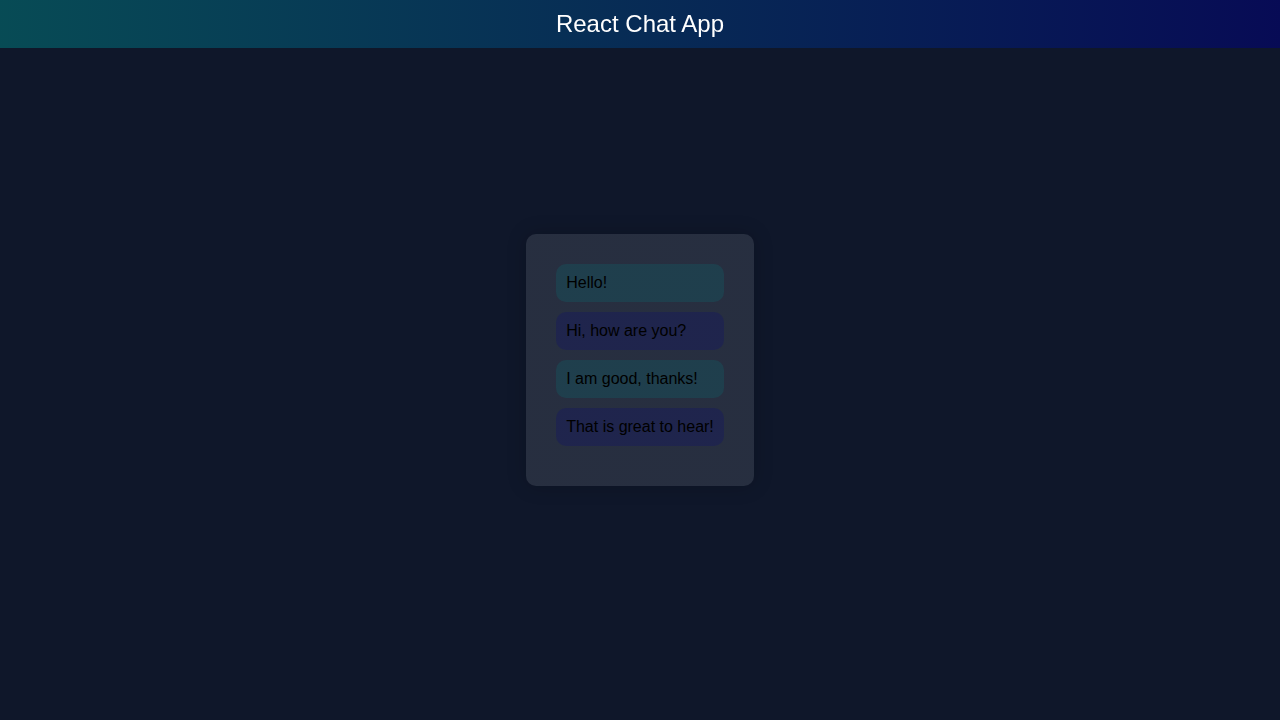
React Chat App Design
Here’s the cool part: our app is real-time.
Socket.io makes it easy.
Let me explain what’s happening here:
Socket.io is a library for real-time communication.
HTML Structure
Don’t worry about this part.
We need some HTML.
It’s simple.
index.html
<!DOCTYPE html><html><head><meta charset='UTF-8'><meta name='viewport' content='width=device-width, initial-scale=1.0'><title>React Chat App</title><link rel='stylesheet' href='styles.css'></head><body><div id='banner'>React Chat App</div><div id='container'></div><script src='script.js'></script></body></html>React Chat CSS Styling
Now we style it.
CSS is fun.
We make it look good.
styles.css
body{overflow:hidden;margin:0;padding:0;background-color:#0f172a;font-family:Arial,sans-serif;}body *{box-sizing:border-box;}#banner{position:fixed;top:0;left:0;width:100%;background:linear-gradient(90deg, rgba(0, 128, 128, 0.5), rgba(0, 0, 128, 0.5));color:#fff;text-align:center;padding:10px;font-size:24px;}#container{display:flex;justify-content:center;align-items:center;height:100vh;}.glassmorphism{background:linear-gradient(90deg, rgba(255, 255, 255, 0.1), rgba(255, 255, 255, 0.1));box-shadow:0 0 20px rgba(0,0,0,0.2);border-radius:10px;padding:20px;max-width:500px;}.chat-box{padding:10px;}.chat-box .message{background-color:rgba(255,255,255,0.1);border-radius:10px;padding:10px;margin-bottom:10px;}.chat-box .message.sender{background-color:rgba(0,128,128,0.2);}.chat-box .message.receiver{background-color:rgba(0,0,128,0.2);}JavaScript
Now we code it.
We use React.
It’s easy.
script.js
import React from 'react';import ReactDOM from 'react-dom';const ChatApp = () => {const [messages, setMessages] = React.useState(['Hello!', 'Hi, how are you?', 'I am good, thanks!', 'That is great to hear!']);const [newMessage, setNewMessage] = React.useState('');const handleSendMessage = () => {setMessages([...messages, newMessage]);setNewMessage('');};return (<div className='glassmorphism'><div className='chat-box'>{messages.map((message, index) => (<div key={index} className={'message ' + (index % 2 === 0 ? 'sender' : 'receiver')}>{message}</div>))}<input type='text' value={newMessage} onChange={(e) => setNewMessage(e.target.value)} placeholder='Type a message...'/><button onClick={handleSendMessage}>Send</button></div></div>);};ReactDOM.render(<ChatApp />, document.getElementById('container'));How It All Works Together
Step 1: Setup
First we set up.
We need Node.js.
We install Socket.io.
Step 2: Build
Now we build.
We create components.
We use React.
Step 3: Run
Finally we run it.
We see it work.
It’s cool.
React Chat App Tips to Customise It
Here are some tips:
add users,
add messages,
make it pretty.
Pro tip: keep it simple.
Let’s try it:
learn more about JavaScript
and CSS tricks.
Conclusion
Yay! We did it!
You built a React Chat app.
Share it now!
Check out our other tutorials:
React Server Components,
React Re-renders,
React Cart Drawer.
Great job! You’re a rockstar!