Hey there, future coding rockstar! Have you ever scrolled through tutorials, seeing the word “array” pop up everywhere? Maybe you’ve used them without truly grasping what an array is, feeling like you’re just following instructions. Sound familiar? Don’t worry, you’re not alone. Many self-taught beginners stumble here. Today, we’re going to pull back the curtain on arrays. Get ready to bust some common myths and truly understand this foundational piece of web development.
Myth #1: Arrays Are Just Lists (They’re More Like Super-Organized Shelves!)
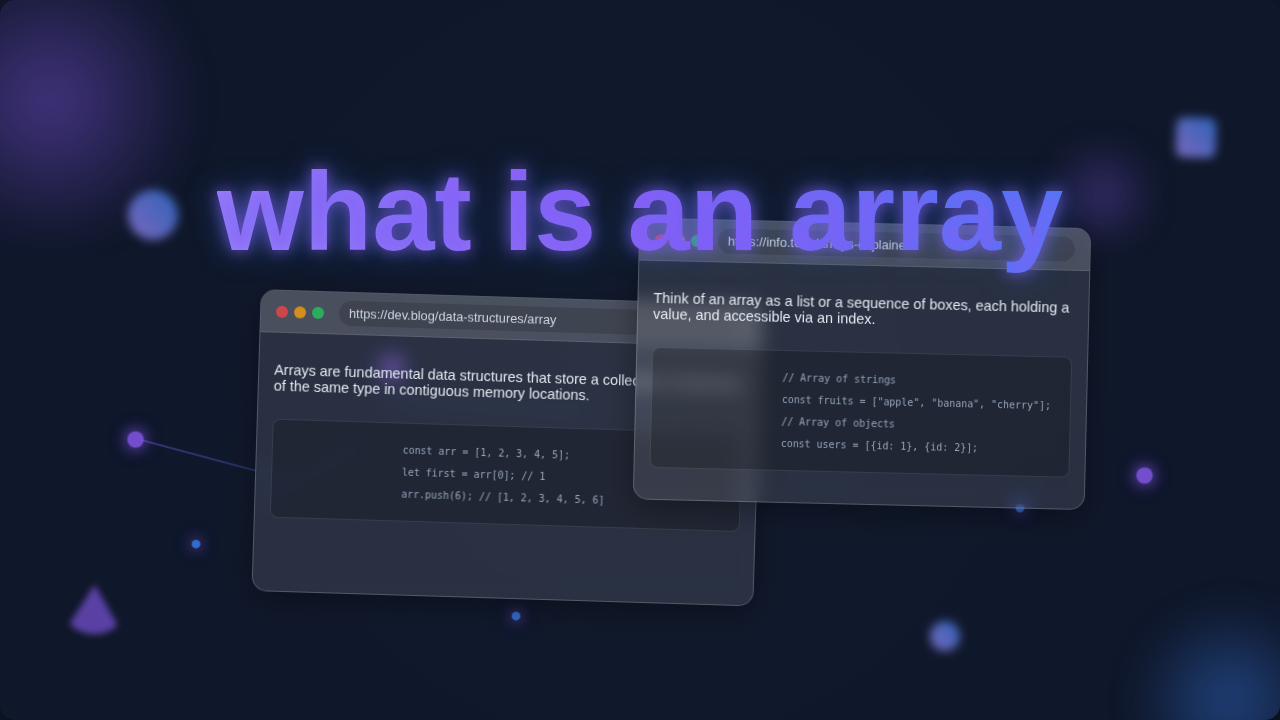
You might think of an array as just a simple list of things. A shopping list, perhaps. While an array does hold multiple items, it’s much more structured. Here’s the thing: an array is a collection of items. Each item lives in a specific, numbered slot. We call these slots “indexes.” An index is just a fancy name for the position of an item within the array, usually starting from zero. Think of it like a perfectly organized set of mailboxes at an apartment building. Each mailbox has a number. You know exactly which box holds a specific letter by its number. You don’t have to rummage through a messy pile. This organization is key. You can quickly point to an item and say, “Give me the item at slot number two!” That’s how computers find data in arrays so fast. They don’t guess. They go straight to the address. It’s not just a casual pile; it’s a meticulously arranged system, giving you predictable access every single time.
Pro Tip: Imagine an array as a row of vending machine slots. Each snack has a number, and you can instantly grab the exact one you want by its unique slot ID, without checking every item.
Myth #2: Arrays Can Hold Anything, Anywhere (Nope, They’re Pretty Picky!)
Now, you might also assume that an array is a free-for-all container. You might think you can just toss in a number, then a text string, then a whole complex object, all mixed up. While some languages, like JavaScript, seem super flexible with what you put inside, there’s a subtle truth you might be missing. The underlying structure of an array is often optimized for a consistent type of data. It’s designed for efficiency. Imagine setting up a special tray for a dozen identical cupcakes. Each cupcake gets its own spot. The tray itself is organized for cupcakes. You wouldn’t suddenly try to wedge a whole pizza into one of those cupcake spots, right? It wouldn’t quite fit the design. Similarly, arrays are optimized to store items of a similar nature or size. This consistency allows for super-fast operations because the computer can predict how much space each item needs. If you’re mixing many different types of data, you might be better off with other data structures, like objects or dictionaries, which are designed for key-value pairs. You can explore how different languages handle this. Python’s lists, for example, are more akin to flexible shopping carts, and you can learn about them in a Flask for beginners | Learn Python Web Dev Basics tutorial. Arrays, by nature, prefer things orderly and somewhat uniform, making them incredibly robust for predictable datasets.
Myth #3: Arrays Are Slow for Web Dev (Actually, They’re Super Fast for Specific Tasks!)
Have you heard whispers that arrays aren’t always the fastest option? It’s a common misconception. For certain operations, arrays are incredibly speedy! When you need to access an item by its index, an array is a champion. Because everything is neatly numbered and stored sequentially, the computer knows exactly where to find element number five, for instance. It’s like having a library where every book has a precise shelf number. You just go straight to it! No searching. This direct access makes them perfect for displaying lists of data, like a gallery of images, a menu of items, or a sequence of user comments. However, here’s the kicker: arrays can be less efficient if you constantly need to add items to the beginning or middle of a very large array. Why? Because when you insert something, all the subsequent items might need to shift their positions to make space. This re-shuffling takes time. Deleting from the middle has a similar effect. But for reading, iterating through, and appending to the end, they are lightning fast. You often use arrays in web components, like when building the data for a Responsive Navbar Dark Mode with Tailwind CSS & HTML, where you need a quick way to list navigation items. For a deeper dive into JavaScript array methods, check out the MDN Web Docs on Array.
Key Takeaway: Arrays shine when you need to access items by their position or process them in order. They are less ideal for frequent insertions/deletions in the middle.
The Real Deal: Why You Absolutely Need to Master What an Array Is
So, now you know: an array isn’t just a basic list. It’s a fundamental data structure built for order and efficient access by index. It’s your go-to tool for managing collections of similar data. Think about your web projects. You’ll use arrays to store user posts on a blog. You’ll manage a list of products in an e-commerce store. Maybe you’re building a quiz, and you need to keep track of all the questions and answers. All these scenarios scream “array!” They help you keep related pieces of information together in a predictable order. This predictability allows you to iterate over them easily. For example, if you’re fetching a list of blog post thumbnails for your React Server Components: UI/UX Blog Thumbnail Design, you’ll likely receive them in an array. Then, you can loop through that array, displaying each thumbnail in turn. Knowing how to manipulate and traverse these ordered collections is not just a nice-to-have skill; it’s a must-have superpower for any web developer. Mastering arrays opens up so many possibilities for handling dynamic content on the web.
What to Focus On Next: Your Array Power-Up!
You’ve busted the myths, which is awesome! Now, your next step is to get hands-on with arrays. Start by exploring array methods. These are built-in functions that let you do cool things like adding items, removing items, sorting, and transforming your data. You’ll find methods like push (to add to the end), pop (to remove from the end), map (to transform each item), filter (to select items based on a condition), and reduce (to condense an array into a single value) incredibly useful. Don’t try to learn them all at once. Pick one or two methods. Then, try using them in small projects. Practice looping through arrays with for loops or forEach loops. The more you work with arrays, the more natural they will feel. You’ll start to see them everywhere in web development, from handling form data to managing UI states. Dive into practical examples to solidify your understanding. You can find excellent resources on array methods and their uses, like this comprehensive guide on CSS-Tricks: Using Array Methods in JavaScript. Understanding these tools will truly empower your coding journey.
See? Arrays aren’t nearly as scary or mysterious as they might first seem. They are powerful, predictable, and incredibly useful when you understand their true nature. You’ve got this. Keep experimenting, keep building, and soon you’ll be wielding arrays like a seasoned pro. Happy coding!