React Reconciliation Explained – Visual UI/UX Guide
Hey there, future React wizard! Have you ever clicked a button, watched an animation, or seen data refresh instantly on a React app and wondered, “How does it do that so smoothly?” You’re not alone. It feels like magic, right? Well, today we’re pulling back the curtain on that magic.
You already know React is amazing for building dynamic user interfaces. You build components, define states, and boom — a beautiful app appears. But underneath all that elegant component structure, React is constantly working hard. It’s making sure your user interface (UI) stays perfectly in sync with your data. This behind-the-scenes hero is what we call React Reconciliation Explained. It’s the core process that keeps your app fast and responsive.
Unpacking React’s Core: The Reconciliation Mission
This process ensures that when your data changes, only the necessary parts of your screen update. Think about it: updating an entire webpage every single time something shifts would be incredibly slow. That’s not good for user experience, is it? React has a smarter way. It avoids unnecessary, costly updates to the actual browser elements. This is key to building snappy, modern web applications that feel great to use.
React Reconciliation Explained: Diving Deep
-
The Virtual DOM: React’s Blueprint
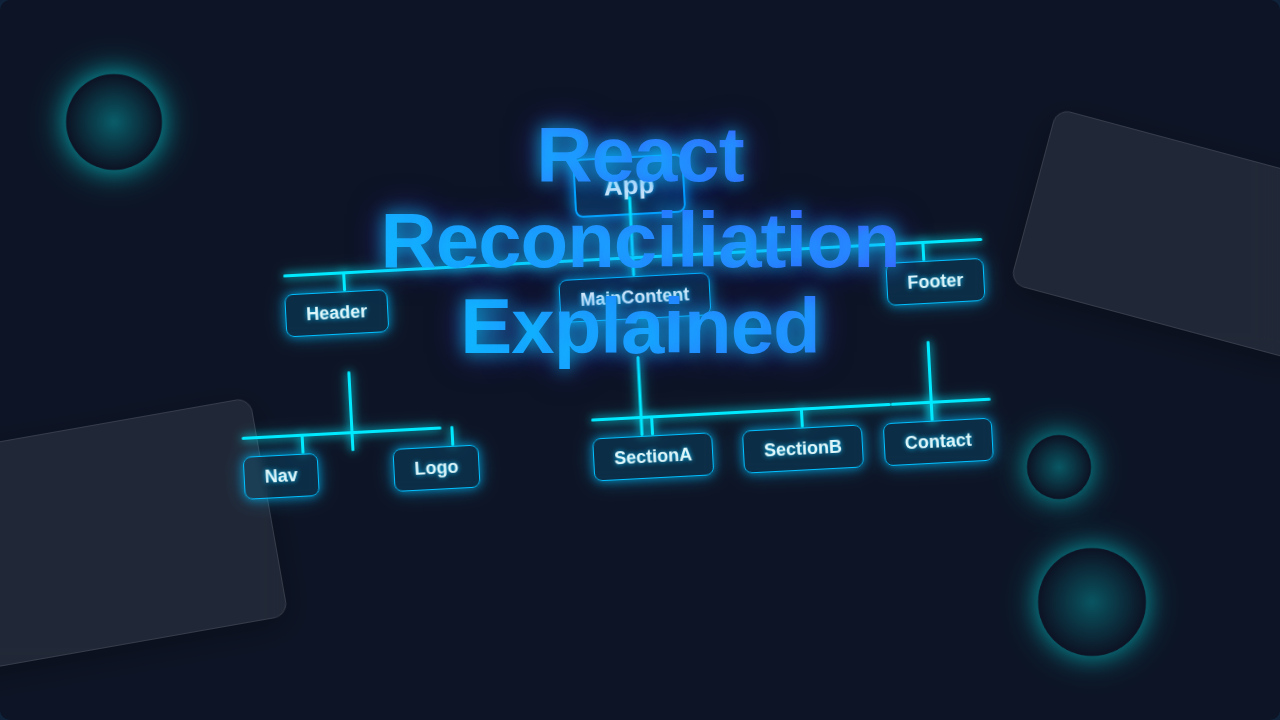
React doesn’t directly touch the browser’s Document Object Model (DOM). The DOM is the tree-like structure of all your HTML elements. Instead, React uses a clever trick: the Virtual DOM. Imagine the Virtual DOM as a lightweight copy of the real DOM. It’s like React’s personal blueprint for your UI.
When you create a component in React, it first builds this virtual representation. This blueprint lives in memory, not directly on your screen. It’s incredibly fast to create and manipulate. You could say it’s a simple JavaScript object. This object mirrors the structure of your actual UI.
“The Virtual DOM is React’s secret weapon, offering a fast, in-memory blueprint of your UI before it ever touches the browser.”
Why use a blueprint? Because drawing directly to the browser’s DOM is slow. Changing even a tiny detail can be expensive. React keeps this speedy blueprint ready. It uses it to figure out exactly what needs to change. This separation of concerns makes your app super efficient.
-
The Diffing Algorithm: Spotting Changes Fast
Okay, you have your Virtual DOM blueprint. Now what happens when your component’s state or props change? This is where the diffing algorithm steps in. React creates a brand new Virtual DOM tree. This new tree reflects the updated state of your application.
Then, React compares this new Virtual DOM tree with the previous one. This comparison is the “diffing” process. It’s like playing “spot the difference” between two pictures. The diffing algorithm is incredibly optimized. It looks for differences efficiently.
It doesn’t just re-render everything. Instead, it figures out exactly what changed. Did you add a new item to a list? Did a text label get updated? The algorithm finds these specific changes. It knows not to bother with parts that stayed the same. This is a huge performance win. Learn more about the actual DOM and how heavy those changes can be.
Think of it like editing a document. You wouldn’t re-type the whole thing for a single typo. You’d just change that one letter. React’s diffing algorithm works the same way. It isolates the tiny changes.
-
Reconciliation in Action: Updating the Real DOM
After the diffing algorithm finds all the differences, React has a list. This list contains only the necessary updates. This whole process of comparing and deciding what to update is what we call React Reconciliation Explained. It’s the strategic handshake between the old and new Virtual DOMs.
React then takes this optimized list of changes. It applies them to the actual browser DOM. This means only the elements that truly need updating are touched. No wasted effort. No full page reloads. This selective updating is why React apps feel so incredibly smooth and fast.
Imagine you have a shopping cart component. You click “add to cart.” Only the cart icon and the item count update. The rest of the page remains untouched. React performs these minimal changes. Make your React UI beautiful with animations by understanding this process. You get a seamless user experience. This precision is a cornerstone of React’s performance.
-
The Render Cycle: When React Rebuilds
The “render cycle” is when React re-evaluates your component’s output. It’s essentially when React decides it needs a new Virtual DOM blueprint. This happens whenever a component’s state or props change. When
useStateupdates, for instance, a re-render is triggered.But remember, a re-render doesn’t mean a full page refresh. It means React calculates what should be on screen. It runs the component’s render method. This produces a new Virtual DOM tree. Then, reconciliation kicks in to compare it.
“A React render cycle isn’t a full page refresh; it’s React’s way of thinking about your UI’s next state, ready for smart reconciliation.”
Understanding this cycle is crucial for performance. You want to avoid unnecessary re-renders. If a component re-renders but its output hasn’t actually changed, React still goes through the diffing. It might find no changes. That’s still a bit of wasted computation. That’s why understand React re-renders better is so important. You can use memoization techniques to optimize this.
-
Keys in Lists: Helping React Stay Organized
Have you ever seen a warning in your console about “keys” when rendering lists? That’s React telling you it needs a little help. When you render a list of items – like a list of comments or products – React needs to efficiently track each individual item.
This is where
keyprops come in. Akeyis a unique identifier you give to each item in a list. It helps React identify which items are new, which ones changed, and which ones were removed. Without unique keys, React can get confused.Imagine a row of children, and you move one from the middle to the end. If they don’t have name tags (keys), React might think the last child was removed and a new one added. With keys, it knows exactly which child moved. Build a React Chat App with JSX and you’ll see how crucial keys are for messages.
Using stable, unique keys (like IDs from your database) is vital. It allows the diffing algorithm to work its magic perfectly. This leads to correct updates and much better performance, especially with dynamic lists.
-
Batching Updates: Keeping Things Efficient
React is smart about how it handles multiple state updates. It doesn’t immediately re-render your component every single time you call
setStateoruseStatemultiple times within the same event handler. Instead, React often “batches” these updates together.Think of it like gathering several grocery items before heading to the checkout. You wouldn’t walk to the cashier after picking up each item, right? You’d collect them all, then make one trip. React does the same.
If you have several
setStatecalls inside a single click handler, React waits. It collects all those updates. Then, it performs a single re-render based on the final combined state. This batching prevents unnecessary re-renders. It optimizes the reconciliation process. This means fewer comparisons and fewer updates to the real DOM. Your app stays snappier and more responsive, even with complex interactions. -
Fiber Architecture: The Secret Sauce for Smooth UI
Underneath all of this, React uses something called Fiber. This isn’t just a fancy name; it’s a complete re-implementation of React’s core reconciliation algorithm. Fiber was introduced to make React even more powerful. It allows for “incremental rendering.”
What does that mean for you? It means React can break down large rendering tasks into smaller chunks. It can then pause and resume work as needed. This is incredibly important for animations and user input. If React is busy doing a complex update, it can stop. It will handle a user’s click, then go back to its task.
Before Fiber, a large update could block the main thread. This would make your UI feel sluggish and unresponsive. With Fiber, React can prioritize high-priority tasks. User interactions get immediate attention. Explore React Server Components for modern UIs and you’ll appreciate how Fiber helps manage complex server-rendered structures.
This asynchronous capability is a game-changer. It ensures your React apps always feel fluid and performant, even on less powerful devices. It’s the silent hero making your UI feel truly instant.
Why Understanding React Reconciliation Explained Matters
You now have a solid grasp of how React efficiently updates your UI. This knowledge isn’t just theoretical. It directly impacts how you build components. When you understand reconciliation, you can write more performant and robust React applications. You’ll make better decisions about state management. You’ll also know how to debug rendering issues more effectively. This insight empowers you to create truly exceptional user experiences.
Optimizing Your React App: A Bonus Tip
Bonus Tip: Profiling Your Components
You now understand how React works under the hood. The next step is to see it in action! Use the React DevTools browser extension. It has a “Profiler” tab. This tool lets you record and analyze your component’s renders. You can see exactly which components re-render and why. This is invaluable for finding performance bottlenecks. Knowing where extra renders happen lets you optimize them. It puts you in control of your app’s speed.
Your Journey to React Mastery Continues
Phew! We covered a lot today. You’ve now seen behind the curtain of React’s magic. You understand the Virtual DOM, the diffing algorithm, and how React Reconciliation Explained brings it all together. You know how React intelligently updates your UI. It’s not magic, but smart engineering!
You’re well on your way to becoming a true React expert. Keep building, keep experimenting, and remember these core concepts. They will help you craft incredibly fast and responsive web applications. Go forth and create amazing user experiences! You’ve got this.