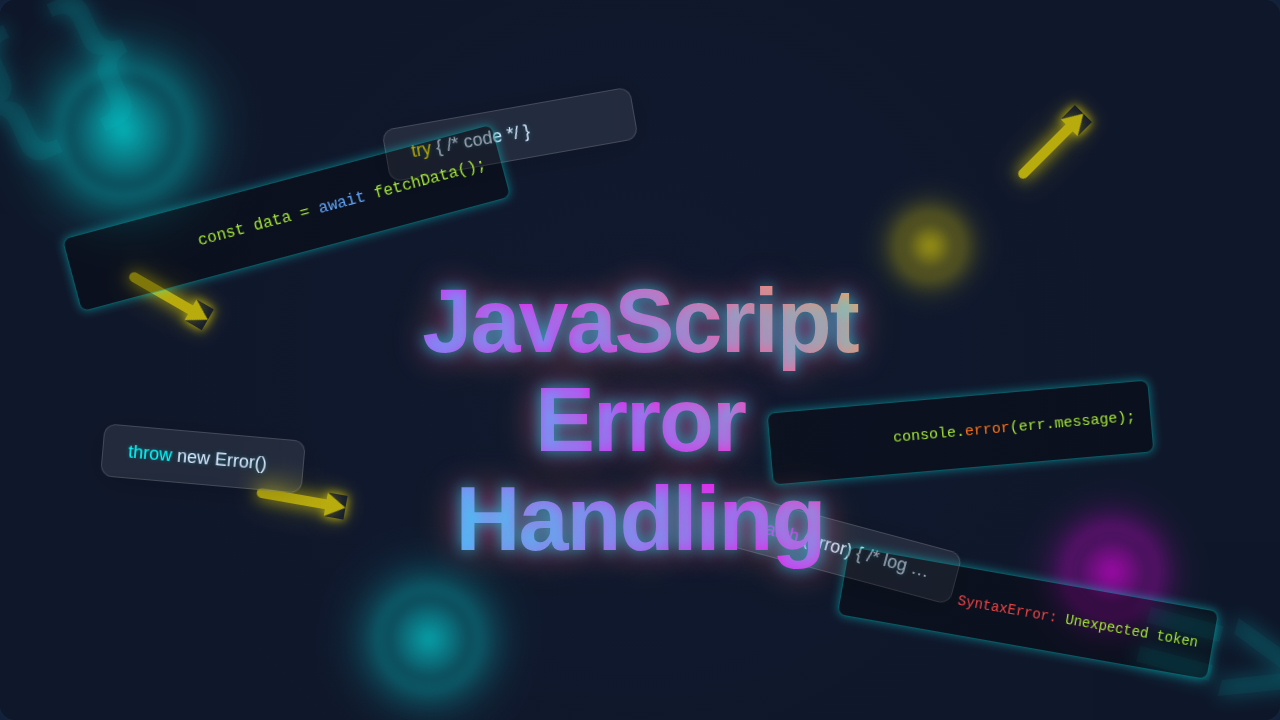
JavaScript Error Handling Guide | Blog Thumbnail
Hey there, future coding rockstar! Ever stared at a blank screen, then blinked at a console full of angry red text? You know, the kind that makes your stomach drop? Yeah, that’s often your first introduction to JavaScript error handling. And let me tell you, it can feel like wrestling a greased octopus.
Many self-taught developers, just like you, stumble into this area. You might feel a bit lost. You’re definitely not alone. The internet is full of misconceptions. They can make this crucial skill seem way harder than it is. So, let’s clear the air. We’re going to bust some common myths. You’ll be a debugging wizard in no time!
Myth #1: Errors Are Bad and You Should Hide Them
This is probably the biggest myth out there. You might think seeing an error means you failed. Perhaps you even try to suppress errors. You might wrap everything in a giant try...catch block. Then you ignore what’s inside the catch part. Sound familiar? Here’s the thing: errors are actually gifts. They tell you something went wrong. More importantly, they tell you where it went wrong.
Imagine you’re trying to bake a cake. You follow a recipe. Suddenly, you realize you’re out of eggs. The recipe says ‘add eggs’. An error message pops up, like a little alert: ‘Eggs not found!’ Would you just ignore it? Would you pretend the eggs are in there? Of course not! You’d stop. You’d go get some eggs. Or you’d adjust your recipe.
That’s what try...catch does. The try block is your attempt to run some code. It’s like adding the eggs. If something goes sideways in that try block, the code in the catch block springs into action. This ‘catch’ part is where you handle the problem. You might log the error. You might show a friendly message to your user. You might try an alternative action. You certainly don’t ignore it. You learn from it. You make your application more robust. You build a better experience for your users.
Myth #2: console.log() Is Your Only Debugging Buddy
Ah, console.log(). It’s everyone’s first friend in debugging. You probably sprinkle it everywhere. You use it to check variable values. You track code execution. And honestly, it’s super useful for quick checks. But here’s another truth: it’s just the tip of the iceberg. You have much more powerful tools at your disposal.
Your browser has a built-in detective agency. It’s called the developer tools debugger. It lets you pause your code. You can step through it line by line. This is a powerful feature. You can examine variables at any point. You can trace the flow of your application. Think of it like a time machine for your code. You can stop time. You can inspect everything. It’s incredibly insightful.
A ‘breakpoint’ is a specific spot where your code takes a breather. When execution hits a breakpoint, it pauses. Then, you can explore. You can see the ‘call stack’. This shows you the sequence of functions that led to the current moment. It’s like seeing the path your code took to get into trouble. Understanding the call stack is a game-changer for debugging complex issues. Want to dive deeper into these detective skills? You might find Mastering JavaScript Error Handling & Debugging Techniques super helpful. You will unlock a new level of problem-solving.
Myth #3: All Errors Are The Same and Need The Same Fix
Do you treat every error like it’s the same kind of beast? You really shouldn’t. A broken button and a missing database record aren’t the same. Right? There are different types of errors. Each one needs a different approach. You can categorize them generally.
First, you have ‘syntax errors’. These are like typos in your code. You forget a semicolon. You misspell a keyword. Your JavaScript interpreter throws its hands up. It refuses to run anything. You fix these by carefully reviewing your code. Your editor usually highlights them too. Next, there are ‘runtime errors’. These happen when your code runs. Maybe you try to divide by zero. Or you try to access a property on an undefined variable. Your code executes. Then it crashes unexpectedly. These are the ones caught by your try...catch blocks. Finally, you have ‘logical errors’. Your code runs without crashing. But it produces the wrong result. You calculate tax incorrectly. You display the wrong item. These are the hardest to find. They require careful testing and reasoning.
Sometimes, you need to invent your own error signal. You create ‘custom errors’. For example, if a user tries to submit an incomplete form. You can create a specific ‘IncompleteFormError’. This makes your code much clearer. It helps others understand the problem faster. Thinking about form submissions, you might like our post on React Form Actions: useActionState & useFormStatus Hooks Tutorial. It shows how specific error types can guide user feedback. You become a better developer by differentiating errors. You apply the right fix every time.
Errors are not failures. They are opportunities to learn and make your code stronger.
The Truth: Embrace the Chaos with JavaScript Error Handling
Here’s the real deal: You need to embrace errors. They are part of the journey. Good JavaScript error handling makes your apps resilient. It means your application can recover gracefully. It can even prevent issues from escalating. You become a master of resilience.
You use try...catch for expected errors. These are issues you can foresee. For instance, what if your user loses their internet connection? Or what if a file they requested doesn’t exist? You can ‘catch’ these. Then you can tell the user what happened. You can suggest a solution. It’s about being prepared. Furthermore, the finally block is your clean-up crew. It runs no matter what. It executes after the try and catch blocks. Spills or no spills, you clean up your workspace. It ensures certain actions always happen. Like closing a database connection. Or resetting a loading spinner. You can learn more about how try...catch works on MDN Web Docs. It’s a fundamental concept.
You also need to log your errors effectively. Don’t just `console.log()` them in development. You should send them to an error monitoring service. This helps you track problems in production. It lets you see patterns. It helps you fix bugs before your users even report them. This is proactive. This is smart. You are building applications that truly shine.
Building Robust Apps: Beyond Just Fixing Bugs
How do you build apps that rarely stumble? You become a proactive programmer. You anticipate problems. Think of a bridge designer. They don’t just build a bridge. They plan for storms. They plan for heavy loads. They try to prevent disaster. Not just fix it when it falls. You do the same for your code.
Input validation is key. Always check user input. Never trust it implicitly. It’s like checking the ingredients before you bake. Are they correct? Are they enough? Is the user trying to enter text into a number field? You need to catch these things early. Furthermore, defensive programming is your friend. You write code that expects things to go wrong. You add checks. You provide default values. You make your functions resilient to unexpected inputs. You ensure your application behaves predictably, even under stress.
Understanding the standard Error object is also powerful. You can extend it. You can create your own custom errors, as we discussed earlier. This makes your error messages more meaningful. For a deep dive into the Error object itself, check out the MDN Error page. Even simple things like managing user preferences, perhaps for a dark mode feature, need careful handling to avoid unexpected bugs. Learn more about making robust features like that in our React Dark Mode Local Storage Tutorial with Hooks. You are becoming a builder of strong, reliable software.
A well-handled error is a feature, not a bug.
You are now armed with powerful insights. You understand the true nature of errors. You know the tools available to you. You are ready to tackle anything. So go forth and debug! Embrace those red lines. Learn from them. Your apps will thank you. Your users will thank you. Most importantly, you will thank yourself for mastering JavaScript error handling. Happy coding, pro coder!