CORS Errors Explained: Visual Guide to Web Request Blocks
Okay, real talk — when I first started building web applications, I kept seeing this cryptic “CORS error” pop up in my browser console. It felt like a digital brick wall. You probably know exactly what I mean, right?
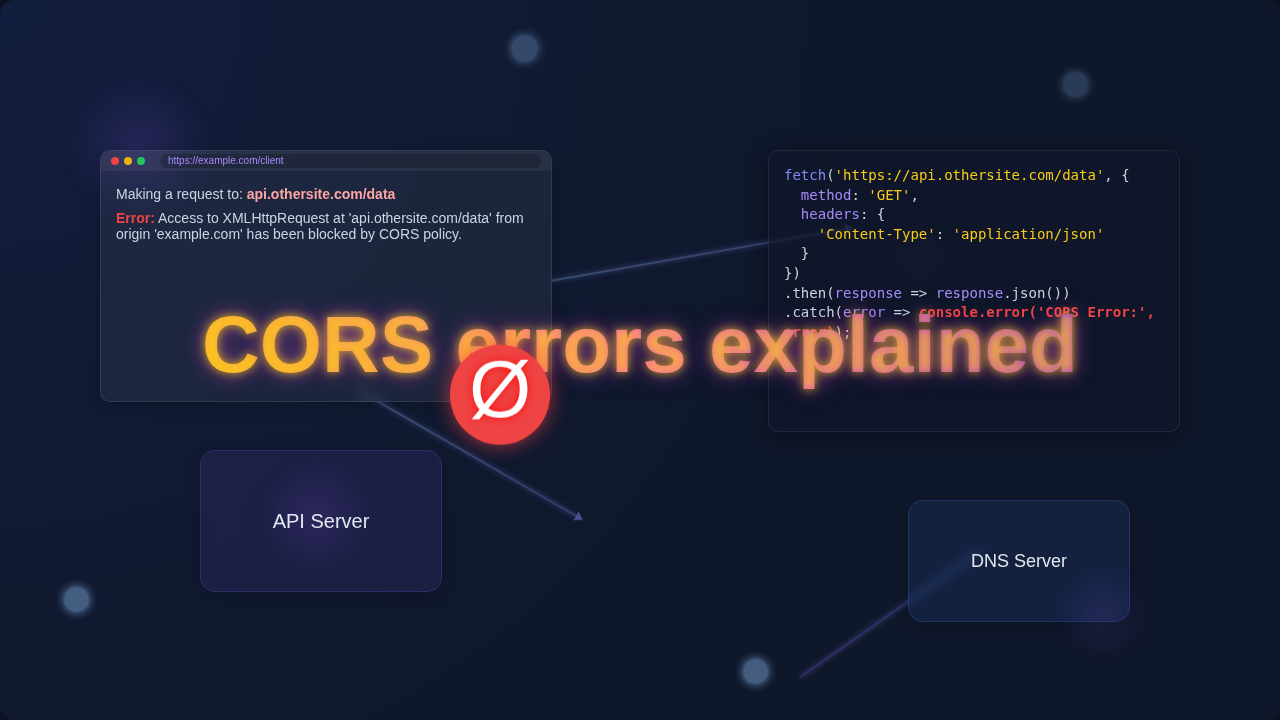
You’re building something cool. Maybe it’s a React app, or a simple HTML page fetching data. Then you try to grab information from an API, and BAM! The browser says “Nope.” It gives you a vague error message about Cross-Origin Resource Sharing. You just want your data, but your browser is playing gatekeeper. It’s frustrating! That’s why we’re getting CORS errors explained today, in plain English.
Myth #1: CORS Errors Are All About the Server Refusing Your Request
Ever thought, “Ugh, this API server is just blocking me!”? Many beginners do. You might assume the problem is entirely on the server’s end, and it’s deliberately shutting you out. This is a super common misconception about why your browser blocks those API requests.
Here’s the thing: while the server does play a role, the one actually enforcing the “no access” rule is your browser. Yes, your trusty Chrome, Firefox, or Safari is the bouncer here. It’s not the server saying “get out!” It’s your browser saying, “Hold up, server, do you really want me to let this request through?”
This protection comes from something called the **Same-Origin Policy**. This policy is a fundamental security feature built into all web browsers. It stops web pages from making requests to a different domain than the one that served the page itself. Think of it like this: if you’re reading a blog on procoder09.com, your browser prevents that page from secretly trying to steal your banking details from yourbank.com. Makes sense, doesn’t it? It keeps you safe online.
So, when you see a CORS error, your browser is acting as a vigilant security guard. It’s making sure that any cross-origin requests — meaning requests to a different “origin” (domain, protocol, or port) — are explicitly allowed by the target server. If the server doesn’t give a clear “yes,” your browser steps in and blocks it. Your server might be perfectly willing to send the data. But without the right permission slip, your browser won’t even show you the response.
Pro-Tip: CORS errors are your browser protecting YOU. It’s not arbitrary blocking, but a crucial security measure to prevent malicious websites from accessing your data on other sites.
Myth #2: CORS is Some Super Complex, Obscure Web Magic That Only Wizards Understand
When you first encounter CORS, it can feel like you’ve stumbled into a secret society of web protocols. The error messages themselves often sound intimidating. You might think it involves deep network configurations or arcane server settings that are beyond a self-taught beginner’s grasp.
But let’s bust that myth right now. CORS, or **Cross-Origin Resource Sharing**, is really just a simple set of rules. It’s a mechanism that browsers use to permit web pages to request restricted resources from a different origin than the one the resource itself originated from. In essence, it’s a polite conversation between your browser and the server you’re trying to reach.
Imagine you’re trying to borrow a cup of sugar from your neighbor across the street. The “Same-Origin Policy” says you can only borrow from your own house. CORS is like a special agreement that says, “Okay, you can borrow from your neighbor, but only if they explicitly say it’s cool, and only if they tell you what kind of sugar you can ask for.” Your browser is the messenger, asking the neighbor (the server) for permission before letting you grab the sugar.
The core concept is not about complexity. It’s about explicit permissions. When you ask for data from another website, your browser first sends a special request. It’s almost like a “pre-flight check.” This check asks the server, “Hey, I’m from procoder09.com, can I grab some data from you?” The server then replies with specific **HTTP headers**, which are like little notes attached to the response. These notes tell your browser what origins are allowed, what HTTP methods are okay (like GET, POST), and what custom headers can be sent.
If the server’s reply includes an Access-Control-Allow-Origin header that matches your website’s origin, then your browser says, “Alright, permission granted!” and lets the actual data request go through. If not, it blocks the request. It’s a handshake. If the handshake doesn’t happen correctly, you get a CORS error. It’s a structured conversation, not random chaos.
CORS Errors Explained: It’s All About Communication
So, you’ve learned that your browser is the enforcer. You also know that CORS is just a set of rules for cross-origin communication. What does this mean for actually fixing those pesky errors?
Most of the time, when you face a CORS error, the “fix” isn’t on your front-end code. It’s almost always about configuring the server correctly. The server needs to send the right Access-Control-Allow-Origin header in its response. This header tells your browser, “Yes, I trust requests coming from this origin.”
For example, if your front-end is running on http://localhost:3000 and you’re trying to fetch data from https://api.example.com, then https://api.example.com needs to include a header like Access-Control-Allow-Origin: http://localhost:3000 in its responses. Or, for public APIs, it might send Access-Control-Allow-Origin: * (a wildcard) to allow any origin. This is how you allow your browser to make these cross-origin requests. You can learn more about these important parts of web communication by exploring HTTP Headers on MDN Web Docs.
Understanding this communication flow is key. It’s not about finding a magic incantation for your browser. It’s about ensuring the server you’re talking to sends the correct permissions. This makes sure your browser knows it’s safe to proceed. It lets you confidently use an external resource in your Python script or a responsive navbar for your website.
Key Takeaway: To “fix” CORS errors, you usually need to configure the server (that provides the data) to send the correct
Access-Control-Allow-OriginHTTP header. Your front-end code rarely needs changing.
Myth #3: Fixing CORS Means Disabling Security, Which Is Bad Practice
Sometimes, developers get so frustrated with CORS that they look for quick fixes. You might find advice online about disabling CORS in your browser or using browser extensions. While these can work for local development, you might worry you’re making your application or users unsafe. This leads to the myth that fixing CORS always means compromising security.
But that’s not true! Proper CORS configuration is actually about enabling secure cross-origin communication, not disabling security. It’s about setting up explicit rules, not tearing down the walls entirely. Think of it like a club bouncer. He doesn’t just let everyone in because they ask. He checks the guest list. If your name is on the list (the Access-Control-Allow-Origin header), you’re welcome.
Disabling CORS in your browser for personal use (especially during development) is fine. It lets you get past the browser’s checks to test your code locally. But you would never tell your users to do this! For a live application, the server needs to explicitly state which origins are allowed. This is the secure, standard way to handle cross-origin requests. It’s not a hack. It’s how the web is designed to work securely.
For instance, if you are developing a web application at https://myapp.com and it needs to fetch data from https://api.mybackend.com, your backend server should be configured to send the header Access-Control-Allow-Origin: https://myapp.com. This tells browsers worldwide that requests from myapp.com are permitted to access resources from api.mybackend.com. This is secure because only myapp.com is granted access. Other websites are still blocked, maintaining security.
Even when working with client-side frameworks and needing to measure React element size, understanding that the browser acts as a security agent is vital. It prepares you to correctly diagnose and fix issues related to fetching external data.
The Real Deal: Understanding and Resolving CORS Errors Explained
So, what’s the actual truth? CORS errors explained simply means your browser stopped a request because the server didn’t explicitly permit it. The browser acts as a security guard based on the Same-Origin Policy. It’s a good thing, protecting you from malicious websites.
When you encounter a CORS error:
- **Check the Console:** Your browser console often provides detailed clues. It tells you which origin initiated the request and which origin it tried to access. It might even suggest which
Access-Control-Allow-Originheader is missing or incorrect. - **Focus on the Server:** Most of the time, the solution lies on the server providing the API. You (or the API provider) need to configure the server to include the correct CORS headers.
- **Specific vs. Wildcard:** For development,
Access-Control-Allow-Origin: *can be useful. But for production, aim for specific origins (e.g.,Access-Control-Allow-Origin: https://yourdomain.com). This makes your application more secure. - **Preflight Requests:** Remember the “pre-flight check” we talked about? For certain HTTP methods (like
POST,PUT,DELETE) or requests with custom headers, your browser sends anOPTIONSrequest first. This is a preflight request. The server must respond to thisOPTIONSrequest with the correct CORS headers for the actual request to even be attempted. If the preflight fails, you get a CORS error. You can read more in-depth about Cross-Origin Resource Sharing on MDN.
You’re not battling some impossible foe. You’re learning how modern web security works. It’s a fundamental part of building robust, safe web applications.
You’ve Got This! Conquering CORS
You’ve seen the myths busted. You understand that CORS errors aren’t random attacks. They are security features. Your browser is just doing its job, protecting you. The key to fixing them is usually a conversation with the server.
So next time you see that “CORS error,” don’t despair! Take a deep breath. Remember that your browser is asking for permission. Check your console. Talk to your backend developer (or yourself, if you’re building both!). Configure those headers. You are now equipped with the knowledge to understand and tackle these errors head-on. Keep building awesome things, procoder! You’re getting better every day.