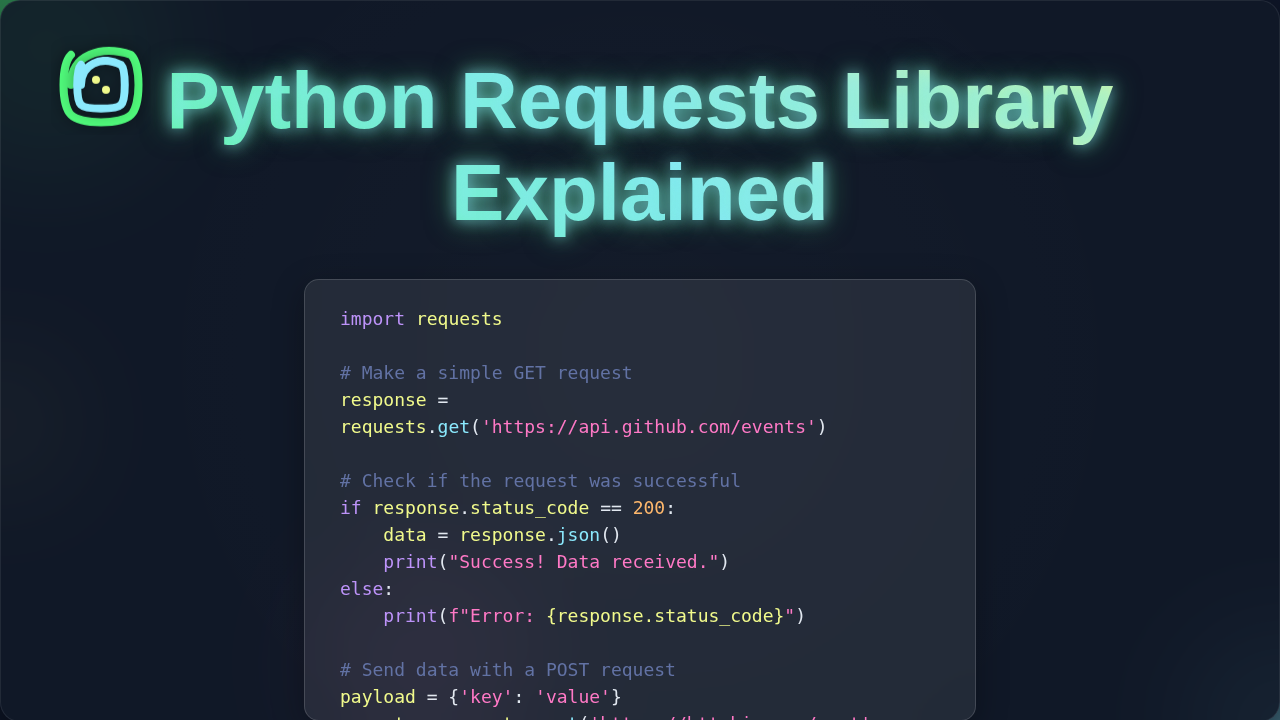
Python Requests Library Explained: HTTP for Humans, Simplified
Okay, real talk — when you first dip your toes into web development, you hear a lot of buzzwords. One that often pops up is the Python Requests Library. Maybe you’ve used it for a quick script. Perhaps you’ve even seen it in action for fetching data. It feels a bit like magic, doesn’t it? You write one line, and boom — data appears from the internet. But what’s really happening under the hood? You’re about to get the Python Requests Library Explained in a way that just makes sense. Let’s bust some myths!
Myth #1: The Requests Library Is a Black Box of Internet Magic
Many beginners think Requests just *poofs* data into existence. You might type a command and expect an instant connection. It’s easy to believe it handles everything, right? You just give it a URL, and it figures out the rest. Here’s the thing: it’s not a magic wand. Far from it! Requests is an incredible tool. However, it’s a wrapper. It sits on top of something fundamental: HTTP.
HTTP stands for HyperText Transfer Protocol. This is the very language your web browser uses. It talks to web servers. Think of it like this: your browser sends a letter. The web server sends one back. Requests simply makes writing those letters much, much easier. It’s like having a fancy, automated pen. You still need to know what to write! Want to dive deeper into how HTTP works? You can explore the basics of the Hypertext Transfer Protocol on MDN Web Docs.
Pro-Tip: Requests doesn’t invent new internet rules. It just makes following the old ones a breeze. Understanding basic HTTP will make you a Requests master!
Myth #2: You Can Only ‘Get’ Stuff with the Python Requests Library Explained
When you start with Requests, you probably use requests.get() a lot. You’re fetching a webpage. Maybe you’re grabbing some data from an API. Because of this, you might assume Requests is just for downloading. You only retrieve information. But that’s like saying a hammer is only for hitting nails *in*. It can also pull them out! Websites and APIs do much more than just serve up pages.
Web applications let you create, update, and delete data. This is where other HTTP methods come in. You’ll find POST for sending new data. There’s PUT for updating existing records. And, of course, DELETE for removing things. Requests handles all of these methods with ease. It’s built for full interaction. So, you’re not just a passive observer. You can actively participate in web conversations. Think about building a little web app where you add new entries. You’d use POST for that. Learning to use these methods transforms your scripts. You move from just reading the internet to actually *writing* on it. If you’re serious about interacting with APIs, you’ll definitely want to Python Requests Library: Master Web API Calls.
Myth #3: Security, Headers, and Status Codes are All Automatic
You might think Requests handles all the tricky parts. Authentication, secure connections, knowing if your request worked — surely it’s all built-in magic? Well, yes and no. Requests does a lot of heavy lifting. It verifies SSL certificates by default. This makes your connections more secure. However, it doesn’t *know* how to authenticate you to every service. You need to provide those details. Things like API keys or usernames and passwords must come from you.
And what about headers? These are like the postage stamps and return addresses on your HTTP letters. They carry important metadata. Requests can send them for you. But you tell it what to include. For example, you might specify the data type you’re sending. This helps the server understand your request. Furthermore, there are HTTP status codes. These are little numbers the server sends back. They tell you if your request was successful. A 200 OK means everything is great. A 404 Not Found means the page is gone. You still need to check these. Requests helps you get them easily. However, it won’t automatically react to them. Want to know more about what those numbers mean? Explore HTTP response status codes on MDN.
Remember: Requests is your co-pilot, not your autopilot. You still need to understand the map!
The Real Magic Behind the Python Requests Library Explained
So, if Requests isn’t magic, what *is* its superpower? Its superpower is simplification. It takes complex, tedious tasks and makes them approachable. Building HTTP requests from scratch is quite involved. You’d manage sockets. You’d handle encoding. Plus, you’d deal with connection pooling. It’s a lot of manual work. Requests wraps all that up. It gives you a clean, Pythonic interface. This means you can focus on *what* you want to do. You don’t get bogged down in *how* the internet plumbing works. It manages persistent connections. It handles redirects automatically. It even deals with common errors gracefully. This saves you tons of time and frustration. It’s why it’s called ‘HTTP for Humans.’ For tasks like gathering data from websites, it’s an absolute game-changer. It can be your first step into Python Web Scraping Tutorial: Data Extraction with Beautiful Soup, helping you grab the HTML before other libraries process it.
What This Means for You (and Your Code)
Knowing how Requests *really* works changes your approach. You won’t just copy-paste snippets. Instead, you’ll understand the ‘why.’ You’ll choose the right HTTP method for the job. You’ll know when to add specific headers. You’ll also understand when to check those crucial status codes. This deeper understanding means fewer headaches. You’ll debug issues much faster. It also means you write more robust and reliable code. For example, when you’re building a web application using Python frameworks, you’ll often need to interact with external APIs. A solid grasp of Requests is crucial for connecting your app to other services. Maybe you’re building a Flask CRUD Tutorial: Building a Basic Web App with Python. You’ll use Requests to talk to other APIs.
Ultimately, the Requests library empowers you. It gives you a clear path to interact with the web programmatically. You’re not just writing Python. You’re speaking HTTP. And you’re doing it fluently. Don’t worry — it clicks eventually. Keep practicing, keep building, and keep learning. The web is your oyster!