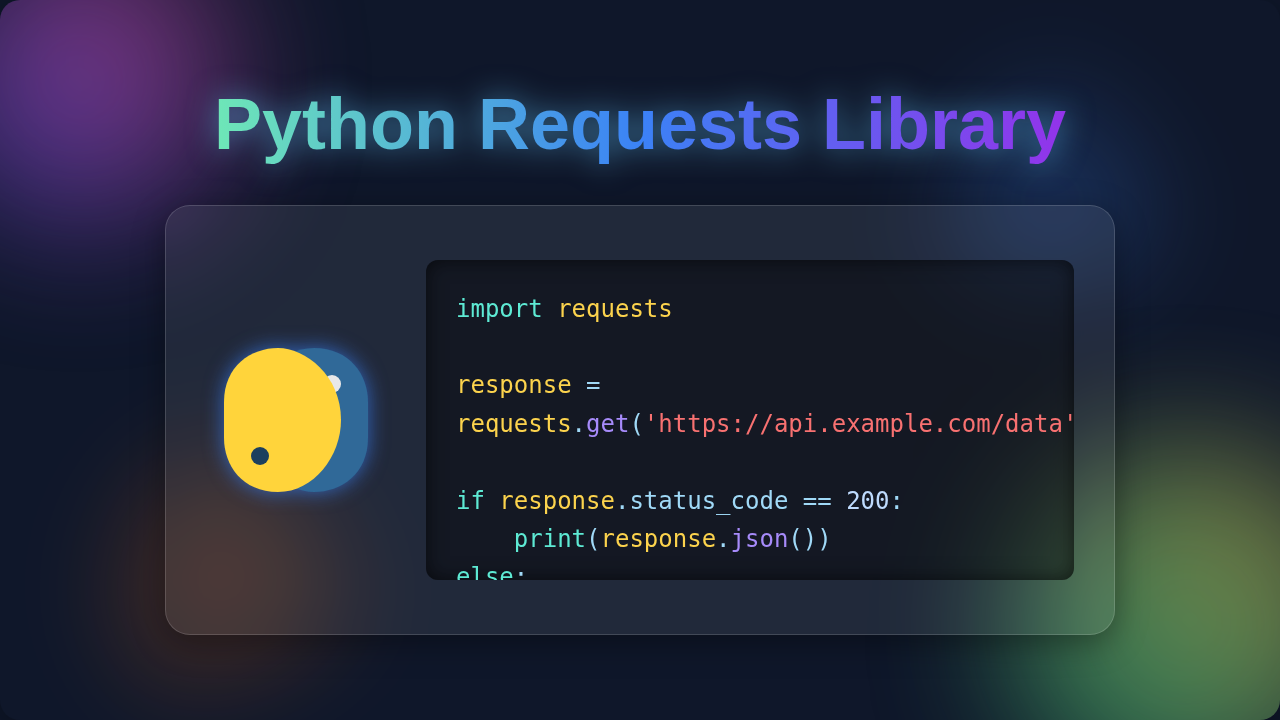
Python Requests Library: Simplified HTTP for Devs
Hey there, future coding rockstar! Have you ever tried to grab data from a website, maybe connect to an API, and felt like you were just poking around in the dark? You send out a request, and magically, data appears. Or it doesn’t. Sound familiar? You are definitely not alone.
Many self-taught developers grapple with this. They just want to get things working. That’s where the Python Requests Library often comes into play. It’s your friendly helper for interacting with the web. But here’s the thing: understanding how it works means understanding a bit about HTTP. Let’s bust some common myths together!
Myth #1: The Python Requests Library Does Magic
You use the library. You type a simple command. And poof! Data arrives. It feels like magic, doesn’t it? You might think the Python Requests Library has some secret sauce. Perhaps it bends the rules of the internet? Not quite.
The truth is, there’s no actual magic happening. The library is simply a fantastic abstraction. An abstraction hides complex details, showing you only what you need. Think of it like a car. You don’t need to understand every engine part. You just turn the key and drive.
Behind the scenes, the Python Requests Library is faithfully speaking HTTP. HTTP stands for Hypertext Transfer Protocol. It’s the language computers use to talk on the internet. When you send a request, your computer is essentially asking a web server for something. The library makes that conversation easy for you. It handles all the nitty-gritty network stuff. But it always follows the HTTP rules. It’s a powerful tool for your Python Automation: Boost Productivity & Efficiency efforts.
Pro-Tip: The Python Requests Library isn’t magic; it’s a brilliant translator. It takes your simple instructions and turns them into proper HTTP requests, making sure the web server understands exactly what you want.
Myth #2: Sending Requests Is All You Need To Do
Okay, so you’ve mastered sending a request. You’ve asked a web server for information. Good job! But is that the whole story? You might believe your job ends after sending the request. Many beginners stop there. They just look at the data that comes back.
However, the real power comes from understanding the response. When you send a request, the server doesn’t just send data. It sends a full response. This response contains important clues. Think of it like ordering food at a restaurant. You don’t just ask for a burger. You wait for the server’s reply. Is your order accepted? Is it ready? Are they out of burgers today?
A web response includes several parts. You get a status code. This is a three-digit number telling you what happened. A 200 means success. A 404 means ‘not found’. A 500 means a server error. You also get headers. These are like extra notes about the response. Finally, you get the body. This is usually the data you wanted. The Python Requests Library lets you easily access all these parts. Ignoring them is like ignoring half of the conversation. You’re missing vital context.
Myth #3: All APIs Are The Same
You’ve seen one API, you’ve seen them all, right? You might think every web service works the exact same way. Many beginners assume this. They try to apply the same request pattern everywhere. But APIs have different personalities!
Web APIs use different HTTP methods. These methods tell the server what kind of action you want to perform. Do you just want to get data? That’s a GET request. Do you want to send new data, like creating a new user? That’s typically a POST request. Maybe you want to update existing data? That’s often a PUT or PATCH request. And if you want to delete something? You guessed it, a DELETE request.
Each API will specify which methods it supports. It will also tell you what data it expects. You’ll find this information in the API’s documentation. Always read the docs! It’s like a user manual for the API. Using the wrong method is like trying to turn a doorknob to push a button. It just won’t work how you expect. This is especially true for advanced Python Web Automation: Scripting, Bots & Data tasks.
The Truth About the Python Requests Library
So, what’s the real story? The Python Requests Library is an absolutely brilliant tool. It simplifies interactions with the web like no other. It removes a ton of boilerplate code. But it’s not a shortcut around understanding HTTP. Instead, it’s your best friend for *applying* that knowledge.
It means you can focus on your application logic. You don’t get bogged down in low-level network programming. The library handles things like connection pooling and retries for you. It’s incredibly robust. It was built by smart folks to make your life easier. You still need to grasp the basics of how the web actually communicates. Think of it as having a powerful calculator. You still need to know how to do math. The calculator just speeds up the process.
Key Insight: The Python Requests Library is an enabler, not an excuse. It empowers you to interact with the web efficiently, but your understanding of HTTP principles is the fuel that makes it truly powerful.
What to Focus On Now (and How to Use Python Requests Library Smarter)
You now know the Python Requests Library isn’t magic. It’s just really good at speaking HTTP for you. So, what should you focus on next? You should dive deeper into HTTP fundamentals. These concepts will serve you well in any web development context.
First, get comfortable with the different HTTP Request Methods explained on MDN Web Docs. Understand when to use GET, POST, PUT, and DELETE. Second, learn the Common HTTP Status Codes. Knowing what a 403 or 502 means will save you hours of debugging. Third, familiarize yourself with request and response structures. What do headers do? What kind of data goes in a request body?
When you use the Python Requests Library with this knowledge, you’ll be unstoppable. You’ll debug issues faster. You’ll build more reliable applications. You’ll even write better code for things like Python Automation: Boost Productivity & Efficiency. You’ll understand why things work, not just that they work. That’s a huge leap forward in your coding journey. Keep learning, keep building!