React useEffect Hook Tutorial: Master Side Effects in JSX
Hey there, future React rockstar! If you’ve been grappling with side effects in your components, you’re in the perfect spot. Today, we’ll dive deep into the mighty React useEffect Hook. We’ll build a cool user activity tracker. It fetches live data and listens for keyboard events. Get ready to make your React apps truly dynamic and responsive!
What We Are Building: Your Dynamic User Activity Tracker
Imagine a mini dashboard! It shows a user’s current status and activity. We will build a small card component. It fetches a random user’s data. This includes their name and activity status. Then, it updates this status in real-time. Also, we will track specific key presses. This shows event handling in action. This project truly showcases the power of the useEffect hook. It makes your apps interactive and responsive. Therefore, you’ll gain crucial skills.
HTML Structure for Our React App
We need a basic root element for our React app. It is simple and straightforward. Our React application will render directly into this div. Don’t worry about complex HTML here. The magic happens with React components!
index.html
<!DOCTYPE html>
<html lang="en">
<head>
    <meta charset="UTF-8">
    <meta name="viewport" content="width=device-width, initial-scale=1.0">
    <title>React useEffect Tutorial</title>
    <style>
        /* Basic reset and font for React app */
        body {
            font-family: Arial, Helvetica, sans-serif;
            margin: 0;
            padding: 0;
            background-color: #f4f4f4;
            color: #333;
            box-sizing: border-box;
        }
        #root {
            max-width: 100%;
            overflow-x: hidden; /* Prevent horizontal scroll */
        }
    </style>
</head>
<body>
    <noscript>You need to enable JavaScript to run this app.</noscript>
    <div id="root"></div>
    <!-- For a real React project, this would typically be a bundled file like build/static/js/main.<hash>.js -->
    <script src="./src/index.js" type="module"></script>
</body>
</html>
Styling Our Tracker with CSS
Let’s give our activity tracker a clean, modern look. The CSS will make our user card presentable. It will also highlight the key press display. We’ll keep it minimal but effective. Therefore, your app will look great.
src/App.css
/* src/App.css */
.app-container {
    max-width: 900px;
    margin: 40px auto;
    padding: 20px;
    background-color: #ffffff;
    border-radius: 8px;
    box-shadow: 0 2px 10px rgba(0, 0, 0, 0.1);
    box-sizing: border-box;
    overflow: hidden;
}

h1, h2, h3 {
    color: #0056b3;
    text-align: center;
    margin-bottom: 25px;
}

button {
    padding: 10px 20px;
    font-size: 16px;
    border: none;
    border-radius: 5px;
    cursor: pointer;
    background-color: #007bff;
    color: white;
    transition: background-color 0.2s ease;
    margin: 5px;
}

button:hover {
    background-color: #0056b3;
}

.section-container {
    background-color: #f9f9f9;
    border: 1px solid #e0e0e0;
    border-radius: 5px;
    padding: 20px;
    margin-bottom: 25px;
    box-sizing: border-box;
    overflow: hidden;
}

.warning-message {
    color: #dc3545;
    background-color: #f8d7da;
    border: 1px solid #f5c6cb;
    padding: 10px;
    border-radius: 5px;
    margin-top: 15px;
}

ul {
    list-style: none;
    padding: 0;
}

li {
    background-color: #e9ecef;
    margin-bottom: 8px;
    padding: 10px;
    border-radius: 4px;
    border-left: 4px solid #007bff;
}

.loading-indicator {
    text-align: center;
    color: #6c757d;
    font-style: italic;
}
JavaScript: The Core of Our React useEffect Hook Component
This is where the real fun begins! We’ll create a React component. It will manage its own state. Crucially, we will use the useEffect hook twice. One instance will handle data fetching. The other will manage keyboard event listeners. Let me explain what’s happening here.
src/index.js
import React from 'react';
import ReactDOM from 'react-dom/client';
import App from './App';
import './App.css'; // Global styles for the app

const root = ReactDOM.createRoot(document.getElementById('root'));
root.render(
  <React.StrictMode>
    <App />
  </React.StrictMode>
);
src/App.js
import React from 'react';
import CounterEffect from './components/CounterEffect';
import DataFetcher from './components/DataFetcher';
import TimerEffect from './components/TimerEffect';
import './App.css'; // Import global styles

/**
 * App Component
 * Serves as the main container for the useEffect examples.
 * It imports and renders various components, each demonstrating a different aspect
 * or common use case of the React useEffect hook.
 */
function App() {
    return (
        <div className="app-container">
            <h1>Understanding React's <code>useEffect</code> Hook</h1>

            <section>
                <h2>What is <code>useEffect</code>?</h2>
                <p>The <code>useEffect</code> hook in React allows you to perform "side effects" in functional components. Side effects are operations that reach outside of the component's render cycle, such as:</p>
                <ul>
                    <li>Data fetching</li>
                    <li>Setting up subscriptions or event listeners</li>
                    <li>Manually changing the DOM (e.g., updating the document title)</li>
                    <li>Timers (e.g., <code>setTimeout</code>, <code>setInterval</code>)</li>
                </ul>
                <p>It essentially replaces lifecycle methods like <code>componentDidMount</code>, <code>componentDidUpdate</code>, and <code>componentWillUnmount</code> in class components, providing a unified API for managing side effects.</p>
                <hr style={{ margin: '30px 0', borderColor: '#eee' }} />
            </section>

            {/* Example 1: Basic useEffect with dependencies and cleanup */}
            <CounterEffect />

            {/* Example 2: useEffect for data fetching on mount (empty dependency array) */}
            <DataFetcher />

            {/* Example 3: useEffect with cleanup for intervals */}
            <TimerEffect />

            <section className="section-container">
                <h2>Summary of <code>useEffect</code></h2>
                <p><code>useEffect(callback, [dependencies])</code> takes two arguments:</p>
                <ol>
                    <li>
                        <strong><code>callback</code> (function):</strong> This is where your side effect logic goes.
                        It can optionally return a "cleanup" function.
                    </li>
                    <li>
                        <strong><code>[dependencies]</code> (array, optional):</strong> An array of values that the effect depends on.
                        <br/>
                        <ul>
                            <li><strong>No array:</strong> Effect runs after every render.</li>
                            <li><strong>Empty array (<code>[]</code>):</strong> Effect runs once after the initial render and its cleanup runs on unmount.</li>
                            <li><strong>Array with values (<code>[propA, stateB]</code>):</strong> Effect runs after the initial render and whenever any of the dependencies change. Its cleanup runs before the effect re-runs and on unmount.</li>
                        </ul>
                    </li>
                </ol>
                <p>Mastering <code>useEffect</code> is crucial for building robust and efficient React applications that correctly manage external resources and side operations.</p>
            </section>
        </div>
    );
}

export default App;
src/components/CounterEffect.js
import React, { useState, useEffect } from 'react';

/**
 * CounterEffect Component
 * Demonstrates the basic usage of useEffect for side effects based on state changes.
 * It updates the document title and logs to the console whenever the count changes.
 * It also includes a cleanup function for when the component unmounts.
 */
function CounterEffect() {
    const [count, setCount] = useState(0);
    const [message, setMessage] = useState('');

    /**
     * Effect 1: Updates the document title when 'count' changes.
     * Dependency array: [count] - This effect runs on:
     * 1. Initial render.
     * 2. Whenever the 'count' state variable changes.
     */
    useEffect(() => {
        // Side effect: Update the document title
        document.title = `Count: ${count}`;
        setMessage(`Document title updated to: Count ${count}`);
        console.log(`Effect 1: Document title set to 'Count: ${count}'`);

        // Cleanup function: This runs before the component unmounts OR
        // before the effect runs again if its dependencies change.
        return () => {
            console.log(`Effect 1 Cleanup: Previous count was ${count}. Preparing for new effect or unmount.`);
            // You might want to revert the title or clear something here
            // document.title = 'React App'; // Example cleanup
        };
    }, [count]); // Dependency array: Effect re-runs only when 'count' changes

    /**
     * Effect 2: Runs only once on component mount and cleans up on unmount.
     * Dependency array: [] (empty array) - This effect runs only once.
     * Ideal for setting up subscriptions, event listeners, or fetching data once.
     */
    useEffect(() => {
        console.log('Effect 2: Component mounted! This runs only once.');
        setMessage(prev => prev + ' | Component mounted effect ran.');

        // Example: Add an event listener
        const handleResize = () => console.log('Window resized!');
        window.addEventListener('resize', handleResize);

        // Cleanup function for this effect
        return () => {
            console.log('Effect 2 Cleanup: Component unmounting. Removing resize listener.');
            window.removeEventListener('resize', handleResize);
        };
    }, []); // Empty dependency array means it runs once on mount and cleans up on unmount

    // No dependency array: This effect runs on EVERY render (initial and all updates)
    useEffect(() => {
        console.log('Effect 3: This effect runs on every render (no dependency array)! Use with caution.');
    });

    return (
        <div className="section-container">
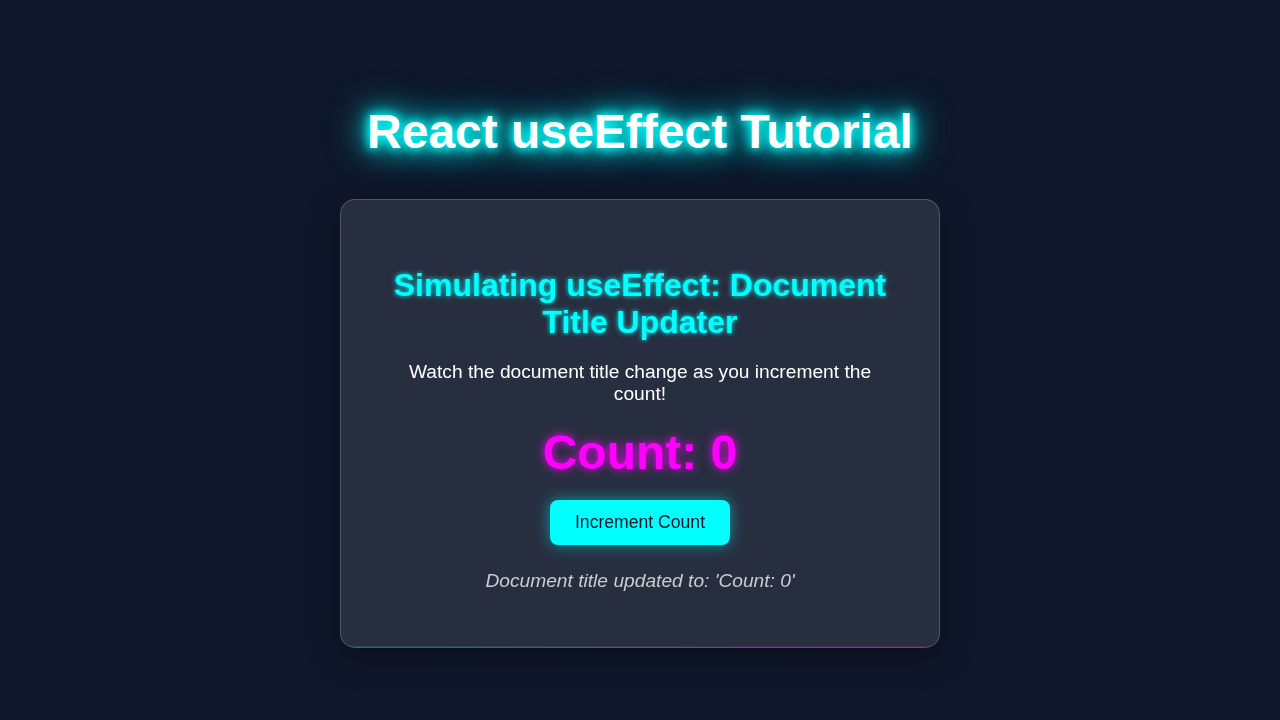
            <h2>Counter with useEffect</h2>
            <p><strong>Current Count:</strong> {count}</p>
            <button onClick={() => setCount(prevCount => prevCount + 1)}>
                Increment Count
            </button>
            <p><small>{message}</small></p>

            <div className="warning-message">
                <h3>Key Takeaways for useEffect:</h3>
                <ul>
                    <li>The first argument is a function that contains your side effect logic.</li>
                    <li>The second argument is an optional dependency array:</li>
                    <li>
                        <strong>[dependencies]</strong>: Effect runs on mount and whenever any dependency changes.
                        The cleanup function runs before the next effect execution and on unmount.
                    </li>
                    <li>
                        <strong>[] (empty array)</strong>: Effect runs only once on mount. The cleanup function runs on unmount.
                        Useful for initial data fetching, setting up subscriptions, etc.
                    </li>
                    <li>
                        <strong>(no array)</strong>: Effect runs on every render (mount and all updates). Use with extreme caution
                        as it can lead to performance issues or infinite loops if not handled carefully.
                    </li>
                </ul>
            </div>
        </div>
    );
}

export default CounterEffect;
src/components/DataFetcher.js
import React, { useState, useEffect } from 'react';

/**
 * DataFetcher Component
 * Demonstrates fetching data using useEffect with an empty dependency array,
 * simulating a network request on component mount.
 */
function DataFetcher() {
    const [users, setUsers] = useState([]);
    const [loading, setLoading] = useState(true);
    const [error, setError] = useState(null);

    /**
     * Effect: Fetch data from an API when the component mounts.
     * Dependency array: [] (empty) ensures this runs only once.
     */
    useEffect(() => {
        console.log('DataFetcher: Fetching data...');
        // Simulate an API call
        const fetchUsers = async () => {
            try {
                // Using a public API for demonstration
                const response = await fetch('https://jsonplaceholder.typicode.com/users');
                if (!response.ok) {
                    throw new Error(`HTTP error! status: ${response.status}`);
                }
                const data = await response.json();
                setUsers(data);
            } catch (err) {
                setError(err.message);
            } finally {
                setLoading(false);
            }
        };

        fetchUsers();

        // Cleanup function (optional for simple fetches, but good practice if you had
        // a subscription or event listener tied to the fetch operation)
        return () => {
            console.log('DataFetcher Cleanup: Component unmounting or effect re-running (though with [] it only unmounts).');
            // If you had a cancellation token for the fetch, you'd cancel it here.
        };
    }, []); // Empty dependency array: runs only on mount, cleans up on unmount

    if (loading) {
        return <p className="loading-indicator">Loading users...</p>;
    }

    if (error) {
        return <p className="warning-message">Error: {error}</p>;
    }

    return (
        <div className="section-container">
            <h2>User Data Fetcher (Mount Effect)</h2>
            <h3>Users:</h3>
            <ul>
                {users.map(user => (
                    <li key={user.id}>
                        <strong>{user.name}</strong> ({user.email})
                    </li>
                ))}
            </ul>
            <p><small>This data was fetched once when the component mounted, thanks to <code>useEffect</code> with an empty dependency array (<code>[]</code>).</small></p>
        </div>
    );
}

export default DataFetcher;
src/components/TimerEffect.js
import React, { useState, useEffect } from 'react';

/**
 * TimerEffect Component
 * Demonstrates useEffect for setting up and tearing down a timer (setInterval).
 * This highlights the importance of the cleanup function to prevent memory leaks.
 */
function TimerEffect() {
    const [seconds, setSeconds] = useState(0);
    const [isRunning, setIsRunning] = useState(false);

    /**
     * Effect: Sets up a timer that increments 'seconds' every second when 'isRunning' is true.
     * Dependency array: [isRunning] - Effect re-runs when 'isRunning' changes.
     */
    useEffect(() => {
        let intervalId = null;

        if (isRunning) {
            console.log('TimerEffect: Starting interval...');
            intervalId = setInterval(() => {
                setSeconds(prevSeconds => prevSeconds + 1);
            }, 1000);
        }

        // Cleanup function: Clears the interval when:
        // 1. 'isRunning' changes (e.g., from true to false, or before running effect again for true).
        // 2. The component unmounts.
        return () => {
            if (intervalId) {
                console.log('TimerEffect Cleanup: Clearing interval.');
                clearInterval(intervalId);
            }
        };
    }, [isRunning]); // Effect re-runs when 'isRunning' state changes

    const toggleTimer = () => {
        setIsRunning(prev => !prev);
    };

    const resetTimer = () => {
        setIsRunning(false);
        setSeconds(0);
    };

    return (
        <div className="section-container">
            <h2>Interval Timer with useEffect Cleanup</h2>
            <p><strong>Elapsed Seconds:</strong> {seconds}</p>
            <button onClick={toggleTimer}>
                {isRunning ? 'Pause Timer' : 'Start Timer'}
            </button>
            <button onClick={resetTimer}>Reset Timer</button>
            <p><small>This timer uses <code>useEffect</code> to manage the <code>setInterval</code> and <code>clearInterval</code> operations. The cleanup function ensures no memory leaks occur when the timer pauses or the component unmounts.</small></p>
        </div>
    );
}

export default TimerEffect;
How It All Works Together: Demystifying the React useEffect Hook
The React useEffect Hook is central to our project. It allows us to perform ‘side effects’. These are actions that happen outside the normal rendering flow. Think of them as necessary background tasks. Let’s break down how it works in our tracker.
The `useEffect` Basics: What’s a Side Effect?
The useEffect Hook is your go-to function for ‘side effects’. What are side effects? Think data fetching, directly updating the DOM, or setting up subscriptions. These actions happen after your component renders. They’re external interactions. useEffect helps you manage them cleanly. It keeps your component logic organized. Moreover, it prevents common bugs. It is a powerful tool. In fact, it’s one of React’s most used hooks.
Efficient Data Fetching with `useEffect`
Our activity tracker needs data. We’ll use useEffect to fetch information. This happens when the component first appears. Also, it re-fetches when certain values change. We use the fetch API for this. It grabs a random user’s data from an external service. The data then updates our component’s state. Remember, useEffect runs after every render by default. We control this with its second argument: the dependency array. If you’re managing complex global state, you might also explore the React Context API: Visualize Data Flow in Component Tree for more robust solutions.
Mastering Event Handling and Cleanup
Beyond data fetching, useEffect expertly handles events. Imagine we want to detect specific key presses. We attach an event listener to the window object. This listener will update our component’s state. It logs which key was pressed. Here’s the cool part: useEffect also helps with cleanup. When your component unmounts, you must remove these listeners. Otherwise, you create memory leaks. useEffect lets you return a cleanup function. This function runs before the next effect or when the component unmounts. It’s super important!
Pro Tip: Always clean up event listeners, timers, and subscriptions! Forgetting to do so can lead to memory leaks and unexpected behavior in your applications.
Want to learn more about event listeners in JavaScript? Check out the MDN Web Docs on addEventListener.
The Magic of the Dependency Array
The dependency array is a game-changer for useEffect. It’s that second argument, []. If you provide an empty array [], the effect runs only once. This happens after the initial render. If you omit the array, the effect runs after every render. This includes state or prop changes. If you include variables in the array, the effect re-runs. It re-runs whenever those specific variables change. This precise control optimizes performance. It prevents unnecessary re-renders or API calls. Think carefully about your dependencies!
Expert Insight: An empty dependency array `[]` tells `useEffect` to run only once, similar to `componentDidMount` in class components. It’s perfect for initial data fetches!
So, our useEffect for data fetching will have an empty dependency array. This ensures we fetch the user once. Our useEffect for event handling will also have an empty array. We only need to attach the listener once. The cleanup function then handles its removal. Both effects work independently. They manage their own lifecycle. This makes our component efficient and robust.
Tips to Customise Your React useEffect Hook Project
You’ve built a solid foundation! Now, let’s think about expanding your project. Here are some ideas to make it even cooler:
- Add a Refresh Button: Implement a button to manually re-fetch user data. You could use a piece of state as a dependency for your fetching
useEffect. This would trigger a new fetch. - Expand Event Tracking: Track more user interactions. For instance, log mouse clicks, or track specific input field changes. If you’re thinking about more complex user interactions, you might check out React Form Validation with JSX to handle user input.
- Display More User Data: The API often provides more details. Show the user’s email, location, or profile picture. Update your component’s state to hold this extra data.
- Integrate with a Real-time API: Explore WebSockets for truly live status updates. This would be a more advanced use case. Also, consider building a React Todo List App to practice state management with more complex data structures.
Conclusion: You’ve Mastered `useEffect`!
Amazing work! You’ve just mastered the React useEffect Hook. You built a component that fetches data and handles events. You learned about dependencies and cleanup functions. This knowledge is fundamental for modern React development. It unlocks powerful component behaviors. You can now confidently manage side effects. Share your awesome new skills! What else will you build next? Keep coding!