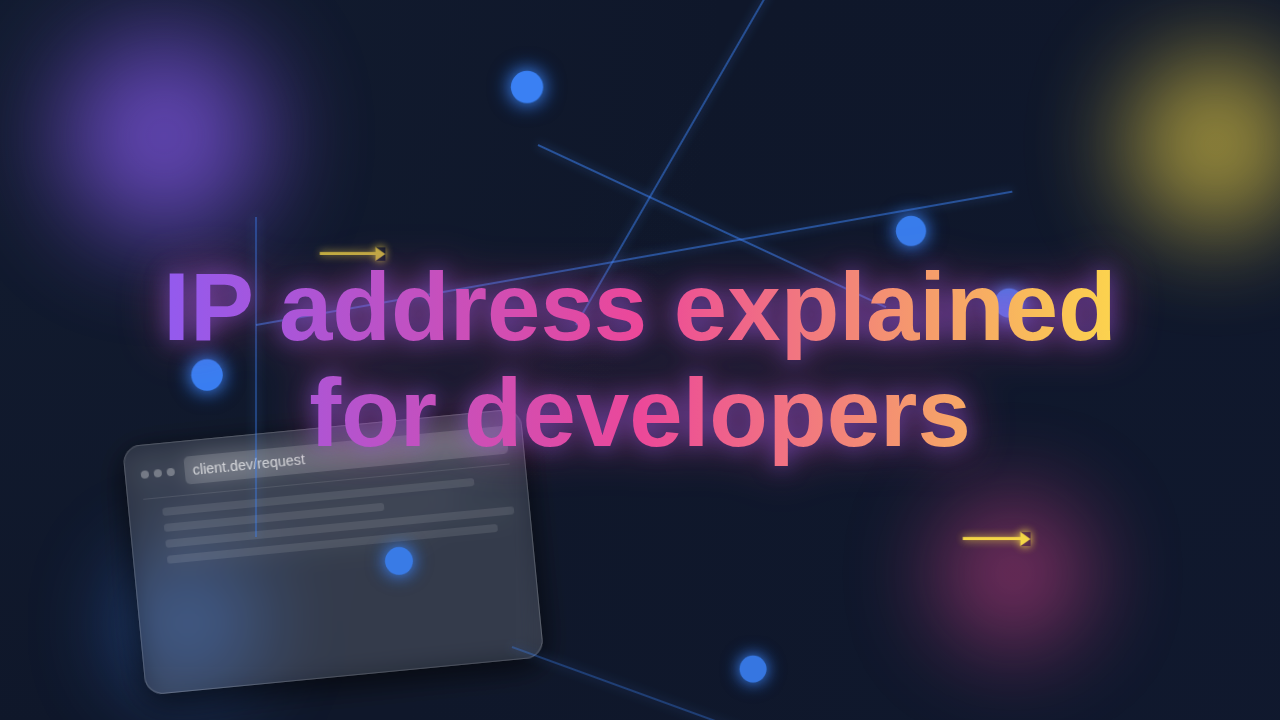
Hello, future web wizard! Ever felt like the internet is a vast, magical place, but some of its core mechanics still feel a bit… mysterious? You might hear terms like ‘DNS’ or ‘ports’ thrown around. But what about the humble IP address? If you’re looking for an IP address explained for developers, you’ve landed on the right page.
Think of it this way. Every house has a unique street address, right? That address helps the mail carrier know exactly where to deliver your packages. Well, the internet works similarly.
An IP address, which stands for Internet Protocol address, is like a unique numerical street address for every device connected to a network. This includes your computer, your phone, even that smart fridge!
It’s how data knows precisely where to go and where it comes from. Simple as that. Without it, messages would just float aimlessly through the digital void.
Why This IP Address Stuff Matters for You, The Developer
Here’s the thing. As a web developer, you build websites and applications. These creations live on servers, which are just powerful computers designed to serve content.
When someone types procoder09.com into their browser, your server needs to be found. The browser needs to know where to ask for your website’s files. That’s where the IP address comes in.
You might be thinking, ‘I just use domain names, not numbers!’ And you’re right, mostly. But behind every friendly domain name is an IP address waiting to be discovered.
Understanding IP addresses helps you debug network issues. Perhaps your local development server isn’t accessible. Or maybe your deployed app isn’t reachable after an update. This knowledge helps pinpoint the problem.
You’ll grasp concepts like DNS resolution, which translates those domain names to IP addresses. It’s fundamental for deploying anything online. Moreover, it’s key for understanding web security. Knowing where requests are coming from is super important for protecting your applications.
This knowledge empowers you. It makes you a more capable, problem-solving developer. Just like understanding Python List Comprehensions can streamline your code, understanding IP addresses streamlines your debugging and deployment. You will debug faster and build more robust systems.
How an IP Address Actually Works Under the Hood
Let’s dive a little deeper into the mechanics. Imagine you want to visit an online store. Your browser sends a request.
First, your computer needs to find the store’s IP address. It asks a Domain Name System (DNS) server. Think of DNS as the internet’s phone book. It looks up onlinestore.com and says, ‘Aha! That’s 192.0.2.1!’
Then, your computer bundles up your request. It puts your IP address (the sender) and the store’s IP address (the recipient) on the data packet. These packets are tiny chunks of information, like digital postcards.
These packets then travel across the internet. They hop from router to router, passing through various networks. Each router acts like a traffic cop, directing the packet closer to its final destination. It uses the destination IP address to make these crucial routing decisions.
Finally, the store’s server receives the packet. It processes your request. Then it sends back the website data to your IP address. This whole dance happens in milliseconds. It’s pretty amazing, right?
There are two main types of IP addresses you’ll encounter in the wild: IPv4 and IPv6.
IPv4 addresses look like 192.168.1.1. They are four sets of numbers, separated by dots. Each set goes from 0 to 255. There are about 4.3 billion unique IPv4 addresses. Sounds like a lot, but we are quickly running out!
Because of this looming shortage, IPv6 was created. These addresses look much longer and more complex, like 2001:0db8:85a3:0000:0000:8a2e:0370:7334. They use hexadecimal characters and colons. IPv6 offers a truly massive number of unique addresses. You will see IPv6 more and more as the internet continues its rapid expansion.
So, when you deploy your responsive landing page, remember this intricate network ballet. Every visitor is an active participant in this fundamental process.
Pro Tip: Your local development server often uses a ‘loopback’ IP address, like
127.0.0.1(or::1for IPv6). This special address always points back to your own machine. It’s like sending mail to yourself, ensuring local network traffic stays local!
IP Address Explained for Developers: Common Confusions Cleared
Okay, let’s clear up some common misunderstandings. You’ve probably heard these terms before, so let’s make them crystal clear.
Static vs. Dynamic IP Addresses:
A static IP address never changes. Think of it as a permanent street address for a server. Servers often have static IPs. This ensures they are always found at the same, predictable location. This is ideal for hosting websites.
A dynamic IP address changes occasionally. Your home internet connection usually has a dynamic IP. Your Internet Service Provider (ISP) assigns it to you. It might change when you restart your router, for instance, or after a certain period of time. This is common for consumer connections.
For web developers, your deployed applications typically need a static IP. This makes sure your domain name always points to the correct server. You definitely don’t want your website’s address suddenly moving!
Public vs. Private IP Addresses:
A public IP address is unique across the entire internet. It’s the one the rest of the world sees when your device communicates outside your local network. This is how data gets to your home network from external sources.
A private IP address is used only within a local network. Think of your home router. It assigns private IPs to all your connected devices: your laptop, phone, printer, smart TV. These IPs are not directly visible from the internet.
Your router then uses Network Address Translation (NAT) to let all your private devices share one public IP. It’s like an apartment building with one main postal address, but many internal unit numbers. When you are building applications that use React Hooks, knowing about private IPs is helpful. If you’re testing on your local machine, you’re interacting with a private IP. If you deploy it, your app needs a public one to be reachable by everyone.
IP Address vs. MAC Address:
These are often confused, but they serve different purposes. An IP address operates at the network layer. It’s a logical address. It tells where a device is located on the network, helping data travel from one network to another.
A MAC address (Media Access Control address) operates at the data link layer. It’s a physical address. Every network interface card (NIC) has a unique MAC address burned in by the manufacturer. It identifies *which* specific hardware device it is, usually within the same local network segment.
Think of an IP as your postal address (can change if you move). Think of a MAC address as your driver’s license number (stays with you, tied to the physical card). You usually don’t deal with MAC addresses as much in day-to-day web development, but it’s good to know the distinction.
What About Ports? And Other IP Address Specifics
This is another layer of detail you’ll want to grasp. Imagine the IP address gets the data to the right house. But what if that house has multiple residents or specific services running inside?
That’s where ports come in. A port is a specific numerical endpoint within a device’s operating system. It directs incoming network traffic to a particular application or service. Think of it as an apartment number or specific department within that house.
For example, standard web traffic (HTTP) usually uses port 80. Secure web traffic (HTTPS) universally uses port 443. File Transfer Protocol (FTP) uses port 21. When you develop a web application, your server software listens on a specific port. Often it’s port 3000 or 8000 for local development servers.
So, a full address for a web resource might actually be 192.0.2.1:80. This means ‘go to IP address 192.0.2.1, and then connect to port 80.’ This granularity is powerful for managing different network services on a single machine.
Understanding ports helps you configure firewalls effectively. It ensures your specific services are accessible to the outside world, or conversely, protected from unwanted access. It’s vital for setting up network security rules. If your server isn’t listening on the correct port, no one can reach your application, even if the IP address is correct.
Quick Tip: When you specify a URL like
https://www.example.comwithout a port number, your browser automatically assumes the standard port for HTTPS (443). For HTTP, it assumes port 80. Clever, right? It saves you typing!
Another interesting concept related to IP addresses is subnetting. This allows you to break down a large network into smaller, more manageable sub-networks. It’s like organizing a big neighborhood into distinct blocks with their own internal numbering systems. This helps immensely with network efficiency, security, and administration.
When you consider the network architecture for your complex applications, these details become incredibly valuable. You gain a clearer picture of how data flows and how to control it.
Key Takeaways: Your IP Address Summary for Developers
You’ve covered a lot of ground today! Let’s quickly recap the essentials. These points will serve you well on your developer journey.
First, an IP address is like a unique street address for devices. It helps data find its way across the internet, making communication possible. It’s the foundational layer.
Second, it matters to you because it’s the numerical backbone behind every domain name. It’s crucial for deploying applications and troubleshooting network issues. It helps you understand how your code connects to the world.
Third, remember the difference between IPv4 and IPv6. IPv4 is the classic format, while IPv6 is the future, offering vast address space to accommodate billions more devices. You’ll work with both.
Fourth, clear up confusions: static vs. dynamic, public vs. private. These distinctions influence how you configure servers. They affect how your users access your sites and services.
Finally, ports are like apartment numbers within that street address. They direct traffic to specific services or applications on a device. You use them constantly, often without even realizing their role.
This comprehensive understanding will demystify many networking challenges. It will help you debug issues with confidence. You’ll build a stronger mental model of how the web actually works, making you a more effective developer.
See? IP addresses aren’t so scary after all! You’ve just gained a super important piece of the web development puzzle. You now have an excellent foundation.
The more you understand these underlying concepts, the more powerful you become. You move from just writing code to truly understanding its environment. This is a huge step in your growth as a procoder!
Keep exploring, keep building, and never stop being curious. You’ve got this!