How Web Browsers Work: Decoding the Internet Connection
Hey there, fellow self-taught developer! Have you ever clicked a link? You watch that little spinner go. Then, suddenly — boom! — a whole new page appears. It feels a bit like magic, doesn’t it?
You probably just assume it works. We all do! But then, sometimes, things get slow. Or a layout breaks. You start wondering what dark arts are at play behind the scenes. This is exactly why understanding how web browsers work is so powerful for you.
You’re not alone if you’ve felt this confusion. When I first started, the browser felt like a black box. You send a request. A website comes back. Simple, right? But the real magic happens in those milliseconds you don’t see. And knowing that magic makes you a better developer.
The Mystery of the Clicking Browser Button
Think about it. You type an address into your browser’s search bar. Or you click a shiny button. What’s the very next step? For a long time, you might have just focused on the HTML, CSS, and JavaScript. You write the code. You expect it to appear.
But there’s a huge gap between your code and what your users see. That gap is filled by your web browser. You might have seen network errors. Or maybe styles just didn’t apply correctly. You troubleshoot for ages, totally stumped.
Often, these frustrating moments stem from not fully grasping the journey. The journey your browser takes. From the moment you click until the pixels dance on your screen. You need to peek behind that curtain. It’s truly fascinating!
Pro Tip: Don’t just learn what to code. Learn how your code gets presented. It unlocks a whole new level of debugging and optimization for you.
So, Exactly How Web Browsers Work: The Big Picture
Here’s the lightbulb moment for you: a web browser isn’t just one thing. It’s a collection of specialized tools. They all work together seamlessly. Think of it like a bustling restaurant kitchen.
You, the customer, place an order (your request). The front-of-house staff takes it. Then it goes to the chef. There are many steps to get your delicious meal. Similarly, your browser has many “staff members.” Each has a specific job.
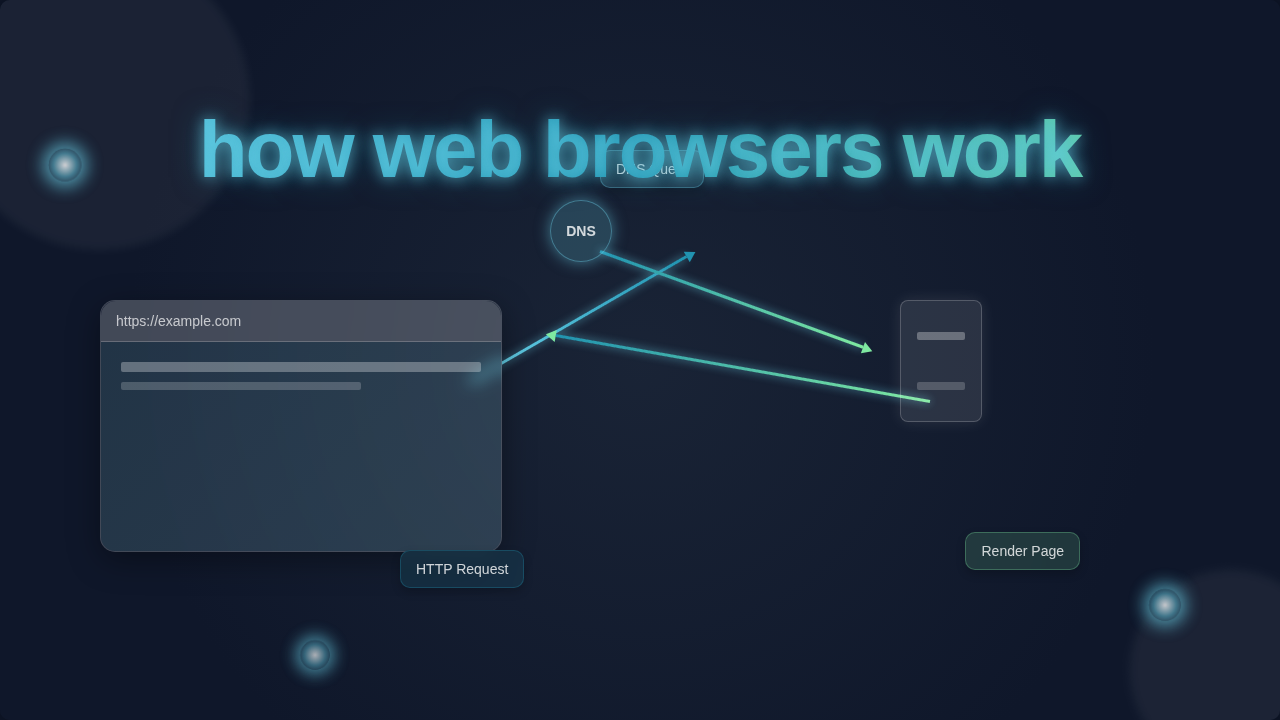
You’re sending a request for a web page. Your browser takes that request. It then fetches the necessary files. Next, it interprets them. Finally, it displays them beautifully for you. This entire process is how web browsers work. It’s a coordinated effort.
Unpacking the Browser’s Inner Workings
Let’s peel back the layers. You might be surprised by how many components are involved. Each one plays a vital role. Knowing them helps you understand performance.
1. The User Interface (UI): Your Digital Dashboard
This is what you see. It’s your address bar, back/forward buttons, bookmarks menu. You interact directly with these elements. They are your window to the web. Your browser’s UI makes navigation easy for you. It’s the friendly face of a complex system.
2. The Browser Engine: The Grand Conductor
Think of this as the main brain. It orchestrates everything. You tell it to go to a URL. It then directs other components. It tells the rendering engine what to do. It also talks to the networking component. It’s the central control system.
3. The Rendering Engine: Turning Code into Pixels
This is where the magic really starts for your code. The rendering engine takes HTML and CSS. It also processes images and other media. Then, it paints them onto your screen. You might hear terms like “layout engine” or “browser engine” interchangeably here. Some common rendering engines are Gecko (Firefox) and Blink (Chrome, Edge). If you’ve ever struggled with layout issues like making product cards align perfectly with Tailwind CSS, you’re wrestling directly with this engine!
First, it parses the HTML. This creates a “DOM tree.” The Document Object Model (DOM) is a tree-like representation of your HTML structure. Next, it parses the CSS. This creates a “CSSOM tree.” The CSS Object Model represents your styles. These two trees combine. They form a “render tree.” This tree contains only visible elements. Finally, the engine lays out these elements. It calculates their positions and sizes. Then it paints them on your screen. You see this as a website.
4. The Networking Component: Your Internet’s Messenger
This part handles all the network calls. You request a page. It fetches resources like HTML, CSS, JavaScript, and images. It uses various protocols. HTTP (Hypertext Transfer Protocol) is a big one. It’s like sending and receiving mail. You might recall seeing similar concepts when learning about how to master HTTP requests in Python with the Requests library. The networking component is constantly working for you.
It opens a connection to the web server. It sends your request. Then it waits for a response. Sometimes it gets redirects. Other times, it gets error codes. You see the results of its work every time you load a page. Fast network means fast content delivery for you.
5. The JavaScript Interpreter: Bringing Websites to Life
Most modern websites are dynamic. They move. They respond to your actions. This is thanks to JavaScript. The JavaScript interpreter (often called a JavaScript engine) executes your JavaScript code. For example, V8 is used in Chrome. It makes your website interactive. You click a button, and something happens. That’s the interpreter at work.
It can manipulate the DOM. It can fetch new data. It can update content without a full page reload. Understanding the event loop in JavaScript is crucial here. If you’ve ever delved into how the useEffect hook manages side effects in React, you’re directly engaging with concepts the JavaScript interpreter handles.
6. UI Backend: Drawing the Basics
This component draws fundamental widgets. Things like input fields, dropdowns, and buttons. It uses the operating system’s native UI methods. You get a consistent look across applications. It makes your browser feel natural to use.
7. Data Persistence: Remembering for You
Browsers remember things. Cookies, local storage, session storage. These allow websites to store data on your computer. You stay logged in. Your preferences are saved. This component handles all that data storage. It makes your browsing experience seamless.
Remember This: Every single click you make triggers a complex symphony of these components working together. You’re never just loading a page; you’re orchestrating a browser.
Optimizing Your Code, Knowing How Web Browsers Work
So, you now have a clearer picture of how web browsers work. How does this help you? You can write better, faster code. You can debug more effectively. You move from guessing to knowing.
Think about rendering performance. Your HTML structure affects the DOM tree. Your CSS selector efficiency impacts the CSSOM tree. Complex layouts mean more work for the rendering engine. You want to make its job easier.
Consider network requests. Are you fetching too many large files? Is your server responding slowly? Understanding the networking component helps you optimize image sizes. It also helps you manage API calls. You can use tools to monitor these things.
JavaScript performance is also key. Blocking JavaScript can delay rendering. You can defer script loading. You can also optimize your loops and functions. The JavaScript interpreter works hard. Help it out!
You can even improve accessibility. The DOM tree is crucial for screen readers. A semantic HTML structure helps everyone. It makes your sites better for all users. You’re building for everyone.
Learning more about the fundamentals of web performance on MDN Web Docs will deepen your understanding. And don’t forget to explore web accessibility best practices on CSS-Tricks to make your sites inclusive.
Ready to Build Better Web Experiences?
You’ve taken a big step today. You’ve demystified the browser. It’s no longer just a magical box. It’s a powerful tool with understandable parts. You now have a mental model. This knowledge is your superpower. It truly makes you a smarter, more capable developer.
So next time you click that link, don’t just see a page. See the browser engine orchestrating. See the rendering engine painting. See the network component fetching. You’re not just writing code; you’re contributing to this incredible dance. Keep exploring, keep building, and keep being awesome!