CSS Variables: Master Dynamic Styling
Hey there, future web wizard! You know that feeling when you’re styling a website? You choose a perfect shade of blue for your buttons. Then, you use it for your links, your navigation bar, and maybe even a few headings. Sound familiar?
But then, your client (or maybe just your own picky self) says, “Make that blue a bit lighter.” Suddenly, you’re hunting through a massive stylesheet. You are changing the same blue hex code over and over. This is where CSS variables swoop in. They are here to save your day. These custom properties are a game-changer for modern web development. But let’s be honest, you’ve probably heard some wild things about them. Are they magic? Are they a trap? Let’s dive in and bust some myths!
Myth #1: CSS Variables Are Just Like Preprocessor Variables (And Only for Big Projects!)
Okay, real talk. When I first heard about CSS variables, I thought, “Haven’t we had this with Sass or Less for ages?” You might have thought the same thing. You’re not alone! Many beginners confuse them with preprocessor variables. Preprocessor variables are defined before your CSS even hits the browser. Think of them as placeholders that get replaced. They are replaced with their final values during a compilation step. It’s like baking ingredients. You decide on the flour before you even start mixing.
Here’s the thing about CSS variables, though: they are live! They live right there in your browser. This means they are incredibly dynamic. You can change them using JavaScript. You can even change them based on user interactions. You can swap colors on the fly for a dark mode switch. Imagine a master paint swatch that you can update, and every single wall painted with that swatch instantly changes color. That’s the power of CSS variables, or custom properties as they’re technically called. They aren’t just for huge, enterprise-level sites either. You can use them to simplify even your smallest personal projects. They make your styling more organized and flexible from day one.
Myth #2: They’re Complicated and Only for Advanced Devs
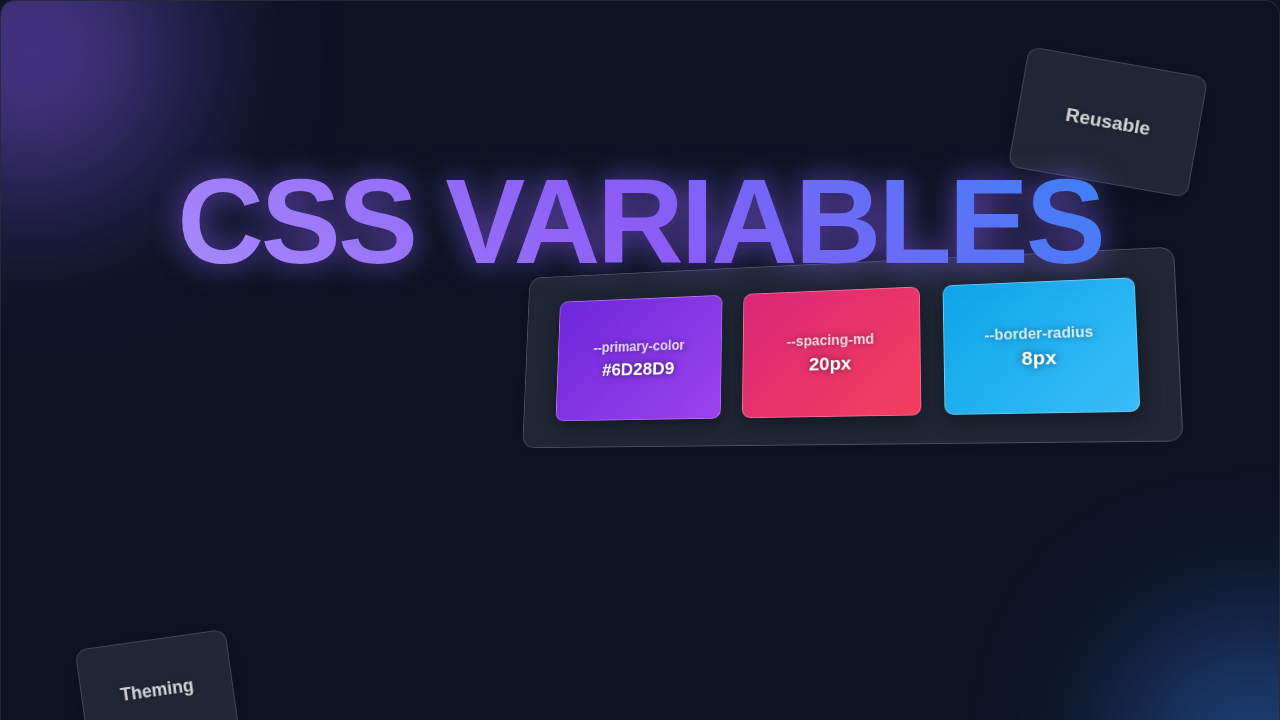
This myth is a total buzzkill, right? You see a new CSS feature. Your mind immediately thinks, “Ugh, another thing to learn.” But trust me, CSS variables are surprisingly simple. You don’t need a computer science degree to grasp them. Think of a CSS variable like a label for a value. You define that label once. Then, you can use that label everywhere. Instead of typing #FF0000 for red, you can create a variable called --main-color. Then, you assign #FF0000 to it. Simple, right?
You define your custom property with two hyphens, like --primary-color. You usually put them in a special selector, often :root. The :root selector applies to the entire document. It means your variable is available everywhere. Then, to use it, you just use the var() function. You’d write something like color: var(--primary-color);. That’s it! You’re telling the browser, “Hey, use whatever value is stored in --primary-color here.” You’re probably already thinking of ways to use this. You can make global style changes with just one tweak. It’s like having a remote control for your entire stylesheet. Pretty neat for a “complicated” feature, wouldn’t you say?
Pro Tip: Think of CSS variables as named containers for values. Once you name a container, you can refer to it anywhere you need that value. It’s like giving your favorite shade of blue a nickname!
Myth #3: CSS Variables Will Slow Down My Site
This one comes up a lot with new technologies. People worry about performance. “Will adding another layer of abstraction make my site crawl?” That’s a fair question! But let’s put this myth to bed. Modern browsers are incredibly optimized. They handle CSS variables with impressive efficiency. The performance impact of using CSS variables is negligible. In fact, they often *improve* perceived performance for you, the developer!
How so? Well, imagine you’re a painter. You have 20 different shades of red. You use them all over a giant mural. If the client asks to change all the reds to orange, you’d be there for weeks. But what if you mixed one master batch of “red” paint? Then, you just added a tiny bit of yellow to that master batch. Suddenly, all your reds become orange. That’s the efficiency benefit! For the browser, it means less repetitive parsing. For you, it means less manual searching and replacing. This frees you up to focus on more important things. You can build features or perfect your user experience instead. You won’t be bogged down by tedious color swaps. The browser is smart. It figures out what to do very quickly.
The Truth About CSS Variables: Dynamic Power You Can’t Ignore
So, we’ve busted some myths. Now, let’s talk about the real magic. CSS variables (custom properties!) unlock a level of dynamism that traditional CSS just can’t touch. They are fully aware of the cascade. The cascade is how browsers decide which CSS rules apply to an element. This means you can define a variable globally. Then, you can override it for a specific section. You could set a --text-color for your entire site. Then, you could make it white just for your dark-themed footer. It’s all about scope.
The cool part is how they enable responsive design and theming. Ever wanted a dark mode without writing a whole new stylesheet? CSS Variables Theming makes it straightforward. You can just swap a few variable values. The entire site transforms. You can also combine them with other CSS functions. You can create complex calculations or adjust spacing based on a single variable. It feels a bit like having superpowers, doesn’t it?
This dynamic ability simplifies maintenance. It also boosts consistency. You define your core branding colors, fonts, and spacing once. Then, you reuse them everywhere. Need to adjust a font size across 50 pages? Change one variable. Every instance updates instantly. It makes your development workflow smoother and faster. It truly helps you adhere to the DRY principle (Don’t Repeat Yourself). Your stylesheets become cleaner and easier to read.
Remember This: CSS variables are part of the cascade. This means they inherit values from their parent elements. This powerful feature allows for incredibly flexible and scoped styling.
Why You Need CSS Variables in Your Toolbelt
If you’re building modern websites, CSS variables are not just a nice-to-have. They are essential. They make your code more readable. They make it easier to maintain. Plus, they open doors to powerful dynamic styling. Think about building a design system. You have a central source of truth for all your design tokens. CSS variables are perfect for this. They create a foundational layer for your styling. This keeps everything consistent.
You can define base colors, spacing units, and font stacks. You then build all your components using those variables. This makes your whole site feel cohesive. It also makes future updates a breeze. Imagine adding a new button style. Instead of guessing hex codes, you just plug in your existing variables. Check out this complete guide to CSS Custom Properties for more deep dives. This approach is key to developing maintainable and scalable front-ends. It is important whether you are creating a small personal project or a large-scale application. Understanding them also helps when you explore CSS Library vs Architecture. You will know exactly how to integrate them.
Ready to Dive Deeper?
Hopefully, this little myth-busting adventure has shown you the light! CSS variables are your friends. They are powerful. They are easy to use. And they will absolutely level up your web development game. Don’t be afraid to experiment with them. Start small, try changing a few colors. See how quickly you fall in love with the flexibility they offer. You’ve got this!