CORS errors explained: Understanding Cross-Origin Sharing
Hey there, procoder09 fam! Ever found yourself staring at a cryptic error in your browser console? You know, the one that mentions “CORS policy” and makes your carefully crafted API call just… fail? You are not alone!
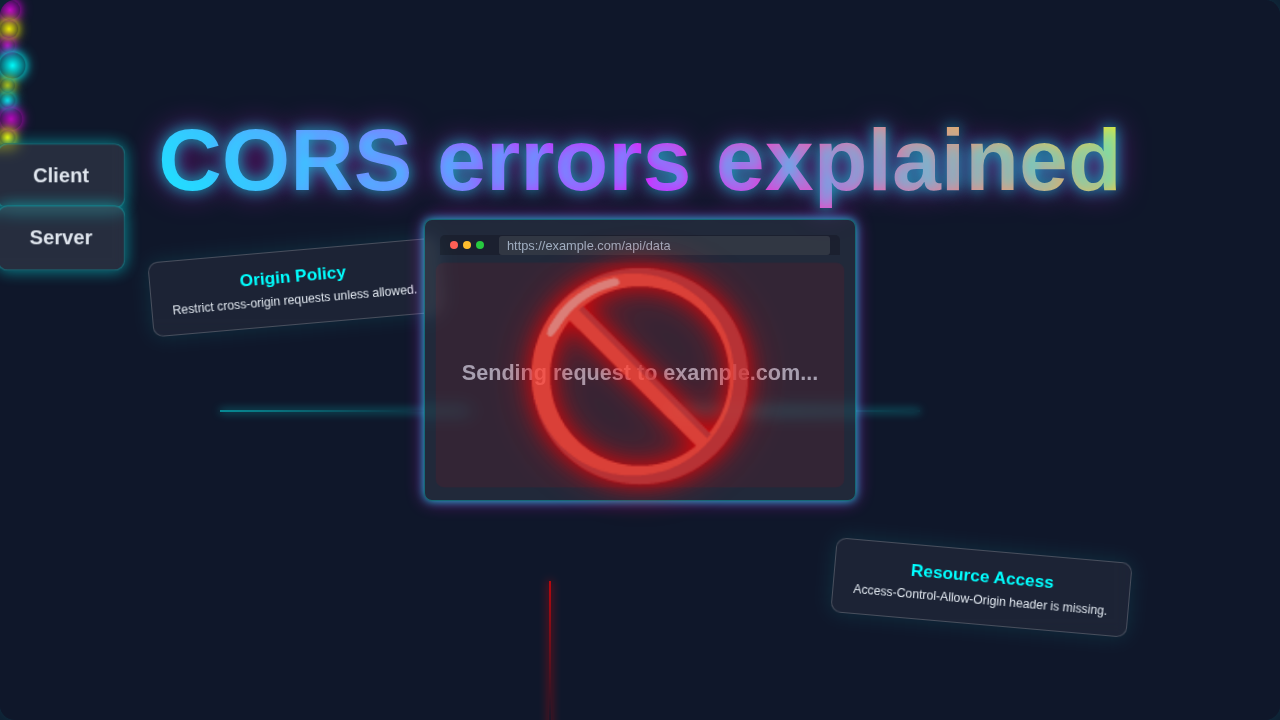
It’s like your web application is trying to talk to another server, but a digital bouncer steps in. This bouncer prevents the conversation. That frustrating message means you’ve bumped into a Cross-Origin Resource Sharing (CORS) issue. Don’t worry, CORS errors explained in plain English is exactly what we’re doing today.
CORS isn’t just a random roadblock; it’s a fundamental browser security feature. It protects your users from malicious websites trying to steal their data. Think of it as a strict policy about who can ask for resources from whom on the internet. Your browser enforces these rules. When a rule is broken, you get a CORS error. It’s the browser saying, “Nope, not allowed!”
What are CORS errors explained, anyway?
Essentially, CORS errors happen when your frontend application, running on one domain (let’s say yourapp.com), tries to request data from a backend server on a different domain (like api.anotherserver.com). Because these are two different “origins” – a combination of protocol, domain, and port – your browser’s security rules kick in. It doesn’t allow the request by default. The server needs to explicitly grant permission for your origin to access its resources. If that permission isn’t granted, you see the dreaded CORS error.
Top Tips for Taming CORS Errors
1. The Same-Origin Policy is Your Browser’s Bouncer
First, you need to grasp the Same-Origin Policy (SOP). This is the core principle behind CORS. Your browser strictly enforces it. The SOP states that a web page can only request data from resources that share the exact same origin. An origin includes the protocol (like http or https), the domain (like example.com), and the port (like 80 or 3000). If any of these differ, it’s considered a “cross-origin” request.
Imagine you’re at an exclusive club. The bouncer (your browser) only lets people in if their ID matches the club’s address exactly. If your friend’s ID shows a different street, they are denied entry. Similarly, if your frontend on app.com tries to fetch data from api.com, it’s like two different streets. The bouncer says no. That’s the SOP at work, protecting your data from unauthorized access. Understanding this baseline helps clarify why CORS exists.
The Same-Origin Policy is your browser’s built-in security guard, ensuring web pages only talk to trusted sources by default.
2. The Server’s Role: Sending the Right Headers
Here’s the thing: CORS issues aren’t always a client-side problem. Often, the fix lies on the server side. For your browser to allow a cross-origin request, the server responding to your API call needs to send specific HTTP headers. The most crucial one is Access-Control-Allow-Origin. This header tells your browser, “Hey, it’s okay for requests coming from this specific origin to access my data.”
If your frontend is at https://my-awesome-app.com, the backend API needs to send a header like Access-Control-Allow-Origin: https://my-awesome-app.com. It’s like the server explicitly granting a VIP pass to your frontend’s address. Without that pass, your browser won’t proceed. You might be making requests using something like the Python Requests Library Explained on your backend, but it’s the response headers that matter for CORS. Developers often use a wildcard * during development (e.g., Access-Control-Allow-Origin: *), but this is generally unsafe for production. Specificity is key for security!
3. Understanding Preflight Requests (OPTIONS)
Some requests are simple. Other requests are a bit more complicated. When you make a “complex” cross-origin request, your browser often performs an initial “preflight” check. This preflight is an HTTP OPTIONS request. Your browser sends this before the actual request you intended (like a POST or PUT). This happens automatically, you don’t send it yourself. Its purpose is to ask the server if the actual request is safe to send.
Think of it like this: Before shipping a large, valuable package (your complex request) across an international border, customs officials (your browser) first send a small inquiry (the OPTIONS request). They ask if the type of package, its contents, and the shipping method are permissible. Only if they get an affirmative response do they allow the actual shipment to proceed. The server needs to respond to this OPTIONS request with appropriate CORS headers, including Access-Control-Allow-Methods and Access-Control-Allow-Headers. If the preflight fails, your browser won’t even send your main request. You can learn more about HTTP methods and headers on sites like CSS-Tricks.
4. Watch Out for Credentials (Cookies, Auth Headers)
Are you sending cookies, HTTP authentication headers, or client certificates with your cross-origin requests? If so, you’re dealing with “credentialed requests.” This adds another layer to CORS. For these requests to succeed, two things must happen: Your client-side code (e.g., in JavaScript’s fetch or XMLHttpRequest) needs to explicitly set a flag to send credentials (like credentials: 'include'). Then, the server must respond with the Access-Control-Allow-Credentials: true header.
Without both pieces working together, your browser will block the request. It’s like checking into a fancy hotel. You need your room key (the client-side flag) to access the exclusive executive lounge. But the lounge itself (the server) also needs to have its access control system set to recognize those keys. If either is missing, you’re not getting in. If you’re fetching data for React components using useEffect, remember to configure these options correctly in your data fetching logic.
5. Local Development Woes and Proxies
You often encounter CORS errors during local development. Why? Because your frontend might run on http://localhost:3000 while your API is on http://localhost:8000 or even a remote server. These are different origins! Luckily, there are common workarounds. A popular solution involves using a proxy server. Many frontend development frameworks, like React or Vue, include built-in proxy capabilities in their development servers.
You can configure your frontend development server to forward specific API requests to your backend. The browser then sees the request as originating from the same development server. It acts as an intermediary. This bypasses the CORS issue during development. It’s like having a local interpreter who can translate for you between two people speaking different languages. Your browser talks to the interpreter, and the interpreter talks to the API, making it seem like a single conversation. This helps you focus on building responsive UI elements like a navbar without getting stuck on network issues.
For local development, a proxy server is your best friend to circumvent CORS issues temporarily.
6. Debugging is Your Best Friend
When a CORS error strikes, don’t panic! Your browser’s developer tools are your primary weapon. Always open your console. Look for specific error messages. These often point directly to the missing CORS header or the problematic origin. Also, check the “Network” tab. Look at the failing request. Examine its headers. You’ll see the request headers your browser sent and, critically, the response headers the server returned. The absence or incorrect configuration of Access-Control-Allow-Origin, Access-Control-Allow-Methods, or Access-Control-Allow-Credentials will often be evident here.
Becoming a detective in your browser’s developer tools is a skill you’ll use constantly. Pinpointing the exact missing header or misconfigured origin makes fixing the issue much simpler. Most of the time, the console message itself will tell you what’s wrong, like “has been blocked by CORS policy: No ‘Access-Control-Allow-Origin’ header is present on the requested resource.” That’s a clear clue!
Bonus Tip: Don’t Disable CORS in Production!
You might find browser extensions or even server configurations that promise to “disable CORS.” While tempting for a quick fix, especially during development, never, ever do this in a production environment. Disabling CORS completely is like leaving your front door wide open. It makes your application and your users vulnerable to serious security risks, including Cross-Site Request Forgery (CSRF) and data theft. Always configure CORS properly on your server. Keep your applications and users safe.
Demystifying CORS errors explained: You’ve Got This!
So, there you have it! CORS errors explained. They aren’t some mystical beast designed to frustrate you. They’re a fundamental part of web security. Understanding the Same-Origin Policy, knowing how servers grant permission with headers, recognizing preflight requests, and properly handling credentials will empower you. You now have the tools to debug and fix these common issues.
The next time you see that “CORS policy” message, you’ll know exactly what’s happening. You’ll approach it with confidence. Keep learning, keep building, and don’t let these digital bouncers get you down. You’re becoming a smarter, more secure developer every day!