Python Requests Library Internals: Deep Dive & Architecture
Hey there, web dev explorer! You’ve probably used Python’s Requests library before. It makes sending HTTP requests incredibly simple. With just a few lines, you can grab data from websites or interact with APIs. But have you ever stopped to wonder what truly happens behind that elegant facade? Today, we’re pulling back the curtain to peek into the fascinating world of Python Requests Library Internals. It’s like looking under the hood of your favorite car!
What Exactly Is the Requests Library?
In plain English, the Requests library is your Python program’s way of talking to the internet. Think of it as a super-friendly messenger service. When you want to fetch a webpage or send some data, Requests handles all the complex parts. It speaks the internet’s language, HTTP, so you don’t have to learn the tricky nuances. It simplifies network communication for you.
Why Understanding Its Internals Matters to YOU
So, why bother with the nitty-gritty details? Here’s the thing: knowing how Requests works internally makes you a better developer. You can troubleshoot problems much faster. You’ll write more efficient code. Plus, you can optimize your web requests for speed and reliability. Understanding its architecture helps you debug tricky network issues. It gives you a deeper control over your applications. This knowledge truly empowers you.
Understanding the Python Requests Library Internals
Requests does a lot of heavy lifting. It doesn’t just send bytes over the wire. Instead, it manages connections, handles redirects, and deals with session persistence. Let’s break down its core components without any actual code, just the concepts.
The Session Object: Your Persistent Connection
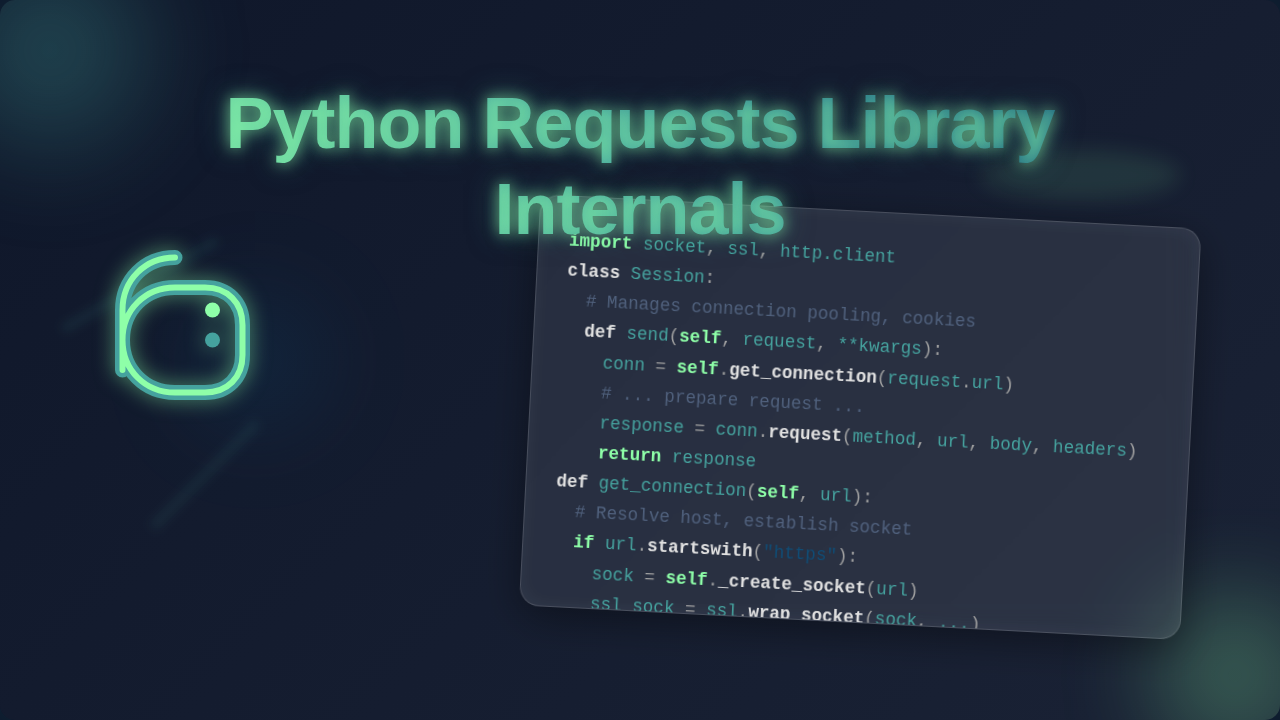
When you make multiple requests to the same server, you might use a Session object. Think of a Session as opening a dedicated phone line to a specific server. Instead of hanging up and redialing for every single call, you keep the line open. This means you save time on establishing new connections. It also remembers things like cookies. Your authentication details stay active across requests. This makes interacting with logged-in services much smoother. It avoids repetitive setup steps.
The Session object stores important information. It maintains cookies, for instance. It manages connection pooling too. This significantly speeds up subsequent requests to the same host. For a deeper dive into making requests, check out our Python Requests Library Explained: Code & API Guide.
Pro Tip: Always use a
Sessionobject when making multiple requests to the same domain. It’s a huge performance booster and simplifies cookie management for you!
Adapters: The Connection Handlers
Below the Session, you find HTTP Adapters. Requests uses these to actually send the HTTP requests and receive responses. Imagine these adapters as specialized couriers. Each courier knows how to handle a specific type of delivery. For example, one adapter handles HTTP requests, and another handles HTTPS requests. They manage the low-level details of making the network call. This includes things like SSL verification.
You can even register your own custom adapters. This allows you to define how specific URLs should be handled. It’s incredibly powerful for mocking responses in tests. Or, perhaps you need to interact with a custom network protocol. Requests offers you this flexibility.
urllib3: The Low-Level Workhorse
Requests itself doesn’t directly speak to the network socket. Instead, it relies on another fantastic library: urllib3. Think of urllib3 as the highly skilled mechanic doing the actual engine work. It manages connection pooling, retries, and SSL/TLS verification. Requests uses urllib3 to abstract away these complex network operations. It ensures reliable and efficient connections. This separation makes both libraries strong.
urllib3 is where the magic of connection pooling happens. It keeps a pool of open connections. This means when you make a request, an existing connection might be reused. Reusing connections avoids the overhead of establishing a new TCP connection every time. This is a massive speed improvement. It’s like keeping your browser tabs open instead of closing and reopening them.
Diving Deeper: Python Requests Library Internals Explained
Request & Response Objects: The Data Carriers
When you call requests.get() or session.post(), Requests builds a Request object. This object holds all the details of what you want to send. It contains the URL, the HTTP method (like GET or POST), headers, and any data or parameters. This object is then prepared by the library.
After the request travels across the internet, the server sends back a response. Requests then parses this into a Response object. This object is what you usually interact with. It contains the status code (like 200 OK or 404 Not Found), headers, and the actual content. It gives you easy access to everything you need. You can find out what HTTP headers mean on MDN.
SSL Verification: Trusting Who You Talk To
You’ve probably seen URLs starting with https://. The ‘s’ stands for secure. Requests automatically verifies SSL certificates by default. This is a crucial security feature. It ensures that you are actually talking to the server you intend to talk to. It prevents malicious intermediaries. Requests checks if the server’s certificate is legitimate. If it’s not, Requests raises an error. You can disable this, but it’s generally not recommended. Security matters!
Heads Up: Never disable SSL verification (
verify=False) in production code unless you fully understand the security risks. It leaves your connection vulnerable!
Common Confusions Cleared Up
"Why does my code hang sometimes?"
This often relates to timeouts. By default, Requests waits indefinitely for a response. If a server is slow or unresponsive, your program can freeze. You should always set a timeout parameter. This tells Requests to give up after a certain number of seconds. It prevents your application from getting stuck. For example, you might set a 5-second timeout.
"What’s the difference between params and data?"
This is a classic. params are for URL query parameters. These appear in the URL itself, like ?name=Alice&age=30. They are often used for GET requests. data is for the request body. This is typically sent with POST or PUT requests. It’s often used for submitting forms or sending JSON. Knowing the difference helps structure your requests correctly. You can learn more about HTTP methods on MDN.
"Why are some responses not what I expect?"
Sometimes, a website might return different content to a script than to a browser. This often involves User-Agent headers. Websites might block requests from unknown "bots." Setting a realistic User-Agent header can sometimes solve this. Remember to always respect website terms of service. For powerful data extraction, dive into our Python Web Scraping Tutorial.
Key Takeaways for Your Web Dev Journey
- Sessions are powerful: Use them for efficiency and persistence when making multiple requests.
- Requests builds on
urllib3: This lower-level library handles critical networking details like connection pooling. - Adapters offer flexibility: They define how different protocols are handled.
- SSL verification is vital: Keep it enabled for secure communication.
- Timeouts save your sanity: Always set them to prevent endless waiting.
Keep Exploring, Keep Building!
You’ve just taken a significant step. You’ve looked beyond the surface of your favorite HTTP library. Understanding the Python Requests Library Internals gives you an edge. It allows you to write smarter, more robust web applications. Don’t stop here! Keep experimenting with its features. Try to anticipate how it handles various scenarios. You’re now equipped with deeper knowledge. Go forth and build amazing things!