How the Internet Works for Developers: A Beginner’s Guide to What’s Under the Hood
Hey there, future web wizard! Ever felt like the internet is some kind of magical black box? You type a URL, hit Enter, and poof! A website appears. But what actually happens behind that digital curtain? You’re not alone if you’ve wondered.
Understanding how the internet works for developers isn’t just cool. It empowers you. You’ll debug issues faster. You’ll build more robust applications. This guide will pull back the veil. We will explore the foundational concepts. It’s simpler than you think.
Think of the internet as a vast, global network. It’s like an enormous postal service. Data packets are letters. Routers are sorting offices. They all work together. This enables billions of devices to communicate instantly. You send a message. It finds its way. That’s pretty amazing, right?
“Knowing how the internet works isn’t just interesting trivia. It’s a superpower for debugging, optimizing, and truly mastering web development.”
How the Internet Works for Developers: The Basics of IP Addresses
-
Your Device’s Unique Address: IP Addresses and Data Packets
Every single device connected to the internet has an IP address. This IP address is a unique numerical label. Think of it as your home’s exact street address. It tells other devices exactly where to send information. When you send data, like an image or a message, it doesn’t travel as one giant blob. Instead, it gets broken down into tiny pieces. These are called data packets.
Each packet contains a small piece of the data. Crucially, it also carries the destination IP address. Imagine mailing a huge jigsaw puzzle to a friend. You wouldn’t try to send it in one enormous, unwieldy box. You’d carefully break it into smaller boxes. Each box would have your friend’s address. These smaller boxes are your data packets. They travel independently. They then reassemble at the destination. This process ensures efficient and reliable delivery.
-
Decoding DNS: Your Browser’s Address Book
You type names like ‘google.com’ or ‘procoder09.com’ into your browser. Your computer doesn’t actually understand these names. It needs numbers. This is where DNS, the Domain Name System, comes in. DNS is essentially the internet’s giant phonebook. It translates those human-readable domain names into machine-readable IP addresses. Your browser needs an IP address to find the right server.
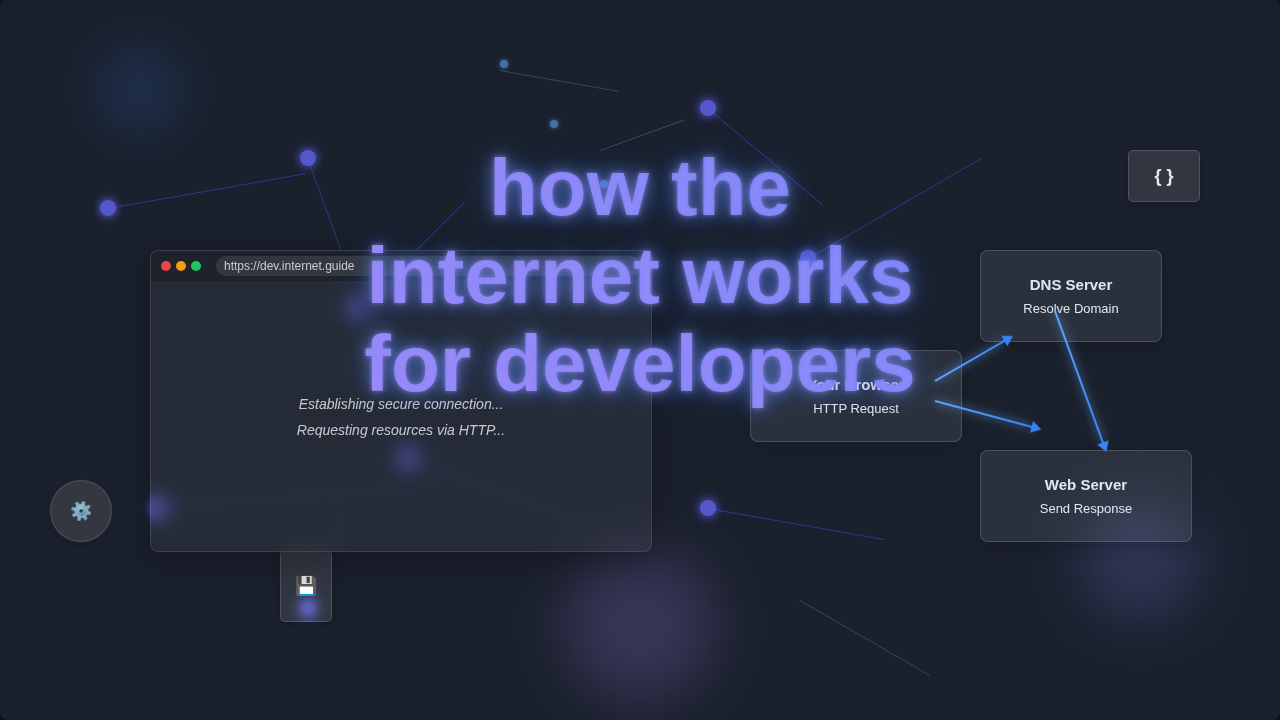
When you enter a website name, your computer asks a DNS server, “What’s the IP address for this domain?” The DNS server looks it up. Then it provides the correct IP address. Only then can your browser connect to the right server. It’s just like knowing a friend’s name but needing their actual phone number to call them. Learn more about DNS on MDN if you want to dive deeper into this crucial system.
-
HTTP/S: The Language of the Web’s Conversation
Once your browser has the IP address, it needs to talk to the server. They speak a common language called HTTP, or Hypertext Transfer Protocol. HTTP is a set of rules. It defines how messages are formatted and transmitted. It also specifies what actions web servers and browsers should take. HTTPS is the secure version of HTTP. The ‘S’ stands for secure. It means your data is encrypted. This protects your information from prying eyes.
Every time you click a link or submit a form, your browser sends an HTTP request. It’s asking the server for something. “Hey server, can I get that webpage?” The server processes this request. It then sends back an HTTP response. “Sure, here’s that webpage you asked for!” Think of it like ordering food at a restaurant. You make a request to the waiter. The kitchen prepares it. Then the waiter brings your order as a response. Understanding HTTP requests helps you build dynamic interfaces. This is crucial for things like a React Live Search Component Tutorial with Hooks.
-
Servers and Clients: The Digital Dance Partners
The internet relies on a fundamental client-server model. You, with your browser or app, are the client. You initiate requests. You ask for information or services. The server is a powerful computer. It stores files, databases, and applications. It listens for requests. Then it sends back the requested data to the client. This interaction is constant.
For example, when you check your social media feed, your phone app (the client) contacts the social media company’s servers. The servers hold all the posts, images, and user data. They fetch what you need. Then they send it back to your app for display. It’s like a librarian (server) providing books to a reader (client). You ask for a specific book, and the librarian retrieves it for you.
-
The Power of APIs: Connecting Different Systems
API stands for Application Programming Interface. It’s a set of rules and protocols. APIs allow different software applications to talk to each other. They define how requests should be made and how data should be returned. Think of an API as a digital messenger. It carries requests from one piece of software to another. Then it delivers the response back.
Consider a weather app on your phone. It doesn’t have its own weather station. Instead, your app uses a weather API. It sends a request to a weather service. “What’s the temperature in London?” The weather service’s API then fetches that data. It sends it back to your app. This way, your app can display the current weather. APIs are vital for modern web applications. They make your apps powerful. You might use them with advanced JavaScript concepts. Think about how JavaScript Closures Explained: Abstract & Neon Visuals can manage state during API calls.
-
Navigating the Network: Routers and Switches Directing Traffic
Routers and switches are critical pieces of networking hardware. They ensure data packets travel efficiently. A router’s job is to direct traffic between different networks. It looks at the destination IP address of each packet. Then it decides the best path to send it on. Your home router connects your local network to the wider internet. It makes sure your requests go out. It also brings the internet’s responses back in.
Switches, on the other hand, connect devices within a single local network. They learn which devices are connected to which of their ports. Then they forward data only to the specific device that needs it. This prevents unnecessary traffic. It’s like air traffic control for your data. Routers are the controllers guiding planes (packets) between cities (networks). Switches are the ground crew ensuring planes taxi to the correct gate (device) at the airport (local network). Dive into how web browsers work on CSS-Tricks to see how they use these network paths.
“At its heart, the internet is a massive, interconnected communication system. Every click, every load, is a conversation happening at lightning speed.”
Bonus Tip: Caching – The Speedy Shortcut
Caching is all about speed and efficiency. It involves storing copies of frequently accessed data. This data is kept closer to where it’s needed. This reduces the time and resources required to retrieve it again. Your browser uses a cache. Content delivery networks (CDNs) use caches. Even web servers themselves use caching. It’s a performance booster.
When you visit procoder09.com for the first time, your browser downloads all the images, CSS files, and JavaScript. On subsequent visits, your browser might already have copies of these files in its cache. It won’t need to re-download them from the server. This makes the page load much faster. It’s like keeping your favorite snacks in your pantry instead of running to the grocery store every single time you want one. Efficient caching strategies are part of great performance. This includes optimized assets like those styled with a CSS Variables Tutorial: Mastering Custom Properties in HTML & CSS. Fast loading is key!
You’ve Got This, Future Web Pro!
You’ve just peeled back the layers! Understanding how the internet works for developers gives you a massive edge. You now know about IP addresses, DNS, HTTP, clients, servers, and APIs. These are the building blocks. Keep exploring, keep building. You’ve got this, future web pro!