Python Requests Library: Essential HTTP for Developers
Hey there, fellow self-taught coder! Have you ever dipped your toes into web development and felt like you needed a secret handshake just to talk to a website? Maybe you heard terms like ‘HTTP requests’ and ‘APIs’ flying around. It can feel a bit daunting, right?
Well, today we’re pulling back the curtain on a super popular, incredibly powerful tool: the Python Requests Library. You’ve probably seen it mentioned. Maybe you’ve even used it for a quick task. But how does it *really* work? And why is it the go-to choice for so many developers?
Let’s bust some common myths and get you confident with web interactions!
Myth 1: The Python Requests Library is Just for Simple GETs (It’s a Whole Toolkit!)
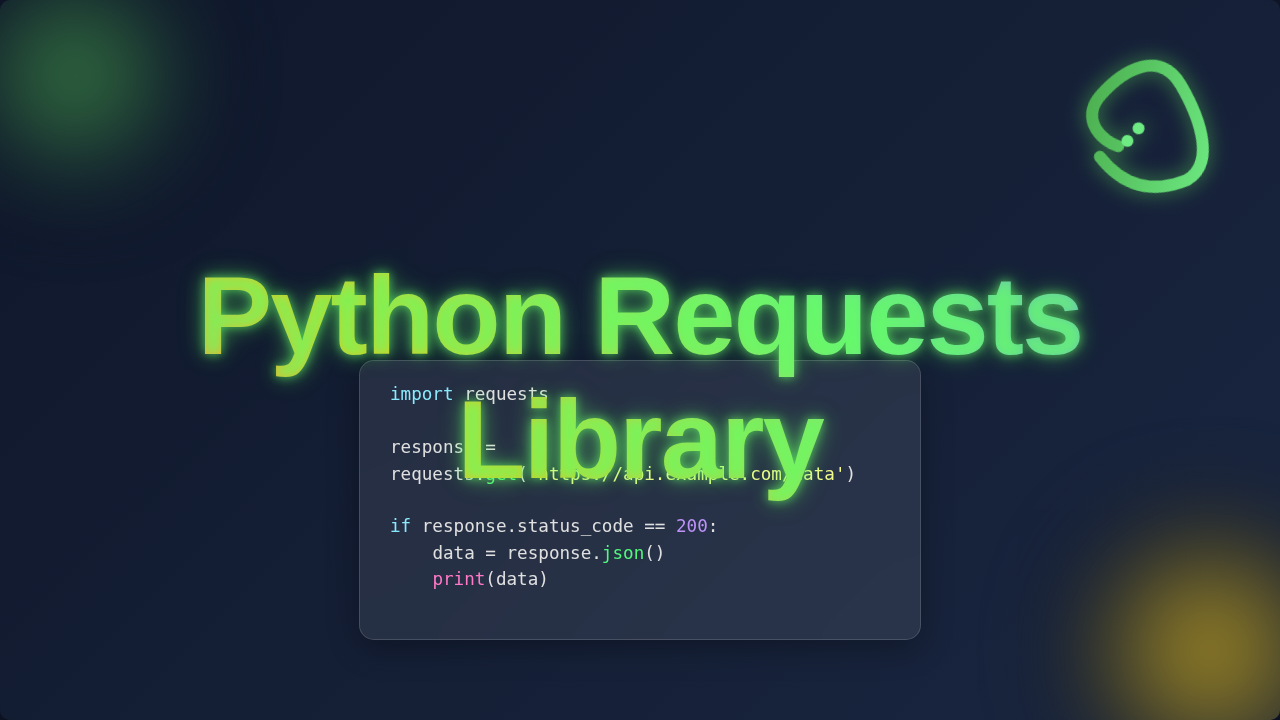
Okay, real talk. When you first encounter the Python Requests Library, you might think it’s only for fetching data. You type requests.get(), grab some text, and call it a day. Sound familiar? You might even feel like you’re just scratching the surface, and that’s because you are!
Here’s the thing: The Requests Library is so much more versatile than just a simple fetcher. It’s a complete toolkit for talking to the internet. Think of it like this: your browser doesn’t just *look* at websites. It *interacts* with them. You fill out forms, upload pictures, and log in. You perform different kinds of actions.
The library mirrors these actions perfectly. You can send a POST request to create new data on a server. Perhaps you need to update an entry? Then you’ll use a PUT request. And if you need to remove something? A DELETE request is your friend. Each method tells the server what kind of operation you intend to perform. It’s like having a full set of tools instead of just a hammer.
You can also send custom headers, which are like little notes attached to your request. These notes give extra information to the server. Furthermore, handling authentication is straightforward. You might need to send a username and password, or perhaps a special token. The library simplifies all these complex interactions. It packages everything up neatly for you.
Myth 2: You Need to be an HTTP Guru to Use the Python Requests Library (It’s Beginner-Friendly!)
Some beginners feel intimidated by web interactions. You might think you need to understand every nitty-gritty detail of HTTP (Hypertext Transfer Protocol) first. This protocol is the backbone of all communication on the web. It’s how browsers and servers chat.
However, the beauty of the Python Requests Library is its fantastic abstraction. Abstraction means it hides away the complicated bits. It lets you focus on what you want to achieve, not the low-level mechanics. You don’t need to manually craft raw HTTP messages. The library does all the heavy lifting for you.
Imagine you want to send a postcard. You don’t need to know how the postal service sorts mail. You just write your message, address it, and put a stamp on it. Requests works similarly. You specify your destination (URL), your message (data), and the action (GET, POST, etc.). The library takes care of the stamps, the envelopes, and the entire delivery process.
This makes tasks like data extraction with BeautifulSoup much more accessible. You simply tell Requests which URL you want to visit. It fetches the page content for you. Then, BeautifulSoup can parse that content. The actual HTTP negotiation happens behind the scenes. You get to focus on the fun parts!
Pro-Tip: Don’t obsess over every HTTP status code immediately. Focus on the common ones like 200 (OK), 404 (Not Found), and 500 (Server Error). The Requests Library makes these easy to check!
Myth 3: Handling Errors with the Python Requests Library is a Nightmare (It’s Surprisingly Robust!)
You’ve probably encountered errors while coding. It’s part of the journey! When you’re making web requests, things can go wrong. The internet can be unreliable. Servers can be slow or unavailable. You might think handling all these scenarios will be a headache. It’s a common fear for sure.
But guess what? The Python Requests Library has your back. It provides robust error handling right out of the box. Every response object comes with a status code. This code tells you if the request was successful or not. For instance, a 200 OK means everything went perfectly. A 404 Not Found tells you the page doesn’t exist. There’s also 500 Internal Server Error if something went wrong on their end.
The library even has a built-in method to raise an exception for bad status codes. This means you can quickly spot issues. You don’t have to manually check every single response. You can also set timeouts for your requests. This prevents your program from waiting forever if a server is unresponsive. It’s like setting a timer for your delivery. If it doesn’t arrive in time, you know something’s up.
Moreover, for persistent connections, you can use session objects. These sessions allow you to reuse the same TCP connection. This makes multiple requests to the same host more efficient. They also persist certain parameters across requests. If you want a deeper dive into the mechanics, our Python Requests Library Explained blog post has more insights.
The Real Deal: What Makes the Python Requests Library Your Web Interaction MVP
So, we’ve busted some myths. What’s the real takeaway? The Python Requests Library is an absolute powerhouse. It streamlines web interactions like no other. Its beauty lies in its simplicity and its powerful capabilities. It truly makes HTTP for humans.
You can send data as JSON, which is a common format for APIs. This means sending structured information is a breeze. Uploading files is also straightforward. Think about sending an image to an online service. The library handles the multipart form data for you. It simplifies what would otherwise be a complex task.
It’s designed to be intuitive. You want to make a request? You call a method like requests.get(). You want to add headers? You pass a dictionary. This ease of use accelerates your development process. You spend less time wrestling with low-level networking. Instead, you focus on building amazing things. This efficiency is invaluable for any developer. For more on HTTP methods, check out this guide on MDN Web Docs.
Whether you’re building a script to automate daily tasks, creating an API client, or diving into a complete guide to web scraping, Requests is your essential companion. It provides a consistent and friendly interface. It manages things like connection pooling and cookie handling automatically. This ensures your interactions are both efficient and correct.
Beyond the Basics: Mastering the Python Requests Library
You’re not just learning a library; you’re unlocking a fundamental skill. Once you grasp the basics, there’s even more to explore. You can configure proxies to route your traffic through another server. This is useful for privacy or bypassing geo-restrictions. You can also implement custom authentication handlers. This lets you integrate with complex security systems.
The library also supports streaming large responses. This means you don’t have to download an entire massive file into memory all at once. Instead, you can process it in chunks. This is incredibly efficient for large data transfers. Imagine downloading a huge video file. You wouldn’t want your computer to freeze up!
The community support for Requests is excellent too. There are tons of resources available. You’ll find examples and solutions for almost any scenario. This ensures you’re never truly stuck. Always remember, the best way to learn is by doing. Start small, experiment, and build something cool.
Essential Tip: Always handle potential network errors gracefully. Use
try-exceptblocks to catch connection issues or timeouts. Your programs will be much more robust!
For more advanced scenarios like integrating with different API authentication types, you might find articles on CSS-Tricks about API authentication quite insightful, even if they focus on client-side aspects, the principles apply.
You’ve Got This!
So there you have it. The Python Requests Library is not some mystical, advanced tool. It’s an incredibly accessible, powerful library designed to make your life easier. It empowers you to interact with the web confidently. You don’t need to be an HTTP wizard. You just need to know how to ask Requests to do its magic.
Start small, experiment with different request types. Try fetching data from a public API. Then, try sending some data. You’ll quickly see how intuitive and effective it is. Keep building, keep exploring, and keep learning. You’re well on your way to becoming a web interaction pro!