CORS Errors Explained: Understanding Cross-Origin Resource Sharing
Hello, fellow web adventurers! If you are brand new to this topic, you have probably stumbled upon a really puzzling error message. It pops up in your browser’s console, and it often looks like a cryptic warning. This message usually talks about something called ‘Cross-Origin Resource Sharing’. You might be wondering, “What on earth is that?” Don’t worry, you are absolutely not alone!
Many developers, even experienced ones, find these warnings confusing. Today, we’re going to get CORS errors explained in simple terms. We will explore why they happen and, more importantly, how you can finally fix them. Are you ready to unravel this mystery?
What You Need to Know First: The Basics
Before we dive deep, let’s cover a few essential ideas. These concepts make understanding CORS much easier. Think of them as building blocks for your knowledge.
What is an “Origin” in Web Dev?
In web terms, an “origin” is like a website’s unique address. It includes three parts: the protocol, the domain, and the port. For example, https://www.example.com:8080 is one origin. http://localhost:3000 is a different origin. Each part must match perfectly for two web pages to share the same origin.
What is a “Cross-Origin” Request?
A cross-origin request happens when your web page tries to access resources from a different origin. For instance, if your website at procoder09.com tries to grab data from an API located at api.someotherservice.com, that’s a cross-origin request. This is very common in modern web applications. You frequently build making requests to APIs from your frontend.
What is an “API”?
An API, or Application Programming Interface, is simply a set of rules. It allows different software components to communicate. When your website needs data from another service, it usually asks that service’s API. Think of it like a waiter taking your order to the kitchen. The kitchen is the API, serving up your requested data.
What Exactly Are CORS Errors Explained?
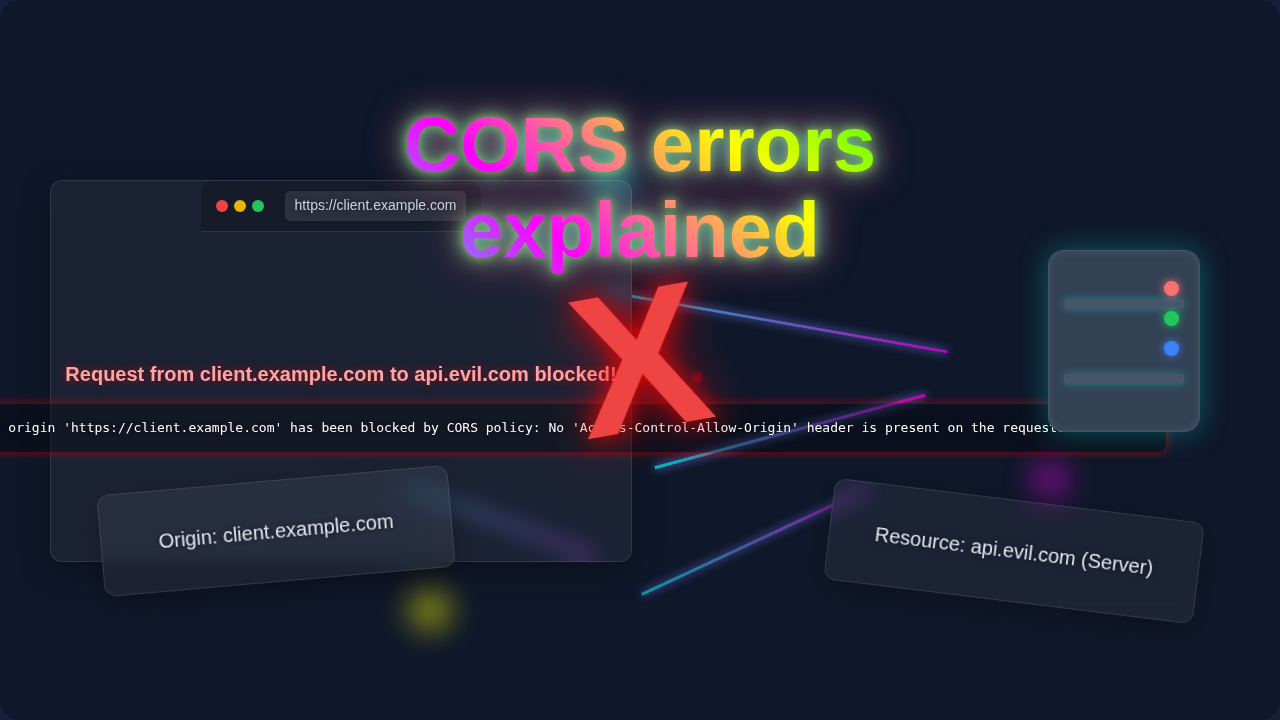
Alright, let’s talk about those frustrating messages. A CORS error appears when your web browser blocks a cross-origin request. It does this because of a security rule. Your browser thinks the request might be risky. You will see messages like “Blocked by CORS policy” or “No ‘Access-Control-Allow-Origin’ header is present.” Sound familiar?
Here’s a simple analogy. Imagine your website is a VIP club, and it usually only lets in members from its own neighborhood (its origin). When someone from a different neighborhood (a different origin) tries to enter to get a special drink (fetch data), the club’s bouncer (your browser) steps in. The bouncer checks if the other club (the server providing the data) has explicitly given permission for its members to enter. If not, access is denied. That denial is your CORS error.
Why Does CORS Even Exist? It’s About Security!
You might be thinking, “Why do we need this complication?” The answer is simple: security. The web has a fundamental security model called the Same-Origin Policy (SOP). This policy is a browser-level restriction. It prevents a document or script loaded from one origin from interacting with a resource from another origin. This is a good thing! It stops malicious websites from stealing your data when you are logged into other sites.
For example, without SOP, a harmful script on a bad website could steal information from your banking site. It could send requests and read responses while you are logged in. Therefore, SOP is super important. However, the modern web often needs to share resources across different origins. This is where CORS comes in. CORS is a way for servers to explicitly tell browsers, “Hey, it’s okay for these specific origins to access my data.” It’s a controlled relaxation of the strict Same-Origin Policy.
How Your Browser Handles CORS (A Simplified Look)
Your browser is the hero (or villain, depending on your perspective!) in the CORS story. When you initiate a cross-origin request, your browser performs a check. For certain types of requests, it even sends a special “preflight” request first. This is an OPTIONS HTTP request. It asks the server, “Can I even make this kind of request from my origin?”
The server then responds with specific HTTP headers. These headers tell the browser which origins are allowed. They also specify which HTTP methods (like GET, POST) and headers are permitted. If the server’s response doesn’t include the necessary permissions, your browser blocks the original request. It then displays that frustrating CORS error in your console. The actual data request never even leaves your browser in a successful way.
Common Causes of CORS Errors (And How to Spot Them)
Most CORS errors happen for a few common reasons. Understanding these helps you pinpoint the problem quickly. Let’s look at the usual suspects:
-
Missing or Incorrect
Access-Control-Allow-OriginHeaderThis is the most frequent culprit. The server you are trying to reach simply hasn’t specified that your website’s origin is allowed. The server needs to send back an
Access-Control-Allow-Originheader in its response. This header should contain your exact origin, or a wildcard*(though the wildcard is often discouraged for security reasons in production). -
Incorrect HTTP Methods or Headers
Sometimes, the server allows your origin but not the specific HTTP method you are using (e.g., trying to
DELETEwhen onlyGETis allowed). Similarly, if you send custom headers, the server must explicitly permit those too. The server uses headers likeAccess-Control-Allow-MethodsandAccess-Control-Allow-Headersfor this. -
Development vs. Production Differences
You might be developing on
http://localhost:3000. Then, you deploy your site tohttps://yourwebsite.com. The backend server might be configured forlocalhostbut not your live domain. This difference in origin will cause CORS issues on your deployed site. -
Using Authentication (Credentials)
If you send cookies or authorization headers with your request, the server must also respond with
Access-Control-Allow-Credentials: true. Additionally, theAccess-Control-Allow-Originheader cannot be*when credentials are used. It must be a specific origin.
Fixing CORS Errors Explained: Practical Steps
Now for the good part: how to fix these pesky errors! The solution nearly always lies with the server providing the resources. Your frontend code is usually just making the request; the server dictates the permissions.
Server-Side Configuration (The Right Way)
This is where you (or the backend developer) need to make changes. The server needs to send the correct CORS headers. Here’s what you typically need to do:
-
Set
Access-Control-Allow-Origin: Configure your server to include this header in its responses. For testing, you might use*, but for a live application, list your specific frontend domain(s). For example, if your site ishttps://procoder09.com, the header should beAccess-Control-Allow-Origin: https://procoder09.com. -
Allow Specific Methods: Ensure the server’s CORS configuration permits the HTTP methods your frontend is using (e.g., GET, POST, PUT, DELETE). This is done with the
Access-Control-Allow-Methodsheader. -
Allow Specific Headers: If your frontend sends custom headers (like
Authorizationtokens), the server must explicitly allow them viaAccess-Control-Allow-Headers. -
Handle Credentials: If your requests include cookies or authentication tokens, the server needs to send
Access-Control-Allow-Credentials: true. Remember, this meansAccess-Control-Allow-Origincannot be*.
Pro Tip: Most modern backend frameworks (like Node.js with Express, Python with Django/Flask, Ruby on Rails, etc.) have libraries or built-in middleware to handle CORS configuration easily. Look for “CORS middleware” for your specific backend technology. The server is the gatekeeper!
Client-Side “Workarounds” (For Development Only!)
Sometimes, for local development, you might encounter CORS errors from APIs you don’t control. Here are a couple of temporary ways to bypass CORS restrictions during development:
-
Use a Proxy Server: Many frontend development tools, like Webpack’s dev server or Vite, allow you to configure a proxy. Your frontend makes requests to its own origin (the dev server), and the dev server then forwards those requests to the actual API. Since the dev server is making the request from its own backend, it doesn’t face browser CORS restrictions.
-
Browser Extensions: There are browser extensions that temporarily disable CORS or inject the necessary headers. However, you should use these with extreme caution and never rely on them for production. They are purely for quick local testing.
Important Note: Client-side workarounds like browser extensions or proxy settings are not solutions for production environments. Your live website will still face CORS errors if the backend server isn’t correctly configured. Always aim for a proper server-side fix.
Debugging Your CORS Errors
When you get a CORS error, your browser’s developer console (usually F12 or right-click -> Inspect) is your best friend. Look at the “Network” tab. Examine the failed request. Check the “Headers” section of the response. You should see if the Access-Control-Allow-Origin header is present and if its value matches your frontend’s origin. You can learn more about HTTP headers on the MDN Web Docs.
For more in-depth troubleshooting, the MDN Web Docs on CORS offer a very comprehensive guide. It explains all the different headers and scenarios.
What to Learn Next on Your Web Dev Journey
Understanding CORS is a significant step in your web development journey! Now that you have a grasp on this, consider diving deeper into these related topics:
-
API Design and Interaction: How do APIs work? How do you effectively send requests and handle responses? Learning more about APIs will make you a much stronger developer.
-
Backend Development Basics: Getting a basic understanding of how servers are built can help you configure them correctly. This includes knowing about HTTP servers and middleware.
-
Web Security Fundamentals: Explore other web security concepts beyond CORS. Knowledge of common vulnerabilities helps you build more robust applications.
-
Frontend Framework Best Practices: If you’re using React, Vue, or Angular, understand how they handle data fetching and integrate with APIs. You might find our guide on optimizing your React applications useful as you build more complex UIs. Also, learning how to build interactive frontend features like a Tailwind CSS Dark Mode Toggle Tutorial with HTML & JS can enhance your understanding of client-side operations.
Resources
You have made it to the end! CORS errors can be frustrating. However, with this knowledge, you are now equipped to tackle them head-on. Remember, they are a sign that your browser is doing its job to keep you safe. Most importantly, now you know where to look and what to ask for when they pop up. Keep building, keep learning, and don’t let those console errors scare you off. You’ve got this!