How Web Browsers Work: Decoding the Internet
Hey there, pro web developer in training! You spend countless hours crafting stunning UIs and slick functionality. But have you ever paused to think about the unsung hero of your code? I’m talking about the browser itself. It’s where all your hard work comes to life. Many beginners have some fuzzy ideas about how web browsers work. You might think it’s just a simple display box. Well, friend, let’s bust some myths!
Myth #1 Busted: Your Browser Does More Than Just Display HTML
This is a super common misconception. You write your HTML. You style it with CSS. You add interactivity with JavaScript. Then, poof! It appears on your screen. Easy, right? You probably imagine the browser just showing the file. As if it’s a simple text editor for the web.
Here’s the thing: your browser does a whole lot more. It’s not just a passive viewer. Instead, it’s an incredibly complex machine. It translates raw text into a beautiful, interactive experience. Think of it less like a book reader. It’s more like an architect and a construction crew combined.
The Rendering Engine: How Browsers Truly Work
So, when you type a URL, your browser doesn’t just display the HTML. It first fetches the HTML, CSS, and JavaScript files. For example, understanding how data requests work on the server side helps illuminate this. Then, it starts parsing these files. Parsing breaks down the code into understandable pieces. For HTML, it builds the Document Object Model (DOM). The DOM represents your page’s structure. For CSS, it creates the CSS Object Model (CSSOM). The CSSOM holds all style info.
Next, the browser combines the DOM and CSSOM. This creates a render tree. The render tree includes only visible elements. Elements like <head> or those with display: none; are not included. Then, it calculates the layout. It determines element sizes and positions. Finally, it paints the pixels onto your screen. This entire process is handled by the browser’s rendering engine. Chrome uses Blink, for example. Firefox uses Gecko. It’s quite the ballet of operations!
Pro Tip: Understanding the DOM and CSSOM helps you debug layout issues faster. If something looks off, remember the browser is just following its “blueprint” and “style guide” step-by-step.
How Web Browsers Work: It’s Not an Instantaneous Magic Show
You click a link. In a blink, a new page loads. It feels instant, right? Many of you might think the browser just grabs the page and there it is. Like flipping a switch. You expect immediate results. If it takes even a few seconds, you get annoyed. This perception of instantaneity hides a massive amount of work.
The Critical Rendering Path: A Journey, Not a Jump
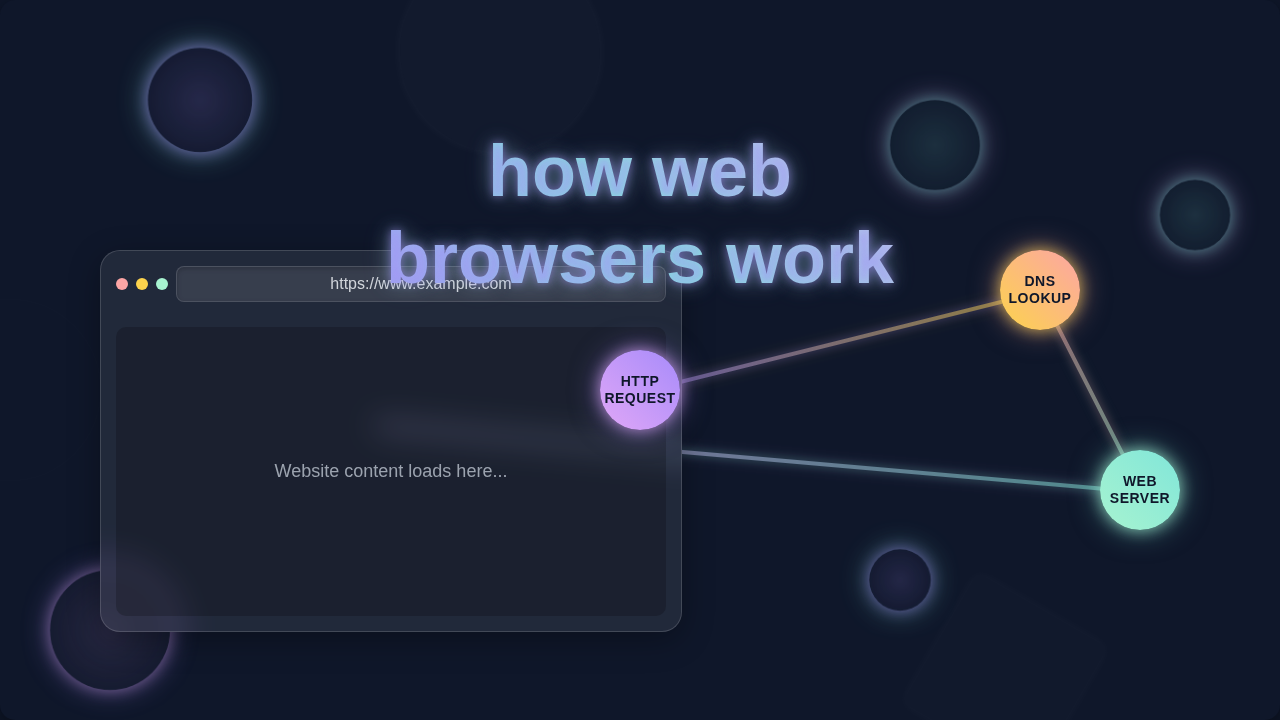
The journey from clicking a link to seeing a fully interactive page is quite long. This is called the critical rendering path. First, your browser needs to perform a DNS lookup. This translates the human-readable domain name (like procoder09.com) into an IP address. An IP address is the server’s street address. Next, it establishes a connection to that server. A “handshake” process often follows. Then, it sends an HTTP request. It requests page content. The server responds with HTML, CSS, and JS. All these steps take time. They are crucial for handling user input dynamically, especially if your page reacts quickly.
Once the browser receives these resources, the rendering engine kicks in. We just talked about that! But there’s another major player: the JavaScript engine. Modern browsers have powerful JavaScript engines. Chrome uses V8. Firefox uses SpiderMonkey. These engines parse, compile, and execute your JavaScript code. This code can manipulate the DOM. It can fetch more data. This dynamic behavior adds to the processing time. So, that “instant” page load is actually a rapid sequence of network requests, parsing, rendering, and script execution. It’s a high-speed relay race!
Myth #3 Busted: Browsers Don’t Know Everything About You
Sometimes you might feel like your browser is a spy. It stores your history. It remembers your passwords. You see personalized ads everywhere. So, does it know everything about your online life? It can certainly feel that way. You might think it’s collecting tons of personal data for its own purposes.
Security and Privacy: Browser’s Boundaries
The truth is, browsers are designed with strong security models. They operate within strict boundaries. For instance, each website lives in its own “sandbox”. This sandbox is like a protected playpen. It prevents one website from accessing data from another. This is the same-origin policy in action. It’s a fundamental security measure. Without it, a malicious site could steal your bank details from another tab. That would be a nightmare!
Furthermore, browsers only request what they are told to. They ask servers for specific files. They don’t proactively snoop around. Your privacy settings and extensions empower you. They give you control over cookies and trackers. Think of your browser as a loyal assistant. It follows your instructions. It doesn’t initiate unauthorized investigations. You control what information it stores and shares. This understanding is key for implementing secure and user-friendly features.
Pro Tip: Regularly review your browser’s privacy settings. Use extensions like ad blockers. They give you more control over your digital footprint. Your browser is your tool, not your master.
Beyond the Myths: What Developers Should Focus On
So, we’ve peeled back the layers. You now understand that your browser is a complex ecosystem. It’s a marvel of engineering. It’s not just a simple window to the internet. For you as a developer, this understanding is gold. It helps you write better, more performant code. You can make smarter decisions.
Instead of just hoping your code “works,” you can optimize for browser behavior. Consider the critical rendering path. Think about how your JavaScript impacts performance. You can apply techniques like code splitting or lazy loading. These reduce initial page load times. This makes users happier. It also improves your SEO rankings.
Learn about browser developer tools. These are your best friends. They let you inspect the DOM. You can analyze network requests. You can profile JavaScript execution. Using these tools helps you see exactly what the browser is doing. It makes the invisible visible. For detailed insights into performance metrics, check out MDN’s Web Performance Fundamentals. They have amazing resources!
Optimizing Browser Performance: Deeper Dive into How Web Browsers Work
A deep dive into how web browsers work reveals many optimization opportunities. You can minimize reflows and repaints. Reflows occur when element sizes or positions change. Repaints happen when only visibility changes. Both are performance-heavy. Understanding rendering helps you avoid them. For instance, batching DOM updates can make a huge difference. Instead of updating elements one-by-one, update them all at once. This reduces the browser’s work.
Another area is efficient resource loading. Are your images optimized? Are your CSS and JS files minified? Are you using HTTP/2 or HTTP/3? These factors greatly affect network time. Browsers can only render what they receive. Faster delivery means faster rendering. Consider asynchronous loading for non-critical scripts. It prevents blocking the initial render. You can learn more about modern CSS techniques and performance at CSS-Tricks.
Remember, the browser is always trying its best. It wants to show your content quickly. Your job is to give it the most efficient instructions. Make its job easier. You will see incredible performance gains. And your users will thank you!
So, you’ve journeyed through the browser’s inner workings. From parsing HTML to painting pixels. You’ve uncovered the true complexity and power. You’ve busted some common myths along the way. Now you know it’s not magic, but brilliant engineering. Go forth and build amazing, optimized web experiences!