npm run dev explained: Your Guide to Web Development
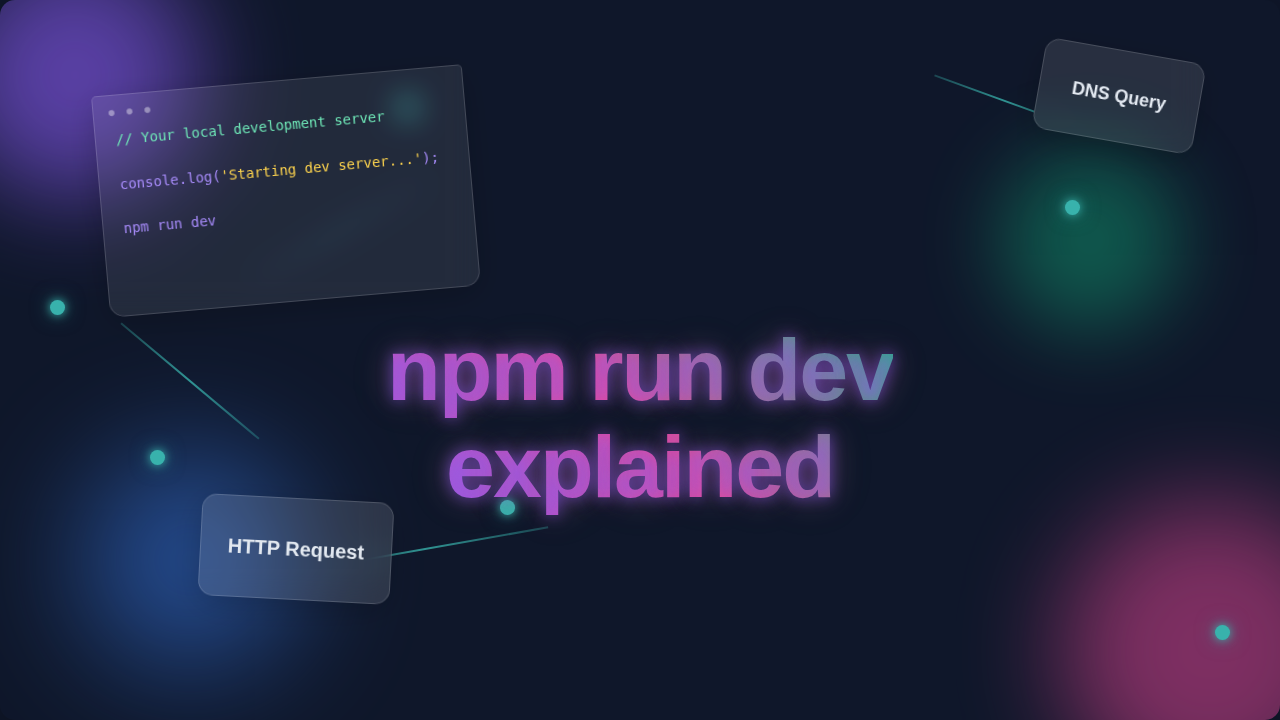
Hello, aspiring web builder! If you are brand new to this topic, you might have typed npm run dev into your terminal. You watched a bunch of text fly by. Maybe a browser window even popped open. You probably wondered: “What just happened?” Don’t worry, you are not alone! Today, we are going to get npm run dev explained simply. We will pull back the curtain on this common web development command. You will learn what it really does behind the scenes.
What You Need to Know First: A Quick Refresher
Before we dive deep, let’s cover some quick basics. These ideas will help you understand everything clearly. You’ve probably heard these terms before. But first, let’s make sure we are on the same page.
Node.js and npm: Think of Node.js as a special engine. It lets your computer run JavaScript code outside of a web browser. Next, there’s npm, which stands for Node Package Manager. It’s Node.js’s trusty sidekick. npm helps you manage software “packages.” These are like mini-tools or libraries for your projects. Imagine npm as a giant app store. It’s full of helpful JavaScript tools for you.
package.json: This file is like your project’s ID card. It lives in your project’s main folder. It lists all your project’s “dependencies.” These are other tools your project needs to work properly. More importantly for today, it defines “scripts.” These are custom commands you can run easily.
Command Line Interface (CLI): This is the black or white window on your computer. It is where you type commands. It is how you tell your computer what to do. You are talking directly to your machine. This is where you will type npm run dev.
Breaking Down the Magic: npm run dev explained in Action
Okay, let’s break down those three little words you type. Each part plays a specific role. Understanding each piece helps you grasp the whole picture. So, what exactly happens when you press Enter?
npm run: This part is your command to npm. You are telling npm, “Hey, go look in my package.json file.” It’s like saying, “Check the instruction manual for this specific project.” npm then scans that file for instructions.
dev: This is the name of a specific script. You might see other scripts listed in your package.json file. Common ones include “build” or “test.” The “dev” script usually kicks off your development server. It sets up your project for active work. It’s the instruction set npm needs to follow.
The Development Server: This is the real star of the show. It’s a local web server that runs right on your computer. It doesn’t put your site on the internet. Instead, it serves your web files – your HTML, CSS, and JavaScript – to your browser. This server lets you see your changes instantly. Think of it as your project’s personal delivery service. It brings everything you create directly to your browser for viewing.
The Unseen Orchestration: What Happens Next?
When that development server starts, it’s not just sitting there. A whole orchestra of tools often springs into action. They work together behind the scenes. They make your coding life much smoother. Here’s a peek at what some of these silent helpers do:
Bundling (Webpack, Vite, Rollup): Your modern web project often has many JavaScript files. These files might also use advanced features. A “bundler” tool gathers all these separate files. It then combines them into fewer, optimized files. Browsers can understand these bundled files more easily. Bundlers also handle things like transforming JSX code into regular JavaScript. This is important for frameworks like React. Imagine a chef preparing ingredients for a complex meal. They chop, mix, and organize everything perfectly. They make it ready for cooking.
Transpiling (Babel): All web browsers do not understand the newest JavaScript features right away. A “transpiler” takes your cutting-edge code. It converts it into older, more widely supported code. This ensures your website works across different browsers. It is like translating a modern book into an older dialect. Everyone can then read it. Therefore, your users have a consistent experience.
Hot Module Replacement (HMR) / Live Reloading: This is truly the cool part! As you write and save a file, the development server notices your change. It automatically updates your browser. You don’t need to manually refresh the page. This saves you tons of time. It’s like having a magical assistant instantly updating your drawing as you make a stroke. Your work appears immediately.
When you save a file, your development server often detects the change and updates your browser automatically. This saves you tons of time!
Styling Preprocessing (Sass, Less): Many developers use tools like Sass or Less. These let you write CSS with more power. They add features like variables and nested rules. The development server compiles these into regular CSS. This happens before your browser ever sees them. Want to learn more about styling? Check out our guide on building stunning product cards with HTML & CSS. You will learn some great styling tips there!
Linting and Formatting: Often, other tools run in the background too. They check your code for errors or style issues. They make sure your code looks clean and consistent. It’s like having a grammar checker for your programming. This helps catch mistakes early. Furthermore, it keeps your project looking professional.
Why Do We Use npm run dev? Benefits Explained
You might be thinking, “This sounds like a lot of work for one command.” However, the benefits are huge! Using npm run dev makes your life as a developer much easier. It streamlines your workflow significantly. Here’s why it’s so valuable:
Speed and Efficiency: You see your changes almost instantly. This rapid feedback loop speeds up your development process. You can iterate faster. Therefore, you build features quicker.
Simplified Setup: One simple command starts everything you need. You don’t have to manually open multiple programs or configure complex settings. This saves you from tedious manual tasks.
Cross-Browser Compatibility: Thanks to transpiling, your modern code works across different browsers. This broadens your audience. More people can use your creations. Consequently, your reach expands.
Organized Codebase: Bundlers help keep your project structured. They make it easier to manage large applications. This is especially true as your project grows. Furthermore, a clean project is easier to maintain.
Using ‘npm run dev’ streamlines your workflow significantly, letting you focus on writing code, not configuring tools. It truly is a developer’s best friend!
For example, if you’re building a React user registration form with JSX, you’ll find npm run dev indispensable. It allows for rapid testing and iteration. This is crucial for creating dynamic user interfaces.
What to Learn Next for the Aspiring Web Developer
You now understand the magic behind npm run dev. What’s your next step? Keep that curiosity alive! Here are some ideas to continue your learning journey:
- Explore your
package.jsonfile: Open it up! Look at thescriptssection. Try to understand what each one does. Read comments or search online. - Learn about popular bundlers: Research tools like Webpack or Vite. These are powerful tools for modern web projects. A great starting point for understanding JavaScript modules is the MDN Web Docs on JavaScript Modules.
- Understand different types of servers: Local development servers are just one kind. There are also production servers and APIs. For example, if you’re interested in backend development, you might like our post on building a Python web scraper with Flask.
- Dive deeper into specific frameworks: If you’re using React, Vue, or Angular, learn their build processes. Many frameworks have their own specific
devscripts. Understanding their underlying mechanics is key. A good resource for understanding front-end build tools is CSS-Tricks’ guide on Modern Front-End Build Tools.
Resources to Continue Your Journey
The web is full of amazing resources! Here are a few places you can go to deepen your understanding:
- The official Node.js documentation and npm documentation are always excellent.
- MDN Web Docs (Mozilla Developer Network) remains a fantastic, reliable source for all web technologies.
- The specific documentation for your chosen framework (React, Vue, Angular) will provide in-depth details.
- And, of course, keep exploring articles right here on procoder09.com for more insights!
See? npm run dev isn’t some dark art. It’s a clever command that kicks off a whole orchestra of tools. These tools work together to make your development life easier. You are now equipped with a clearer picture. You understand what happens when you type those three little words. Keep building, keep exploring, and never stop being curious. You’ve got this!