Ever been building a cool web app, everything’s humming along, then BAM! You try to fetch some data, and your browser throws a mysterious error? Maybe it mentions “CORS”? Sound familiar? You’re not alone! It’s one of those rites of passage in web development. Today, we’re diving deep into CORS errors explained in a way that actually makes sense.
What Exactly *Are* CORS Errors, Anyway?
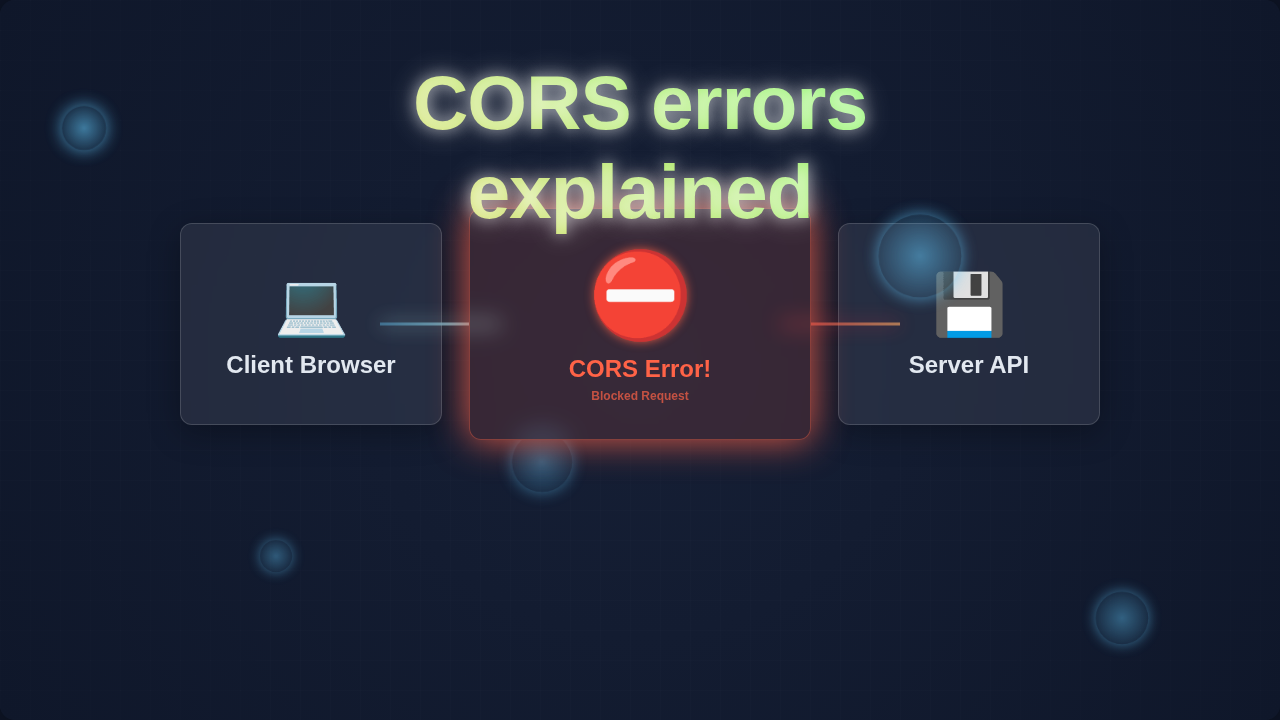
Okay, so what exactly is CORS? CORS stands for Cross-Origin Resource Sharing. Think of your web browser as a really strict bouncer at an exclusive club. This bouncer has a crucial job: keeping you safe from unwelcome guests. For instance, imagine you’re on website A, let’s say my-cool-app.com. You want to grab some juicy data from website B, maybe api-for-data.com. Normally, your browser thinks, “Nope! That’s a different ‘origin.’ It’s a security risk!”
An ‘origin’ is simply the combination of a protocol (like http or https), a domain name (like example.com), and a port number (like 80 or 443). If any of those three things are different, even just the port, it’s considered a ‘cross-origin’ request. So, your browser, being the security-conscious pal it is, usually blocks these requests by default. Why? This strict policy is called the Same-Origin Policy. It’s designed to prevent malicious websites from stealing your sensitive data or performing unauthorized actions on your behalf. Therefore, this protection is incredibly important for your online safety. Without it, any random website could potentially make requests to your banking site while you’re logged in, for example. That would be a huge problem!
Why You *Always* See CORS Errors Explained (and why they matter)
So, why does this matter to you as a budding web developer? You’ll encounter CORS errors constantly. Specifically, when you’re building a frontend application that needs to talk to a separate backend API. Perhaps your React app, which runs on localhost:3000, wants to get user profiles from your Node.js API running on localhost:5000. Different ports mean different origins. Boom! You get a CORS error.
It’s not just about local development, though. When you deploy your frontend to my-app.com and your API to api.my-app.com, those are also different origins. Thus, you need to understand how to handle this. Otherwise, your beautiful frontend will simply sit there, unable to get any data. Trust me, it’s frustrating when your app can’t fetch the content it needs. You want your applications to be robust, right? That means mastering how data flows between different parts.
How Your Browser and Server Dance with CORS
Here’s the thing: CORS isn’t just a simple blocker. It’s a nuanced set of rules. It’s how your browser and the server communicate to decide if a cross-origin request is genuinely safe to proceed. When your browser tries to make a request to a different origin, especially for certain types of requests (like POST or PUT, or requests with custom headers), it doesn’t just block it immediately. First, it sends a special, preliminary “preflight” request. This preflight uses the HTTP OPTIONS method.
This preflight request is like your browser politely asking the server, “Hey, I’m my-cool-app.com. Can I send a real request from my domain to you? What kind of methods (like GET, POST, DELETE) are you okay with? Are there any special headers I can use?” The server then carefully responds. It sends back specific Access-Control-Allow-Origin headers, among others. These headers explicitly tell the browser, “Yes, my-cool-app.com is permitted to access my resources.” Or, just as importantly, “No, sorry, you’re not allowed to make that type of request from your origin.” It’s a clear communication channel.
If the server unequivocally says “Yes” and provides the necessary permissions in its headers, your browser then proceeds with the actual request you originally intended. However, if the server says “No” or crucially, doesn’t include the right headers, your browser steps in. It blocks the actual request. It then throws that familiar CORS error right there in your console. The key takeaway here is: the server has to explicitly grant permission for cross-origin requests. Your browser is simply acting as a diligent security guard, enforcing the server’s stated rules and keeping you safe. Without this handshake, no data flows.
Remember this: CORS errors are *server-side* policies enforced by your *browser*. The browser isn’t the problem; it’s just the messenger, diligently carrying out security directives.
Want to dive deeper into how browsers handle HTTP requests and responses, understanding the intricate dance of client and server? You might find our post on understanding how the Python GIL impacts performance a fascinating read on system-level interactions, even though it’s a different topic. It highlights how different components interact to achieve a goal. Moreover, learn more about the Access-Control-Allow-Origin header directly from MDN Web Docs. MDN is an invaluable resource for all web developers.
Untangling Common CORS Errors Explained Scenarios
You’ve likely seen different CORS error messages. They can be a bit cryptic, right? Let’s clear up some common confusions. Many developers think, “My request is valid! The URL works perfectly in Postman, or curl!” Here’s why that often doesn’t directly translate to browser success.
Tools like Postman or curl are powerful HTTP clients. They don’t have the same browser-level security restrictions. Crucially, they don’t enforce CORS. Your browser, however, strictly adheres to these rules to protect you. So, a successful request in Postman doesn’t mean your browser will allow it. You are working with a fundamentally different environment. Therefore, expect different outcomes when testing outside a browser.
Another common mix-up: “I added the Access-Control-Allow-Origin header in my frontend JavaScript code, but it still fails!” This header needs to be sent by the *server* that is serving the resource your frontend wants to access. Your client-side code *cannot* force a server to allow cross-origin requests. It simply doesn’t work that way; client-side headers are for the *request* you send, not for the *response* you receive. The server is the one that ultimately says “yes” or “no” to your browser’s request.
What about wildcard origins? Sometimes you see servers configured with Access-Control-Allow-Origin: *. This means “any origin is allowed.” While incredibly convenient for local development or for public APIs that truly don’t need restricted access, it’s generally not recommended for production environments where security is paramount. Why? It broadens your application’s attack surface. Instead, for your production apps, you usually want to specify exact origins. For example, Access-Control-Allow-Origin: https://my-app.com is much more secure. You can even list multiple specific origins if needed.
Pro Tip: When debugging CORS, always open your browser’s developer tools. Go to the ‘Network’ tab. Find the failed request and inspect its response headers. That’s where the truth lies about origin permissions.
For a deeper dive into the mechanics of HTTP requests, including preflight requests and the broader implications of web security, check out this excellent article on MDN’s comprehensive CORS guide. It offers even more technical details. Furthermore, for a visually oriented discussion on how different approaches achieve similar goals in web development, you might enjoy our comparison of Tailwind CSS vs Plain CSS – it’s all about making informed choices in your stack, similar to how you choose your CORS strategy.
Want to understand more about modern web development paradigms and how data fetching fits into them? Learning about React Hooks can really boost your frontend game and help you manage component state effectively, which often involves fetching data from APIs. It’s all connected, you see!
Your CORS Survival Guide: Key Takeaways
Okay, let’s distill this down. You don’t have to fear CORS anymore. Here are the crucial points to remember:
- CORS is a security feature: It protects your users. It prevents malicious cross-origin requests. It’s a good thing, really!
- It’s server-controlled: The server hosting the data needs to explicitly allow your frontend’s origin. This is usually done by setting
Access-Control-Allow-Originheaders. - Your browser enforces it: Your browser simply acts as a security guard. It follows the server’s instructions.
- Debugging starts on the server: If you hit a CORS error, look at your *server’s* configuration. Ensure it’s sending the correct
Access-Control-Allow-Originheader. - Be specific in production: Avoid
*in production. List the exact origins your app will be deployed on.
You’ve Got This! Conquering CORS
Understanding CORS errors feels like a big hurdle at first. But now you know the core concept. You understand why it exists and how it works. This knowledge empowers you. It turns a frustrating “blocker” into a solvable puzzle. Next time you see that CORS error, you won’t panic.
Instead, you’ll think, “Aha! My server needs to grant permission.” You’ll know exactly where to start looking. This is a fundamental skill for modern web development. You’ve just leveled up! Keep building, keep learning, and keep asking “why.” That’s the procoder09.com way!