AI Orchestration is rapidly becoming a cornerstone of modern web development, allowing us to build incredibly dynamic and intelligent applications. Imagine crafting a system where multiple specialized AI agents don’t just exist independently, but seamlessly collaborate, delegate tasks, and even course-correct based on real-time data. This isn’t just a futuristic dream; it’s a practical reality we can achieve today using JavaScript, a language already powering so much of the web. This guide will walk you through the exciting process of coordinating these capabilities, transforming your applications into truly responsive, multi-faceted powerhouses.
It’s an exhilarating time to be a developer. We’re moving beyond static web pages, creating interactive experiences that feel genuinely intelligent. By mastering the art of agent coordination, you’ll elevate your projects, making them smarter and more efficient. Think of the possibilities!
What We Are Building: Crafting a Cohesive AI Ecosystem
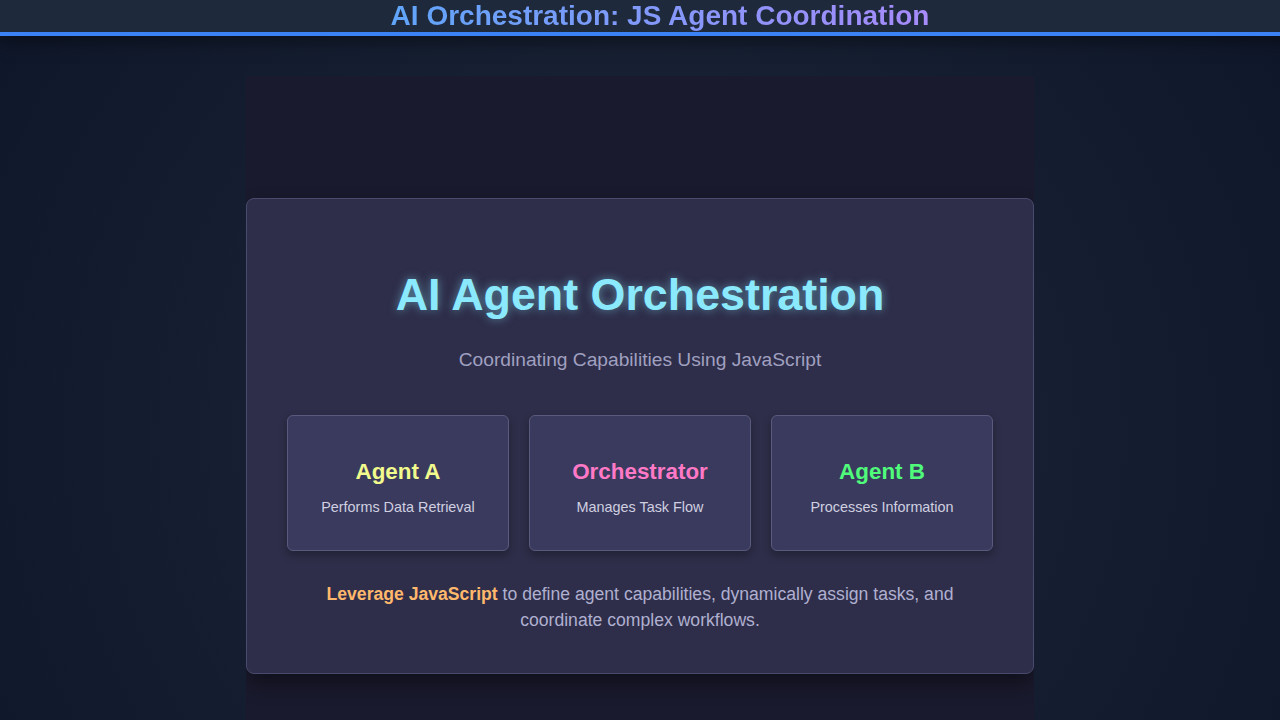
We’re diving headfirst into building a conceptual framework for an AI agent orchestrator. Picture a scenario where different AI agents, each with a unique specialization—like a data analyst, a content generator, or a task manager—can communicate and work together towards a common goal. Our design inspiration comes from the increasing demand for automation and intelligent decision-making in complex systems. Instead of a single, monolithic AI attempting to do everything, we distribute intelligence across specialized agents. This modular approach significantly enhances flexibility and scalability.
This trend is skyrocketing because it addresses real-world challenges in areas like customer service, project management, and content creation. Companies seek ways to automate intricate workflows that traditionally required significant human intervention. By orchestrating these agents, we can design systems that handle dynamic queries, personalize user experiences, and even generate complex reports autonomously. The potential applications are vast, ranging from smart personal assistants that manage your daily schedule across various apps to advanced business intelligence dashboards that proactively identify trends and suggest actions.
The beauty of this architecture lies in its ability to adapt. If a new capability is needed, you simply introduce a new agent without disrupting the entire system. Furthermore, by using JavaScript, we leverage its asynchronous nature and widespread adoption, making our orchestrator highly accessible and performant. Truly, this is the next frontier for intelligent web applications. For those interested in building interactive UIs, mastering responsive design is also key, much like our approach to crafting a dynamic Code Playground where users can experiment with different capabilities.
“The future of AI is not about bigger models, but smarter collaboration between smaller, specialized agents.”
HTML Structure: The Foundation of Our Agent Interface
Our HTML serves as the foundational interface for interacting with and visualizing our AI orchestration system. It will typically include a main container, input fields for user prompts, a display area for agent interactions and outputs, and perhaps a dashboard to monitor active agents. This clear structure ensures a user-friendly experience.
index.html
<!DOCTYPE html>
<html lang="en">
<head>
    <meta charset="UTF-8">
    <meta name="viewport" content="width=device-width, initial-scale=1.0">
    <title>AI Agent Orchestration Demo</title>
    <link rel="stylesheet" href="styles.css">
</head>
<body>
    <div class="container">
        <h1>AI Agent Orchestration with JavaScript</h1>
        <p>Observe how agents register capabilities and the orchestrator dispatches tasks.</p>
        <div id="output" class="output-area">
            <!-- Orchestration results will appear here -->
        </div>
        <button id="startOrchestration">Start Orchestration</button>
    </div>
    <script src="script.js"></script>
</body>
</html>
script.js
class Agent {
    constructor(name) {
        this.name = name;
        this.capabilities = new Map();
    }

    /**
     * Registers a capability with a specific name.
     * @param {string} capabilityName - The name of the capability (e.g., "retrieveData", "analyzeText").
     * @param {Function} handler - The function that implements the capability.
     */
    registerCapability(capabilityName, handler) {
        this.capabilities.set(capabilityName, handler);
        logOutput(`Agent <span class="info">${this.name}</span> registered capability: <span class="action">${capabilityName}</span>.`);
    }

    /**
     * Executes a registered capability.
     * @param {string} capabilityName - The name of the capability to execute.
     * @param {*} [payload] - Optional data to pass to the capability.
     * @returns {Promise<*>} - A promise that resolves with the result of the capability.
     */
    async executeCapability(capabilityName, payload) {
        if (!this.capabilities.has(capabilityName)) {
            throw new Error(`Agent ${this.name} does not have capability: ${capabilityName}`);
        }
        logOutput(`Agent <span class="info">${this.name}</span> executing capability: <span class="action">${capabilityName}</span> with payload: ${JSON.stringify(payload || {})}`);
        const result = await this.capabilities.get(capabilityName)(payload);
        logOutput(`Agent <span class="success">${this.name}</span> completed <span class="action">${capabilityName}</span>. Result: ${JSON.stringify(result)}`);
        return result;
    }
}

class Orchestrator {
    constructor() {
        this.agents = new Map(); // Maps agent names to Agent instances
        this.capabilityRegistry = new Map(); // Maps capability names to agent names
    }

    /**
     * Registers an agent with the orchestrator.
     * @param {Agent} agent - The agent instance to register.
     */
    addAgent(agent) {
        this.agents.set(agent.name, agent);
        // Register each of the agent's capabilities in the global capability registry
        for (const capabilityName of agent.capabilities.keys()) {
            this.capabilityRegistry.set(capabilityName, agent.name); // Stores which agent handles which capability
        }
        logOutput(`Orchestrator <span class="orchestrator">registered agent: ${agent.name}</span> and its capabilities.`);
    }

    /**
     * Dispatches a task to an agent capable of handling it.
     * @param {string} capabilityName - The name of the required capability.
     * @param {*} [payload] - Optional data for the task.
     * @returns {Promise<*>} - A promise that resolves with the result of the task.
     */
    async dispatchTask(capabilityName, payload) {
        logOutput(`Orchestrator <span class="orchestrator">dispatching task</span>: <span class="action">${capabilityName}</span>`);
        if (!this.capabilityRegistry.has(capabilityName)) {
            throw new Error(`No agent found with capability: ${capabilityName}`);
        }

        const agentName = this.capabilityRegistry.get(capabilityName);
        const agent = this.agents.get(agentName);

        if (!agent) {
            throw new Error(`Agent ${agentName} not found, despite capability being registered.`);
        }

        return agent.executeCapability(capabilityName, payload);
    }
}

// Utility for logging output to the DOM
function logOutput(message) {
    const outputDiv = document.getElementById('output');
    if (outputDiv) {
        const p = document.createElement('div');
        p.innerHTML = message;
        outputDiv.appendChild(p);
        outputDiv.scrollTop = outputDiv.scrollHeight; // Auto-scroll to latest message
    }
}

// --- Demo Setup and Execution ---

async function runOrchestrationDemo() {
    logOutput('<div style="color: #ffb86c; font-weight: bold;">--- Starting Orchestration Demo ---</div>');

    // 1. Initialize Agents
    const dataAgent = new Agent("DataFetcher");
    const analyticsAgent = new Agent("AnalyticsPro");
    const reportAgent = new Agent("ReportGenerator");

    // 2. Define Capabilities for each agent
    dataAgent.registerCapability("fetchData", async (query) => {
        // Simulate an async operation (e.g., API call, database query)
        return new Promise(resolve => {
            setTimeout(() => resolve(`Fetched data for "${query}"`), 500);
        });
    });

    analyticsAgent.registerCapability("analyzeData", async (data) => {
        // Simulate data processing
        return new Promise(resolve => {
            setTimeout(() => resolve(`Analyzed: "${data}". Key insight: 📊`), 700);
        });
    });

    reportAgent.registerCapability("generateReport", async (analysis) => {
        // Simulate report generation
        return new Promise(resolve => {
            setTimeout(() => resolve(`Generated report based on: "${analysis}" 📄`), 600);
        });
    });

    // 3. Initialize Orchestrator
    const orchestrator = new Orchestrator();

    // 4. Register Agents with Orchestrator so it knows who can do what
    orchestrator.addAgent(dataAgent);
    orchestrator.addAgent(analyticsAgent);
    orchestrator.addAgent(reportAgent);

    // 5. Orchestrate a Complex Task Workflow
    try {
        logOutput('<div style="color: #6272a4; font-weight: bold;">--- Orchestrator begins a workflow ---</div>');

        // Step 1: Orchestrator asks for data fetching
        const rawData = await orchestrator.dispatchTask("fetchData", "Q3 Sales Figures");

        // Step 2: Orchestrator asks for data analysis, passing the fetched data
        const analyzedResult = await orchestrator.dispatchTask("analyzeData", rawData);

        // Step 3: Orchestrator asks for report generation, passing the analysis
        const finalReport = await orchestrator.dispatchTask("generateReport", analyzedResult);

        logOutput(`<div class="success" style="font-weight: bold;">Workflow completed! Final output: ${finalReport}</div>`);

    } catch (error) {
        logOutput(`<div style="color: #ff5555; font-weight: bold;">Error during orchestration: ${error.message}</div>`);
    }

    logOutput('<div style="color: #ffb86c; font-weight: bold;">--- Orchestration Demo Finished ---</div>');
}

document.getElementById('startOrchestration').addEventListener('click', () => {
    document.getElementById('output').innerHTML = ''; // Clear previous output
    runOrchestrationDemo();
});

// Optionally run on load for initial view if preferred over button click
// document.addEventListener('DOMContentLoaded', runOrchestrationDemo);
CSS Styling: Bringing Our Orchestrator to Life
With a solid HTML structure in place, our CSS will provide the aesthetic appeal and intuitive layout. We’ll focus on creating a clean, modern design that makes the complex interactions of our AI agents feel approachable and easy to understand. This includes responsive design principles to ensure a seamless experience across all devices.
styles.css
body {
    font-family: Arial, Helvetica, sans-serif;
    background-color: #1a1a2e;
    color: #e0e0e0;
    margin: 0;
    display: flex;
    justify-content: center;
    align-items: center;
    min-height: 100vh;
    box-sizing: border-box;
    overflow: hidden; /* Prevents scrollbars on the body */
}

.container {
    background-color: #2e2e4a;
    border: 1px solid #4a4a6e;
    border-radius: 8px;
    padding: 30px;
    box-shadow: 0 8px 16px rgba(0, 0, 0, 0.4);
    max-width: 700px;
    width: 100%;
    text-align: center;
    box-sizing: border-box;
    overflow: hidden; /* Ensures content within the container respects its bounds */
}

h1 {
    color: #8be9fd;
    margin-bottom: 15px;
    font-size: 2em;
    text-shadow: 0 0 8px rgba(139, 233, 253, 0.3);
}

p {
    font-size: 1.1em;
    color: #a0a0c0;
    margin-bottom: 25px;
    line-height: 1.5;
}

.output-area {
    background-color: #1f1f3a;
    border: 1px solid #3a3a5e;
    border-radius: 6px;
    padding: 20px;
    margin-top: 20px;
    margin-bottom: 30px;
    text-align: left;
    min-height: 150px;
    max-height: 300px; /* Constrain height to enable scrolling for long output */
    overflow-y: auto;
    font-size: 0.95em;
    line-height: 1.6;
    color: #f8f8f2;
}

.output-area div {
    margin-bottom: 8px;
}

.output-area .success { color: #50fa7b; }
.output-area .info { color: #f1fa8c; }
.output-area .action { color: #ff79c6; }
.output-area .orchestrator { color: #8be9fd; }


button {
    background-color: #6272a4; /* A pleasing blue-grey */
    color: #f8f8f2;
    border: none;
    border-radius: 5px;
    padding: 12px 25px;
    font-size: 1em;
    cursor: pointer;
    transition: background-color 0.2s ease, transform 0.1s ease;
    max-width: 100%; /* Ensures button doesn't overflow container */
    box-sizing: border-box; /* Includes padding and border in element's total width and height */
}

button:hover {
    background-color: #44475a;
    transform: translateY(-1px);
}

button:active {
    transform: translateY(0);
}
Step-by-Step Breakdown: Unpacking the AI Orchestration Logic
Now, let’s dive into the core of our project: the JavaScript that brings our AI agents to life and coordinates their actions. This is where the real magic of AI Orchestration happens. We will define agents, assign their capabilities, and build a central orchestrator to manage their interactions. This modular approach helps us create a scalable and maintainable system.
Setting Up Our JavaScript Environment
First, we need a basic setup. We’ll link our main JavaScript file, typically script.js, to our HTML document. Consider using ES Modules for better organization and dependency management. We’ll start by defining a base structure for our agents and the orchestrator. This foundational step ensures everything is wired correctly. Remember, a well-organized project structure makes development much smoother, especially when dealing with advanced concepts like agent coordination.
We’ll also need to consider how our JavaScript will interact with the DOM elements we defined in our HTML. Event listeners will be crucial for handling user input and triggering agent actions. Always remember to defer script loading or place your script tags at the end of the body for optimal performance, ensuring the DOM is fully loaded before the script attempts to manipulate it. This is a best practice in modern web development.
Defining Our AI Agents and Their Capabilities
Each AI agent in our system will be an object or a class with distinct capabilities. For instance, a DataAnalystAgent might have methods like analyzeData(dataset) or generateReport(analysis). A ContentCreatorAgent could offer draftArticle(topic) or summarizeText(text). We need a clear way to register these agents and their functions with our central orchestrator. This involves creating a registry where each agent’s name maps to its executable capabilities. Moreover, we can define dependencies or preconditions for certain agent tasks, making the orchestration even smarter.
We’ll use a simple object-oriented approach in JavaScript to encapsulate each agent’s logic. This makes it easy to add new agents or update existing ones without affecting other parts of the system. For more complex AI applications, consider how you might integrate external APIs. If you’ve ever explored building UIs for such tools, like an LLM Token Counter UI, you know the importance of clearly defined interfaces for different functionalities.
“Effective AI orchestration thrives on well-defined agent responsibilities and clear communication protocols.”
The Core AI Orchestration Logic
Our orchestrator is the brain of the operation. It receives a high-level request, determines which agents are best suited to handle parts of the task, and then coordinates their execution. This often involves a planning phase, where the orchestrator breaks down the request into sub-tasks. It then delegates these sub-tasks to the appropriate agents. The orchestrator also manages the flow of information between agents, passing outputs from one agent as inputs to another.
Error handling and retry mechanisms are also vital here. If an agent fails, the orchestrator should ideally be able to re-route the task or notify the user. We can use Promises and async/await extensively to manage asynchronous agent operations, ensuring our application remains responsive. A central dispatcher or message bus pattern works wonders for enabling seamless communication between disparate agents. Explore MDN Web Docs on async/await for deeper insights into managing asynchronous code in JavaScript. This robust design forms the backbone of any intelligent system.
Managing Agent Interactions and Workflow
The orchestrator needs a mechanism to sequence agent actions. For example, if a user asks to ‘analyze sales data and draft a summary report,’ the orchestrator first invokes the DataAnalystAgent to process the data. Once the analysis is complete, its output is then passed to the ContentCreatorAgent to generate the report. This workflow management is critical for complex tasks. We might implement a simple finite state machine or a more advanced workflow engine to handle these transitions.
Furthermore, the orchestrator could maintain a ‘context’ or ‘memory’ of the ongoing conversation or task. This allows agents to be aware of previous interactions, leading to more coherent and intelligent responses. Think about how an AI Code Assistant needs to remember previous lines of code or suggestions. This persistent context makes our orchestrated system feel much more natural and powerful. The ability to monitor agent status and progress in real-time is also crucial for debugging and operational oversight.
Making It Responsive: AI Orchestration on Any Device
Even with advanced AI orchestration, a poor user experience on mobile devices can undermine its effectiveness. Our design employs a mobile-first approach, ensuring that the interface is fully functional and aesthetically pleasing on smaller screens before scaling up for desktops. Media queries are our best friend here. We set breakpoints that adjust layout, font sizes, and component visibility based on screen dimensions.
Fluid layouts, using relative units like percentages and rem, play a crucial role in maintaining adaptability. Flexbox and CSS Grid are indispensable tools for creating dynamic and robust layouts that effortlessly rearrange themselves. We ensure that interactive elements, such as input fields and action buttons, remain easily tappable and accessible on touchscreens. Responsiveness isn’t just about shrinking elements; it’s about re-imagining the user experience for each device. For more tips on responsive design, consult resources like CSS-Tricks’ complete guide to CSS Grid.
Final Output: A Cohesive and Intelligent Experience
When our AI Orchestration system is fully operational, the user will experience a seamlessly coordinated interaction. They will submit a complex query, and behind the scenes, various specialized agents will spring into action, collaborating to provide a comprehensive and intelligent response. Key visual elements will include a clear input area, a dynamic chat-like display for agent interactions, and possibly a status dashboard showing which agents are currently active. The outputs will be clearly formatted and easy to understand, reflecting the combined intelligence of our coordinated agents.
The interface will feel intuitive, almost as if the user is communicating with a highly efficient team rather than a single program. Imagine seeing the data analyst agent pull up charts, followed by the content creator agent synthesizing the findings into digestible prose. This multi-agent interaction is powerful.
Conclusion: The Future is Coordinated AI Orchestration
We’ve embarked on an exciting journey, understanding how to implement robust AI Orchestration using JavaScript. By coordinating specialized AI agents, we unlock a new level of application intelligence and capability. This modular approach not only simplifies development but also enhances scalability and maintainability, allowing for more dynamic and adaptable systems.
The principles explored here—defining agent capabilities, building a central orchestrator, and managing complex workflows—are applicable across a myriad of domains. From advanced data processing pipelines to interactive conversational agents and sophisticated automation platforms, the power of coordinated AI is immense. Start experimenting with these concepts in your next project. The ability to choreograph multiple AI entities opens up endless possibilities for creating truly innovative and powerful web applications. Happy coding, and keep pushing the boundaries of what’s possible!