Python Requests Library Explained – Beginner Guide
Hey there, awesome dev! You’ve probably heard the buzz about the Python Requests Library. Maybe you’ve even used it to grab some data from the internet. It feels like magic, doesn’t it? You write a line or two of Python, and *poof*, information appears!
But have you ever really stopped to wonder what’s happening under the hood? You’re not alone. Many self-taught beginners hit a wall here. They use the tool but don’t quite grasp its full power. Today, we’re busting some myths about the Python Requests Library Explained, making sure you truly understand this web dev superstar.
Myth #1: Requests is Just for Downloading Stuff
Okay, let’s get real. When you first encounter Requests, it feels like a fancy browser. You tell it a URL. Then it fetches a webpage for you. You might think, “Great, I can download files and HTML!” And yes, you absolutely can do that. However, this is just scratching the surface.
The Python Requests Library isn’t merely a downloader. It’s your ultimate communicator. Think of it as your personal assistant for talking to other computers. These other computers are often called servers. They speak a language called HTTP, or Hypertext Transfer Protocol. This protocol is the backbone of the internet. It defines how messages are formatted and transmitted.
Requests lets your Python script act like a person in a conversation. You’re not just passively listening. You’re actively participating. You can ask for information, sure. But you can also send information. You can even tell a server to change things. It’s a two-way street, you see. Understanding this fundamental concept transforms how you approach web development. You gain the power to interact, not just consume. This makes building dynamic and interactive web applications much easier.
Myth #2: Python Requests Library Explained: It’s Just About .get()
When you learn Requests, the .get() method is usually the first one you meet. It’s super common. It’s how you ask a server for data. You’re essentially saying, “Hey server, give me this resource!” Most web pages you visit, for instance, are fetched using a GET request. This leads many beginners to believe it’s the only method that truly matters.
But the world of web interactions is far richer than just getting data. There are several HTTP methods. Each one has a specific purpose. You’ve got POST, for example. This method is for sending new data to the server. Imagine filling out an online form. When you hit submit, your browser often sends a POST request. You are creating a new entry or adding information.
Then there’s PUT. This is for updating existing data. If you edit your profile on a social media site, a PUT request might be used. It replaces a resource with new data. And don’t forget DELETE. This one does exactly what it sounds like. It removes a resource from the server. Want to delete an old post? That’s a DELETE request. Understanding these methods is crucial for building robust applications. It gives you precise control over your web interactions. For a deeper dive into these methods, check out MDN Web Docs on HTTP methods.
Myth #3: All Web Interactions Are Simple
You’ve seen the simple examples, right? A quick requests.get('some_url'). It looks so easy! You might think, “Okay, I just plug in the URL, and everything works.” Oh, if only it were always that simple! In the real world, web interactions are often more complex.
Servers sometimes need extra information from you. This could be for security, or just to know what kind of data you expect. These extra bits are called headers. They’re like special instructions attached to your request. You might need to send an API key. Or you might specify that you want JSON data back. Also, many web services require you to log in. This is called authentication. You send your credentials securely. Requests handles this gracefully, but you still need to understand it. Your application might also need to manage sessions. This keeps you ‘logged in’ across multiple requests.
What if the server takes too long to respond? Or what if it sends an error? You need to handle these situations gracefully. Otherwise, your program might crash. Requests lets you set timeouts. It also provides tools to check HTTP status codes. These codes tell you if your request was successful, or if something went wrong. Building a Flask To-Do App, for instance, involves careful handling of user input and server responses. This includes error checking. So, it’s not just sending a request. It’s about sending the right request and understanding the response.
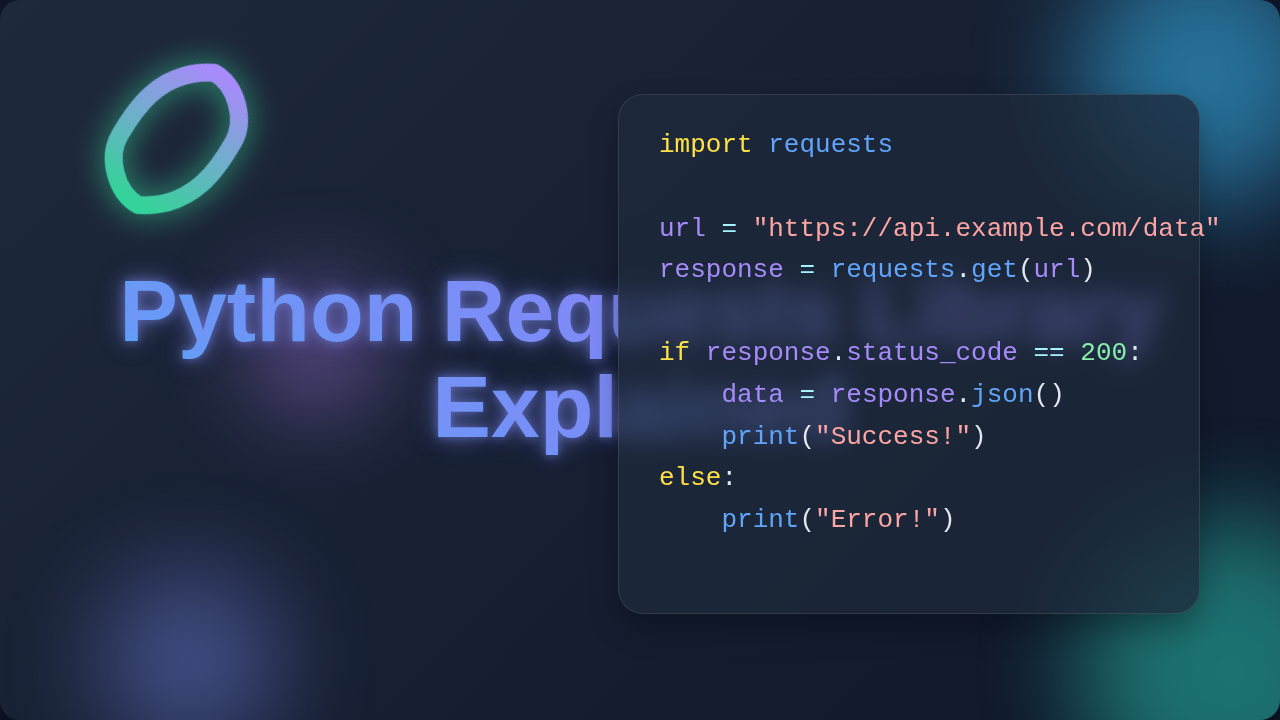
Pro Tip: Always check the
response.status_code! A 200 means success. Anything else tells you a story about what went wrong, or if your request was redirected.
The Real Magic of Python Requests Library Explained
So, what’s the real truth here? The Python Requests Library is an incredibly powerful tool. It simplifies the complex world of HTTP for you. It takes care of all the fiddly details. Things like connection pooling, international domain names, and session management are handled automatically. You don’t have to worry about the low-level sockets. This frees you up to focus on your application’s logic. You can concentrate on what you want to achieve.
It empowers you to build amazing things. You can automate tasks. Imagine pulling stock prices daily. You can integrate with countless APIs. Think about connecting your app to a weather service. You can even interact with your own web applications. For example, you might build a Django S3 Backup Script that uses Requests to communicate with cloud storage APIs. This is where the true power lies. You become a master of web communication.
Instead of wrestling with raw HTTP, you’re commanding an expert. Requests abstracts away the tough stuff. It presents you with a friendly, Pythonic interface. This means you write less code. You also write more readable code. It’s about empowering you to build. It’s about making web development accessible. For a deep dive into HTTP and how to master it with Python, check out our guide on Mastering HTTP in Python.
Mindset Shift: Think of Requests as your gateway to the internet’s data. It’s not just a downloader; it’s your key to every API and web service out there.
Your Next Steps in Web Development
You now know that the Python Requests Library is more than a simple file retriever. It’s your bridge to the entire web. It’s capable of complex, two-way conversations with any server. You understand that it handles various HTTP methods. You also know that real-world interactions involve more than just a URL. Headers, authentication, and error handling are crucial. You’re ready to tackle more advanced projects now. You’ve got the foundational knowledge. Go forth and connect the internet!
Don’t be afraid to experiment. Try sending different types of requests. Read the documentation. Most importantly, build something! You’ll be amazed at what you can create. Your journey as a web developer just got a whole lot more exciting. Keep coding, keep learning, and keep building awesome stuff!