You’re Using Python Requests, But Do You Really Know How it Works?
Hey there, pro web dev in the making! You’ve probably fired off a Python requests call a million times. It feels magical, right? Just one line and poof! You get data from the internet. You’re definitely not alone if you think it’s just that simple. But what if I told you there’s a whole universe of cool stuff happening behind the scenes?
Many beginners just scratch the surface. They learn the basic methods. They fetch some data. However, truly mastering web interactions with Python means understanding the nuances. We’re going to get the python requests library explained right here. Let’s bust some common myths and dive deeper. Are you ready?
Myth 1: It’s Just About GET and POST, Right?
When you first learn requests, you usually start with two methods. You use GET to grab information from a website. You use POST to send data, like submitting a form. And for many, that’s where the learning stops. Sound familiar?
Here’s the thing: The internet is a busy place. Web servers do more than just hand out pages or accept form submissions. They manage resources. They update records. They even delete old data.
The HTTP protocol, which requests speaks fluently, has many verbs. These verbs, or methods, tell the server exactly what you want to do. Think of it like this: If GET is asking for a menu and POST is placing an order, what about the other actions?
There’s PUT, for example. This method is for replacing an entire resource. Imagine updating your user profile entirely. You’d use PUT. Then there’s DELETE. This one is straightforward; you use it to remove a resource from the server. Want to delete an old blog post? DELETE is your friend.
You also have HEAD. This method asks for just the response headers. It doesn’t fetch the actual content. This is super useful for checking if a file exists. Or maybe you just want to see its size before downloading. Finally, there’s OPTIONS. This asks the server what methods are even allowed for a specific URL. It’s like asking, “What can I even do here?” The cool part is, requests supports all these. Knowing them gives you a much richer vocabulary for talking to web services.
Pro Tip: Don’t limit your thinking to just
GETandPOST. The full suite of HTTP methods lets you perform precise actions on web resources, making your scripts more powerful and efficient.
Myth 2: requests Handles Everything Automatically (Like Sessions and Retries)?
You might think requests is a set-it-and-forget-it kind of library. It often feels that way. You make a call, you get a response. What more could there be?
While requests is incredibly user-friendly, it doesn’t always manage everything for optimal performance or resilience. For instance, consider making multiple requests to the same website. Each time you call requests.get() or requests.post(), it typically opens a new connection to the server. This works fine for one-off tasks. But what if you’re scraping lots of pages? Or interacting with an API multiple times?
Opening and closing connections repeatedly wastes time and resources. This is where Python Web Automation: Scripting, Bots & Data really shines, and it’s where Session objects come in. A Session object allows you to persist certain parameters across requests. More importantly, it reuses the underlying TCP connection to the server. This connection pooling saves a ton of overhead. Your requests become faster. Your server interactions are more efficient.
Then there’s the issue of retries and timeouts. By default, requests doesn’t automatically retry failed connections. If a server is momentarily busy, your script might just crash. Also, requests can hang indefinitely if a server never responds. This is why you should always set a timeout for your requests. It’s like telling your computer, “Hey, if you don’t hear back in X seconds, just give up.” You can also build in retry logic yourself. This makes your web scripts much more robust. You can handle temporary network glitches like a pro. Make sense so far?
Myth 3: Python Requests Library Explained: You Only Care About the Response Body.
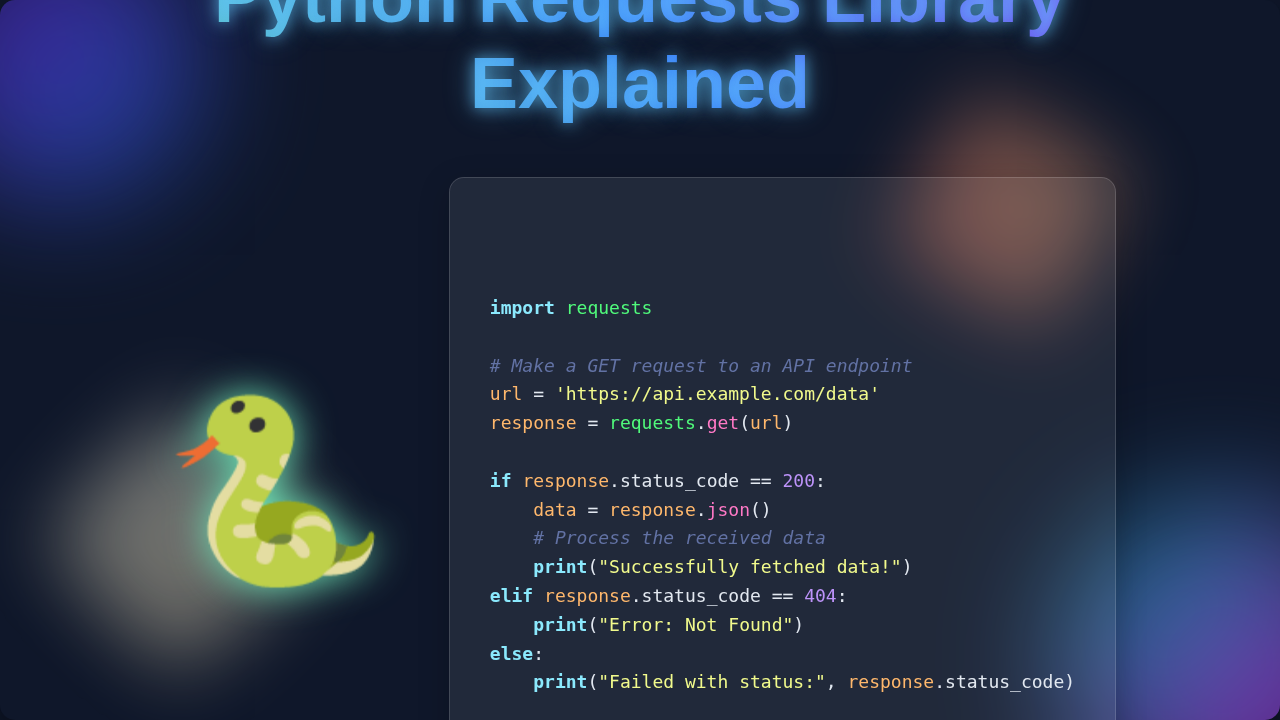
Okay, be honest. How often do you just immediately jump to response.json() or response.text? Most of the time, right? You want the juicy data inside the response. It’s the whole point of making the request! But waiting for that data is only part of the story.
A web server sends back much more than just the content you see. It sends a whole package of metadata. This metadata comes in the form of HTTP headers and status codes. Ignoring these is like getting a package and only caring about the item inside. You completely miss the shipping label. You miss the delivery status. You miss if the package was even sent to the right address!
Let’s talk about headers first. Response headers tell you crucial things. They tell you the content type (is it HTML? JSON? an image?). They can tell you about caching rules. They might even include information needed for authentication for subsequent requests. Understanding headers helps you handle different types of content. It also helps you optimize how your script interacts with a server over time. You might cache certain responses. You can even check for rate limits.
Then there are status codes. These three-digit numbers are like traffic lights for your requests. A 200 OK means everything went smoothly. But what about a 404 Not Found? Or a 500 Internal Server Error? These aren’t just errors. They are specific messages from the server. A 404 tells you the URL doesn’t exist. A 500 means something went wrong on the server’s end. There are also 3xx codes for redirects, and 401 for unauthorized access. You can find a full list of HTTP status codes on MDN. Checking response.status_code is essential. It tells you if your request was actually successful. It also tells you *why* it might have failed. This is crucial for debugging and building resilient applications.
The Truth: What’s Really Happening Under the Hood?
The requests library isn’t magic. It’s a beautifully designed wrapper around lower-level network operations. When you make a request, a lot happens. Your computer first has to find the server’s address. This uses the Domain Name System (DNS). Then, your computer needs to establish a connection. This is a TCP handshake. It’s like your computer saying, “Hello, server! Can we talk?” and the server responding, “Sure, let’s connect!”
Once connected, requests builds an HTTP request message. This message contains the method (GET, POST, etc.), the URL path, headers, and any data you’re sending. It then sends this message across the internet. The server processes your request. It then sends back an HTTP response. This response includes the status line, headers, and the response body.
requests then takes that raw response. It parses the headers. It decodes the body into text or JSON. Finally, it bundles it all up into that friendly Response object you love. So, when you’re thinking about Python Automation: Boost Productivity & Efficiency, remember the journey your request takes. Understanding these steps makes you a more effective developer. You can diagnose issues better. You can optimize your web interactions.
Key Insight: The
requestslibrary simplifies complex HTTP interactions, but knowing the underlying HTTP protocol gives you superpowers. Learn about What is HTTP to truly unlock its power.
Mastering the Python Requests Library: Beyond the Surface.
You’ve seen that the python requests library explained goes beyond just a few basic calls. It’s a sophisticated tool for talking to the entire web. You’re now equipped with knowledge of different HTTP methods. You understand the power of Session objects. And you know to pay attention to headers and status codes. You’re not just fetching data. You’re engaging in a full conversation with web servers.
This deeper understanding makes your web applications more robust. It makes them more efficient. You can handle more complex scenarios. You can even build your own web services using frameworks like Flask for beginners | Learn Python Web Dev Basics, knowing what to expect from incoming requests.
Keep exploring. Try using requests.put() or requests.delete() with an API. Experiment with custom headers. Play with authentication. The more you peek behind the curtain, the more confident you’ll become. You’ve got this. Go build something amazing!