Hey there, fellow coder! Ever felt like your Python scripts are getting a bit… repetitive? Or maybe a little messy? You are not alone. We all start somewhere, writing lines of code that do exactly what we want, but perhaps not in the most elegant way. That’s totally okay!
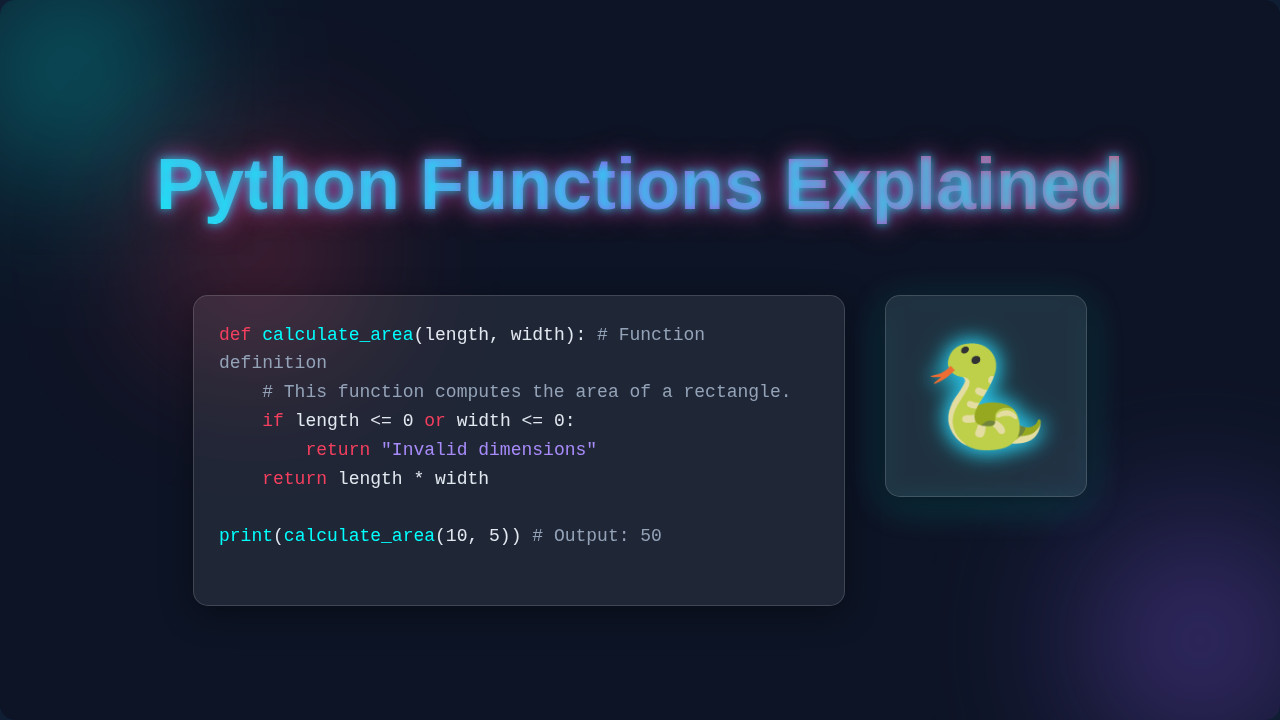
But what if I told you there’s a secret weapon to make your code cleaner, more efficient, and way easier to manage? That weapon is Python Functions Explained. You might already know the basics: a function is a block of organized, reusable code that performs a single, related action. It helps you break down big problems into smaller, manageable chunks. Think of them as mini-programs within your main program.
Unlocking the Power of Python Functions Explained
You already get the core idea, right? Functions save you from repeating yourself. They make your code readable. But what happens when you want your functions to be super flexible? What if you need them to handle unexpected inputs? This is where we go beyond the absolute basics. You will learn techniques that seasoned pros use every day. Get ready to level up your Python game!
Tip 1: Default Parameters: Your Go-To for Flexibility
Imagine you have a function that sends an email. Most of the time, the subject line might be ‘Hello from ProCoder09’. Sometimes, though, you want a custom subject. Instead of writing two separate functions, you can give a parameter a default value. You set it once, and it kicks in automatically if you do not provide a different one.
Here’s the thing: you define the default right in the function’s blueprint. When you call the function, you can either ignore that parameter (and the default is used) or pass a new value (which then overrides the default). It’s like having a pre-filled form that you can still edit if you need to. This makes your functions more versatile without adding extra complexity.
Default parameters let your functions be both predictable and adaptable. It’s about smart convenience!
For example, picture a ‘log_message’ function. It usually logs messages at an ‘INFO’ level. But if you want to log a critical error, you can just specify ‘ERROR’ when you call it. Otherwise, ‘INFO’ is used. This flexibility saves you from writing separate ‘log_info’ and ‘log_error’ functions.
Tip 2: Keyword Arguments: Clarity is King
You have seen functions where you pass values in a specific order. That’s positional arguments. But what if a function has many parameters? It gets hard to remember the order. This is where keyword arguments shine. You name the parameters directly when you call the function. This improves clarity big time!
So, instead of just sending values, you explicitly say `parameter_name=value`. This way, the order of your arguments doesn’t matter anymore. You are telling Python exactly which value belongs to which parameter. This makes your code much easier to read and understand, especially for complex functions.
Think about ordering a custom pizza. You do not just list toppings. You might say, “I want a `crust=”thin”`, `sauce=”marinara”`, `cheese=”mozzarella”`.” You are being very specific. This makes your intention clear to the pizza maker (Python). It minimizes mistakes and helps you see at a glance what each value represents. This approach also makes your functions safer to refactor later.
Tip 3: `*args` and `**kwargs`: Handling the Unknown
Sometimes, you do not know beforehand how many arguments your function will receive. Maybe it’s a sum calculator that can take two numbers, three numbers, or even ten! Enter `*args` and `**kwargs`. They are special syntax that let your functions accept a variable number of arguments.
With `*args`, your function can take any number of non-keyword arguments. Python collects them all into a tuple. On the other hand, `**kwargs` handles any number of keyword arguments. These get collected into a dictionary, where the keywords become the dictionary keys. It’s like having a magic box that just sorts everything you throw into it.
Imagine building a `create_user_profile` function. You might always need a username. But other details, like `age`, `city`, or `bio`, could be optional and vary from user to user. You can use `**kwargs` to capture all these extra, named details without having to define a separate parameter for each possible option. This keeps your function clean and incredibly adaptable. This flexibility is super useful in projects like building a Flask OpenAI Chatbot, where user inputs can be quite dynamic.
Tip 4: Nested Functions and Closures: Advanced Organization
Yes, you can define functions inside other functions! These are called nested functions. The inner function is only available within the scope of the outer function. It’s like having a private helper tool that only the main tool can access. This helps organize your code, keeping related tasks together and preventing naming conflicts.
A closure takes this a step further. An inner function remembers and can access variables from its outer (enclosing) scope, even after the outer function has finished executing. Think of it as the inner function carrying a little piece of its parent’s memory with it. You might not use these every day, but they are powerful for creating factory functions or decorators.
For instance, consider a function `report_generator`. Inside it, you might define a `format_as_pdf` or `format_as_csv` function. These inner functions use some setup from `report_generator`. When `report_generator` finishes, it returns one of these specialized formatting functions. That returned function still ‘remembers’ the formatting details from its parent. For more on how scope and closures work in programming, you might find this MDN article on closures helpful as the concept is fundamental across languages.
Tip 5: Lambda Functions: Quick, Anonymous Actions
Sometimes you need a small, one-time function. You do not want to go through the whole `def` keyword and naming process. That’s exactly what lambda functions are for! They are anonymous, meaning they do not have a name. They are also single-expression functions.
You use `lambda` followed by arguments, a colon, and then the single expression. The result of that expression is what the lambda function returns. They are often used as arguments to higher-order functions, which are functions that take other functions as parameters. Sound familiar? They are super handy for quick sorts or filters.
Lambda functions are your go-to for tiny, on-the-fly functional expressions.
Imagine you have a list of products, and each product is a dictionary with ‘name’ and ‘price’. You want to sort this list by price. You can use a lambda function with Python’s built-in `sorted()` function to define how to extract the price for sorting. It’s a quick, clean way to tell Python exactly what to sort by without writing a full `def` function.
Tip 6: Decorators: Supercharging Your Functions
Decorators are a bit more advanced, but incredibly powerful. They let you modify or extend the behavior of a function or class without actually changing its core code. You wrap another function around the original one. It’s like adding an extra layer of functionality.
The cool part is you use a special `@` syntax right above your function definition. Python then knows to pass your original function to the decorator function. The decorator does its magic, then returns a modified version of your function. It is a very elegant way to add cross-cutting concerns, like logging, timing, or access control.
Consider a `calculate_order_total` function. You might want to time how long it takes to run, every single time. Instead of adding timing code inside `calculate_order_total`, you can create a `time_it` decorator. You then just add `@time_it` above your function. Suddenly, your function gets timed automatically, without you touching its original logic. This pattern helps keep your code modular and clean, which is crucial for managing Python Virtual Environments and large projects.
Beyond the Basics: Python Functions Explained Even Further
Bonus Tip: Type Hinting for Clarity
As you write more complex functions, especially for team projects, it becomes crucial to know what kind of data your function expects. This is where type hinting comes in. You can add hints to your function parameters and return values. This tells other developers (and your code editor!) what types of data are intended.
Python itself does not enforce these types during runtime. It is not strict like some other languages. But these hints act as excellent documentation. They improve readability and help catch potential errors before you even run your code. It’s like adding labels to your tools in a workshop.
If you have a `greet` function that takes a `name` and returns a `greeting`, you can hint that `name` should be a `string` and the return value will also be a `string`. Your code would be clearer: `def greet(name: str) -> str:`. This small addition makes a huge difference in understanding complex systems and for tools performing a Python SEO Audit on your code quality.
Ready to Build? Keep Learning!
You have just explored some powerful techniques for mastering Python functions. From making them more flexible with default parameters to handling unknown arguments with `*args` and `**kwargs`, and even supercharging them with decorators, you are now equipped with tools to write significantly better Python code.
Remember, the goal is always cleaner, more reusable, and more readable code. You are building good habits that will serve you well in any project. These concepts might take a little practice to fully click. That is completely normal! Keep experimenting, keep building, and soon these advanced function techniques will feel second nature. You have got this!