Python Requests Library: Explained Simply with Code
Hello, fellow learner! If ‘talking to the internet’ sounds a bit like magic, you are in the right place. Maybe you have heard whispers about Python making web requests. Or you have seen terms like ‘APIs’ floating around. It can feel like a secret club sometimes, right? Don’t worry, you are about to get your VIP pass.
If you are brand new to this topic, this guide is definitely for you. We will gently explore how computers chat with websites. Specifically, we will dive into the amazing python requests library explained in simple terms. This library is your go-to tool for reaching out and grabbing information from the web. You can also send information back to websites. Think of it as your Python program’s way of browsing the internet, but with superpowers.
If You’re Brand New: Understanding How the Web Works
Before we jump into Python, let us understand how websites truly work. Imagine you want to visit your favorite blog. You type a web address, a URL, into your browser. Your computer, which is the client, sends a message. This message travels across the internet to another computer. That other computer is the server. The server holds the website’s files and information. It is like a digital librarian for web content.
Your browser’s message is a request. It asks the server for specific content. Ever wondered why your browser behaves that way? It is always asking. The server then processes your request. It finds the blog post you want. Then, it sends back a response. This response contains the website’s data. Your browser then takes this data. It shows it to you as a formatted webpage. This whole back-and-forth communication is called HTTP, or Hypertext Transfer Protocol. It is the fundamental language of the web! To learn more about HTTP, Mozilla Developer Network’s HTTP overview is a fantastic place to start.
Every single action you take online involves this client-server dance. When you click a link, you send a new request. When you fill out a form, you send information in a request. It is happening constantly behind the scenes. Your browser handles all the complex parts for you. But what if your Python program needed to do this?
Pro Tip: Every time you click a link or load a webpage, your computer and a server are having a rapid-fire HTTP conversation. It is happening constantly!
What is the Python Requests Library Explained?
Now, why would you want your Python program to talk to the internet directly? Well, sometimes you want to automatically get data. Maybe you want to check a stock price every hour. Or you want to pull today’s weather forecast for your app. You might even want to interact with a web service. This is where APIs come in. An API, or Application Programming Interface, is like a special menu for a restaurant. It tells you exactly what dishes (data) you can order. It also tells you what ingredients (parameters) you need to specify. It is a structured way for programs to talk to each other.
Python has a built-in way to make these web requests. However, it can be a bit tricky to use for beginners. That is why developers worldwide love the Requests library. It makes these web conversations incredibly easy and intuitive. Think of it like this: You could manually build a car’s engine from scratch using raw metal. Or you could use a high-performance, pre-built engine that just works. The Requests library is that reliable, pre-built engine for talking to the web. It simplifies the entire process for you. It handles many common problems automatically. That is the core idea of the python requests library explained simply.
Your First Conversation: Making a GET Request
Let us imagine you want to fetch some data from a website. This is typically done with a GET request. A GET request is like saying, “Hey server, please give me this specific information.” It is the most common type of web request. You use it when you only want to retrieve data. For example, you might want to get the content of a news article. Or you might fetch a list of products from an online store’s API. Importantly, a GET request should never change anything on the server. It is purely for reading.
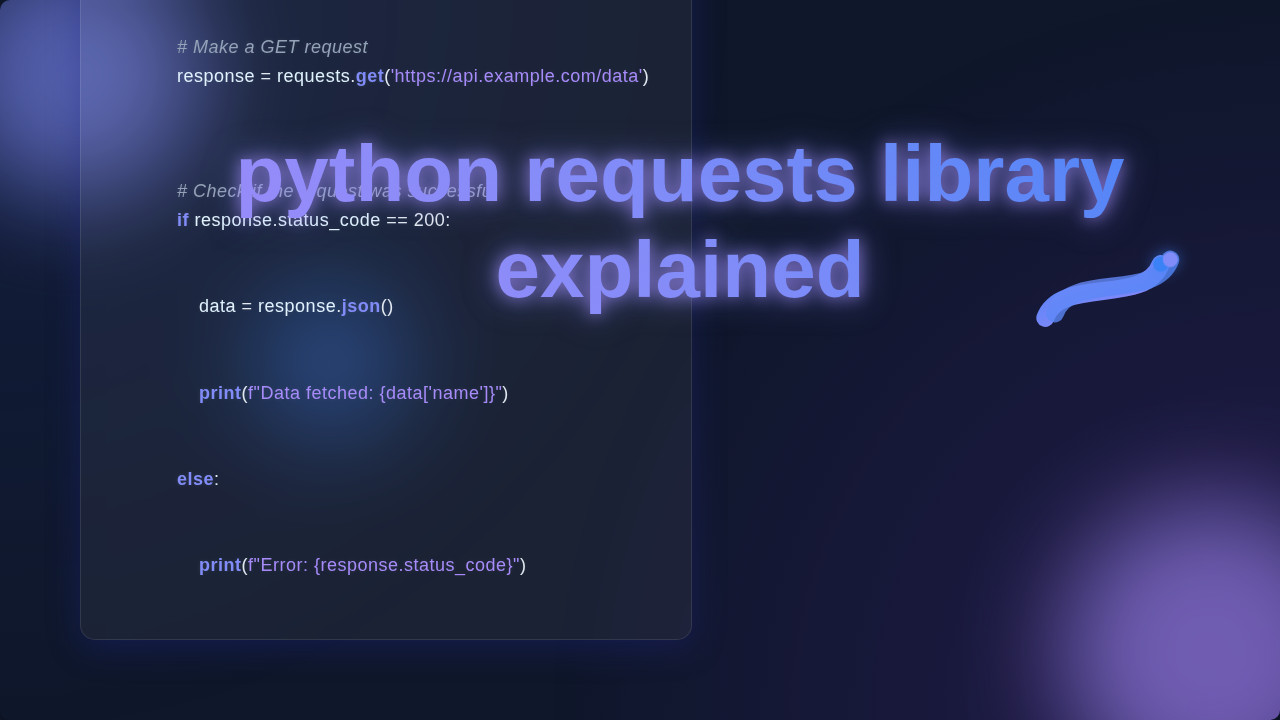
With the Requests library, you simply provide the web address, the URL, that you want to talk to. Then, you tell Requests you want to “get” something from that URL. Your Python program then sends this request. After a moment, the server sends back a response object. This response object holds all the details from the server’s reply. It includes the actual data you asked for. It also contains important information about the request itself. You can look inside this response object. It will tell you if the request was successful. It will also show you the data you wanted to retrieve.
For instance, if you ask for a standard webpage, the response object will contain its HTML content. This is the code that browsers use to display the page. If you ask for data from an API, it often comes back as JSON. JSON, or JavaScript Object Notation, is a light-weight format. It stores and exchanges data in a way that is very easy for programs to read and understand. You can easily access this data from your response object. It is like opening a neatly packaged box of information. You instantly get a Python dictionary or list ready to use.
Remember: A GET request retrieves data. It should never change anything on the server. If you want to change data, you need a different method.
Beyond Grabbing: Sending Data with POST and More
Sometimes you do not just want to get information. You actually want to send information to the server. Maybe you are submitting a new comment on a blog. Or perhaps you are creating a new user account on a website. These actions require sending your own data to the server. This is where other HTTP methods come in handy. The most common one for sending new data is the POST request.
A POST request is like filling out a form and mailing it to someone. You provide the information you want to send. Then, you tell the server, “Here is some new data for you to process!” The Requests library lets you easily include this data. You can send it as simple form data. Or you can send it as structured JSON data. The server then takes your data. It might create a new entry in a database. Or it might update existing information. You can explore different HTTP methods to understand their specific purposes.
Other powerful methods exist, too. A PUT request is often used to update an existing resource entirely. Think of it as replacing an old document with a completely new version. A PATCH request updates only specific parts of a resource. Imagine editing just one sentence in that document. A DELETE request, as you might guess, removes a resource from the server. These methods give you fine-grained control. You can manage data on a server. Your Python programs can now do much more than just read. They can truly interact with web services. This is a crucial step if you are exploring things like building a Python Flask Explained backend. In a Flask application, you will be handling these very types of incoming requests.
Decoding the Web’s Replies: Handling Responses (python requests library explained)
After your program sends a request, it patiently waits for a response. The server always sends one back. This response contains a very important piece of information: the status code. The status code is a three-digit number. It tells you at a glance what happened with your request. Think of it like a quick summary from the server – a shorthand report on its success or failure.
For example, a status code of 200 OK means everything worked perfectly. Your request was successful. You received the data you asked for without any issues. A 404 Not Found means the server could not find what you asked for at that specific URL. This is like trying to visit a webpage that simply does not exist. A 403 Forbidden means you do not have permission to access that resource. A 500 Internal Server Error means something went wrong on the server’s side. It is not your fault, but the server had a problem processing your request. You always want to check this status code. It helps you understand if your request truly succeeded. You can then write your program to handle different outcomes gracefully. This is a vital part of using the Python Web Scraping Tutorial effectively. Knowing how to interpret these responses is key for robust web interactions!
The response also contains the actual content. This could be plain HTML for a webpage. Or it could be structured JSON data from an API. The Requests library makes it incredibly easy to access this content. You can get the raw text content. Or you can parse the JSON data directly into Python dictionaries or lists. This means you can work with the information immediately. You are making sense of the web’s replies! This is another angle where the python requests library explained really shines, giving you immediate access to the data.
What’s Next on Your Web Dev Journey?
You have taken a big step today! Understanding the Requests library opens up many possibilities. You can start by practicing more. Try making requests to simple, public APIs. Look for APIs that do not require authentication first. This helps build your confidence without extra hurdles.
Once you are comfortable with basic requests, you can explore more advanced features of Requests. These include sending custom headers. Headers are extra pieces of information sent with a request. They might specify what type of content you prefer. Or they might carry authentication tokens. You can also manage cookies. Cookies are small pieces of data websites store on your computer. They remember things about you. Handling sessions is crucial for logging into websites. This maintains your logged-in state across multiple requests. And setting timeouts is important. It prevents your program from waiting forever if a server is slow or unresponsive.
Beyond the library itself, you can dive into exciting new areas. You might explore building your own web services with Flask. Or you could work with advanced data processing and analysis. For instance, after fetching vast amounts of data, you might want to process it further. This could lead you to topics like those covered in a RAG Python Blog post. RAG, or Retrieval Augmented Generation, deals with advanced information retrieval and processing. The web is your oyster, and Python Requests is your pearl-finding tool!
Resources to Keep Learning:
- Requests Official Documentation: The absolute best place for in-depth information. Just search for “Python Requests Docs.” It’s very well-written.
- Understanding HTTP: For a deeper dive into how web communication works, check out Mozilla Developer Network’s HTTP overview.
Keep experimenting. Keep asking questions. Every web developer started right where you are now. You have the curiosity and the drive. That is all you need to keep growing. The exciting world of web development is waiting for you. Happy coding!