Hey there, future data wizard! If you’ve ever wanted to dive into Python Web Scraping but felt lost, you’re in the perfect spot. We are going to build a real web scraper together. It will grab information directly from websites. This skill is incredibly powerful for data collection. You’ll be amazed at what you can achieve!
What We Are Building: Your First Python Web Scraper
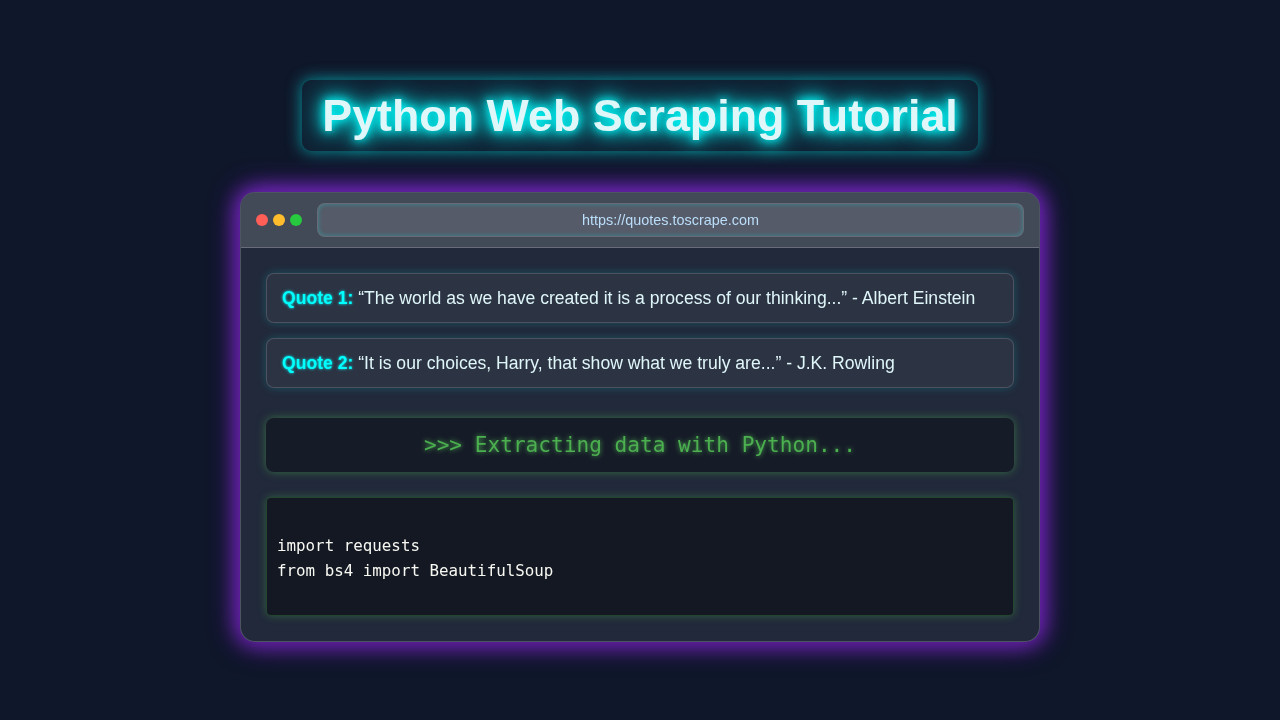
Today, we are building a fantastic tool. It’s a Python script that will automatically visit a website. Then, it will carefully read its content. Our script will pinpoint specific pieces of information. Finally, it will extract that data for us. Think of it like a digital assistant for data gathering! This Python Web Scraping tool opens up a world of possibilities. You can collect product prices, news headlines, or even job listings. It’s a super useful skill for many projects.
HTML Structure
Even though our scraper runs purely in Python, it interacts with a website’s HTML. HTML, or HyperText Markup Language, is the skeleton of any web page. It defines the content and its basic layout using elements like div, p, a (links), and h1 (headings). We target these elements when we scrape. For this tutorial, we’re not creating an HTML page, but understanding it is key!
CSS Styling
CSS (Cascading Style Sheets) is what makes websites look good. It adds colors, fonts, spacing, and responsive design. While CSS is crucial for how a page looks, our Python scraper primarily cares about the raw data within the HTML. We won’t be writing any CSS for our scraper itself. We just need to know CSS class names sometimes, to find elements!
JavaScript
JavaScript makes websites interactive and dynamic. It handles button clicks, animations, and data loading without full page refreshes. Our basic scraper uses requests which doesn’t execute JavaScript. So, for extracting static content, JavaScript isn’t directly involved. If you ever needed to scrape JavaScript-rendered pages, you’d use tools like Selenium!
web_scraper.py
import requests
from bs4 import BeautifulSoup

def scrape_quotes(url):
    """
    Scrapes quotes and authors from a given URL.
    Args:
        url (str): The URL of the website to scrape.
    Returns:
        list: A list of dictionaries, each containing a 'text' and 'author' key.
              Returns an empty list if scraping fails.
    """
    print(f"Attempting to scrape: {url}")
    try:
        # 1. Send an HTTP GET request to the URL
        # This retrieves the raw HTML content of the webpage.
        response = requests.get(url)
        response.raise_for_status()  # Raise an HTTPError for bad responses (4xx or 5xx)

        # 2. Parse the HTML content using BeautifulSoup
        # 'html.parser' is a built-in Python HTML parser.
        soup = BeautifulSoup(response.text, 'html.parser')

        quotes_data = []

        # 3. Find all relevant HTML elements
        # We are looking for 'div' elements that have the class 'quote'.
        # This is a common pattern for structuring quotes on websites.
        quotes = soup.find_all('div', class_='quote')

        if not quotes:
            print("No quote elements found with class 'quote'. Check selectors or website structure.")

        # 4. Iterate through the found elements and extract data
        for quote in quotes:
            # Inside each 'quote' div, find the 'span' with class 'text' for the quote text.
            text_element = quote.find('span', class_='text')
            # Inside each 'quote' div, find the 'small' with class 'author' for the author name.
            author_element = quote.find('small', class_='author')

            # Use .get_text(strip=True) to get the clean text, removing leading/trailing whitespace.
            text = text_element.get_text(strip=True) if text_element else "N/A"
            author = author_element.get_text(strip=True) if author_element else "Unknown Author"

            quotes_data.append({
                'text': text,
                'author': author
            })

        return quotes_data

    # 5. Implement robust error handling
    except requests.exceptions.HTTPError as http_err:
        print(f"HTTP error occurred: {http_err} - Status Code: {response.status_code if 'response' in locals() else 'N/A'}")
    except requests.exceptions.ConnectionError as conn_err:
        print(f"Connection error occurred (e.g., no internet, DNS failure): {conn_err}")
    except requests.exceptions.Timeout as timeout_err:
        print(f"Timeout error occurred (server took too long to respond): {timeout_err}")
    except requests.exceptions.RequestException as req_err:
        print(f"An unexpected requests library error occurred: {req_err}")
    except AttributeError as attr_err:
        print(f"Error parsing HTML (e.g., an expected element was not found): {attr_err}")
        print("This might be due to changes in the website's HTML structure or incorrect selectors.")
    except Exception as e:
        print(f"An unexpected general error occurred: {e}")

    return [] # Return an empty list on any error to indicate failure

if __name__ == "__main__":
    # Define the target URL for scraping.
    # 'quotes.toscrape.com' is a well-known demo site specifically designed for web scraping practice.
    target_url = "http://quotes.toscrape.com"

    print("\n--- Starting Python Web Scraping Tutorial ---")

    # Call the scraping function with the target URL
    scraped_quotes = scrape_quotes(target_url)

    # Print the results of the scraping operation
    if scraped_quotes:
        print("\n--- Successfully Scraped Quotes ---")
        for i, quote in enumerate(scraped_quotes, 1):
            print(f"{i}. \"{quote['text']}\" - {quote['author']}")
        print(f"\nTotal quotes found: {len(scraped_quotes)}")
    else:
        print("\nFailed to retrieve any quotes. Please review the error messages above.")
        print("Possible reasons: Incorrect URL, no internet connection, website structure changed, or scraping blocked.")
        print("Remember to always check a website's robots.txt for scraping policies.")

    # --- Demonstrating Error Handling Examples ---

    print("\n--- Demonstrating Error Handling (Non-existent page) ---")
    # This call is expected to fail with an HTTP 404 error.
    scrape_quotes("http://quotes.toscrape.com/non-existent-page-123")

    print("\n--- Demonstrating Error Handling (Page with different structure) ---")
    # This call will likely succeed in getting the page, but fail to find quotes due to different HTML structure.
    scrape_quotes("http://example.com") # A generic example.com page usually has minimal content.
How It All Works Together: Building Your Python Web Scraping Tool
Setting Up Your Environment
First things first, let’s get your Python environment ready. We need two powerful libraries. The requests library will fetch the web page’s content. Think of it as opening a browser tab programmatically. The Beautiful Soup library will then help us parse that content. It’s like having a super-smart HTML reader. If you don’t have them, open your terminal or command prompt. Then, simply type these commands:
pip install requests beautifulsoup4This installs everything you need. It gets us ready to start coding! If you’re curious about diving deeper into backend development with Python, check out our guide on Python Flask Explained – Learn Web Dev. Flask is a fantastic framework for building web applications.
Making the Request: Getting the Web Page
Once installed, we can begin. Our first step is to ‘request’ the web page. We’ll use the requests library for this. Pick a simple website to practice. For this tutorial, we will use a hypothetical blog listing page. It’s safe and predictable.
import requests

url = 'http://example.com/blog' # Replace with your target URL
response = requests.get(url)
print(response.status_code)
Let me explain what’s happening here. requests.get(url) sends a GET request. It asks the server for the page content. The response object holds all the server’s reply. response.status_code tells us if it was successful. A 200 means everything worked perfectly! For more details on HTTP status codes, a great resource is the MDN Web Docs on HTTP status codes. It provides a comprehensive list and explanation for each. Understanding these codes helps debug your scraper. We have the raw HTML in response.text.
Parsing with Beautiful Soup: Making Sense of HTML
Now we have the raw HTML text. It’s just a long string. This is where Beautiful Soup shines! It transforms that messy string into a navigable Python object. This object is like a tree structure. It makes finding elements super easy.
from bs4 import BeautifulSoup

soup = BeautifulSoup(response.text, 'html.parser')
Here’s the cool part. BeautifulSoup(response.text, 'html.parser') creates our ‘soup’ object. We pass it the HTML content. We also tell it to use Python’s built-in html.parser. This parser understands HTML rules. Now, we can easily search through the entire page content. It’s much simpler than string manipulation. For more in-depth knowledge on Beautiful Soup’s capabilities, you can always refer to the official Beautiful Soup documentation. It’s a treasure trove of information.
Pro Tip: Always examine the target website’s ‘View Page Source’ or ‘Inspect Element’ tool in your browser. This shows you the exact HTML structure you need to target with Beautiful Soup.
Finding the Data: Locating Specific Elements
With our soup object, we can start finding things. Beautiful Soup offers powerful methods. We can search by tag name. We can also search by class names or IDs. These are the attributes we mentioned earlier. Let’s say our hypothetical blog posts are inside div elements. Each div has a class called blog-post.
blog_posts = soup.find_all('div', class_='blog-post')soup.find_all('div', class_='blog-post') does exactly what it sounds like. It finds all div tags. And only those div tags with the class attribute set to blog-post. It returns a list of these elements. If you only wanted the first one, you’d use soup.find(). Knowing your target website’s HTML is key here! Developing this eye for detail is crucial for effective scraping. It’s a similar skill set to understanding UI/UX for things like RAG Python Blog Thumbnail: Elite UI/UX Design & Code Visuals, where visual layout informs data presentation.
Extracting Information: Getting the Details
We’ve found our blog post elements. Now, let’s pull out the actual data. Inside each blog-post div, we might want the title and the author. Let’s assume the title is an h2 tag. And the author is in a span with a class of author-name.
for post in blog_posts:
    title_element = post.find('h2')
    author_element = post.find('span', class_='author-name')

    title = title_element.text if title_element else 'N/A'
    author = author_element.text if author_element else 'N/A'

    print(f"Title: {title}, Author: {author}")
Here’s what’s happening. We loop through each blog_post element. For each post, we find its specific title and author elements. .text gets the visible text content. We also add a simple check (if title_element else 'N/A'). This prevents errors if an element is missing. Congratulations, you’re extracting data!
Saving Your Scraped Data: To CSV We Go!
Extracting data to print is great. But usually, you want to save it. A CSV (Comma Separated Values) file is a perfect choice. It’s like a simple spreadsheet. Python has a built-in csv module. It makes saving data a breeze.
import csv

# ... (previous scraping code) ...

scraped_data = []
for post in blog_posts:
    title_element = post.find('h2')
    author_element = post.find('span', class_='author-name')
    title = title_element.text.strip() if title_element else 'N/A'
    author = author_element.text.strip() if author_element else 'N/A'
    scraped_data.append({'Title': title, 'Author': author})

# Saving to CSV
csv_file = 'blog_posts.csv'
csv_columns = ['Title', 'Author']

with open(csv_file, 'w', newline='', encoding='utf-8') as f:
    writer = csv.DictWriter(f, fieldnames=csv_columns)
    writer.writeheader()
    for data in scraped_data:
        writer.writerow(data)

print(f"Data saved to {csv_file}")
We create a list of dictionaries (scraped_data). Each dictionary is a row. Then, we open a CSV file in write mode ('w'). DictWriter helps us write dictionaries. writer.writeheader() adds the column names. Finally, writer.writerow(data) writes each row. It’s a clean way to store your findings. You can open this file in Excel or Google Sheets! If you’re interested in using this data for more advanced applications, like building intelligent chatbots, our article on Local RAG Pipeline Python: Build a Private AI Chatbot might spark some ideas!
Remember: Always be respectful when scraping. Check a website’s
robots.txtfile and their terms of service. Avoid overloading servers with too many requests. Ethical scraping is good scraping!
Tips to Customise Your Python Web Scraper
You’ve built a foundational scraper! Now, let’s think about ways to make it even better.
- Handle Pagination: Many websites split content across multiple pages. You can modify your scraper. It can loop through page numbers or “Next Page” links. This lets you collect even more data.
- Add Error Handling: What if a page doesn’t exist? Or the internet connection drops? Use
try-exceptblocks. These gracefully handle potential errors. Your script will be much more robust. - Scrape Dynamically Loaded Content: Some websites load content with JavaScript. Our current approach might miss it. For these, consider using
Selenium. It’s a tool that automates a real browser. It can render JavaScript. - Schedule Your Scraper: Want daily updates? Use tools like
cron(Linux/macOS) orTask Scheduler(Windows). They can run your Python script automatically. This keeps your data fresh. - Use Proxies: If you make many requests from one IP, you might get blocked. Proxies route your requests through different IPs. This helps avoid detection. Remember to use them ethically!
Conclusion: You Did It!
Wow, what an accomplishment! You’ve just built your very first Python Web Scraping tool. You learned how to fetch web pages. You also mastered parsing HTML. And you extracted valuable information. This is a massive step in your coding journey. Feel proud of your new skill! Share what you’ve built. Experiment with different websites. Keep learning and creating awesome things. We can’t wait to see what you scrape next!
web_scraper.py
import requests
from bs4 import BeautifulSoup

def scrape_quotes(url):
    """
    Scrapes quotes and authors from a given URL.
    Args:
        url (str): The URL of the website to scrape.
    Returns:
        list: A list of dictionaries, each containing a 'text' and 'author' key.
              Returns an empty list if scraping fails.
    """
    print(f"Attempting to scrape: {url}")
    try:
        # 1. Send an HTTP GET request to the URL
        # This retrieves the raw HTML content of the webpage.
        response = requests.get(url)
        response.raise_for_status()  # Raise an HTTPError for bad responses (4xx or 5xx)

        # 2. Parse the HTML content using BeautifulSoup
        # 'html.parser' is a built-in Python HTML parser.
        soup = BeautifulSoup(response.text, 'html.parser')

        quotes_data = []

        # 3. Find all relevant HTML elements
        # We are looking for 'div' elements that have the class 'quote'.
        # This is a common pattern for structuring quotes on websites.
        quotes = soup.find_all('div', class_='quote')

        if not quotes:
            print("No quote elements found with class 'quote'. Check selectors or website structure.")

        # 4. Iterate through the found elements and extract data
        for quote in quotes:
            # Inside each 'quote' div, find the 'span' with class 'text' for the quote text.
            text_element = quote.find('span', class_='text')
            # Inside each 'quote' div, find the 'small' with class 'author' for the author name.
            author_element = quote.find('small', class_='author')

            # Use .get_text(strip=True) to get the clean text, removing leading/trailing whitespace.
            text = text_element.get_text(strip=True) if text_element else "N/A"
            author = author_element.get_text(strip=True) if author_element else "Unknown Author"

            quotes_data.append({
                'text': text,
                'author': author
            })

        return quotes_data

    # 5. Implement robust error handling
    except requests.exceptions.HTTPError as http_err:
        print(f"HTTP error occurred: {http_err} - Status Code: {response.status_code if 'response' in locals() else 'N/A'}")
    except requests.exceptions.ConnectionError as conn_err:
        print(f"Connection error occurred (e.g., no internet, DNS failure): {conn_err}")
    except requests.exceptions.Timeout as timeout_err:
        print(f"Timeout error occurred (server took too long to respond): {timeout_err}")
    except requests.exceptions.RequestException as req_err:
        print(f"An unexpected requests library error occurred: {req_err}")
    except AttributeError as attr_err:
        print(f"Error parsing HTML (e.g., an expected element was not found): {attr_err}")
        print("This might be due to changes in the website's HTML structure or incorrect selectors.")
    except Exception as e:
        print(f"An unexpected general error occurred: {e}")

    return [] # Return an empty list on any error to indicate failure

if __name__ == "__main__":
    # Define the target URL for scraping.
    # 'quotes.toscrape.com' is a well-known demo site specifically designed for web scraping practice.
    target_url = "http://quotes.toscrape.com"

    print("\n--- Starting Python Web Scraping Tutorial ---")

    # Call the scraping function with the target URL
    scraped_quotes = scrape_quotes(target_url)

    # Print the results of the scraping operation
    if scraped_quotes:
        print("\n--- Successfully Scraped Quotes ---")
        for i, quote in enumerate(scraped_quotes, 1):
            print(f"{i}. \"{quote['text']}\" - {quote['author']}")
        print(f"\nTotal quotes found: {len(scraped_quotes)}")
    else:
        print("\nFailed to retrieve any quotes. Please review the error messages above.")
        print("Possible reasons: Incorrect URL, no internet connection, website structure changed, or scraping blocked.")
        print("Remember to always check a website's robots.txt for scraping policies.")

    # --- Demonstrating Error Handling Examples ---

    print("\n--- Demonstrating Error Handling (Non-existent page) ---")
    # This call is expected to fail with an HTTP 404 error.
    scrape_quotes("http://quotes.toscrape.com/non-existent-page-123")

    print("\n--- Demonstrating Error Handling (Page with different structure) ---")
    # This call will likely succeed in getting the page, but fail to find quotes due to different HTML structure.
    scrape_quotes("http://example.com") # A generic example.com page usually has minimal content.