
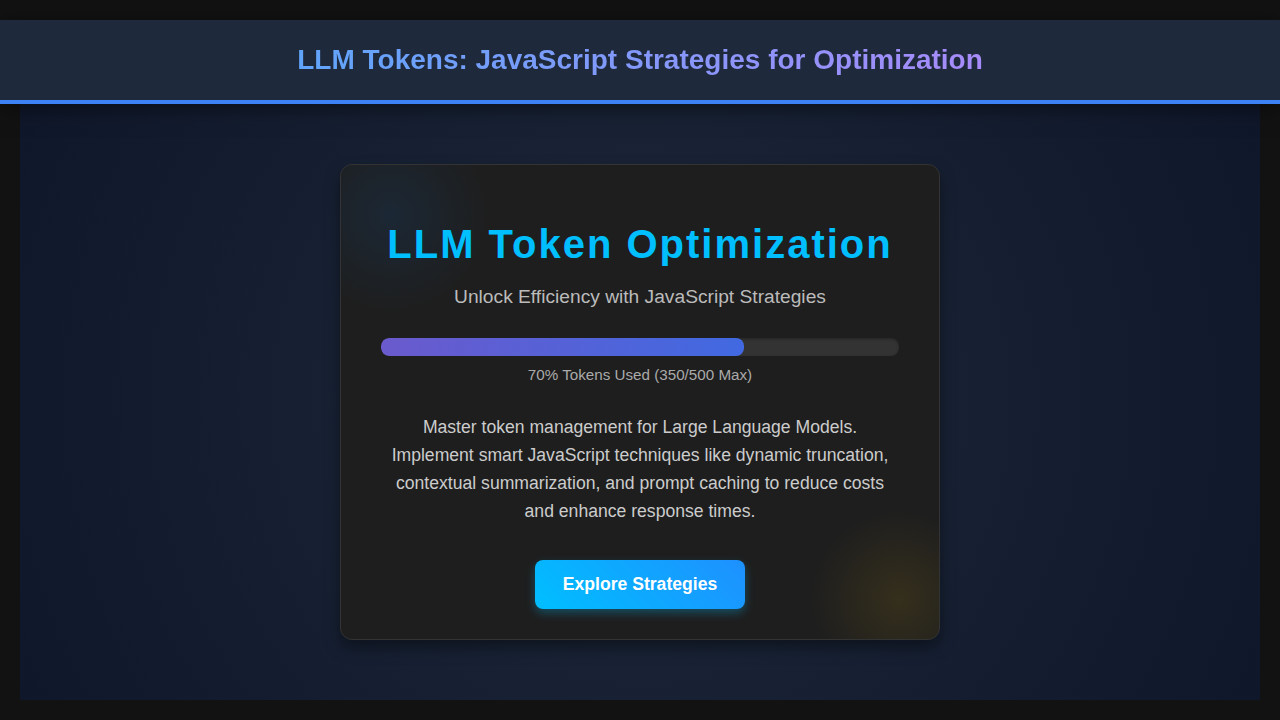
When we work with Large Language Models (LLMs), understanding and managing LLM Tokens is absolutely crucial. As developers, we’re constantly pushing the boundaries of what web applications can do, and integrating AI is certainly one of the most exciting frontiers. However, if you’ve already started, you know that token limits and costs can quickly become significant challenges.
Thankfully, with a little JavaScript magic, we can build robust front-end strategies to optimize our token usage. Let’s dive deep into practical techniques that empower you to create more efficient and cost-effective AI-powered experiences!
What We Are Building: A Practical LLM Token Management Tool
Imagine a dynamic text area where users input their queries, and in real-time, your application tells them how many tokens their input will consume. Wouldn’t that be incredibly useful? This is precisely what we’re going to build: a simple yet powerful web application designed to help users visualize and manage their input length concerning LLM token equivalents. It’s an interactive token counter and a content optimizer.
This kind of tool is highly trending because it addresses a core pain point in AI development: resource management. We need to be mindful of API costs and response times. Implementations like this are vital for chat interfaces, content generation platforms, and anywhere user input directly feeds into an LLM. By providing immediate feedback, we not only save costs but also guide users to craft more concise and effective prompts, leading to better AI interactions. It’s about enhancing both developer efficiency and user experience.
“Effective token management isn’t just about saving money; it’s about crafting a smoother, more intuitive conversation with AI.”
The HTML Structure: Setting Up Our Interface
We’ll start with a straightforward HTML layout. Our structure will include a text area for input, display areas for character and token counts, and a simulated ‘submit’ button. This foundational markup will host all our JavaScript logic.
index.html
<!DOCTYPE html>
<html lang="en">
<head>
    <meta charset="UTF-8">
    <meta name="viewport" content="width=device-width, initial-scale=1.0">
    <title>LLM Tokens: JavaScript Strategies for Optimization</title>
    <link rel="stylesheet" href="styles.css">
</head>
<body>
    <div class="container">
        <header class="hero">
            <h1>LLM Token Management</h1>
            <p>Optimization Strategies Using JavaScript</p>
        </header>
        <main class="strategy-section">
            <div class="strategy-card">
                <h2>Strategy 1: Prompt Truncation</h2>
                <p>Reduce prompt length by truncating less critical information when approaching token limits. Use a function to safely cut off text while preserving context.</p>
                <pre><code class="language-js">function truncatePrompt(prompt, maxTokens) {
    // Basic example: count words or characters, then truncate
    const tokens = prompt.split(/\s+/).length; // Simple word count as token approx
    if (tokens > maxTokens) {
        const words = prompt.split(/\s+/);
        return words.slice(0, maxTokens).join(' ') + '...';
    }
    return prompt;
}

const longPrompt = "This is a very long prompt that needs to be carefully managed...";
console.log(truncatePrompt(longPrompt, 10)); // Expected: "This is a very long prompt that needs to be..."</code></pre>
                <button class="learn-more" data-strategy="truncate">Learn More</button>
            </div>

            <div class="strategy-card">
                <h2>Strategy 2: Input Summarization</h2>
                <p>Before sending user input to the LLM, use a simpler, local model or a pre-defined summarization technique to condense verbose text.</p>
                <pre><code class="language-js">async function summarizeInput(text) {
    // In a real app, this might call a local NLP library or a simpler API
    // For demo, a simple string manipulation
    if (text.length > 200) {
        return text.substring(0, 150) + "... (summarized)";
    }
    return text;
}

const detailedInput = "The user provided a comprehensive explanation of their problem, detailing all steps, error messages, and their attempts to resolve it, which resulted in a very lengthy input. This information needs to be condensed for the LLM.";
summarizeInput(detailedInput).then(summary => console.log(summary)); // Expected: "The user provided a comprehensive explanation of their problem, detailing all steps, error messages, and their attempts to resolve it, which... (summarized)"</code></pre>
                <button class="learn-more" data-strategy="summarize">Learn More</button>
            </div>
        </main>
    </div>
    <script src="script.js"></script>
</body>
</html>
script.js
document.addEventListener('DOMContentLoaded', () => {
    const learnMoreButtons = document.querySelectorAll('.learn-more');

    learnMoreButtons.forEach(button => {
        button.addEventListener('click', (event) => {
            const strategy = event.target.dataset.strategy;
            alert(`You clicked "Learn More" for the ${strategy} strategy! In a real application, this would navigate to a detailed guide or open a modal.`);
        });
    });

    // Example of dynamic token usage calculation (conceptual)
    function calculateTokens(text) {
        // A very simplified token counter (e.g., word count)
        // Real LLM tokenizers are more complex and language-specific.
        return text.split(/\s+/).filter(word => word.length > 0).length;
    }

    const demoPrompt = "This is a sample prompt to demonstrate token calculation.";
    const tokenCount = calculateTokens(demoPrompt);
    console.log(`Demo prompt token count: ${tokenCount}`);

    // This is where you'd integrate more complex LLM-related JavaScript logic
    // such as real API calls, token estimation libraries, or caching mechanisms.
});
Styling Our Token Dashboard with CSS
With our HTML in place, let’s add some CSS to make our token manager look clean and user-friendly. We’ll focus on a modern aesthetic, ensuring readability and a pleasant user experience. Proper styling makes our application intuitive and engaging.
styles.css
body {
    font-family: Arial, Helvetica, sans-serif;
    background-color: #1a1a2e;
    color: #e0e0e0;
    margin: 0;
    padding: 0;
    display: flex;
    flex-direction: column;
    align-items: center;
    min-height: 100vh;
    box-sizing: border-box;
    overflow-x: hidden;
}

.container {
    max-width: 1200px;
    width: 100%;
    padding: 20px;
    box-sizing: border-box;
}

.hero {
    text-align: center;
    padding: 60px 20px;
    background: linear-gradient(45deg, #2a0050, #0f0030);
    border-radius: 12px;
    margin-bottom: 40px;
    box-shadow: 0 10px 25px rgba(0, 0, 0, 0.5);
    color: #f0f0f0;
}

.hero h1 {
    font-size: 3.5em;
    margin-bottom: 15px;
    color: #92b4ec;
    letter-spacing: 0.03em;
}

.hero p {
    font-size: 1.3em;
    color: #c0c0c0;
    max-width: 700px;
    margin: 0 auto;
}

.strategy-section {
    display: grid;
    grid-template-columns: repeat(auto-fit, minmax(300px, 1fr));
    gap: 30px;
    justify-content: center;
}

.strategy-card {
    background-color: #272740;
    border-radius: 10px;
    padding: 30px;
    box-shadow: 0 5px 15px rgba(0, 0, 0, 0.3);
    border: 1px solid #3d3d5c;
    transition: transform 0.3s ease, box-shadow 0.3s ease;
    overflow: hidden;
    box-sizing: border-box;
}

.strategy-card:hover {
    transform: translateY(-5px);
    box-shadow: 0 10px 25px rgba(0, 0, 0, 0.4);
}

.strategy-card h2 {
    color: #8bb7f0;
    font-size: 1.8em;
    margin-top: 0;
    margin-bottom: 15px;
}

.strategy-card p {
    font-size: 1em;
    line-height: 1.6;
    color: #c0c0c0;
    margin-bottom: 25px;
}

pre {
    background-color: #1e1e30;
    padding: 15px;
    border-radius: 8px;
    overflow-x: auto;
    font-size: 0.9em;
    line-height: 1.4;
    max-width: 100%;
    box-sizing: border-box;
    border: 1px solid #333;
    white-space: pre-wrap;
    word-break: break-all;
}

code {
    font-family: 'Consolas', 'Monaco', 'Lucida Console', monospace;
    color: #d4d4d4;
}

.learn-more {
    background: linear-gradient(45deg, #6a5acd, #4169e1);
    color: #ffffff;
    padding: 12px 25px;
    border: none;
    border-radius: 6px;
    font-size: 1em;
    cursor: pointer;
    transition: all 0.3s ease;
    font-weight: bold;
    margin-top: 15px;
    text-decoration: none;
    display: inline-block;
}

.learn-more:hover {
    transform: translateY(-2px);
    box-shadow: 0 5px 15px rgba(0, 0, 0, 0.3);
    background: linear-gradient(45deg, #4169e1, #6a5acd);
}
Deep Dive into JavaScript: Optimizing LLM Tokens
Here’s where the real magic happens! We’ll use JavaScript to bring our token manager to life. From real-time counting to dynamic adjustments, these strategies will empower you to handle LLM Tokens with precision. We’ll cover several key aspects to ensure an optimized experience for your users and your application’s backend.
Character Counting and Token Estimation
The first step in managing tokens is understanding how many we’re dealing with. While actual tokenization is complex and model-dependent, we can provide a reasonable estimate. A common heuristic is to assume that about 4 characters equal one token for English text. This gives users a quick, actionable insight.
We’ll set up an event listener on our textarea. Every time the user types, we’ll update both the character count and the estimated token count. This real-time feedback is invaluable. For example, consider a function that takes the input string, calculates its length, and then divides by our chosen character-to-token ratio.
const textarea = document.getElementById('promptInput');
const charCountSpan = document.getElementById('charCount');
const tokenCountSpan = document.getElementById('tokenCount');
const tokenLimitSpan = document.getElementById('tokenLimit');
const remainingTokensSpan = document.getElementById('remainingTokens');
const truncateBtn = document.getElementById('truncateBtn');
const summarizeBtn = document.getElementById('summarizeBtn');

const CHARS_PER_TOKEN = 4; // A common heuristic for English text
const MAX_TOKENS = 500; // Example maximum token limit for our LLM

function estimateTokens(text) {
    return Math.ceil(text.length / CHARS_PER_TOKEN);
}

function updateCounts() {
    const text = textarea.value;
    const charCount = text.length;
    const tokenCount = estimateTokens(text);
    const remainingTokens = MAX_TOKENS - tokenCount;

    charCountSpan.textContent = charCount;
    tokenCountSpan.textContent = tokenCount;
    tokenLimitSpan.textContent = MAX_TOKENS;
    remainingTokensSpan.textContent = remainingTokens;

    // Visual feedback for token limits
    if (tokenCount > MAX_TOKENS) {
        tokenCountSpan.style.color = 'var(--accent-danger)';
        remainingTokensSpan.style.color = 'var(--accent-danger)';
        truncateBtn.disabled = false;
        summarizeBtn.disabled = false;
    } else {
        tokenCountSpan.style.color = 'var(--text-color)';
        remainingTokensSpan.style.color = 'var(--text-color)';
        truncateBtn.disabled = true;
        summarizeBtn.disabled = true;
    }
}
Dynamic Content Adjustments
Sometimes, users will inevitably exceed the token limit. Instead of just showing a warning, we can offer proactive solutions. Our example includes a ‘Truncate’ and ‘Summarize’ button. While full summarization requires an actual LLM call, we can simulate or provide a basic front-end truncation.
For truncation, we simply cut the text at the point where it would exceed our `MAX_TOKENS`. The challenge is to do this gracefully. You might consider truncating sentences rather than words to maintain readability. Similarly, a ‘Summarize’ button could trigger an API call to a text summarization service. This adds a layer of intelligence to your input management.
truncateBtn.addEventListener('click', () => {
    const text = textarea.value;
    let currentTokens = estimateTokens(text);

    if (currentTokens > MAX_TOKENS) {
        let truncatedText = text;
        while (estimateTokens(truncatedText) > MAX_TOKENS && truncatedText.length > 0) {
            // A more sophisticated truncation would try to cut at sentence boundaries
            // For simplicity, we'll just remove a chunk of characters
            truncatedText = truncatedText.substring(0, truncatedText.length - CHARS_PER_TOKEN); // Remove approx one token's worth
        }
        textarea.value = truncatedText.trim();
        updateCounts();
    }
});

summarizeBtn.addEventListener('click', () => {
    // In a real application, this would trigger an API call to an LLM for summarization.
    // For this demonstration, we'll just alert the user.
    alert('Summarization functionality would typically involve sending the text to an LLM API. (Not implemented in this demo)');
});
Throttling User Input for Performance
Constantly updating the UI and potentially running complex calculations (or even making API calls for more accurate token counts) on every single keystroke can be inefficient. This is where throttling or debouncing becomes your best friend. Throttling ensures a function runs at most once in a given time frame, preventing performance bottlenecks.
We’ll implement a simple throttle function. This way, our `updateCounts` function only runs after the user has paused typing for a brief moment, or at a limited frequency. It’s a fundamental optimization for responsive front-end applications, especially when dealing with rapid user input. This significantly improves perceived performance and conserves client-side resources. If you’re looking for more advanced timing and animation techniques, exploring the fundamentals of WebGPU JavaScript might interest you for high-performance rendering contexts.
let timeoutId = null;
const DEBOUNCE_DELAY = 300; // ms

textarea.addEventListener('input', () => {
    clearTimeout(timeoutId);
    timeoutId = setTimeout(() => {
        updateCounts();
    }, DEBOUNCE_DELAY);
});

// Initial count update on page load
document.addEventListener('DOMContentLoaded', () => {
    updateCounts();
});
Providing Real-time User Feedback
User experience is paramount. Beyond just displaying counts, we can use visual cues to guide the user. For instance, changing the color of the token count to red when it exceeds the limit provides immediate, intuitive feedback. Also, enabling or disabling the ‘Truncate’/’Summarize’ buttons based on the token count gives users clear actions they can take.
These subtle interactions reduce friction and make your application feel more professional and helpful. It allows users to actively participate in the optimization process rather than just being passive observers. Engaging the user this way can dramatically improve their overall satisfaction with your application. To implement complex interactive elements, understanding event handling is key. For a deep dive into building more sophisticated user interactions, check out this guide on creating an Adaptive Survey Form: HTML, CSS & JS Tutorial.
“Great user experience isn’t about hiding complexity, it’s about making complex tasks feel effortless.”
Making Our Token Manager Responsive
A modern web application must look good and function flawlessly on any device. Therefore, we’ll implement media queries in our CSS to ensure our token manager is fully responsive. This means adjusting font sizes, padding, and potentially rearranging elements for smaller screens.
We adopt a mobile-first approach, designing for the smallest screens first and then progressively enhancing for larger viewports. This ensures a solid base experience and makes scaling up much easier. For more intricate UI adaptations and performance considerations, concepts like the Intersection Observer API can be surprisingly useful, allowing you to optimize resource loading based on element visibility.
@media (max-width: 768px) {
    .container {
        padding: 15px;
    }
    h1 {
        font-size: 1.8em;
    }
    .input-group label {
        font-size: 0.9em;
    }
    .prompt-input {
        min-height: 150px;
        font-size: 0.95em;
    }
    .controls {
        flex-direction: column;
        gap: 10px;
    }
    .button-group {
        width: 100%;
        flex-direction: row;
        justify-content: space-around;
    }
    .button-group button {
        flex: 1;
        margin: 0 5px;
    }
}

@media (max-width: 480px) {
    .button-group {
        flex-direction: column;
    }
    .button-group button {
        width: 100%;
        margin: 5px 0;
    }
}
The Final Output: A Glimpse of Efficiency
Once all these pieces come together, you’ll have a fully functional LLM token management tool. Users can type their prompts, see real-time character and token counts, and take immediate action if they exceed limits. The visual feedback, combined with the throttling, creates a smooth and intuitive experience. It’s a perfect example of how front-end JavaScript can proactively solve backend and cost-related challenges.
Conclusion: Mastering LLM Tokens in Web Development
By implementing these JavaScript strategies, you’re not just building a feature; you’re building a smarter, more cost-effective way for users to interact with AI. Understanding and managing LLM Tokens directly impacts your application’s performance, user experience, and even your operational costs. We covered the importance of real-time estimation, dynamic content adjustments, input throttling for efficiency, and the critical role of responsive design and user feedback.
As AI integration becomes standard in web development, mastering these front-end optimization techniques will set your applications apart. Start integrating these strategies into your projects today and empower your users with intelligent, token-aware interfaces. Your users, and your budget, will thank you for it!

看不懂但大受震撼
What happend i dont know