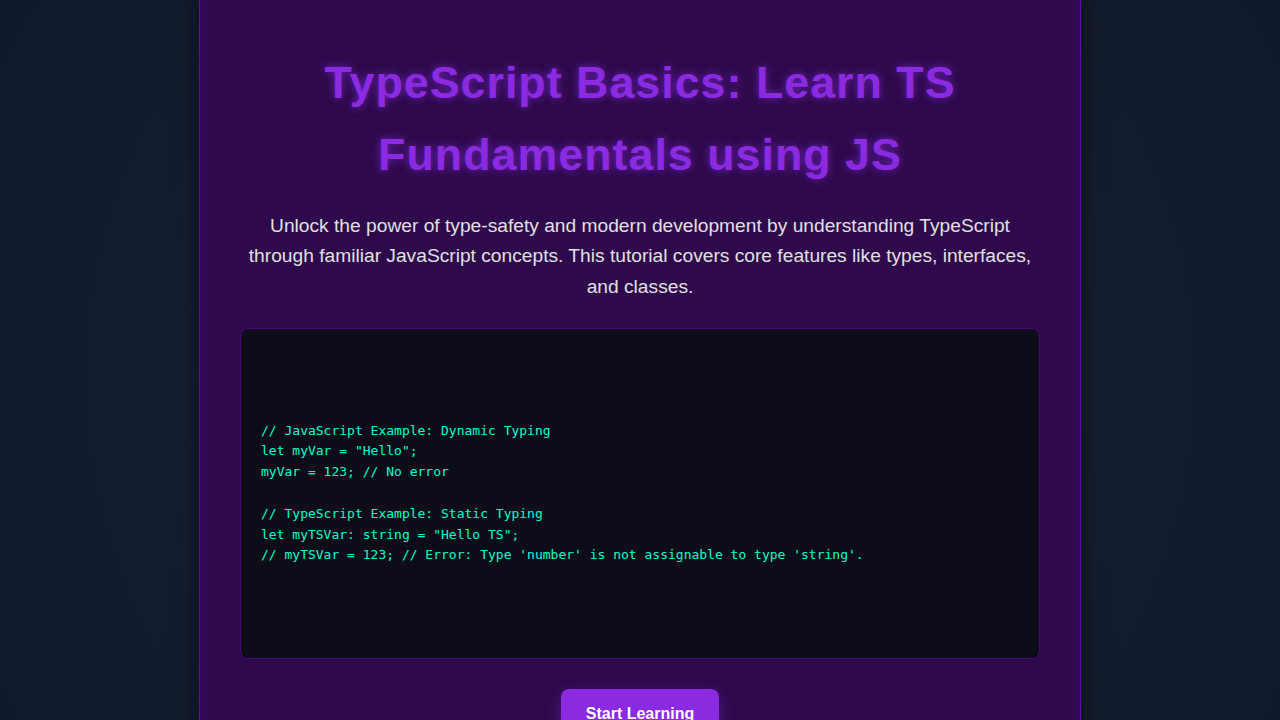
Introduction
Hey there, fellow developers! Ever felt the frustration of runtime errors in your JavaScript code? You know, those head-scratching moments when something breaks unexpectedly, hours after you thought you were done? That’s precisely where TypeScript Basics come in to save the day! TypeScript extends JavaScript by adding static types, giving you superpowers to catch errors before your code even runs. It transforms your development experience, making it more robust and predictable. Let’s dive in and see how this amazing superset makes JavaScript even better.
What We Are Building: Robust JavaScript Experiences
We aren’t building a visual component today, but rather a robust understanding of how TypeScript fundamentally enhances our JavaScript development. Think of it as constructing a safer, more predictable foundation for any web application you might build, whether it’s a dynamic user interface or a complex backend service.
TypeScript is currently trending for excellent reasons. It dramatically improves code quality, especially in larger applications with multiple developers. By providing immediate feedback on type mismatches, it minimizes those dreaded production bugs. From massive enterprise applications to popular open-source libraries, TypeScript is becoming the standard. It shines in frameworks like Angular, React, and Vue, where it helps structure components, manage state, and ensure data consistency. Essentially, if you’re writing JavaScript, TypeScript offers a pathway to more maintainable and scalable code.
HTML Structure
For our TypeScript examples, we’ll keep the HTML minimal. We just need a simple page to load our JavaScript (or compiled TypeScript) output and perhaps display some results if we were building an interactive demo. The core of our learning today focuses on the script tag and what it loads.
<!DOCTYPE html>
<html lang="en">
<head>
<meta charset="UTF-8">
<meta name="viewport" content="width=device-width, initial-scale=1.0">
<title>TypeScript Fundamentals Demo</title>
<link rel="stylesheet" href="style.css">
</head>
<body>
<header>
<h1>Exploring TypeScript Fundamentals</h1>
</header>
<main id="app-root">
<p>Open your browser's console to see our TypeScript examples in action!</p>
</main>
<footer>
<p>© 2023 ProCoder09</p>
</footer>
<script src="dist/index.js"></script>
</body>
</html>CSS Styling
Our styling will also be incredibly straightforward. We’ll add just enough CSS to make our simple HTML page look presentable. The focus remains squarely on the TypeScript concepts rather than intricate UI design.
body {
    font-family: 'Segoe UI', Tahoma, Geneva, Verdana, sans-serif;
    margin: 0;
    padding: 0;
    background-color: #f4f7f6;
    color: #333;
    line-height: 1.6;
}

header {
    background-color: #007acc;
    color: white;
    padding: 1rem 0;
    text-align: center;
    box-shadow: 0 2px 4px rgba(0,0,0,0.1);
}

h1 {
    margin: 0;
    font-size: 2.2rem;
}

main {
    max-width: 800px;
    margin: 2rem auto;
    padding: 1.5rem;
    background-color: white;
    border-radius: 8px;
    box-shadow: 0 4px 8px rgba(0,0,0,0.05);
}

footer {
    text-align: center;
    padding: 1.5rem 0;
    color: #777;
    font-size: 0.9rem;
}

p {
    margin-bottom: 1rem;
}

pre {
    background-color: #eee;
    padding: 1em;
    border-radius: 5px;
    overflow-x: auto;
    margin-bottom: 1.5rem;
}

code {
    font-family: 'Fira Code', 'Cascadia Code', 'Consolas', monospace;
    color: #c7254e;
    background-color: #f9f2f4;
    padding: 0.2em 0.4em;
    border-radius: 3px;
}
Step-by-Step Breakdown: Mastering TypeScript Basics
Let’s finally dive into the exciting part: understanding the core concepts of TypeScript. We’ll look at how TypeScript adds a layer of safety and clarity directly over your existing JavaScript. This section will truly unveil the power of TypeScript Basics through practical examples.
Getting Started: Your First TypeScript File
First things first, you need Node.js installed. Open your terminal and run npm install -g typescript. This command gives you the TypeScript compiler (tsc). Create a file named index.ts.
In JavaScript, you might write:
// JavaScript (index.js)
let message = "Hello from JavaScript!";
console.log(message);
To achieve the same in TypeScript, it looks remarkably similar:
// TypeScript (index.ts)
let message: string = "Hello from TypeScript!";
console.log(message);
Notice message: string? That’s a type annotation. It tells TypeScript that message must be a string. If you try to assign a number to it, like message = 123;, TypeScript will immediately flag an error before you even run the code! To compile your TypeScript into JavaScript, simply run tsc index.ts in your terminal. This generates an index.js file, which is pure JavaScript your browser can understand. This proactive error detection is incredibly valuable.
Static Typing: Catching Errors Early
One of TypeScript’s biggest draws is static typing. JavaScript is dynamically typed, meaning variable types are determined at runtime. TypeScript, conversely, allows you to explicitly define types during development. This helps catch potential issues long before they become bugs. For instance, consider a function that adds two numbers.
In JavaScript:
// JavaScript
function add(a, b) {
    return a + b;
}
console.log(add(5, 3));      // Output: 8
console.log(add("hello", "world")); // Output: "helloworld" (might not be desired)
console.log(add(5, "3"));    // Output: "53" (definitely not desired for addition)
Now, with TypeScript:
// TypeScript
function add(a: number, b: number): number {
    return a + b;
}
console.log(add(5, 3));
// console.log(add("hello", "world")); // Error: Argument of type 'string' is not assignable to parameter of type 'number'.
// console.log(add(5, "3"));          // Error: Argument of type 'string' is not assignable to parameter of type 'number'.
Here, we’ve told TypeScript that a and b must be numbers, and the function will return a number. This is clear, concise, and incredibly robust. It prevents unexpected behaviors, making our code much more reliable. Furthermore, understanding precise function types is crucial for handling asynchronous operations and avoiding common pitfalls, as we explore in best practices for Promise Rejection.
“TypeScript acts like a highly vigilant co-pilot, constantly checking your code for type inconsistencies and guiding you towards more predictable and bug-free outcomes.”
Interfaces and Type Aliases: Defining Structure
As your applications grow, you’ll work with complex objects. TypeScript’s interfaces and type aliases provide powerful ways to describe the shape of these objects. They enforce consistency across your codebase.
Let’s define a User object.
In JavaScript, you might just have an object literal:
// JavaScript
const user = {
    id: 1,
    name: "Alice",
    email: "alice@example.com"
};
// There's no enforced structure here.
With TypeScript, we can use an interface:
// TypeScript
interface User {
    id: number;
    name: string;
    email: string;
    age?: number; // Optional property
}

const userA: User = {
    id: 1,
    name: "Alice",
    email: "alice@example.com"
};

// This next line would cause a TypeScript error during compilation:
// const userB: User = { // Error: Property 'email' is missing in type '{ id: number; name: string; }'
//     id: 2,
//     name: "Bob"
// };

const userC: User = {
    id: 3,
    name: "Charlie",
    email: "charlie@example.com",
    age: 30
};
Interfaces are fantastic for defining contracts. They ensure that any object declared as User must have id, name, and email (and optionally age). Type aliases, created with the type keyword, offer similar capabilities and can describe unions, intersections, and primitives. Both are incredibly useful for structuring your data correctly.
Enums: Making Code More Readable
Enums (enumerations) allow you to define a set of named constants. This makes your code more readable and prevents “magic strings” or “magic numbers” that are hard to understand.
Consider status codes in a JavaScript application:
// JavaScript
const PENDING = 0;
const SUCCESS = 1;
const ERROR = 2;

function getStatusMessage(status) {
    if (status === PENDING) return "Processing...";
    if (status === SUCCESS) return "Operation successful.";
    if (status === ERROR) return "An error occurred.";
    return "Unknown status.";
}
console.log(getStatusMessage(1)); // Output: "Operation successful."
Using TypeScript enums makes this much cleaner:
// TypeScript
enum Status {
    PENDING,  // Defaults to 0
    SUCCESS,  // Defaults to 1
    ERROR     // Defaults to 2
}

function getStatusMessage(status: Status): string {
    switch (status) {
        case Status.PENDING: return "Processing...";
        case Status.SUCCESS: return "Operation successful.";
        case Status.ERROR: return "An error occurred.";
        default: return "Unknown status.";
    }
}
console.log(getStatusMessage(Status.SUCCESS)); // Output: "Operation successful."
// console.log(getStatusMessage(999)); // Error: Argument of type '999' is not assignable to parameter of type 'Status'.
Enums provide a clear, type-safe way to represent a fixed set of values. This enhances readability and prevents assigning invalid values to properties, which is invaluable in complex systems.
Generics: Reusable Components
Generics are a powerful feature allowing you to build components or functions that work with any data type, while still providing type safety. This means you don’t have to write different functions for strings, numbers, or custom objects.
Imagine a simple identity function in JavaScript:
// JavaScript
function identity(arg) {
    return arg;
}
let outputNum = identity(100);    // outputNum is any
let outputStr = identity("hello"); // outputStr is any
With TypeScript generics, we preserve the type information:
// TypeScript
function identity<T>(arg: T): T {
    return arg;
}

let outputNum = identity<number>(100);    // outputNum is number
let outputStr = identity<string>("hello"); // outputStr is string
let outputBool = identity(true);          // TypeScript infers outputBool as boolean
The <T> signifies a type variable. When you call identity, T takes on the type of the argument you pass in. This makes our identity function incredibly versatile yet type-safe. It’s especially useful for creating reusable data structures like arrays, queues, or utility functions that operate on various types, similar to how an AI Autocomplete Input might need to handle different types of suggestion data. Generics are foundational for creating flexible and robust code.
Advanced Types: Union, Intersection, and Literals
TypeScript offers sophisticated ways to combine and refine types. Union types (|) allow a value to be one of several types. Intersection types (&) combine multiple types into one, meaning an object must conform to all combined types. Literal types let you define types based on exact string, number, or boolean values.
// TypeScript
// Union Type: A value can be either a string OR a number
type StringOrNumber = string | number;
let valueA: StringOrNumber = "hello";
let valueB: StringOrNumber = 123;
// let valueC: StringOrNumber = true; // Error: Type 'boolean' is not assignable to type 'StringOrNumber'.

// Intersection Type: An object must have properties from ALL combined types
interface HasID {
    id: number;
}
interface HasName {
    name: string;
}
type IdentifiableNamed = HasID & HasName;

const entity: IdentifiableNamed = {
    id: 1,
    name: "Item Alpha"
};
// const entityError: IdentifiableNamed = { id: 2 }; // Error: Property 'name' is missing.

// Literal Type: A value must be one of the specified literals
type Direction = "up" | "down" | "left" | "right";
let move: Direction = "up";
// let moveError: Direction = "forward"; // Error: Type '"forward"' is not assignable to type 'Direction'.
These advanced types provide immense flexibility while maintaining strong type checking. They allow you to model complex real-world data structures accurately. To learn more about how JavaScript types work under the hood, you can always refer to the definitive guide on MDN Web Docs.
Integrating TypeScript with Modern JavaScript
TypeScript seamlessly integrates with modern JavaScript features like ES Modules (import/export), classes, and asynchronous functions. This means you can leverage all the advancements in JavaScript development while benefiting from TypeScript’s type safety. You’ll often find TypeScript configured with a tsconfig.json file, which specifies compiler options. This file dictates how TypeScript compiles your code, including target JavaScript version, module system, and more.
Building robust components that handle user interactions, for example, often benefits from strong typing. Consider a reusable component like an Accessible Modal: HTML, CSS & JS Dialog Tutorial. TypeScript would help ensure that the props passed to the modal component (e.g., isOpen: boolean, onClose: () => void) are always of the correct type, making the component much safer to use across your application. This integration truly empowers developers to write cleaner, more maintainable code bases in any modern JavaScript environment.
Making Your Development Responsive with TypeScript Basics
While “responsiveness” typically applies to UI design, we can think of it metaphorically for our development flow. A responsive development flow adapts quickly to changes and prevents errors before they impact the user. TypeScript achieves this by providing instant feedback.
Just as responsive web design ensures your layout looks good on any device, TypeScript ensures your code works correctly regardless of how it’s used or by whom it’s modified. It’s like having intelligent breakpoints everywhere! When you change a type definition, TypeScript immediately highlights all the places in your codebase that are now incompatible. This prevents cascading errors and makes refactoring a breeze. For the simple UI we have, any basic media query setup would ensure text readability, but the real responsiveness here is in the feedback loop TypeScript offers during development. You can explore more about responsive design patterns on excellent resources like CSS-Tricks.
Final Output: A Foundation of Clarity and Confidence
By understanding and applying these TypeScript Basics, you’ve built a foundation for writing JavaScript that is not only powerful but also incredibly reliable. The “final output” isn’t a flashy UI, but a mindset shift: moving from hopeful programming to confident programming. You gain type safety, better tooling, and clearer communication within your codebase.
Your compiled JavaScript will look very similar to what you’d write by hand, but the journey to get there will have been guided by TypeScript’s intelligent checks. This results in fewer bugs, easier refactoring, and a generally more pleasant development experience for you and your team.
“TypeScript allows you to express your intent with code, and then it validates that intent, leading to a profound sense of confidence in your application’s behavior.”
Conclusion: Reinforcing TypeScript Basics
We’ve explored the fundamental concepts of TypeScript, seeing how it layers static types onto JavaScript to provide unparalleled safety and developer experience. From basic type annotations and functions to powerful interfaces, enums, generics, and advanced type combinations, you now have a solid grasp of TypeScript Basics.
Embracing TypeScript means writing more maintainable, scalable, and less error-prone code. It’s a game-changer for larger projects and collaborative environments, where clarity and explicit contracts are paramount. Start integrating TypeScript into your next project. You’ll quickly appreciate how it transforms the way you approach JavaScript development, making your codebases stronger and your debugging sessions shorter. Happy typing!