Dev vs Prod: Decoding Environments
Hello, future web developer! Have you ever built an awesome project on your computer, saw it working perfectly on localhost, and then wondered how it magically appears on the internet for everyone else to see? Maybe you even tried to show a friend your ‘localhost’ site, only for them to look confused?
You’re not alone. Many beginners scratch their heads at this exact point. It feels a bit like magic, right? Well, today, we’re pulling back the curtain on that magic. We will explore the critical concept of the development vs production environment. Understanding this is a massive step in your web development journey.
If You Are Brand New: What You Need to Know First
If you are brand new to this topic, let’s start with a simple idea. Think of building a website like building a house. You don’t build the house directly on the land where people will live. First, you work in a special area. This area is your workshop or construction site.
Your workshop is for trying things out. You make mistakes. You experiment with different layouts. You use special tools. This private space is perfect for learning and building. It’s your personal sandbox, really. Everything is flexible and forgiving. You can break things and easily fix them.
This idea applies directly to web development. You need a dedicated space to build your projects. This space is different from where your finished website lives for the public. It’s designed for your creative process.
Pro Tip: Your “localhost” is like your private workshop address. Only you can reach it because it lives right on your own machine!
The “Localhost” Illusion: Your Private Workshop
When you hear “localhost,” what does it really mean? It sounds fancy, but it’s quite simple. “Localhost” literally means “this computer.” When your browser connects to localhost, it’s talking to software running directly on your machine. This is your personal testing ground.
You run your website code here. You test new features. You debug problems. This environment lets you develop without affecting anyone else. It’s safe. It’s fast for you. It’s your ideal creative space. You can make huge changes without any public impact.
However, this setup has a catch. Nobody else can see your “localhost” site. Your friend cannot type “localhost:3000” into their browser and see your amazing new app. Why not? Because “localhost” refers to *their* computer, not yours! You need to put your site somewhere public for others to access it.
Understanding Development vs Production Environment: The Core Differences
So, we have your private workshop (development environment). Now, imagine your house is finished. You want people to actually live in it. You would move it to a public, accessible location. This public location is your production environment.
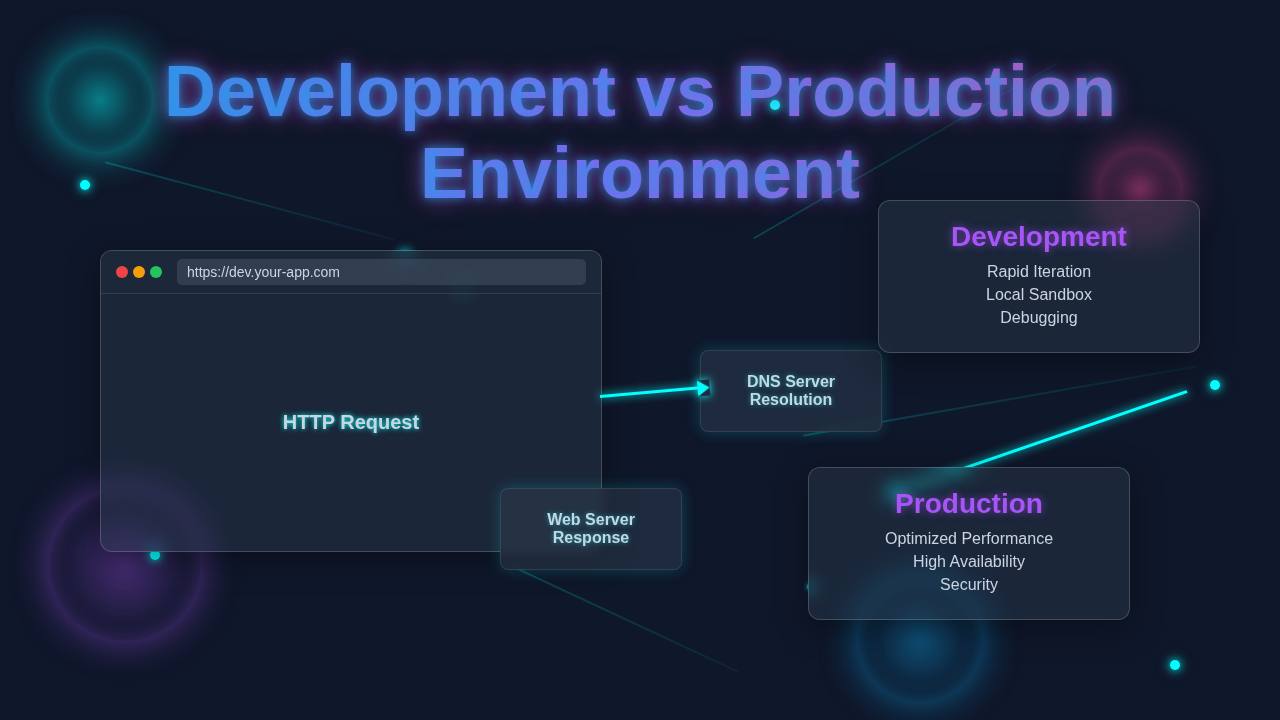
Let’s break down the core differences. Your development vs production environment have very different goals. Your development environment helps you build. It prioritizes flexibility and speed for *your* work. It includes many helpful tools. These tools make debugging easier. They help you see errors instantly.
Conversely, the production environment serves your users. It prioritizes speed, security, and stability for *everyone*. It needs to be always available. It cannot break easily. This environment delivers your finished product to the world. It is the real deal, ready for public viewing.
Analogy Time!
Imagine you’re baking a cake. Your kitchen is your development environment. You have flour, sugar, eggs everywhere. You might spill a little. You taste the batter. You adjust ingredients. It’s messy but necessary for creation.
The finished cake, presented beautifully on a platter at a party, is your production environment. It needs to look perfect. It needs to taste amazing. It shouldn’t fall apart. Guests don’t see the messy kitchen. They only see the delicious final product, exactly as intended.
Why Are Development vs Production Environment So Different?
These two environments are different for very good reasons. They serve different purposes, after all. You wouldn’t use the same tools to build a car as you would to drive it. Here are some key “whys”:
- Security: In development, you might have easy access to databases. You might use simple passwords. You might even store sensitive API keys in easily accessible places for testing. In production, this is a huge no-no! Security is paramount. All sensitive information is carefully protected. You use strong, complex passwords. You lock everything down with robust measures. You need to protect your users’ data at all costs.
- Performance: Your development environment often includes “developer tools.” These tools help you track changes. They might slow down your application a bit. This is fine for development. For production, speed is everything. You remove unnecessary tools. You optimize your code for maximum performance. Users expect fast loading times and a smooth experience.
- Stability: When you develop, things break. That’s part of the process. You might introduce bugs. Your application might crash. In production, crashes are unacceptable. Users expect a seamless experience. The production environment is built for robustness. It needs to handle many users at once without a hitch.
- Resources: Running a web application takes resources. Your development setup uses your computer’s resources. A production environment uses powerful servers. These servers are designed to handle thousands, or even millions, of requests. They need to be reliable and scalable to meet demand.
Do you see the distinction now? Each environment has its specific mission and optimized setup.
Key Takeaway: Never, ever use your development database or sensitive test data in a production environment. Keep them completely separate for security and privacy!
Key Distinctions You’ll Encounter
When you start deploying your web projects, you’ll notice practical differences. Understanding these will save you a lot of headaches:
- Environment Variables: These are like secret notes for your application. In development, you might point your application to a test database. In production, these variables will point to your live, public database. They also store sensitive information like API keys. You often manage them with special tools. You must keep them secure and never expose them in your code. For instance, building fast APIs with Python often relies on correctly configured environment variables for connecting to different services.
- Databases: You usually have a separate database for development and production. Your development database is full of fake data. You use it for testing new features. Your production database holds real user data. It’s much more critical and requires careful backups. You might even use different types of database software for each.
- Dependencies and Optimization: In development, you install many tools. These include testing libraries and debuggers. When you prepare for production, you “bundle” and “minify” your code. This means making it smaller and faster by removing comments, extra spaces, and unused code. You remove all unnecessary development tools before deployment. For example, when dealing with Tailwind CSS production issues, you often find that optimizing for production significantly changes how your styles are bundled and delivered.
- Error Reporting: In development, you want all errors to loudly appear right in your browser. You want to fix them fast. In production, you generally hide detailed error messages from users. Showing too much information can be a security risk, revealing how your system works. Instead, errors are logged securely on the server. You, the developer, then review these logs to find and fix issues quietly.
- Servers and Hosting: Your development server runs locally on your machine. Your production server is a remote computer. It is always connected to the internet. Companies like Netlify, Vercel, AWS, or DigitalOcean provide these “hosting” services. They make your website accessible globally, 24/7. Learning about understanding web servers is a fantastic next step here, as they are the backbone of your online presence.
These distinctions are super important. They ensure your site is secure, fast, and reliable for your users, no matter where they are.
What to Learn Next for Your Deployment Journey
You’ve now grasped the core ideas of development vs production environment. Fantastic! Your next steps involve learning how to bridge the gap. Here are some topics to explore:
- Deployment: This is the process of taking your code from your development environment to a production server. You’ll learn about continuous integration and continuous deployment (CI/CD). These are fancy terms for automated processes. They help you get your code to users quickly and safely, without manual errors.
- Cloud Hosting Providers: Research services like Netlify, Vercel, Heroku, AWS, or DigitalOcean. Each has its pros and cons. They are where your website actually lives online. Knowing how they work is crucial for launching your projects.
- Environment Variables Management: Dig deeper into how to manage your secret keys and configurations securely across different environments. This is a critical skill for any developer.
- Build Tools: Explore tools like Webpack, Vite, or Rollup. They help optimize and prepare your code for production. This process is called “bundling” and “minifying.” If you are building interactive elements, for instance, learning about building a React product tour often involves these tools for optimal performance and user experience.
- Web Deployment Strategies: Understand different ways to release your updates. Sometimes you want to roll out changes slowly to a small group. Other times, a quick update is fine for everyone. There are specific strategies for each scenario.
Don’t worry if these terms sound complex. Each one builds on the last. You’ve already got the foundational knowledge, and the rest will click into place!
Resources to Keep You Going
- MDN Web Docs: Web server – A great starting point to understand how servers work and what they do.
- CSS-Tricks: A List of Deployment Strategies – Useful for understanding how to get your app live and manage updates effectively.
- More Web Dev Guides on Procoder09.com – Keep learning with our other beginner-friendly articles and tutorials!
You’ve just unlocked a core concept in web development! Moving beyond “localhost” is a huge milestone. It means you’re thinking like a professional developer, considering not just how to build, but how to deploy and maintain. You’re ready to share your creations with the world responsibly. Keep building, keep learning, and remember that every expert was once a beginner. You’ve got this!