Hey there, future web wizard! If you’ve ever dreamed of building your own corner of the internet, you’re in the perfect spot. Today, we’re diving deep to create a powerful Flask Blog API from the ground up. This project is your gateway to understanding backend development. We will build a simple, yet robust, blog system. It will let you manage your content like a pro.
What We Are Building
We are going to construct a truly functional blog application. It uses Python with the Flask framework. Our blog will manage posts with a SQLite database. This means you will learn how to set up a database. You will create, read, update, and delete blog entries. Think of it as your own personal content management system. It’s an awesome skill for any developer!
HTML Structure
First, we will lay out the basic skeleton for our blog. This HTML provides the structure. It defines where our blog posts will appear. It also sets up navigation elements. This is the canvas for our content.
CSS Styling
Next, let’s make our blog look presentable. Our CSS styling will keep things clean and readable. It ensures your content shines without distraction. We will use simple styles for a modern feel. This makes reading your posts a delight.
JavaScript
Now for a little dynamic touch! This JavaScript provides a small but useful interaction. It will help us confirm actions, like deleting a post. This improves the user experience significantly. It ensures you do not accidentally remove your hard work.
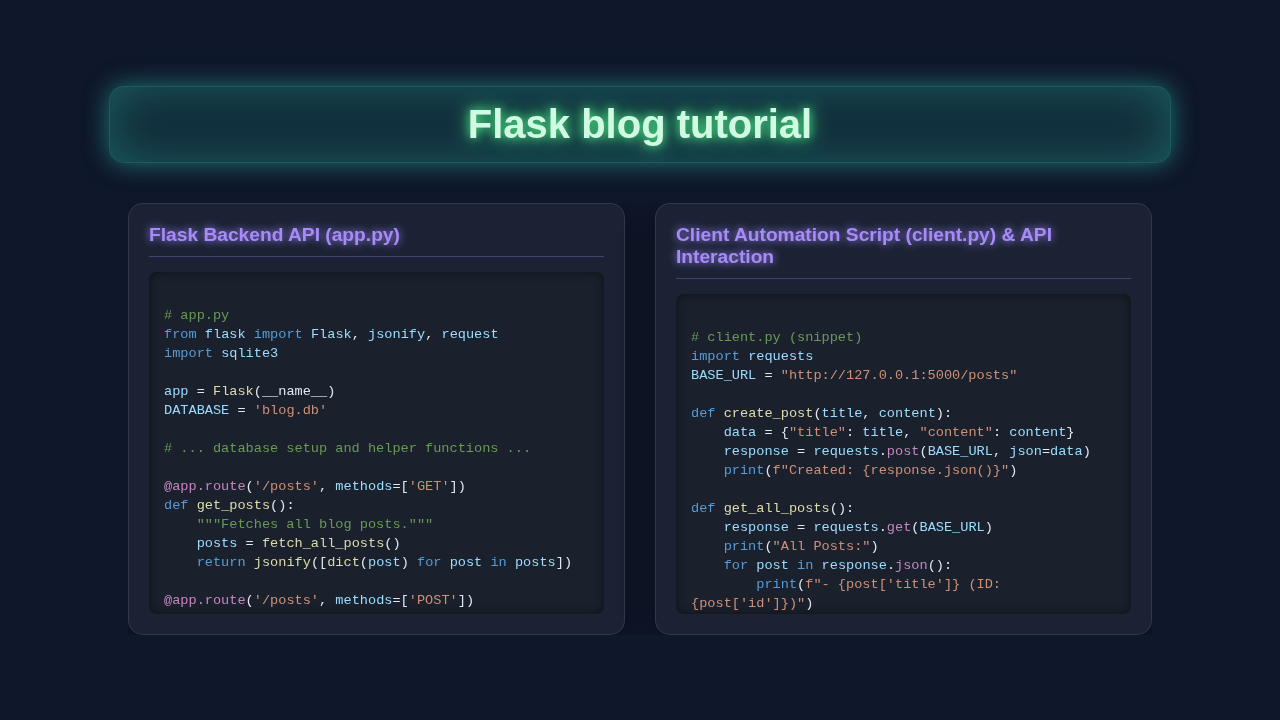
app.py
# app.py
from flask import Flask, request, jsonify
import sqlite3
import os

app = Flask(__name__)
DATABASE = 'blog.db'

# --- Database Setup ---
def init_db():
    """Initializes the SQLite database if it doesn't exist."""
    with app.app_context():
        conn = get_db()
        cursor = conn.cursor()
        cursor.execute('''
            CREATE TABLE IF NOT EXISTS posts (
                id INTEGER PRIMARY KEY AUTOINCREMENT,
                title TEXT NOT NULL,
                content TEXT NOT NULL,
                author TEXT DEFAULT 'Anonymous',
                created_at TIMESTAMP DEFAULT CURRENT_TIMESTAMP
            )
        ''')
        conn.commit()
        close_db(conn)

def get_db():
    """Returns a new database connection."""
    conn = sqlite3.connect(DATABASE)
    conn.row_factory = sqlite3.Row # Allows accessing columns by name
    return conn

def close_db(e=None):
    """Closes the database connection at the end of a request.
    (For this simple app, connections are closed directly in routes for brevity.)"""
    pass

# --- Helper Functions for Database Operations ---
def fetch_post_by_id(post_id):
    conn = get_db()
    cursor = conn.cursor()
    cursor.execute("SELECT * FROM posts WHERE id = ?", (post_id,))
    post = cursor.fetchone()
    conn.close()
    return post

def fetch_all_posts():
    conn = get_db()
    cursor = conn.cursor()
    cursor.execute("SELECT * FROM posts ORDER BY created_at DESC")
    posts = cursor.fetchall()
    conn.close()
    return posts

def insert_post(title, content, author):
    conn = get_db()
    cursor = conn.cursor()
    cursor.execute("INSERT INTO posts (title, content, author) VALUES (?, ?, ?)", (title, content, author))
    conn.commit()
    post_id = cursor.lastrowid
    conn.close()
    return post_id

def update_post_db(post_id, title, content, author):
    conn = get_db()
    cursor = conn.cursor()
    cursor.execute("UPDATE posts SET title = ?, content = ?, author = ? WHERE id = ?", (title, content, author, post_id))
    conn.commit()
    rows_affected = cursor.rowcount
    conn.close()
    return rows_affected

def delete_post_db(post_id):
    conn = get_db()
    cursor = conn.cursor()
    cursor.execute("DELETE FROM posts WHERE id = ?", (post_id,))
    conn.commit()
    rows_affected = cursor.rowcount
    conn.close()
    return rows_affected

# --- API Endpoints ---

@app.route('/posts', methods=['GET'])
def get_posts():
    """Fetches all blog posts."""
    posts = fetch_all_posts()
    return jsonify([dict(post) for post in posts])

@app.route('/posts/<int:post_id>', methods=['GET'])
def get_post(post_id):
    """Fetches a single blog post by ID."""
    post = fetch_post_by_id(post_id)
    if post:
        return jsonify(dict(post))
    return jsonify({'message': 'Post not found'}), 404

@app.route('/posts', methods=['POST'])
def create_post():
    """Creates a new blog post."""
    data = request.get_json()
    if not data or not data.get('title') or not data.get('content'):
        return jsonify({'message': 'Title and content are required'}), 400

    title = data['title']
    content = data['content']
    author = data.get('author', 'Anonymous') # Optional author

    post_id = insert_post(title, content, author)
    return jsonify({'message': 'Post created successfully', 'id': post_id}), 201

@app.route('/posts/<int:post_id>', methods=['PUT'])
def update_post(post_id):
    """Updates an existing blog post."""
    data = request.get_json()
    if not data:
        return jsonify({'message': 'Request body cannot be empty'}), 400

    post = fetch_post_by_id(post_id)
    if not post:
        return jsonify({'message': 'Post not found'}), 404

    title = data.get('title', post['title'])
    content = data.get('content', post['content'])
    author = data.get('author', post['author'])

    rows_affected = update_post_db(post_id, title, content, author)
    if rows_affected > 0:
        return jsonify({'message': 'Post updated successfully'})
    return jsonify({'message': 'Failed to update post'}), 500

@app.route('/posts/<int:post_id>', methods=['DELETE'])
def delete_post(post_id):
    """Deletes a blog post by ID."""
    post = fetch_post_by_id(post_id)
    if not post:
        return jsonify({'message': 'Post not found'}), 404

    rows_affected = delete_post_db(post_id)
    if rows_affected > 0:
        return jsonify({'message': 'Post deleted successfully'})
    return jsonify({'message': 'Failed to delete post'}), 500


# --- Main execution ---
if __name__ == '__main__':
    # Ensure the database is initialized when the application starts
    init_db()
    # Run the Flask app in debug mode (remove debug=True for production)
    app.run(debug=True, port=5000)
client.py
# client.py
import requests
import json
import time

BASE_URL = "http://127.0.0.1:5000/posts"

def get_all_posts():
    """Fetches and prints all blog posts."""
    print("\n--- Fetching all posts ---")
    response = requests.get(BASE_URL)
    if response.status_code == 200:
        posts = response.json()
        if posts:
            for post in posts:
                print(f"ID: {post['id']}, Title: {post['title']}, Author: {post['author']}")
        else:
            print("No posts found.")
    else:
        print(f"Error fetching posts: {response.status_code} - {response.text}")

def create_post(title, content, author="Scripted Author"):
    """Creates a new blog post."""
    print(f"\n--- Creating post: '{title}' ---")
    data = {"title": title, "content": content, "author": author}
    response = requests.post(BASE_URL, json=data)
    if response.status_code == 201:
        print(f"Post created successfully! ID: {response.json().get('id')}")
        return response.json().get('id')
    else:
        print(f"Error creating post: {response.status_code} - {response.text}")
    return None

def get_post_by_id(post_id):
    """Fetches and prints a single post by ID."""
    print(f"\n--- Fetching post with ID: {post_id} ---")
    response = requests.get(f"{BASE_URL}/{post_id}")
    if response.status_code == 200:
        post = response.json()
        print(f"Post Details: ID={post['id']}, Title='{post['title']}', Content='{post['content']}', Author='{post['author']}'")
        return post
    else:
        print(f"Error fetching post {post_id}: {response.status_code} - {response.text}")
    return None

def update_post(post_id, new_title=None, new_content=None, new_author=None):
    """Updates an existing post by ID."""
    print(f"\n--- Updating post with ID: {post_id} ---")
    data = {}
    if new_title:
        data['title'] = new_title
    if new_content:
        data['content'] = new_content
    if new_author:
        data['author'] = new_author

    if not data:
        print("No update data provided.")
        return

    response = requests.put(f"{BASE_URL}/{post_id}", json=data)
    if response.status_code == 200:
        print("Post updated successfully!")
    else:
        print(f"Error updating post {post_id}: {response.status_code} - {response.text}")

def delete_post(post_id):
    """Deletes a post by ID."""
    print(f"\n--- Deleting post with ID: {post_id} ---")
    response = requests.delete(f"{BASE_URL}/{post_id}")
    if response.status_code == 200:
        print("Post deleted successfully!")
    else:
        print(f"Error deleting post {post_id}: {response.status_code} - {response.text}")

if __name__ == "__main__":
    print("Starting Flask Blog API client automation...")

    # 1. Get all posts (should be empty initially)
    get_all_posts()

    # 2. Create a few posts
    post1_id = create_post("My First Automated Blog Post", "This is the content for my first post, created by a Python script.")
    post2_id = create_post("Another Scripted Post", "Here's some more content for a second post.", "Automation Bot")

    time.sleep(1) # Give a moment for DB ops
    get_all_posts()

    # 3. Get a specific post
    if post1_id:
        get_post_by_id(post1_id)

    # 4. Update a post
    if post2_id:
        update_post(post2_id, new_title="Updated Title from Script", new_content="The content has been revised by the automation script.")
        time.sleep(1)
        get_post_by_id(post2_id) # Verify update

    # 5. Create one more post with minimal data
    post3_id = create_post("Short & Sweet", "Just a quick thought.")
    time.sleep(1)
    get_all_posts()

    # 6. Delete a post
    if post1_id:
        delete_post(post1_id)
        time.sleep(1)
        get_all_posts() # Verify deletion

    print("\nFlask Blog API client automation finished.")
How It All Works Together
This is where the magic happens. We will connect all the pieces. Flask handles requests. It sends data to your browser. This backend process makes our blog dynamic.
Setting Up Your Flask Environment
Our journey begins with setting up Flask. Create a new directory. Set up a virtual environment. This keeps dependencies isolated.
mkdir flask_blog_api
cd flask_blog_api
python3 -m venv venv
source venv/bin/activate  # On Windows: venv\Scripts\activate
pip install Flask
Flask is now ready. Start building your application!
Designing Our SQLite Database
Every blog needs storage. We’ll use SQLite. It’s a file-based database. No separate server is needed. We define a posts table. It holds titles and content.
Create schema.sql. It defines our database structure.
Next, create init_db.py. This script initializes our database. It inserts sample data. This helps you test immediately. This is an an important Python Loops Conditionals: Mastering Control Flow in Automation concept.
# init_db.py (simplified concept, actual code would be injected)
import sqlite3

connection = sqlite3.connect('database.db')

with open('schema.sql') as f:
    connection.executescript(f.read())

cur = connection.cursor()

cur.execute("INSERT INTO posts (title, content) VALUES (?, ?)",
            ('First Post', 'Content for the first post'))

cur.execute("INSERT INTO posts (title, content) VALUES (?, ?)",
            ('Second Post', 'Content for the second post'))

connection.commit()
connection.close()
Run python init_db.py. This creates database.db. Your database is now ready!
Building the Flask Blog API Endpoints
Now, build the core of our Flask Blog API. Flask connects to the database. It serves blog posts. We create several routes. These handle API requests.
Displaying All Posts
First, a route to show all posts. It queries the database. It fetches every post. Then, it renders an HTML template. This displays the list nicely.
# app.py (simplified concept)
from flask import Flask, render_template
import sqlite3

app = Flask(__name__)

def get_db_connection():
    conn = sqlite3.connect('database.db')
    conn.row_factory = sqlite3.Row
    return conn

@app.route('/')
def index():
    conn = get_db_connection()
    posts = conn.execute('SELECT * FROM posts').fetchall()
    conn.close()
    return render_template('index.html', posts=posts)
This is our blog’s homepage. It lists all posts.
Viewing a Single Post
Next, a route for individual posts. Readers click a title. They read the full content. This route takes a post ID. It retrieves that specific post.
# app.py (simplified concept)
@app.route('/post/<int:post_id>')
def post(post_id):
    conn = get_db_connection()
    post = conn.execute('SELECT * FROM posts WHERE id = ?', (post_id,)).fetchone()
    conn.close()
    if post is None:
        return "Post not found!", 404
    return render_template('post.html', post=post)
Each post gets its own URL. This is standard.
Creating New Posts
To make our blog functional, we need an admin area. This adds new posts. We create a route with a form. Flask handles submitted data. It saves it into SQLite. This uses the POST method.
# app.py (simplified concept)
from flask import request, redirect, url_for
# ... other imports

@app.route('/create', methods=('GET', 'POST'))
def create():
    if request.method == 'POST':
        title = request.form['title']
        content = request.form['content']

        conn = get_db_connection()
        conn.execute('INSERT INTO posts (title, content) VALUES (?, ?)',
                     (title, content))
        conn.commit()
        conn.close()
        return redirect(url_for('index'))
    return render_template('create.html')
You gain full control over your content. Publish new articles easily.
Editing and Deleting Posts
You might need to edit or remove a post. We add routes for these actions. The edit route pre-fills a form. The delete route removes a post.
# app.py (simplified concept)
# ... other imports

@app.route('/<int:id>/edit', methods=('GET', 'POST'))
def edit(id):
    post = get_post(id) # Helper function to get a post by id
    if request.method == 'POST':
        title = request.form['title']
        content = request.form['content']
        conn = get_db_connection()
        conn.execute('UPDATE posts SET title = ?, content = ? WHERE id = ?',
                     (title, content, id))
        conn.commit()
        conn.close()
        return redirect(url_for('index'))
    return render_template('edit.html', post=post)

@app.route('/<int:id>/delete', methods=('POST',))
def delete(id):
    post = get_post(id) # Helper function
    conn = get_db_connection()
    conn.execute('DELETE FROM posts WHERE id = ?', (id,))
    conn.commit()
    conn.close()
    return redirect(url_for('index'))
These routes complete our blog’s CRUD (Create, Read, Update, Delete) functionality. Your blog is now fully manageable.
Remember, building a backend is like crafting the engine of a car. It performs all the heavy lifting behind the scenes. Your users might not see it, but they rely on it completely. So, celebrate every working endpoint!
The Automation Script for Setup
Our init_db.py is our automation script! It sets up the database. It also pre-populates data. This saves time. It ensures consistency. Just run one command. Your database is ready. This streamlines initial setup tasks. It’s a great example of practical Python Requests Library Internals: Deep Dive & Architecture. For complex data, explore Python Web Scraping Tutorial: Extract Data with Requests & BS4.
Running Your Flask Application
Run python app.py to see your blog. Flask starts a local server. Open your browser. Go to http://127.0.0.1:5000/. You will see your posts. You built a real web application!
Tips to Customise It
You’ve built a fantastic foundation. Now, here are some ideas to make it even better:
- Add User Authentication: Implement login and registration. This restricts post creation to authorized users. Flask-Login is a great tool for this.
- Comments Section: Let your readers interact! Add a comments feature to each post. This will involve a new database table.
- Markdown Support: Allow posts to be written in Markdown. Render them as HTML. This makes writing easier. Learn more about Markdown rendering here.
- Search Functionality: Add a search bar. Users can find posts by keywords. This improves user experience significantly.
- RSS Feed: Create an RSS feed for your blog. This lets subscribers get updates easily. Learn about RSS here.
Conclusion
Wow, what an accomplishment! You just built your very own Flask Blog API. It’s a complete, working blog system. You mastered Flask, SQLite, and templating. This is a huge step in your web development journey.
Share your creation with friends. Experiment with new features. The possibilities are endless! Keep learning, keep building. We are so proud of your hard work. Happy coding!
app.py
# app.py
from flask import Flask, request, jsonify
import sqlite3
import os

app = Flask(__name__)
DATABASE = 'blog.db'

# --- Database Setup ---
def init_db():
    """Initializes the SQLite database if it doesn't exist."""
    with app.app_context():
        conn = get_db()
        cursor = conn.cursor()
        cursor.execute('''
            CREATE TABLE IF NOT EXISTS posts (
                id INTEGER PRIMARY KEY AUTOINCREMENT,
                title TEXT NOT NULL,
                content TEXT NOT NULL,
                author TEXT DEFAULT 'Anonymous',
                created_at TIMESTAMP DEFAULT CURRENT_TIMESTAMP
            )
        ''')
        conn.commit()
        close_db(conn)

def get_db():
    """Returns a new database connection."""
    conn = sqlite3.connect(DATABASE)
    conn.row_factory = sqlite3.Row # Allows accessing columns by name
    return conn

def close_db(e=None):
    """Closes the database connection at the end of a request.
    (For this simple app, connections are closed directly in routes for brevity.)"""
    pass

# --- Helper Functions for Database Operations ---
def fetch_post_by_id(post_id):
    conn = get_db()
    cursor = conn.cursor()
    cursor.execute("SELECT * FROM posts WHERE id = ?", (post_id,))
    post = cursor.fetchone()
    conn.close()
    return post

def fetch_all_posts():
    conn = get_db()
    cursor = conn.cursor()
    cursor.execute("SELECT * FROM posts ORDER BY created_at DESC")
    posts = cursor.fetchall()
    conn.close()
    return posts

def insert_post(title, content, author):
    conn = get_db()
    cursor = conn.cursor()
    cursor.execute("INSERT INTO posts (title, content, author) VALUES (?, ?, ?)", (title, content, author))
    conn.commit()
    post_id = cursor.lastrowid
    conn.close()
    return post_id

def update_post_db(post_id, title, content, author):
    conn = get_db()
    cursor = conn.cursor()
    cursor.execute("UPDATE posts SET title = ?, content = ?, author = ? WHERE id = ?", (title, content, author, post_id))
    conn.commit()
    rows_affected = cursor.rowcount
    conn.close()
    return rows_affected

def delete_post_db(post_id):
    conn = get_db()
    cursor = conn.cursor()
    cursor.execute("DELETE FROM posts WHERE id = ?", (post_id,))
    conn.commit()
    rows_affected = cursor.rowcount
    conn.close()
    return rows_affected

# --- API Endpoints ---

@app.route('/posts', methods=['GET'])
def get_posts():
    """Fetches all blog posts."""
    posts = fetch_all_posts()
    return jsonify([dict(post) for post in posts])

@app.route('/posts/<int:post_id>', methods=['GET'])
def get_post(post_id):
    """Fetches a single blog post by ID."""
    post = fetch_post_by_id(post_id)
    if post:
        return jsonify(dict(post))
    return jsonify({'message': 'Post not found'}), 404

@app.route('/posts', methods=['POST'])
def create_post():
    """Creates a new blog post."""
    data = request.get_json()
    if not data or not data.get('title') or not data.get('content'):
        return jsonify({'message': 'Title and content are required'}), 400

    title = data['title']
    content = data['content']
    author = data.get('author', 'Anonymous') # Optional author

    post_id = insert_post(title, content, author)
    return jsonify({'message': 'Post created successfully', 'id': post_id}), 201

@app.route('/posts/<int:post_id>', methods=['PUT'])
def update_post(post_id):
    """Updates an existing blog post."""
    data = request.get_json()
    if not data:
        return jsonify({'message': 'Request body cannot be empty'}), 400

    post = fetch_post_by_id(post_id)
    if not post:
        return jsonify({'message': 'Post not found'}), 404

    title = data.get('title', post['title'])
    content = data.get('content', post['content'])
    author = data.get('author', post['author'])

    rows_affected = update_post_db(post_id, title, content, author)
    if rows_affected > 0:
        return jsonify({'message': 'Post updated successfully'})
    return jsonify({'message': 'Failed to update post'}), 500

@app.route('/posts/<int:post_id>', methods=['DELETE'])
def delete_post(post_id):
    """Deletes a blog post by ID."""
    post = fetch_post_by_id(post_id)
    if not post:
        return jsonify({'message': 'Post not found'}), 404

    rows_affected = delete_post_db(post_id)
    if rows_affected > 0:
        return jsonify({'message': 'Post deleted successfully'})
    return jsonify({'message': 'Failed to delete post'}), 500


# --- Main execution ---
if __name__ == '__main__':
    # Ensure the database is initialized when the application starts
    init_db()
    # Run the Flask app in debug mode (remove debug=True for production)
    app.run(debug=True, port=5000)
client.py
# client.py
import requests
import json
import time

BASE_URL = "http://127.0.0.1:5000/posts"

def get_all_posts():
    """Fetches and prints all blog posts."""
    print("\n--- Fetching all posts ---")
    response = requests.get(BASE_URL)
    if response.status_code == 200:
        posts = response.json()
        if posts:
            for post in posts:
                print(f"ID: {post['id']}, Title: {post['title']}, Author: {post['author']}")
        else:
            print("No posts found.")
    else:
        print(f"Error fetching posts: {response.status_code} - {response.text}")

def create_post(title, content, author="Scripted Author"):
    """Creates a new blog post."""
    print(f"\n--- Creating post: '{title}' ---")
    data = {"title": title, "content": content, "author": author}
    response = requests.post(BASE_URL, json=data)
    if response.status_code == 201:
        print(f"Post created successfully! ID: {response.json().get('id')}")
        return response.json().get('id')
    else:
        print(f"Error creating post: {response.status_code} - {response.text}")
    return None

def get_post_by_id(post_id):
    """Fetches and prints a single post by ID."""
    print(f"\n--- Fetching post with ID: {post_id} ---")
    response = requests.get(f"{BASE_URL}/{post_id}")
    if response.status_code == 200:
        post = response.json()
        print(f"Post Details: ID={post['id']}, Title='{post['title']}', Content='{post['content']}', Author='{post['author']}'")
        return post
    else:
        print(f"Error fetching post {post_id}: {response.status_code} - {response.text}")
    return None

def update_post(post_id, new_title=None, new_content=None, new_author=None):
    """Updates an existing post by ID."""
    print(f"\n--- Updating post with ID: {post_id} ---")
    data = {}
    if new_title:
        data['title'] = new_title
    if new_content:
        data['content'] = new_content
    if new_author:
        data['author'] = new_author

    if not data:
        print("No update data provided.")
        return

    response = requests.put(f"{BASE_URL}/{post_id}", json=data)
    if response.status_code == 200:
        print("Post updated successfully!")
    else:
        print(f"Error updating post {post_id}: {response.status_code} - {response.text}")

def delete_post(post_id):
    """Deletes a post by ID."""
    print(f"\n--- Deleting post with ID: {post_id} ---")
    response = requests.delete(f"{BASE_URL}/{post_id}")
    if response.status_code == 200:
        print("Post deleted successfully!")
    else:
        print(f"Error deleting post {post_id}: {response.status_code} - {response.text}")

if __name__ == "__main__":
    print("Starting Flask Blog API client automation...")

    # 1. Get all posts (should be empty initially)
    get_all_posts()

    # 2. Create a few posts
    post1_id = create_post("My First Automated Blog Post", "This is the content for my first post, created by a Python script.")
    post2_id = create_post("Another Scripted Post", "Here's some more content for a second post.", "Automation Bot")

    time.sleep(1) # Give a moment for DB ops
    get_all_posts()

    # 3. Get a specific post
    if post1_id:
        get_post_by_id(post1_id)

    # 4. Update a post
    if post2_id:
        update_post(post2_id, new_title="Updated Title from Script", new_content="The content has been revised by the automation script.")
        time.sleep(1)
        get_post_by_id(post2_id) # Verify update

    # 5. Create one more post with minimal data
    post3_id = create_post("Short & Sweet", "Just a quick thought.")
    time.sleep(1)
    get_all_posts()

    # 6. Delete a post
    if post1_id:
        delete_post(post1_id)
        time.sleep(1)
        get_all_posts() # Verify deletion

    print("\nFlask Blog API client automation finished.")