Python Task Manager Script: Backend Automation with Flask Logic
Hey! If you have wanted to build a simple task manager web app but had no idea where to start, you are in the right place. Today, we’re diving into creating a fully functional Python Task Manager using Flask and SQLite. It’s an awesome project to boost your web development skills. We will build a complete backend that handles all your tasks!
This tutorial will guide you through every step. You will learn how to connect a database, handle web requests, and display dynamic content. Get ready to code something cool!
What We Are Building: Your Own Python Task Manager!
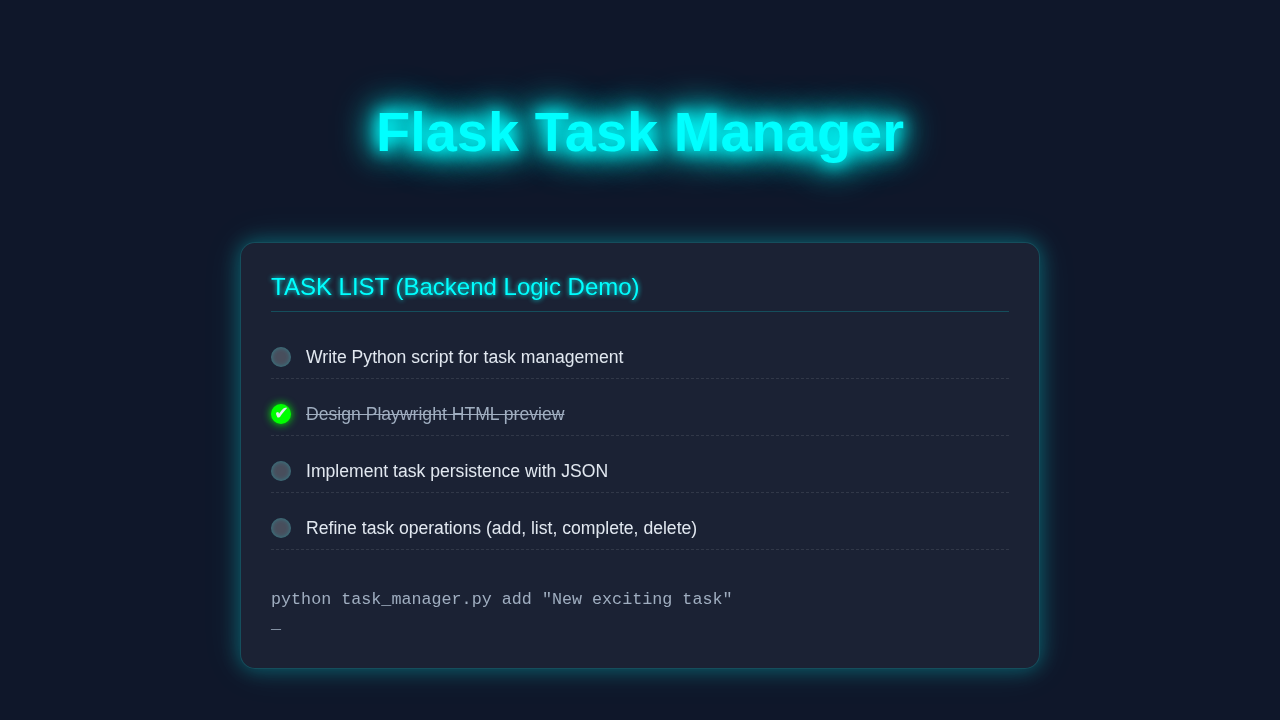
We are going to build a super simple task manager. Think of it as your personal digital to-do list! You will be able to add new tasks. Furthermore, you can mark them as complete. And of course, you can delete them when they are done!
This project uses Flask for the web application logic. Flask is a lightweight Python web framework. It helps us build web apps quickly. For storing our tasks, we will use SQLite. SQLite is a file-based database. It’s perfect for small projects like this one. This setup means no complex database server installation is needed. It’s a great way to understand how web apps interact with databases.
HTML Structure: Our Task Manager’s Face
First, we need a front-end to interact with our task manager. This is where our HTML comes in! It provides the basic layout for displaying tasks and adding new ones. We will keep it clean and simple. You will see an input field for new tasks. There will also be a list to show existing tasks. Here’s the cool part:
CSS Styling: Making Our Task Manager Pretty
Now, let’s make our task manager look good. CSS helps us add some style to our HTML elements. We will add basic styling for readability and user experience. This includes fonts, colors, and layout adjustments. It’s all about making your app pleasant to use!
Pro Tip: Good styling isn’t just about looks. It also improves usability! Clear visual hierarchy helps users understand your app faster.
Here is the CSS code that brings our design to life:
JavaScript: Adding Interactivity
Finally, we’ll add a little JavaScript to make our task manager more dynamic. This JS will handle marking tasks as complete without a full page reload. It makes the user experience much smoother! We will use simple fetch requests to communicate with our Flask backend. This is a common pattern in modern web development.
This small script enhances the user interaction. It sends updates to our server. Then it updates the visual state of tasks. It’s quite powerful!
task_manager.py
import json
import os
import sys
from datetime import datetime

# --- Configuration ---
TASKS_FILE = 'tasks.json' # File to store tasks

# --- Helper Functions for File Operations ---

def _load_tasks():
    """
    Loads tasks from the TASKS_FILE.
    If the file does not exist or is empty, initializes with an empty list.
    Returns: list of task dictionaries.
    """
    if not os.path.exists(TASKS_FILE) or os.path.getsize(TASKS_FILE) == 0:
        return []
    try:
        with open(TASKS_FILE, 'r', encoding='utf-8') as f:
            tasks = json.load(f)
            # Ensure 'id' is an integer for consistent lookup
            for task in tasks:
                if 'id' in task: # Safely check for 'id' key
                    task['id'] = int(task['id'])
            return tasks
    except json.JSONDecodeError:
        print(f"Warning: {TASKS_FILE} is corrupted or invalid JSON. Starting with empty tasks.")
        return []
    except Exception as e:
        print(f"Error loading tasks: {e}")
        return []

def _save_tasks(tasks):
    """
    Saves the given list of tasks to the TASKS_FILE.
    Args:
        tasks (list): A list of task dictionaries to save.
    """
    try:
        with open(TASKS_FILE, 'w', encoding='utf-8') as f:
            json.dump(tasks, f, indent=4)
    except Exception as e:
        print(f"Error saving tasks: {e}")

# --- Task Management Functions ---

def _get_next_id(tasks):
    """
    Generates the next unique ID for a new task.
    Args:
        tasks (list): The current list of task dictionaries.
    Returns: int, the next available ID.
    """
    if not tasks:
        return 1
    return max(task['id'] for task in tasks) + 1

def add_task(description):
    """
    Adds a new task to the task list.
    Args:
        description (str): The description of the task.
    """
    tasks = _load_tasks()
    new_id = _get_next_id(tasks)
    new_task = {
        'id': new_id,
        'description': description,
        'completed': False,
        'created_at': datetime.now().isoformat()
    }
    tasks.append(new_task)
    _save_tasks(tasks)
    print(f"Task '{description}' added with ID: {new_id}")

def list_tasks():
    """
    Prints all tasks in the task list, showing their status.
    """
    tasks = _load_tasks()
    if not tasks:
        print("No tasks found. Add some tasks using 'add' command!")
        return

    print("\n--- Current Tasks ---")
    for task in tasks:
        status = "[✓]" if task['completed'] else "[ ]"
        print(f"ID: {task['id']:<3} {status} {task['description']}")
    print("---------------------\n")

def complete_task(task_id):
    """
    Marks a task as completed.
    Args:
        task_id (int): The ID of the task to complete.
    """
    tasks = _load_tasks()
    found = False
    for task in tasks:
        if task['id'] == task_id:
            task['completed'] = True
            found = True
            break
    if found:
        _save_tasks(tasks)
        print(f"Task ID {task_id} marked as completed.")
    else:
        print(f"Task with ID {task_id} not found.")

def delete_task(task_id):
    """
    Deletes a task from the task list.
    Args:
        task_id (int): The ID of the task to delete.
    """
    tasks = _load_tasks()
    original_task_count = len(tasks)
    tasks = [task for task in tasks if task['id'] != task_id]
    if len(tasks) < original_task_count:
        _save_tasks(tasks)
        print(f"Task ID {task_id} deleted.")
    else:
        print(f"Task with ID {task_id} not found.")

# --- Main Execution Logic ---

def print_help():
    """Prints usage instructions for the script."""
    print("\n--- Flask Task Manager (Backend Logic) ---")
    print("This script provides basic command-line task management.")
    print("Usage:")
    print("  python task_manager.py add <description>")
    print("    Adds a new task with the given description.")
    print("  python task_manager.py list")
    print("    Lists all current tasks with their status.")
    print("  python task_manager.py complete <task_id>")
    print("    Marks the task with the given ID as completed.")
    print("  python task_manager.py delete <task_id>")
    print("    Deletes the task with the given ID.")
    print("  python task_manager.py help")
    print("    Shows this help message.")
    print("------------------------------------------\n")

if __name__ == "__main__":
    if len(sys.argv) < 2:
        print_help()
    else:
        command = sys.argv[1].lower()
        if command == 'add':
            if len(sys.argv) > 2:
                description = " ".join(sys.argv[2:])
                add_task(description)
            else:
                print("Error: 'add' command requires a description.")
                print_help()
        elif command == 'list':
            list_tasks()
        elif command == 'complete':
            if len(sys.argv) > 2 and sys.argv[2].isdigit():
                task_id = int(sys.argv[2])
                complete_task(task_id)
            else:
                print("Error: 'complete' command requires a valid task ID.")
                print_help()
        elif command == 'delete':
            if len(sys.argv) > 2 and sys.argv[2].isdigit():
                task_id = int(sys.argv[2])
                delete_task(task_id)
            else:
                print("Error: 'delete' command requires a valid task ID.")
                print_help()
        elif command == 'help':
            print_help()
        else:
            print(f"Unknown command: '{command}'")
            print_help()
How It All Works Together: Backend Logic with Flask and SQLite
This is where the magic happens! Our Flask application will handle all the backend operations. It connects to our SQLite database. It also processes requests from the frontend. We will define routes for displaying tasks, adding new ones, marking them complete, and deleting them. Let me explain what’s happening here step by step.
Setting Up Flask and SQLite
First, we initialize our Flask app. We also set up our SQLite database. SQLite is a relational database. It stores data in tables. We will create a `tasks` table. This table will hold our task descriptions and their completion status. The `sqlite3` module in Python makes database interaction easy. We can connect to the database. We can also execute SQL queries. This setup is fundamental for any data-driven web application. It is a core part of building a Flask for Beginners: Build Your First Web App.
Creating Our Database Schema
Our database needs a structure. This is called a schema. For our tasks, we need an ID, a description, and a `done` status. The ID will be a unique identifier. The description holds the task text. The `done` status will be a boolean value (0 or 1). It indicates if a task is completed. We define this schema in a Python script. This script will create the `tasks.db` file if it doesn’t exist. This ensures our database is ready to go!
Defining Flask Routes
Flask uses routes to handle different URLs. Each route maps a URL to a Python function. When you visit `/`, our Flask app will show all tasks. When you send a POST request to `/add`, it will add a new task. Similarly, we will have routes for marking tasks complete and deleting them. These routes are the entry points for all user interactions. They help manage the flow of data. Moreover, they decide what the user sees.
Consider this a basic form of API development. You can learn more about building robust APIs with our Flask REST API Tutorial: Build a RESTful Service with Python.
Handling CRUD Operations
CRUD stands for Create, Read, Update, and Delete. These are the basic operations for any data management system. Our Python Task Manager supports all of them. Adding a task is ‘Create’. Displaying tasks is ‘Read’. Marking a task complete is ‘Update’. Removing a task is ‘Delete’. Each of these operations involves interacting with our SQLite database. We write SQL queries to perform these actions. Flask then renders the appropriate HTML template. This ensures the user interface stays updated. It’s a powerful and simple way to manage data. Therefore, understanding CRUD is key!
Remember: Error handling is important in real-world apps. Always validate user input. This prevents common security issues and makes your app more robust. Learn more about protecting your APIs, like in API Rate Limiting Explained.
Connecting Frontend and Backend
Our HTML and CSS provide the look. Our JavaScript adds basic client-side interactivity. Flask handles the server-side logic and database communication. When you click ‘add task’, JavaScript sends a request to Flask. Flask processes it. Then it updates the database. Finally, Flask might return updated data or redirect. This smooth flow between frontend and backend makes our web app functional. It makes everything click!
For more details on front-end best practices, explore resources like MDN Web Docs for HTML or CSS-Tricks for styling inspiration.
Tips to Customise It
You have built a great foundation! Now, how about making it even better? Here are a few ideas:
- User Accounts: Add user registration and login. Each user could have their own tasks. This would make it a multi-user application!
- Due Dates: Include a field for due dates. You could then sort tasks by urgency. This adds a lot of functionality.
- Task Categories: Allow users to assign categories to tasks (e.g., ‘Work’, ‘Personal’, ‘Shopping’). This helps with organization.
- API Endpoints: Instead of rendering HTML directly, build a true REST API. Your frontend could then fetch data using JavaScript entirely.
- Better UI: Enhance the styling with a modern CSS framework like Bootstrap or Tailwind CSS. Make it look professional!
Conclusion: You Did It!
Wow, you just built your very own Python Task Manager! That’s a huge accomplishment. You’ve learned about Flask, SQLite, HTML, CSS, and JavaScript. These are all crucial web development skills. Take a moment to celebrate your hard work. You now understand how a full-stack web application comes together. This project is a fantastic addition to your portfolio. It shows real-world application of your skills. Moreover, it’s a solid stepping stone for more complex projects. Keep coding, keep experimenting, and don’t forget to share what you’ve built with the #procoder09 community!
task_manager.py
import json
import os
import sys
from datetime import datetime

# --- Configuration ---
TASKS_FILE = 'tasks.json' # File to store tasks

# --- Helper Functions for File Operations ---

def _load_tasks():
    """
    Loads tasks from the TASKS_FILE.
    If the file does not exist or is empty, initializes with an empty list.
    Returns: list of task dictionaries.
    """
    if not os.path.exists(TASKS_FILE) or os.path.getsize(TASKS_FILE) == 0:
        return []
    try:
        with open(TASKS_FILE, 'r', encoding='utf-8') as f:
            tasks = json.load(f)
            # Ensure 'id' is an integer for consistent lookup
            for task in tasks:
                if 'id' in task: # Safely check for 'id' key
                    task['id'] = int(task['id'])
            return tasks
    except json.JSONDecodeError:
        print(f"Warning: {TASKS_FILE} is corrupted or invalid JSON. Starting with empty tasks.")
        return []
    except Exception as e:
        print(f"Error loading tasks: {e}")
        return []

def _save_tasks(tasks):
    """
    Saves the given list of tasks to the TASKS_FILE.
    Args:
        tasks (list): A list of task dictionaries to save.
    """
    try:
        with open(TASKS_FILE, 'w', encoding='utf-8') as f:
            json.dump(tasks, f, indent=4)
    except Exception as e:
        print(f"Error saving tasks: {e}")

# --- Task Management Functions ---

def _get_next_id(tasks):
    """
    Generates the next unique ID for a new task.
    Args:
        tasks (list): The current list of task dictionaries.
    Returns: int, the next available ID.
    """
    if not tasks:
        return 1
    return max(task['id'] for task in tasks) + 1

def add_task(description):
    """
    Adds a new task to the task list.
    Args:
        description (str): The description of the task.
    """
    tasks = _load_tasks()
    new_id = _get_next_id(tasks)
    new_task = {
        'id': new_id,
        'description': description,
        'completed': False,
        'created_at': datetime.now().isoformat()
    }
    tasks.append(new_task)
    _save_tasks(tasks)
    print(f"Task '{description}' added with ID: {new_id}")

def list_tasks():
    """
    Prints all tasks in the task list, showing their status.
    """
    tasks = _load_tasks()
    if not tasks:
        print("No tasks found. Add some tasks using 'add' command!")
        return

    print("\n--- Current Tasks ---")
    for task in tasks:
        status = "[✓]" if task['completed'] else "[ ]"
        print(f"ID: {task['id']:<3} {status} {task['description']}")
    print("---------------------\n")

def complete_task(task_id):
    """
    Marks a task as completed.
    Args:
        task_id (int): The ID of the task to complete.
    """
    tasks = _load_tasks()
    found = False
    for task in tasks:
        if task['id'] == task_id:
            task['completed'] = True
            found = True
            break
    if found:
        _save_tasks(tasks)
        print(f"Task ID {task_id} marked as completed.")
    else:
        print(f"Task with ID {task_id} not found.")

def delete_task(task_id):
    """
    Deletes a task from the task list.
    Args:
        task_id (int): The ID of the task to delete.
    """
    tasks = _load_tasks()
    original_task_count = len(tasks)
    tasks = [task for task in tasks if task['id'] != task_id]
    if len(tasks) < original_task_count:
        _save_tasks(tasks)
        print(f"Task ID {task_id} deleted.")
    else:
        print(f"Task with ID {task_id} not found.")

# --- Main Execution Logic ---

def print_help():
    """Prints usage instructions for the script."""
    print("\n--- Flask Task Manager (Backend Logic) ---")
    print("This script provides basic command-line task management.")
    print("Usage:")
    print("  python task_manager.py add <description>")
    print("    Adds a new task with the given description.")
    print("  python task_manager.py list")
    print("    Lists all current tasks with their status.")
    print("  python task_manager.py complete <task_id>")
    print("    Marks the task with the given ID as completed.")
    print("  python task_manager.py delete <task_id>")
    print("    Deletes the task with the given ID.")
    print("  python task_manager.py help")
    print("    Shows this help message.")
    print("------------------------------------------\n")

if __name__ == "__main__":
    if len(sys.argv) < 2:
        print_help()
    else:
        command = sys.argv[1].lower()
        if command == 'add':
            if len(sys.argv) > 2:
                description = " ".join(sys.argv[2:])
                add_task(description)
            else:
                print("Error: 'add' command requires a description.")
                print_help()
        elif command == 'list':
            list_tasks()
        elif command == 'complete':
            if len(sys.argv) > 2 and sys.argv[2].isdigit():
                task_id = int(sys.argv[2])
                complete_task(task_id)
            else:
                print("Error: 'complete' command requires a valid task ID.")
                print_help()
        elif command == 'delete':
            if len(sys.argv) > 2 and sys.argv[2].isdigit():
                task_id = int(sys.argv[2])
                delete_task(task_id)
            else:
                print("Error: 'delete' command requires a valid task ID.")
                print_help()
        elif command == 'help':
            print_help()
        else:
            print(f"Unknown command: '{command}'")
            print_help()