API Rate Limiting Explained: No More ‘Too Many Requests’ Panic!
Hey there, procoder! Ever tried to grab some data from an API, feeling productive, only to suddenly hit a wall? You see a cryptic ‘429 Too Many Requests’ error. Your script stops dead. It feels like the API is yelling at you to slow down, right?
Don’t worry, you’re not alone. This little speed bump is super common for web developers. It’s called API Rate Limiting Explained, and it’s a critical concept you absolutely need to understand. Forget what you think you know. We’re about to bust some myths and make this click for good.
Myth #1: API Rate Limiting Is Just the API Being Annoying
Hold up! This is a big one. You might think, “Why can’t I just send all my requests at once? It’s my code!” Here’s the thing: API rate limiting isn’t about annoying you. It’s about protecting the API’s servers. Think of it like a popular coffee shop during peak rush hour.
Imagine everyone screaming their complicated latte orders at the baristas all at once. What happens? Chaos! Orders get mixed up. Machines break down. The baristas get overwhelmed. Nobody gets their coffee fast or right.
That’s what an API server experiences without rate limiting. Rate limiting is a strategy to control how many requests a client or user can make to an API within a specific timeframe. It’s the API’s way of managing traffic. It ensures fair access for everyone. It keeps the service stable. It literally prevents the server from crashing under pressure. Make sense so far?
Myth #2: Rate Limiting Only Affects Giant Apps or Companies
“Oh, but my little side project doesn’t send that much traffic,” you might say. “This only happens to the big players.” Nope! That’s another common misconception. Even a single developer, running a Python script, can hit rate limits surprisingly fast. You use libraries like the Python Requests Library: Master Web Interactions to talk to APIs, right? You probably love how easy it makes things.
But that ease can also lead to trouble. Say you write a loop to fetch data for hundreds of items. If you fire off those requests back-to-back without any pauses, you will hit a limit. Even if you’re the only user! Think of a public drinking fountain. If one person tries to drink *all* the water without stopping, they’ll likely overwhelm the pipes. It’s not about how many people are using the fountain. It’s about one person’s intense usage.
So, no, you don’t need millions of users to encounter rate limiting. You just need to send requests faster than the API’s allowed threshold. It’s a universal guardrail, not just for the big leagues.
Myth #3: Once You’re Rate-Limited, You’re Totally Stuck or Banned
Getting a ‘429’ error can feel a bit like getting a digital slap on the wrist. You might think, “Well, that’s it then. I’m blocked forever!” Good news: that’s rarely the case. Being rate-limited is almost never a permanent ban. It’s usually a temporary timeout. The API is simply asking you to slow down and try again later.
Imagine you’re waiting in line for a popular new video game. If you try to cut to the front, the store clerk will tell you to go to the back. They aren’t banning you from the store. They just want you to wait your turn. The trick is knowing *how* long to wait. This is where understanding API responses really shines. Many APIs will send helpful information in their response headers. For example, they might include a Retry-After header. This tells you exactly how many seconds to wait before trying again. It’s like the clerk saying, “Come back in five minutes.” You can learn more about this Retry-After header on MDN Web Docs.
Pro Tip: Rate limiting is a speed bump, not a roadblock. It means the API wants you to be a polite guest, not a banned one!
API Rate Limiting Explained: The Real Deal & Why It’s Essential
Okay, now that we’ve cleared up some common misunderstandings, let’s talk about the true power and purpose of rate limiting. It’s incredibly important for several reasons. Understanding these helps you build more robust and respectful applications. Whether you’re working on a simple app with Flask for Beginners: Build Your First Web App or a complex Flask REST API Tutorial: Build a RESTful Service with Python, this knowledge is key.
Why Rate Limiting Matters:
- Server Stability & Reliability: This is huge. Uncontrolled requests can overwhelm a server. This leads to slow responses or even crashes. Rate limiting acts as a pressure relief valve.
- Fair Resource Allocation: It ensures that all users and applications get a fair share of the API’s resources. One greedy user can’t hog everything.
- Cost Management: Running servers costs money. Every request uses computational power. Rate limiting helps API providers manage their infrastructure costs.
- Security Against Abuse: It helps prevent malicious activities. Think about brute-force attacks or denial-of-service (DoS) attempts. Rate limiting slows down attackers.
How API Rate Limiting Works (Simplified):
APIs use different strategies to enforce limits. You don’t need to be an expert in all of them. Knowing the general idea helps you understand their behavior.
- Fixed Window Counter: This is straightforward. An API allows X requests within a fixed time window, like 60 requests per minute. At the start of each new minute, your counter resets to zero. Simple to implement, but can create “bursts” right after the reset.
- Sliding Window Log: This is more granular. The API keeps a timestamp for each request you make. To check your limit, it counts requests within the *last* X seconds/minutes. It’s smoother. It avoids those sudden traffic spikes.
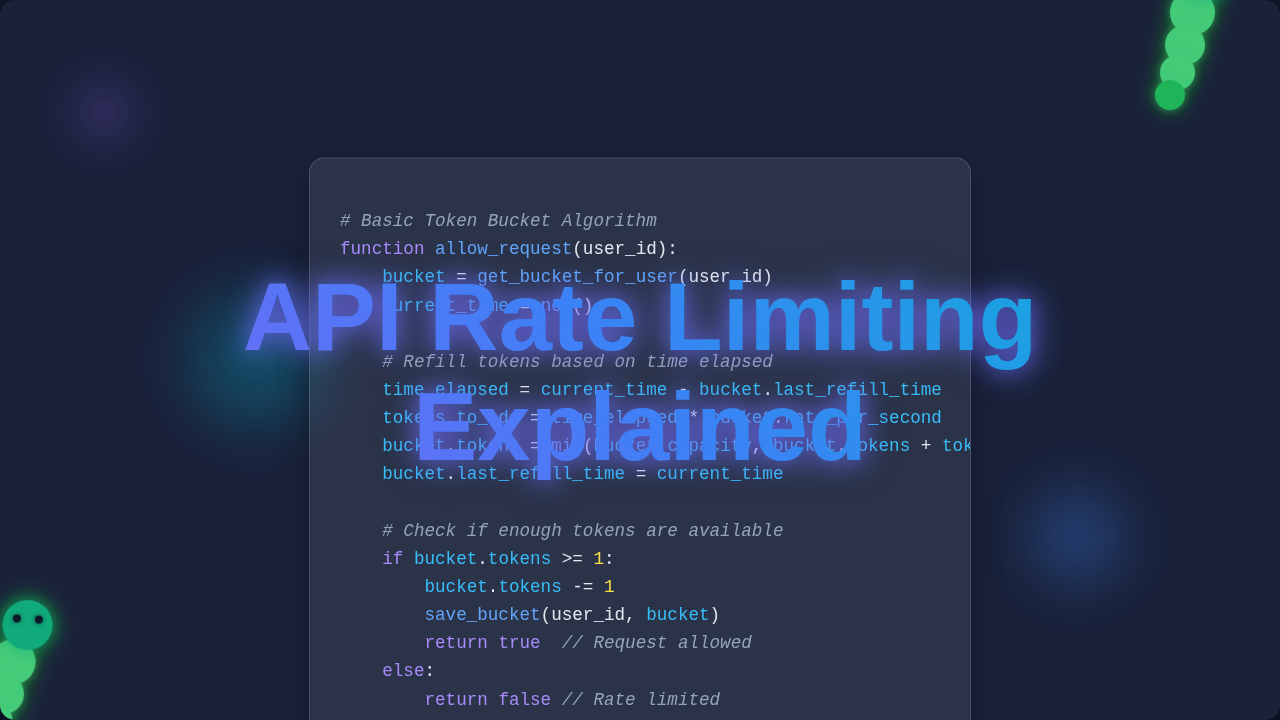
- Token Bucket: Imagine you have a bucket with a certain number of “tokens.” Each request consumes one token. Tokens are added back to the bucket at a steady rate. If your bucket is empty, you must wait until new tokens arrive. This method is great for handling occasional bursts of traffic while still maintaining an average rate.
Mastering API Rate Limiting Explained: Your Strategy Guide
So, how do you work gracefully with rate limits instead of fighting them? It’s all about being a good API citizen. You want your applications to be resilient and smart.
1. Read the API Documentation
Seriously, this is your first step. APIs almost always spell out their rate limits. They tell you how many requests you can make. They define the timeframes. They often specify how to handle errors. Knowing these rules upfront saves you a lot of headache.
2. Understand HTTP Status Codes (Especially 429!)
When an API blocks you, it sends back an HTTP status code. The ‘429 Too Many Requests’ code is your big signal. This tells you that you’ve exceeded the limit. Other codes like 403 (Forbidden) or 503 (Service Unavailable) might also relate. A quick dive into MDN Web Docs on HTTP 429 status code will clarify things.
3. Respect Rate Limit Headers
Many APIs include special headers in their responses. These provide real-time information about your current limit status. Look for headers like:
X-RateLimit-Limit: Your total allowed requests in the current window.X-RateLimit-Remaining: How many requests you have left.X-RateLimit-Reset: When your limit resets (often a Unix timestamp).Retry-After: (As mentioned!) How many seconds you should wait before trying again.
Your code can read these headers. It can then pause itself automatically. This makes your application much more robust!
4. Implement Exponential Backoff
This is a powerful technique. When your request gets a ‘429’ (or another retryable error), don’t immediately try again. Instead, wait for a short period. If it fails again, wait for *twice* that period. Then four times. And so on. You’re exponentially increasing the wait time. Add some randomness too! This prevents overloading the API again. It also gives the API server time to recover. It’s a very polite way to retry.
Actionable Tip: Always build ‘sleep’ or ‘wait’ functionality into your API requests. If you get a 429 error, don’t just retry immediately. Use exponential backoff!
You Got This!
See? API Rate Limiting Explained isn’t some mystical, annoying hurdle. It’s a fundamental part of responsible web development. It’s how APIs stay healthy. It’s how everyone gets a fair shot. Now, you understand why it’s essential. You know how it generally works. You have concrete strategies to handle it gracefully.
You’re not just writing code anymore. You’re building intelligent, resilient applications that play nice with the rest of the internet. Keep learning, keep building. You’re doing great!