Python Requests Library – Master HTTP in Python
Hello, fellow self-starters! Ever felt like the internet was a vast, mysterious jungle, and you were trying to navigate it with a dull butter knife? You are definitely not alone. I remember my early days, staring at tutorials, completely confused about how my Python script could possibly “talk” to a website. It felt like trying to have a conversation with a brick wall.
Then, the lightbulb moment happened. I discovered the Python Requests Library. It truly simplifies web interaction. This powerful tool acts like a friendly interpreter, making HTTP communication feel natural. Suddenly, fetching web pages or sending data became so much easier. It was a game-changer for my projects!
Ever Feel Like You’re Wrestling the Web?
You’ve probably been there. You want to get some data from a website. Maybe you need to log into an online service. Perhaps you wish to automate a task that lives on the internet. But every attempt feels overly complex. You hear terms like HTTP, GET, POST, headers, status codes. It sounds like a secret language, right?
It can be super frustrating. You just want to grab that information. Or you need to send some data. Why does it have to be so difficult? You are not alone in feeling this way. Many beginners find this initial hurdle challenging.
Why Web Interactions Used to Be a Headache
Here’s the thing: websites and web services communicate using a protocol called HTTP. Think of HTTP, or Hypertext Transfer Protocol, as the set of rules for how web browsers and servers talk to each other. Every time you visit a page, your browser sends an HTTP request. The server then sends back an HTTP response.
Before the Python Requests Library, handling these requests manually was a chore. You had to manage all the nitty-gritty details. Setting up connections, sending raw data, parsing responses—it was a lot of manual work. Imagine having to write a full letter by hand, including the envelope, stamp, and address, every single time you wanted to send a message. That’s how complex it felt. You had to handle every tiny piece of the interaction yourself. This often led to lengthy, hard-to-read code. It was prone to errors, too.
Enter the Python Requests Library: Your Web Interaction Superhero
The Python Requests Library swoops in to save the day. It handles all those low-level complexities for you. It’s like having a personal assistant for web interactions. You just tell it what you want to do, and it takes care of the details. You no longer have to worry about connection pooling or URL encoding.
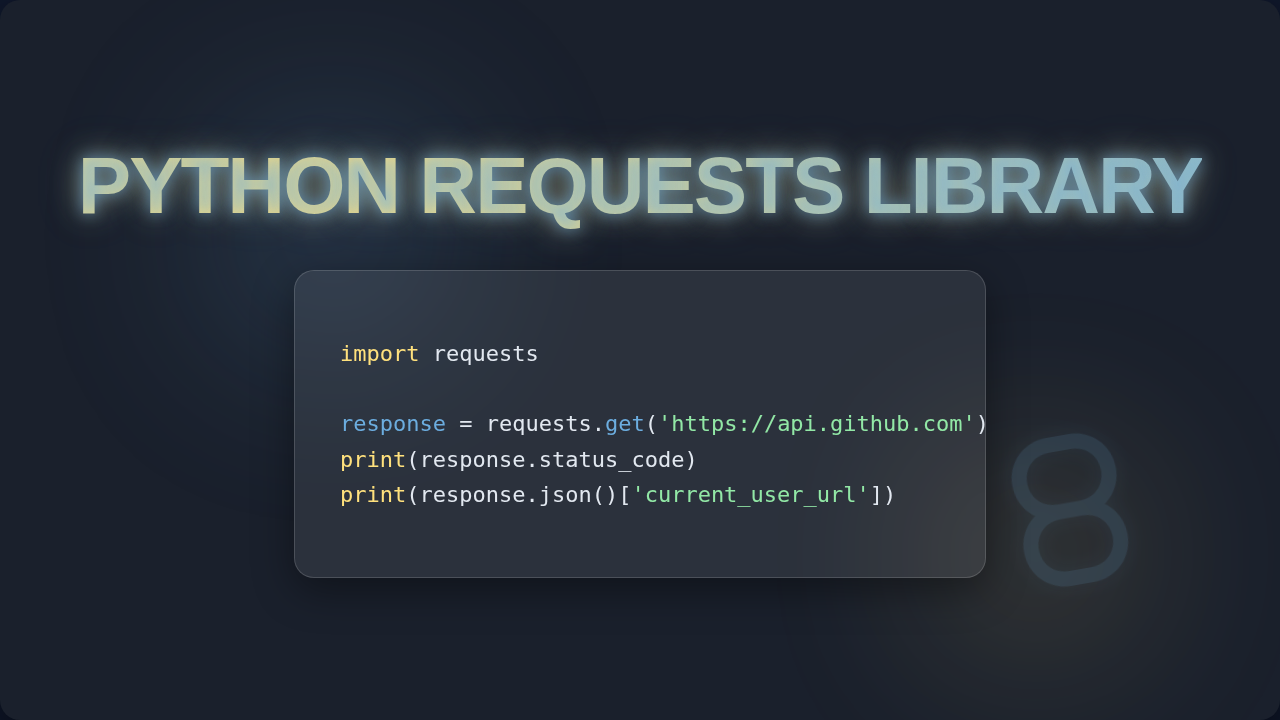
The cool part is how intuitive it is. You make a request, and it gives you back a Response object. This object holds all the information you need. You can easily access the content, status code, and headers. It makes web programming feel like a breeze. Truly, it simplifies your life as a developer. Using it feels very natural. Don’t worry—it clicks eventually!
Pro-Tip: Always treat the web as a conversation. You ask for something (a request), and the server replies (a response). The Python Requests Library just makes that conversation easier to have.
Making Sense of HTTP Verbs with Python Requests Library
HTTP verbs are like different types of questions or commands you can send to a web server. There are common ones you’ll use constantly. For instance, the GET verb is for asking for data. Think of it as saying, “Hey, show me what you’ve got!” When you type a URL into your browser, you’re making a GET request. The Python Requests Library makes GET requests incredibly simple.
Then there’s POST. This verb is for sending data to the server. It’s like filling out a form on a website. You’re creating new information or submitting something. You use POST when you upload a file or submit login credentials. The library handles all the data formatting for you. It puts your data into the ‘body’ of the request, just like a proper HTTP interaction. You can also use PUT for updating existing resources or DELETE for removing them. Each verb has a clear purpose. Learn more about the different HTTP request methods on MDN Web Docs.
The library abstracts away the complexity. Instead of building raw HTTP messages, you use straightforward function calls. You just specify the URL and your data. It feels like you’re speaking directly to the server. This directness helps you crafting your own web services with more confidence.
Beyond the Basics: Advanced Moves with Python Requests
The Python Requests Library offers much more than simple GET and POST. What if you need to include special instructions with your request? That’s where headers come in. Headers provide extra information about the request or response. They might tell the server what type of content you expect back. Or they might carry authentication tokens.
Authenticating your requests is also crucial for many APIs. An API, or Application Programming Interface, is a set of rules that allows different software applications to communicate with each other. Requests supports various authentication methods. You can pass usernames and passwords easily. It also handles more complex token-based authentication. This allows you to securely interact with protected resources. Imagine logging into your favorite social media site programmatically. Requests handles the secret handshake for you.
File uploads are another common scenario. The library makes sending files to a server surprisingly easy. You just point it to the file, and it does the rest. Downloading files is just as simple. You can stream large files efficiently. This avoids loading the entire file into memory at once. It’s fantastic for performance. Need to build intelligent chatbots that interact with web services? Requests is your friend.
Friendly Reminder: Always check the status code! A 200 means success, while a 404 means ‘not found’. These codes tell you if your web interaction was understood and processed correctly. They are like quick feedback from the server.
Unlocking More Potential: Parameters and Headers
When you want to refine your requests, parameters are key. These are extra bits of information you send with a GET request. They are often seen in the URL after a question mark. For example, a search query like ?q=python+requests uses parameters. The library lets you pass these as a simple dictionary. It automatically appends them to your URL. This keeps your code clean and readable.
Headers, as we touched on earlier, are vital. They define the ‘context’ of your request. You might set an 'Accept' header to tell the server you prefer JSON data. Or an 'Authorization' header to prove your identity. The Python Requests Library lets you pass custom headers easily. It makes constructing precise HTTP messages straightforward. Sometimes, websites change their content based on your browser or device. You can simulate different user-agents using headers. It’s like putting on a disguise for your request. To really understand the HTTP protocol, exploring HTTP headers on MDN can be quite insightful.
What about dealing with cookies? Cookies are small pieces of data that websites store in your browser. They often keep you logged in or remember your preferences. Requests handles cookies automatically. It manages sessions, so you don’t lose your login state between requests. This means you can mimic a user’s browsing experience. You can log in, navigate, and interact with web pages seamlessly. This feature is incredibly powerful for automation tasks.
Ready to Conquer the Web?
The Python Requests Library truly demystifies web interaction. It removes the low-level headaches and lets you focus on your application’s logic. You can now fetch data, send information, and automate web tasks with confidence. This library is a fundamental building block for any Python developer interested in web scraping, API interaction, or building web-connected applications. Whether you’re making your first request or building a complex system, Requests has your back. It helps you unlock the vast potential of the internet. You now have the power to make your Python scripts talk to the web. So, go ahead. Start experimenting. The web awaits your command!