Python Virtual Environments: Isolate Projects & Dependencies
Hey there, fellow self-taught coder! Have you ever found yourself in a situation where one Python project just breaks another? You updated a package for a new script, and suddenly your older, working app throws a fit. Sound familiar?
It’s a truly frustrating experience. You might think, “Why can’t my projects just play nice together?” Well, you’re not alone. This common headache is exactly what Python Virtual Environments are designed to solve. They are a game-changer for keeping your coding life smooth.
The Frustration: When Your Projects Collide
Imagine your computer’s main Python installation as a giant shared toolbox. Every single Python project you create reaches into this one toolbox for its tools, or “packages.” These packages are pre-written bits of code that other people created to help you do things faster. For instance, you might use the Python Requests Library for making web requests in one project. Or maybe you’re building a Flask OpenAI Chatbot that needs Flask.
Here’s the problem: different projects often need different versions of the same tool. Project A might need ‘requests’ version 2.20.0 because its code was written for it. Project B, however, absolutely requires ‘requests’ version 2.28.0. This is due to a new feature it uses, or a critical security update. If you install 2.28.0 globally for Project B, Project A might suddenly stop working. Its older code simply isn’t compatible with the newer package. This is what developers affectionately (or not so affectionately) call “dependency hell.”
Your global Python setup gets crowded quickly. It becomes a tangled mess of conflicting package versions. One update can unexpectedly sabotage another project you thought was perfectly fine. This leads to wasted hours debugging issues that have nothing to do with your actual logic. You want to focus on building amazing things, not fixing baffling version conflicts. Right? This problem scales quickly. The more projects you have, the higher the chance of a collision. It can even make deploying your projects to a server much harder. You need a way to keep everything organized and self-contained.
Enter Python Virtual Environments: Your Project’s Private Island
Now, for the good news. There’s a brilliant solution to this mess: Python Virtual Environments. Think of a virtual environment like a private, self-contained toolbox for each of your Python projects. Instead of one big shared toolbox, each project gets its very own dedicated space.
When you create a virtual environment for a project, you’re essentially setting up a fresh, isolated Python installation. This environment includes its own set of directories. It has its own ‘site-packages’ folder. Any packages you install for that specific project live only within that environment. They don’t touch your main Python installation. They certainly don’t affect your other projects.
It’s like giving each of your projects its own sandbox. In that sandbox, it can play with whatever versions of packages it wants. The sandboxes are completely separate. This means no more conflicts! You can work on an old legacy project needing older package versions. Simultaneously, you can develop a brand-new project with the latest and greatest versions. All on the same machine. This makes your workflow so much smoother.
How Python Virtual Environments Work Their Magic
So, how does this amazing isolation actually happen? When you activate a virtual environment, your shell (your command line interface) gets a temporary tweak. It cleverly redirects calls for ‘python’ and ‘pip’ to the versions located inside your virtual environment. It does this instead of using the global ones. This redirection is key. Any pip install commands you run then install packages into that specific environment’s site-packages folder. They don’t touch your main Python directories at all.
Imagine you have a main house (your global Python). Each project gets a tiny, self-sufficient apartment building (the virtual environment) next door. Each apartment has its own kitchen, bathroom, and utilities (packages). When you’re in ‘Apartment A’, you use ‘Apartment A’s’ stove. You don’t go to the main house’s kitchen. And if ‘Apartment B’ decides to upgrade its fridge, ‘Apartment A’s’ fridge remains untouched. The pathways for finding tools are temporarily altered for each apartment. Makes sense?
This separation is crucial for stability. It also ensures reproducibility. If you share your project, others can easily set up the exact same environment. This prevents those frustrating “it works on my machine!” moments. A robust project always includes a virtual environment. It’s a fundamental best practice that truly pays off in the long run. It provides a consistent execution environment. This consistency is invaluable for collaboration and deployment.
Pro Tip: Always create a new Python Virtual Environment for every single new project you start. This simple habit will save you countless hours of debugging down the line!
For example, if you’re building a Python Web Scraper, you’ll install BeautifulSoup and requests into its own virtual environment. Those specific packages won’t interfere with another project. Perhaps that other project uses an older requests version, for a totally different task like interacting with an old API.
Getting Started: Your First Virtual Environment
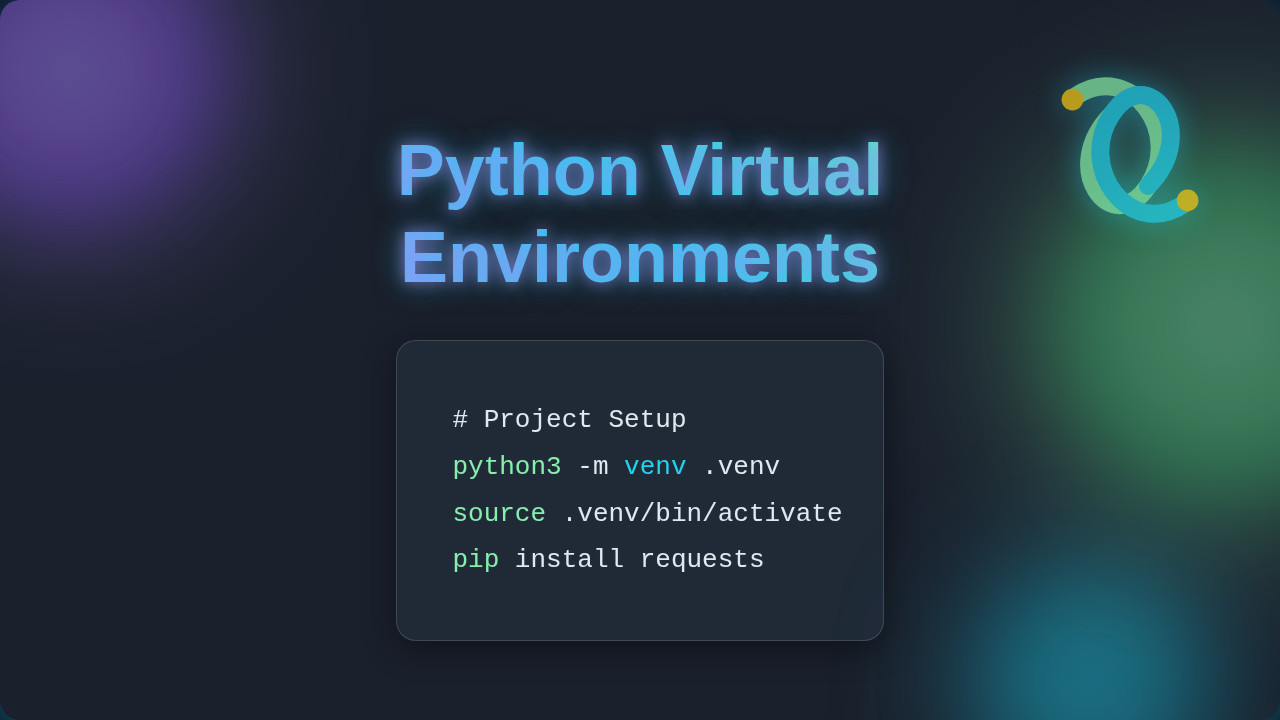
Ready to try it out yourself? It’s surprisingly easy to get started with Python Virtual Environments. Python actually includes a built-in module for this, called venv. You don’t need to install anything extra to use it. This makes it incredibly accessible for beginners.
The basic workflow involves just a few simple steps. First, you open your terminal or command prompt. Then, you navigate to your project’s root directory. Next, you create the environment using a simple command. You might name the environment folder something intuitive like .venv or env for consistency. After creation, you activate it. Once activated, your command prompt usually changes visually. It shows you a little indicator, like (venv) or (env), letting you know you’re inside. Finally, you install your project’s packages using pip install as usual. Remember, these installs only happen within that specific environment you just created and activated.
When you’re done working, you simply deactivate the environment with another command. This takes you back to your global Python setup. It’s that straightforward! This entire process empowers you with precise control over your project’s dependencies. You can read more about command line interfaces and how they work on MDN Web Docs. There are also powerful third-party tools like pipenv or Poetry that automate this even further. However, understanding the basics with venv is your best starting point. You will truly appreciate the underlying mechanism and gain confidence.
Did You Know? Virtual environments are not just a Python thing! Many other programming languages use similar concepts to manage dependencies. For example, Node.js uses
node_modulesfolders, which serve a similar isolation purpose. You can learn more about general dependency management on MDN Web Docs.
Seriously, make this a core part of your development toolkit. It’s one of those foundational skills that separates smooth sailing from constant frustration. It’s an investment in your future coding peace of mind. You’ll thank yourself later for adopting this practice. It leads to cleaner projects, fewer headaches, and more time for actual coding. Furthermore, it makes sharing your projects with others much easier. They get the exact environment you developed with. You avoid common pitfalls right from the start.
If you ever need to remove an environment, you just delete its folder. It’s clean and simple. No messy uninstalls or registry edits needed whatsoever. This level of control empowers you. It lets you experiment freely with different package versions without fear of breaking anything important on your system. It’s your personal development playground, perfectly contained.
Embrace the Power of Isolation
So, there you have it. The secret to avoiding “dependency hell” and keeping your Python projects pristine. Python Virtual Environments might seem like an extra step at first. But they are absolutely essential for any serious Python development. They empower you to manage your project’s specific needs. They ensure stability and reproducibility.
You’ve learned why project collisions happen. You now understand how virtual environments solve this problem by providing isolated spaces. You also know the basic steps to start using them today. This knowledge is a huge step forward in your journey as a self-taught developer. You are building good habits that will serve you well. Keep learning, keep building, and enjoy your new-found coding peace!